
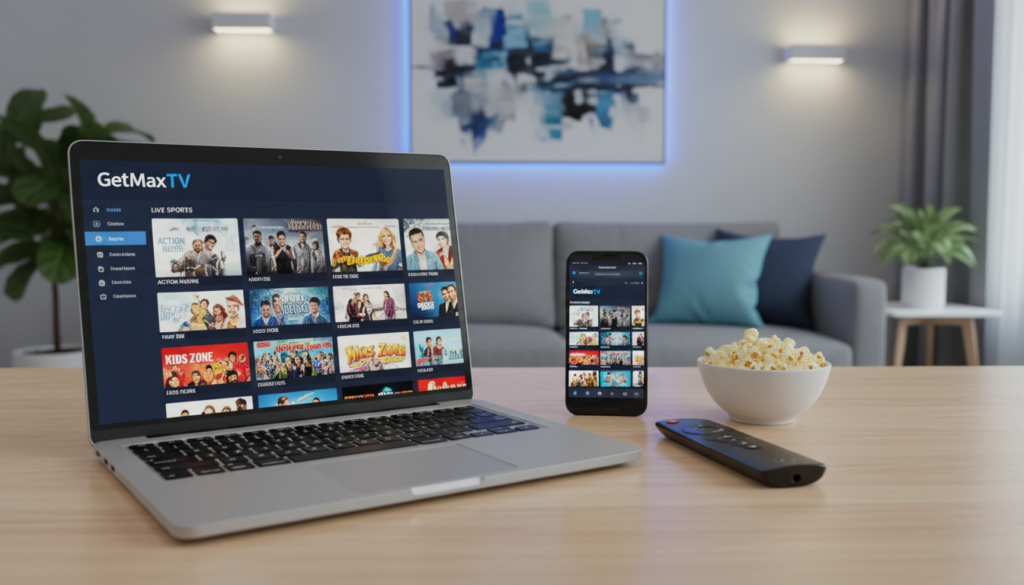
A shocking shift is reshaping American entertainment. By 2026, over 80 million people will have cut the cord on traditional cable.
The average monthly cable bill has ballooned to $147. Meanwhile, streaming now represents a massive 47.5% of all television viewing. People are demanding more control and better value.
This is where Internet Protocol Television shines as a powerful alternative. It delivers live TV and on-demand content directly over the web. You can transform your Apple computer into a versatile media hub.
Choosing the right software is the crucial first step. A reliable app turns your desktop into a gateway for global channels and high-definition streams. This guide will walk you through the best methods for a stable, premium viewing experience in 2026.
Whether you’re new to streaming or a seasoned viewer, getting started is straightforward. For a comprehensive look at configuration, explore our detailed resource on how to use IPTV. The right setup unlocks a world of entertainment.
Key Takeaways
- Cord-cutting is a major trend, with millions leaving expensive cable packages behind.
- Streaming services now account for nearly half of all television consumption.
- IPTV provides a cost-effective and flexible way to access live and on-demand TV.
- Your Mac or MacBook can easily become a central entertainment system with the correct software.
- Selecting a dependable streaming app is essential for a smooth, high-quality experience.
- Proper setup ensures stable access to a vast library of HD channels and content.
- This guide provides the foundational steps to begin watching seamlessly on your macOS device.
Setting Up IPTV on Mac: A Step-by-Step Guide
Getting your streaming setup right starts with a few simple checks. A proper foundation prevents playback issues and ensures a smooth experience.
Review System Requirements and Compatibility
First, look at your computer’s hardware. Some software, like the UHF app, needs an M1 or M2 chip to run on macOS.
For detailed advice, visit community forums. You can click expand on threads to see user recommendations for your specific macOS version.
Installing Your Preferred IPTV Player
Next, choose and install your streaming software. A good app is the heart of your setup.
VLC Media Player is a free, reliable choice. It has a simple user interface for playing an M3U playlist file. However, it lacks advanced features like a built-in EPG guide.
For more tools, look at other options. GSE Smart IPTV supports multiple playlist formats, including Xtream Codes. This ensures your premium channel data loads correctly.
Always check for an app update after installation. This keeps support for new streaming formats and security.
| Player | Best For | Key Feature | Playlist Support |
|---|---|---|---|
| VLC Media Player | Basic streaming | Simple playback controls | M3U, M3U8 |
| GSE Smart IPTV | Advanced users | EPG & parental controls | M3U, Xtream Codes |
| UHF | Modern Macs (M1/M2) | Optimized for macOS | M3U |
Selecting the right software gives you control over your channels. It makes managing your playlists on different devices much easier.
Exploring IPTV Apps, Features, and Device Compatibility

Your viewing experience is directly shaped by the capabilities of your chosen streaming software. The right application offers more than just playback. It provides organization, control, and access to a vast library of content.
Modern players turn your computer into a powerful entertainment hub.
Overview of Top IPTV Apps for macOS
Several standout applications lead the market. IPTV Smarters Pro delivers a robust user interface for live TV and video-on-demand. It seamlessly integrates with Xtream Codes APIs.
GSE Smart IPTV is another top-tier option. It is praised for its electronic program guide (EPG) support and parental controls. For active developer support, consider Snappier IPTV. Its team frequently releases an update to improve stability.
Integrating M3U Playlists and EPG Guides
Adding your channel list is simple. You just need your M3U playlist file. A good player supports this and other streaming formats.
The EPG is your on-screen TV guide. It shows what’s currently playing and what’s up next. This makes browsing channels much easier.
Advanced Features for a Seamless Experience
Look for premium features that enhance daily use. Parental controls let you manage what family members can watch. You can often click expand in settings to find customization options.
This allows you to organize your favorite playlists. For a great option, check out IPTV My Smart Player on the App Store.
| App Name | Key Features | Best For | Playlist Support |
|---|---|---|---|
| GSE Smart IPTV | EPG, Parental Controls, Catch-up TV | Families & Advanced Users | M3U, Xtream Codes |
| IPTV Smarters Pro | Live TV, VOD, Multi-Screen | Live Sports & Movies | M3U, Xtream Codes API |
| Snappier IPTV | Modern UI, Active Developer Support | Users Seeking Regular Updates | M3U |
Why Choose GetMaxTV
The true value of a television service lies in its consistent performance and vast library. You want endless options without the headaches of buffering or downtime.
Premium Service, 21,000+ Live Channels & 97,000+ VOD Titles
GetMaxTV delivers an exceptional catalog. You get over 21,000 live channels and 97,000 video-on-demand titles.
Everything streams in crisp HD and 4K quality. The service boasts a 99.9% uptime guarantee, so your favorite channel is always ready.
If you need help, 24/7 WhatsApp support provides instant assistance. This makes it a top-tier option for reliable entertainment.
Get Started with a Free 24-Hour Trial - Learn More
You can test everything risk-free. The free 24-hour trial requires no credit card and is the best way to experience the service firsthand.
Plans start at just $6.95/month, offering incredible value. It works on all your devices, from Smart TVs and streaming sticks to gaming consoles.
When you click expand on your account, adding your playlist is simple. Developers have optimized the EPG and Xtream Codes integration for a smooth experience.
Ready to explore these premium features? Visit GetMaxTV.com to start your free trial today.
Conclusion
Finding the ultimate entertainment setup is about pairing a powerful app with a dependable provider. A service like GetMaxTV complements your software with vast channels and premium features. Their 30-day money-back guarantee lets you test everything risk-free.
Keep your app updated and check your playlist often. This ensures your EPG stays accurate. For more recommendations on apps that support Xtream Codes, just click expand on our resource links. You can click expand on the final guide to start streaming your favorite IPTV playlists today.
Managing your content this way defines your satisfaction across all your devices. You’re now ready to enjoy a seamless, high-quality viewing experience.
FAQ
What’s the best application for streaming on my Apple computer?
The top choice depends on your needs. For a sleek, native macOS experience with robust format support, IINA is fantastic. If you want a versatile, cross-platform media player that handles M3U playlists reliably, VLC is a trusted option. Explore the App Store for other dedicated streaming software with features like EPG integration.
How do I get started with a streaming service on my device?
It’s a straightforward process. First, select and download your preferred player from a trusted source. Then, you’ll need a playlist file (like an M3U link) from your service provider. Open the app, navigate to the section to add a playlist, enter the URL or upload the file, and your channels should load. A good user interface makes this simple.
Can I use my existing subscription with different software?
A> Absolutely. Most services provide a universal M3U playlist link or Xtream Codes login details. You can input these credentials into any compatible app on your Mac, like VLC or IINA. This gives you the freedom to choose the player whose interface and controls you like best.
Are there any free options to test before I commit?
A> Yes, many reputable providers offer a free trial period. For instance, GetMaxTV provides a 24-hour trial, allowing you to test their vast channel lineup and VOD library. This lets you evaluate stream quality, EPG accuracy, and app compatibility before any purchase.
Will this work on my older MacBook model?
A> In most cases, yes. Modern streaming apps are designed to be efficient. Check the system requirements for your chosen player, but generally, if your macOS is up to date, it should run smoothly. Using a lightweight app can help ensure better performance on older devices.
The GetMaxTV Team is a group of cord-cutting experts and streaming technology specialists who have been testing and reviewing IPTV services since 2022. Based in North America, our team personally tests every service we recommend across 15+ devices including Fire TV Stick, Roku, Apple TV, Samsung Smart TVs, and gaming consoles. We verify channel counts, measure buffering rates, test picture quality in HD and 4K, and evaluate customer support response times. Our mission is to help viewers save money by switching from expensive cable subscriptions ($147/month average) to affordable, high-quality IPTV alternatives. Every article on GetMaxTV.com is based on hands-on testing and real-world experience — not recycled marketing claims.