
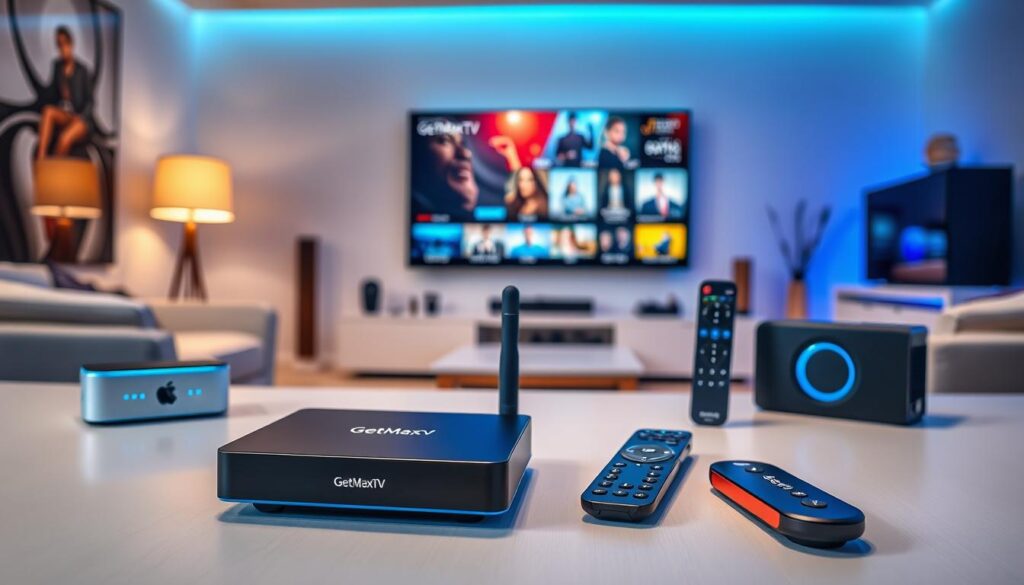
A shocking shift is reshaping American living rooms. By 2026, over 80 million people will have cut the cord on traditional cable. The average monthly bill for that service? A hefty $147.
Meanwhile, online video platforms now account for nearly half of all television viewing. This massive change isn’t just about saving money. It’s about seeking a better, more flexible way to watch.
This is where IPTV shines. Internet Protocol Television delivers a vast world of content directly over the internet. It often provides more channels and features for a fraction of the cable cost.
To unlock this potential, you need the right hardware. The wrong choice can lead to buffering, poor quality, and frustration. Your television needs a capable media player to become a true entertainment hub.
Since our founding in 2003, we’ve seen this technology evolve from basic boxes to sophisticated, 4K-ready powerhouses. We provide unbiased advice to help you navigate these options.
This guide will walk you through the top hardware choices. Our goal is to ensure your viewing experience is smooth, reliable, and free from common technical headaches.
Key Takeaways
- Cord-cutting is accelerating, with tens of millions of Americans abandoning traditional cable TV.
- Monthly cable bills remain prohibitively high, often exceeding $140.
- IPTV (Internet Protocol Television) offers a more affordable and feature-rich alternative for modern viewers.
- The correct media hardware is essential for accessing thousands of channels in high definition.
- Modern content delivery requires equipment that can handle high data throughput without lag.
- Expert guidance, backed by years of industry analysis, helps you select reliable gear.
- You can transform your standard television into a powerful, central entertainment hub.
Overview of streaming devices 2026
Think of your television’s HDMI port as a gateway to a new world of entertainment. Most modern media players function by plugging directly into this socket. They provide instant internet connectivity to your screen.
These compact gadgets solve a common problem. As noted by experts like Hannah Cowton-Barnes, not every television includes all the necessary entertainment apps out of the box. A dedicated device fills this gap, letting you access a wealth of platforms.
Your choice generally comes down to two main form factors. Each has its own strengths for different viewing setups.
| Form Factor | Typical Size | Best For |
|---|---|---|
| Stick | Ultra-compact, plugs directly into HDMI | Portability, secondary TVs, and minimal setup |
| Box | Larger, sits near your TV | Maximum performance, extensive connectivity, and living room use |
| Hybrid | Varies | Users seeking a balance of features and a sleek design |
By connecting this hardware to the web, you unlock a vast library. It goes far beyond traditional broadcast television. For detailed expert reviews of media players, trusted resources can guide your decision.
Whether you pick a stick or a box, the primary goal is the same. It simplifies how you consume all your digital media in one place.
Latest Innovations in Streaming Technology
Imagine your TV not just playing shows, but anticipating what you want to watch next. That’s the promise of the latest advancements in media hardware. For instance, the Amazon Fire TV Stick 4K Max (2nd gen) incorporates generative AI to learn your preferences.
Another smart feature is the Ambient Experience. When your television is idle, it can display helpful widgets like weather forecasts or calendar reminders. This turns your screen into a useful information hub.
Behind the scenes, developers are constantly refining apps. These updates ensure smooth performance on modern hardware, giving you a snappier interface. You’ll notice less lag when browsing menus.
Under the hood, new models boast significantly faster processors. This power handles high-bitrate 4K video effortlessly. It eliminates annoying buffering during intense action scenes.
Ultimately, these innovations aim for one goal: a seamless, intuitive experience. Finding your next favorite movie should feel natural, not like a chore. Your device becomes a helpful partner in your streaming journey.
Top Picks for 4K Quality Streaming Devices
For viewers who won’t compromise on picture quality, only a handful of media players deliver genuine 4K excellence. These units are engineered to make every scene pop with lifelike detail.
The Amazon Fire TV Stick 4K Max packs impressive power into a tiny form. With 16GB of onboard storage, it handles all your apps while supporting Dolby Vision for stunning contrast.
Serious home theater fans often choose the Nvidia Shield TV. This box delivers smooth 4K at 60 frames per second. It also brings Dolby Atmos and Dolby Vision together for complete immersion.
Sky Stream offers another compelling route to ultra-high definition. You get 4K Ultra HD content with HDR support and Dolby Atmos audio, all without a satellite dish.
Before purchasing, verify your television’s HDMI port has enough bandwidth. This simple check ensures your new hardware performs at its peak.
Each of these selections transforms your living room into a private cinema. You’ll enjoy vibrant colors, deep blacks, and crystal-clear motion in all your favorite shows.
Best Value Streaming Devices for 2026
You don’t need to spend a fortune to get a top-tier entertainment experience. Several media players offer excellent performance at a very friendly price.
The Roku Streaming Stick 4K is a standout choice. It delivers sharp 4K video and a snappy interface without a premium cost. This balance makes it a top pick for savvy viewers in 2026.
For an incredible deal, look at the Walmart Onn 4K Streaming Box. Available in the United States, it often costs less than twenty dollars. It’s proof that powerful hardware can be surprisingly affordable.
These units grant access to thousands of apps and channels. You’ll never run out of shows or movies to enjoy.
If you prefer a cleaner, more polished interface, the Google TV Streamer is a premium option. Its smooth operation justifies a higher cost for some users.
Choosing a capable model like an Amazon Fire TV or Roku stick saves you money. You still get all your favorite platforms and content.
Advanced Features to Consider in Your Next Streaming Device
The real magic of a modern media player lies in its ability to connect and control your digital life seamlessly. Look beyond basic video playback. Your next unit should make everything easier.
Voice Control and Smart Integrations
Talk to your television. A high-quality remote with voice search lets you find shows hands-free. This feature saves time and simplifies daily use.
Smart home integration is now common. You can adjust lights or check your thermostat right from the TV screen. Your entertainment hub becomes a command center.
Connectivity and App Ecosystems
A stable internet connection is vital. Many models, like the Google TV Streamer, offer an optional ethernet port. This wired link prevents buffering during 4K movies.
The apps library on your hardware determines what you watch. Choose a platform that supports all your favorite services. A rich ecosystem means more content options.
| Feature Category | Key Benefit | Example Implementation |
|---|---|---|
| Voice Control | Hands-free operation and quick search | Remote with built-in microphone |
| Wired Connectivity | Reliable, high-speed data for HD content | Optional ethernet port adapter |
| App Ecosystem | Access to thousands of channels and services | Support for all major streaming apps |
Streaming Device Compatibility with Smart Home Systems

Modern entertainment isn’t just about watching. It’s about controlling your entire home environment. Your media player can become the central hub for this connected experience.
Integration with Fire TV, Roku, and More
The Amazon Fire TV Cube (3rd Gen) is a prime example. It functions as both a powerful streaming device and an Echo Dot smart speaker. This dual role lets you manage lights, thermostats, and more with simple voice commands.
Platforms like Fire TV and Roku are designed to communicate with other smart home gadgets. You can launch your favorite apps or adjust the room’s ambiance without leaving the couch.
For this to work, your media hardware must be properly linked to your home network. Ensuring this connection creates a cohesive and responsive setup. Your entertainment center becomes an intuitive command post for daily life.
Comparing Streaming Device Performance and Usability
Two elements define your daily viewing satisfaction: the speed of the menu and the comfort of the remote. Comparing specs on paper is one thing, but real-world use tells the true story.
Your choice impacts how easily you find content and control your entertainment.
User Interface and Remote Options
A clean interface is essential. It helps you find apps and shows without digging through confusing menus. This simplicity saves you time and frustration every day.
As expert Hannah Cowton-Barnes notes, testing the remote and menu responsiveness is critical. A well-designed controller feels natural in your hand. Buttons should be intuitive and responsive.
Performance Metrics and Practical Insights
Raw power matters for smooth performance. The Amazon Fire TV Cube (3rd Gen) has a faster processor than many standard fire stick models. This speed cuts down on loading times.
Practical insights show that more RAM allows smoother switching between apps. Your media player won’t stutter when you jump from a movie to a live sports stream.
Prioritize a unit with a thoughtful remote. It’s your main tool for interaction.
| Metric | Premium Box | Streaming Stick | Value Box |
|---|---|---|---|
| Processing Power | Very High | Good | Moderate |
| RAM (Multitasking) | High (3GB+) | Moderate (2GB) | Basic (1.5GB) |
| Interface Speed | Instant Response | Fast | Noticeable Lag |
| Remote Design | Ergonomic, Voice Control | Compact, Basic | Functional |
This comparison highlights key trade-offs. A responsive interface and comfortable controller make your daily streaming much more enjoyable.
How Streaming Devices Enhance Your IPTV Experience
The right hardware transforms your IPTV service from a basic utility into a premium entertainment portal. A high-quality media player acts as the essential gateway. It ensures your content is delivered in the best possible resolution without compromise.
Using a dedicated device lets you bypass the limitations of your TV’s built-in software. You gain access to a wider, more robust range of specialized IPTV apps. This opens up a world of channels and on-demand libraries your smart TV might lack.
These units are engineered to handle the high data demands of modern internet television. They provide a stable and consistent viewing experience for everyone in your home. Buffering and dropouts become problems of the past.
Superior processing power is vital for decoding complex video streams. The best streaming hardware deciphers these signals instantly. This results in smooth playback, even for live sports and high-action movies.
Enhancing your setup with a modern media player makes your IPTV experience seamless. It rivals or surpasses traditional cable television. For a premier IPTV experience on Roku, choosing the right streaming devices is the crucial first step.
Set-Up Tips and Tricks for Optimal Streaming Performance
A few simple steps during setup can prevent hours of frustration later. Proper installation ensures your media player delivers smooth, high-quality viewing from day one.
It transforms potential headaches into seamless entertainment. Your hardware needs the right foundation to shine.
Installation Guides and Best Practices
Start by plugging your unit into the correct television socket. Choose an HDMI port that supports 4K and HDR for the best picture.
For optimal performance, connect to a high-speed internet source. A wired ethernet link is more reliable than Wi-Fi for HD content.
| Step | Action | Key Benefit |
|---|---|---|
| 1 | Connect to correct HDMI port | Ensures full resolution support |
| 2 | Use wired ethernet connection | Prevents buffering during playback |
| 3 | Update software immediately | Gets latest features and security |
| 4 | Allow proper ventilation | Extends hardware lifespan |
Models like the Amazon Fire Stick or Fire Cube benefit greatly from these steps. Keep cables tidy to avoid accidents.
Troubleshooting Common Issues
If you encounter problems, restart your device first. This clears temporary glitches and refreshes the connection.
Check your network settings if playback stutters. Sometimes, simply moving your router closer helps.
Regular software updates are a must. They provide critical patches and improve app performance.
Ensure your unit has enough space around it. Good airflow prevents overheating during long movie nights.
Hidden Gems: Lesser-Known Streaming Devices in 2026
Beyond the big-name brands, a collection of underrated media players offers exceptional performance for discerning viewers. These options provide tailored solutions that might better fit your specific needs.
Unique Features and Benefits
The Apple TV 4K (2022) is a prime example. It delivers incredibly fast processing speeds and stunning image quality. This makes menus responsive and visuals crisp.
Other models offer specialized gaming capabilities or enhanced audio support. These unique features can transform your entertainment setup. They cater to hobbies beyond just watching shows.
Budget-Friendly Alternatives
You can find surprising value without a premium price tag. Many lesser-known units provide full access to popular apps. They deliver reliable performance at a fraction of the cost.
These alternatives prove that great entertainment doesn’t require the biggest budget. You get a smooth interface and consistent updates.
| Device Type | Key Strength | Ideal For |
|---|---|---|
| Premium Media Box | Top-tier processing & gaming | Power users & home theaters |
| Value Streamer | Cost-effective app access | Budget-conscious households |
| Hybrid Media Device | Balanced features & price | General family entertainment |
Always verify compatibility with your existing services before purchasing. This ensures your new hardware meets all your entertainment requirements seamlessly.
Customer Reviews and Expert Insights on Streaming Devices
The most informed decisions come from blending expert analysis with real-world feedback. This approach helps you understand both the technical specs and how a unit performs in daily life.
Pros, Cons, and User Experiences
Reading customer reviews reveals practical insights. Users often comment on how the interface holds up after months of use. Does it stay snappy or become sluggish?
Lists of advantages and drawbacks are crucial. For example, comparing the Nvidia Shield to a standard fire stick highlights trade-offs in power versus price. Real users share these nuances.
Models like the Roku streaming stick receive praise for a straightforward menu. The Fire Stick Max and Fire Cube are frequently highlighted for their advanced features.
Expert Recommendations and Ratings
Organizations like Trusted Reviews, operating since 2003, follow the IPSO Editors’ code. This ensures honest and accurate assessments. Their professional ratings guide you through the crowded market.
Experts test performance rigorously. They can identify which device suits specific viewing habits. For a broader perspective, check CNET’s roundup of the best streaming options.
Why Choose GetMaxTV
Unlocking thousands of channels requires more than a powerful media player; it demands a reliable service. GetMaxTV fills this role perfectly, acting as your gateway to a vast entertainment library.
Exclusive Benefits of GetMaxTV IPTV Service
This premium provider delivers over 21,000 live channels and 97,000 video-on-demand titles. You enjoy stunning HD and 4K quality with exceptional 99.9% uptime. Plans start at just $6.95 per month for comprehensive access to all content.
Free Trial, Money-Back Guarantee, and 24/7 Support
New users can test the service with a free 24-hour trial on your device. No credit card is required. You’re protected by a 30-day money-back guarantee.
GetMaxTV works on all your favorite hardware, including the Amazon Fire TV Stick Max, Fire Cube, Roku streaming devices, Apple TV, and the Nvidia Shield. It supports all major streaming apps for a seamless experience.
Ready to transform your viewing? Visit GetMaxTV today to start your subscription and experience the best streaming service available.
Integrating GetMaxTV with Your Streaming Device
The true test of any media service is how effortlessly it connects to the gear you already own. GetMaxTV is designed for universal compatibility, making setup a quick and simple task.
Your service works seamlessly across a huge range of platforms. You can enjoy it on:
- Fire TV sticks, cubes, and televisions
- Roku streaming players and Roku TVs
- Apple TV and most Smart TVs
- Android boxes and mobile devices
- PlayStation and Xbox consoles
- Kodi and other media centers
Installing the necessary apps on your device is straightforward. Within minutes, you’ll unlock access to that massive library of live channels and on-demand movies.
If you prefer using Kodi, the service integrates directly into your preferred media interface. This flexibility is part of the best streaming experience.
Our support team is ready to help 24/7 via WhatsApp. They’ll guide you through any step, ensuring you start watching without delay.
Future Trends in Streaming Device Evolution
Prepare for your media player to evolve from a simple content box into an anticipatory companion for your entire digital life. The coming years will bring shifts that make technology more intuitive and powerful.
Your entertainment hub will learn and adapt to serve you better. This evolution is guided by deeper software intelligence and more capable hardware.
Emerging Technologies and AI Features
Artificial intelligence will personalize everything you see. It will analyze your viewing habits to suggest shows you’ll love before you even search.
This smart software reduces menu clutter and decision fatigue. Your device becomes a helpful curator, not just a passive portal.
Future apps will launch instantly and run smoother. Advances aim to cut lag, making browsing feel instantaneous.
Hardware is getting ready for next-level video. Processors will handle 8K content with ease, making ultra-high definition the new normal.
Your player will also be the command center for your home. It will control lights, security, and other connected gadgets seamlessly.
| Trend Area | Expected Advancement | User Benefit |
|---|---|---|
| AI & Personalization | Predictive content algorithms | Effortless discovery of new favorites |
| Video Performance | Support for 8K & high frame rates | Cinema-quality visuals at home |
| Smart Home Role | Centralized interface for all IoT devices | Unified control from your couch |
Leading models like the Nvidia Shield, Roku streaming platforms, Fire Stick Max, and Fire Cube will likely adopt these features first. For a detailed look at the road ahead, review the latest industry predictions for 2026.
This progress ensures your best streaming experience keeps getting smarter and more immersive.
Security and Support: What to Expect in 2026 Streaming Devices
Peace of mind is just as important as picture quality when choosing your next media player. As these hubs become central to your digital life, robust security and reliable help are now standard expectations.
Built-In Security Features
Modern hardware prioritizes protecting your personal data. Look for units with automatic security updates and strong encryption. These features guard your login details and payment information.
Advanced protocols like secure boot and app sandboxing are increasingly common. They prevent unauthorized access to your private account. This creates a safe environment for all your entertainment.
Leading brands like the Nvidia Shield and Roku streaming platforms integrate these protections. The Fire Stick Max and Fire Cube also focus on secure architecture. Always verify a model’s security specs before you buy.
24/7 Customer Service and Technical Support
Reliable technical support is a cornerstone of a good experience. You should expect round-the-clock customer service for any premium device. Help should be available for setup or troubleshooting at any hour.
Having this access ensures your best streaming experience remains uninterrupted and secure. Professional teams can resolve issues quickly, from app errors to network problems.
Always check that the manufacturer offers consistent software support. This is vital for maintaining long-term security on your home network. It keeps your device protected against new threats.
Conclusion
Your journey to a perfect home entertainment setup culminates with the right hardware choice. Selecting the ideal device unlocks the full potential of your IPTV service and vast HD libraries.
From the powerful Nvidia Shield to the versatile Fire Stick Max, there’s a perfect match for every viewer. The Roku streaming platform and Fire Cube also offer compelling features. Remember to weigh key factors like 4K support, app compatibility, and remote quality.
Pairing your gear with a reliable service like GetMaxTV ensures a steady stream of high-quality, stable content. This powerful combination delivers a seamless, buffer-free viewing experience.
We hope this guide has helped you navigate the complex world of technology to find the best streaming solution for your home. Enjoy your new entertainment hub!
FAQ
What should I look for in a 2026 streamer for the best picture?
For stunning visuals, prioritize a model with strong 4K UHD and HDR support, especially Dolby Vision. A powerful processor ensures smooth menus and fast app loading. Also, check for a dedicated HDMI port that supports the latest standards for peak video quality.
How important is smart home integration for my new media player?
It’s very useful if you want a centralized control hub. Devices like the Amazon Fire Cube or Google streamer let you use voice commands to dim lights, check cameras, and launch your favorite shows, all without leaving your couch.
Are there any good budget-friendly options that still perform well?
A> Absolutely. The Roku Streaming Stick and Amazon Fire Stick Max offer excellent value. They deliver sharp 4K resolution, access to all major apps, and handy features like voice search via their remote, all at a very attractive price.
Can I use the GetMaxTV service on any of these boxes?
Yes, compatibility is key. Most modern media players from Roku, Amazon, and Nvidia run on open platforms or allow side-loading, making it easy to install the GetMaxTV app for a vast channel selection and reliable streams.
Do I need a special remote or sound system for Dolby Atmos?
The included remote will work fine for navigation. To experience immersive Dolby Atmos audio, however, you’ll need a compatible soundbar or home theater system. The streamer itself must also have Atmos support enabled in its audio settings.
What’s a simple tip for improving my setup’s performance?
For the most stable connection, use an Ethernet port instead of Wi-Fi if your model and router support it. This wired link minimizes buffering, especially for high-bitrate 4K content, giving you a more reliable viewing experience.
The GetMaxTV Team is a group of cord-cutting experts and streaming technology specialists who have been testing and reviewing IPTV services since 2022. Based in North America, our team personally tests every service we recommend across 15+ devices including Fire TV Stick, Roku, Apple TV, Samsung Smart TVs, and gaming consoles. We verify channel counts, measure buffering rates, test picture quality in HD and 4K, and evaluate customer support response times. Our mission is to help viewers save money by switching from expensive cable subscriptions ($147/month average) to affordable, high-quality IPTV alternatives. Every article on GetMaxTV.com is based on hands-on testing and real-world experience — not recycled marketing claims.