
The television landscape has transformed dramatically. Cable bills continue climbing while picture quality remains limited. Streaming technology now delivers cinema-grade visuals directly to your home. Ultra high definition content has become the new standard for discerning viewers.
Traditional broadcasting struggles to keep pace with modern demands. Viewers want more channels, better quality, and flexible pricing. The shift toward internet-based television addresses these needs effectively.
This comprehensive guide explores everything about 4K IPTV technology in 2026. You’ll discover technical requirements, device compatibility, channel options, and practical implementation strategies. Whether you’re new to streaming or upgrading your current setup, you’ll find actionable information here.
Experience Premium 4K IPTV Risk-Free
Start your 24-hour free trial of GetMaxTV today. No credit card required. Access 21,000+ channels and 97,000+ movies instantly.
What is 4K IPTV and How It Differs from HD
Internet Protocol Television represents a fundamental shift in content delivery. Unlike traditional cable or satellite systems, IPTV uses your internet connection to stream television channels and on-demand content. The technology bypasses conventional broadcasting infrastructure entirely.
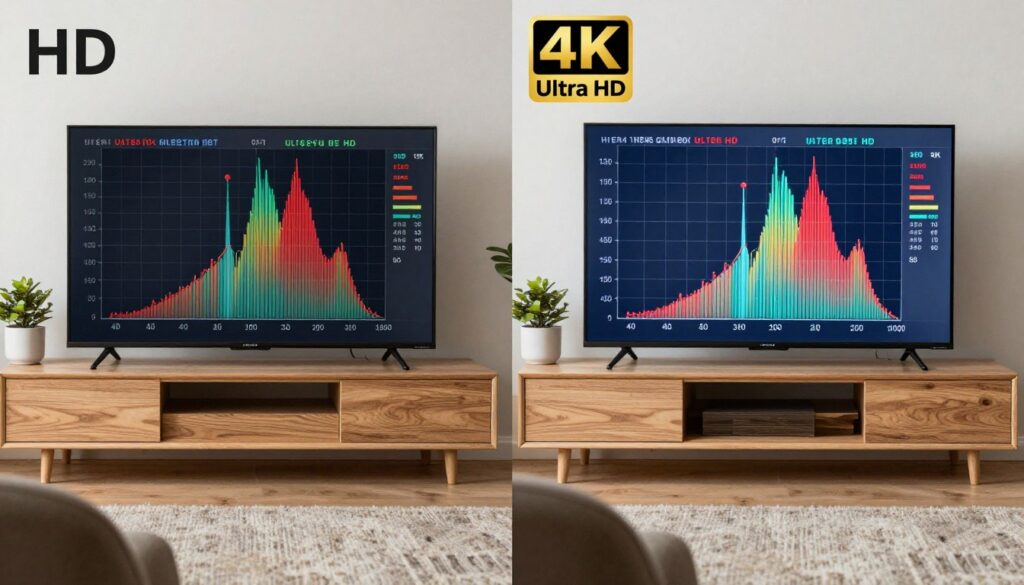
Standard definition television displays 480 lines of resolution. High definition improved this to 1080 lines. 4K IPTV delivers 2160 lines—four times the pixels of standard HD. This translates to approximately 8.3 million pixels per frame.
The visual difference becomes immediately apparent. Text appears sharper and more readable. Sports broadcasts reveal details previously invisible. Nature documentaries showcase intricate textures and subtle color gradations. Action scenes maintain clarity during rapid movement.
Resolution Specifications Explained
Resolution describes the number of distinct pixels displayed. Standard HD measures 1920 x 1080 pixels. 4K resolution reaches 3840 x 2160 pixels. This quadrupling of pixel count creates noticeably superior image quality.
Pixel density matters significantly for larger screens. A 55-inch television displaying HD content shows visible pixelation up close. The same screen size in 4K maintains crisp detail even from closer viewing distances.
Bandwidth and Quality Considerations
Higher resolution demands more data transmission. Standard HD streaming typically requires 5-8 Mbps. 4K streaming services need 25-50 Mbps for optimal quality. Modern compression technologies help reduce these requirements while maintaining visual fidelity.
GetMaxTV implements advanced HEVC encoding to deliver exceptional 4K quality. The service provides over 500 channels in true 4K resolution. This far exceeds typical IPTV offerings of 50-100 4K channels.
Internet Speed Requirements for Optimal 4K Streaming

Your internet connection serves as the foundation for quality streaming. Insufficient bandwidth creates buffering, pixelation, and interruptions. Understanding speed requirements prevents frustrating viewing experiences.
Minimum requirements differ from optimal specifications. While 4K streaming might function at 25 Mbps, this leaves no headroom for network fluctuations. Other devices sharing your connection consume additional bandwidth simultaneously.
Recommended Connection Speeds
- Single 4K stream: 25-30 Mbps minimum
- Optimal single stream: 40-50 Mbps recommended
- Multiple 4K streams: 50 Mbps per simultaneous stream
- Whole-home 4K viewing: 100+ Mbps advised
These specifications account for real-world network conditions. Internet speeds fluctuate throughout the day based on provider network congestion. Peak evening hours often experience reduced performance compared to midday speeds.
Testing Your Current Speed
Several free tools measure your actual internet performance. Run tests at different times throughout the day. Compare your results against your provider’s advertised speeds.
Wired ethernet connections typically deliver more consistent speeds than wireless networks. If possible, connect your primary streaming device directly to your router. This eliminates wireless signal interference and provides maximum stability.
Optimizing Your Home Network
Router placement significantly impacts wireless performance. Position your router centrally in your home, elevated off the floor. Minimize physical obstructions between your router and streaming devices.
Modern routers support dual-band wireless networks. The 5GHz band offers faster speeds over shorter distances. The 2.4GHz band provides better range with slightly reduced speed. Configure your streaming devices to use the 5GHz network when possible.
GetMaxTV’s anti-freeze technology minimizes buffering even during network fluctuations. The service maintains 99.9% uptime across its global server network. This reliability ensures consistent viewing experiences regardless of temporary internet variations.
Compatible Devices for 4K IPTV Streaming
Not all devices support 4K streaming capabilities. Hardware specifications determine whether your equipment can decode ultra HD content. Understanding compatibility prevents disappointment after subscription purchase.
Your television represents the most obvious component. However, the streaming device or application matters equally. Both must support 4K resolution and modern compression codecs.
Television Requirements
Any television marketed as “4K” or “Ultra HD” can display 4K content. Models manufactured after 2016 typically include comprehensive 4K support. Older televisions labeled “4K compatible” might lack certain advanced features like HDR.
Screen size considerations vary by viewing distance. A 43-inch 4K television shows noticeable improvement over HD at typical living room distances. Larger screens of 55 inches or more demonstrate even more dramatic quality differences.
Streaming Device Compatibility
GetMaxTV supports an extensive range of streaming devices and platforms. This broad compatibility ensures accessibility regardless of your existing equipment.
Media Streaming Devices
Dedicated streaming boxes and sticks provide excellent 4K performance with simple setup procedures.
- Amazon Fire TV Stick 4K and Fire TV Cube
- Roku Ultra and Streaming Stick 4K
- Apple TV 4K (all generations)
- NVIDIA Shield TV and Shield TV Pro
Smart Television Platforms
Modern smart TVs include built-in applications that support IPTV streaming without additional hardware.
- Samsung Smart TV (Tizen OS)
- LG Smart TV (webOS)
- Sony Android TV
- Android TV certified televisions
Gaming Consoles
Gaming systems double as capable streaming devices with 4K support across major platforms.
- PlayStation 5 and PlayStation 4 Pro
- Xbox Series X and Series S
- Xbox One X and One S
Computer Systems
Desktop and laptop computers provide flexible streaming options through dedicated applications.
- Windows PC (Windows 10/11)
- macOS (recent versions)
- Kodi media center
- VLC media player
Mobile Device Support
Smartphones and tablets enable 4K IPTV streaming on the go. While mobile screens can’t fully showcase 4K resolution differences, the enhanced video processing improves overall quality noticeably.
GetMaxTV provides native applications for iOS and Android platforms. iPhone, iPad, and Android smartphone users enjoy seamless access to the full channel lineup and VOD library. Multi-connection plans allow simultaneous streaming across multiple devices throughout your household.
HEVC/H.265 Encoding: Better Quality with Less Bandwidth
Video compression technology determines how much bandwidth streams require. Advanced encoding methods maintain visual quality while reducing data transmission needs. This technical foundation makes widespread 4K streaming practical.
High Efficiency Video Coding (HEVC), also called H.265, represents the current compression standard. It achieves approximately double the compression efficiency of its predecessor, H.264. This means 4K content encoded with HEVC requires roughly the same bandwidth as HD content encoded with H.264.
Technical Advantages of HEVC
HEVC processes video frames more intelligently than older codecs. The technology analyzes image content and applies variable compression rates to different frame areas. Detailed sections receive less compression, while simpler areas compress more aggressively.
This selective approach preserves important visual information. Faces remain sharp and detailed. Text stays readable. Fast motion maintains clarity without noticeable artifacts.
Bandwidth Savings in Practice
Traditional H.264 encoding requires 80-100 Mbps for high-quality 4K streaming. HEVC reduces this to 25-50 Mbps while maintaining equivalent visual quality. For users with bandwidth limitations, this difference proves transformative.
Multiple simultaneous streams become feasible. A household with 100 Mbps internet can support two or three 4K streams concurrently using HEVC compression. The same household would struggle with even one uncompressed 4K stream using older encoding methods.
Device Compatibility Considerations
HEVC decoding requires specific hardware capabilities. Most devices manufactured after 2016 include dedicated HEVC processing chips. Older equipment might lack native support, forcing software decoding that consumes significant processing power.
GetMaxTV implements HEVC encoding across its entire 4K channel lineup. This ensures optimal quality and bandwidth efficiency. The service automatically detects device capabilities and adjusts streaming parameters accordingly.
| Encoding Format | 4K Bitrate Required | Compression Efficiency | Device Support |
| H.264/AVC | 80-100 Mbps | Standard | Universal |
| HEVC/H.265 | 25-50 Mbps | 2x Better | 2016+ Devices |
| AV1 | 20-40 Mbps | 30% Better than HEVC | 2020+ Devices |
HDR and Dolby Vision Support for Enhanced Picture Quality
Resolution tells only part of the picture quality story. High Dynamic Range (HDR) technology expands color depth and contrast range significantly. The combination of 4K resolution with HDR creates truly spectacular visual experiences.
Standard Dynamic Range (SDR) content displays approximately 16.7 million colors. HDR expands this to over one billion distinct colors. The human eye can perceive these additional colors, making HDR content appear dramatically more lifelike.
Understanding HDR Technology
Dynamic range describes the difference between the brightest whites and darkest blacks an image can display. SDR content peaks around 100 nits of brightness. HDR content can reach 1,000 to 10,000 nits depending on the specific standard.
This expanded range allows images to more closely match real-world lighting conditions. Sunlight appears genuinely bright without washing out surrounding details. Shadows retain visible detail instead of appearing as solid black areas.
HDR Format Varieties
Several competing HDR standards exist in the marketplace. HDR10 represents the baseline standard with wide device support. Dolby Vision offers enhanced capabilities through dynamic metadata that adjusts settings scene-by-scene.
HDR10+ provides similar dynamic metadata capabilities as Dolby Vision but without licensing fees. HLG (Hybrid Log-Gamma) focuses on broadcast compatibility. Each format delivers noticeable improvements over standard content.
Equipment Requirements
Both your television and content source must support HDR for proper display. Most 4K televisions manufactured after 2017 include at least HDR10 compatibility. Premium models add Dolby Vision support.
The television’s peak brightness capability significantly impacts HDR performance. Budget 4K televisions might claim HDR support but only reach 300-400 nits. Mid-range models typically achieve 600-800 nits. Premium displays exceed 1,000 nits, delivering the full HDR experience.
GetMaxTV delivers select premium channels with HDR and Dolby Vision support. Sports broadcasts, nature documentaries, and blockbuster movies showcase these technologies most effectively. The enhanced visual quality becomes immediately apparent when comparing HDR and SDR versions of identical content.
GetMaxTV 4K Channel Coverage and Content Library
Content availability determines the practical value of any IPTV service. GetMaxTV provides exceptional 4K content coverage across multiple categories. The service delivers over 500 live channels in true 4K resolution.
This channel count significantly exceeds typical IPTV providers offering 50-100 4K options. Traditional cable companies typically provide only 10-20 4K channels, focusing primarily on premium sports and movie networks.
4K Channel Categories
GetMaxTV’s 4K channel lineup spans diverse content categories. Sports enthusiasts access major networks broadcasting live games in ultra HD. Movie lovers enjoy premium cinema channels with recent releases. News junkies watch international broadcasts with crystal clarity.
- ESPN 4K and ESPN+ Ultra HD
- FOX Sports 4K broadcasts
- NBC Sports in ultra HD
- International soccer leagues
- NBA and NFL game coverage
- Tennis grand slam tournaments
- Formula 1 racing broadcasts
Sports Channels in 4K
- Premium movie channels
- Netflix-quality original content
- Documentary networks
- Nature and wildlife programming
- Travel and adventure channels
- Lifestyle and reality television
- Classic film collections
Entertainment and Movies
- CNN International in 4K
- BBC World News ultra HD
- Business news networks
- Weather Channel 4K feeds
- International news services
- Technology news channels
- Financial market coverage
News and Information
On-Demand 4K Content Library
GetMaxTV’s video-on-demand library contains over 97,000 movies and television series. Thousands of these titles stream in 4K resolution with regular additions to the catalog. This vastly exceeds typical IPTV services with limited VOD offerings.
The library organization facilitates content discovery. Browse by genre, release year, popularity, or IMDb rating. Search functionality helps locate specific titles quickly. Personalized recommendations suggest content based on viewing history.
Kids and Family Programming
Family-friendly content receives special attention with dedicated 4K channels. Animated features showcase vibrant colors and detailed artwork. Educational programming maintains engagement through superior visual quality.
Parental controls enable content filtering by age rating. Parents can create separate profiles for children with automatically restricted access to adult content. This ensures safe viewing experiences for younger household members.
Why Choose GetMaxTV for 4K Streaming?
Join thousands of satisfied customers streaming premium 4K content at a fraction of cable costs. 99.9% uptime guarantee and 30-day money-back guarantee included.
Electronic Program Guide Integration
The complete Electronic Program Guide (EPG) displays scheduling information for all channels. See what’s currently playing and upcoming program listings up to seven days ahead. The EPG includes program descriptions, episode information, and ratings data.
Seven-day catch-up television functionality allows watching recently aired content. Miss a live broadcast? Simply navigate to the program in the EPG and start playback. This feature essentially converts live television into on-demand content.
How to Test If Your Setup Supports 4K Streaming
Confirming 4K compatibility before subscribing prevents frustration. Several simple tests verify your equipment and internet connection meet requirements. These verification steps take only minutes to complete.
Television Settings Verification
Access your television’s settings menu using the remote control. Navigate to the display or picture settings section. Look for information about current resolution or supported resolutions.
Most modern televisions display current input resolution directly. When connected to a 4K source, the screen should indicate “3840 x 2160” or “UHD” or “4K” in the settings information. If you see “1920 x 1080,” your current source doesn’t output 4K.
Streaming Device Configuration
Streaming devices sometimes default to lower resolution settings to ensure compatibility. Check your device’s video output settings. Ensure they’re configured for maximum resolution rather than automatic detection.
Amazon Fire TV devices display resolution in Settings > Display & Sounds > Display. Roku devices show this under Settings > Display Type. Apple TV lists resolution under Settings > Video and Audio > Resolution.
HDMI Cable Requirements
HDMI cable quality matters significantly for 4K transmission. Standard HDMI cables support HD content without issues but might fail with 4K signals. High-speed HDMI cables are necessary for reliable 4K transmission.
HDMI 2.0 cables support 4K at 60 frames per second. Older HDMI 1.4 cables technically support 4K but only at 30 frames per second. Premium certified cables guarantee compatibility with 4K HDR content.
Internet Speed Testing
Run multiple speed tests at different times of day. Use services like Speedtest.net, Fast.com, or your provider’s speed test tool. Record download speeds during peak evening hours when network congestion peaks.
Compare your results against the 25-50 Mbps requirement for 4K streaming. If speeds consistently fall below this threshold, contact your internet provider about upgrading your plan. Inconsistent speeds might indicate router issues or wireless interference.
| Component | Minimum Requirement | Recommended Specification | How to Verify |
| Television | 3840 x 2160 resolution | 4K with HDR support | Check settings menu resolution |
| Streaming Device | 4K output capability | 4K with HEVC decoding | Review device specifications |
| HDMI Cable | High-speed HDMI 1.4 | Premium HDMI 2.0/2.1 | Check cable labeling |
| Internet Speed | 25 Mbps download | 50+ Mbps download | Run speed test online |
| Router | 802.11n wireless | 802.11ac or WiFi 6 | Check router specifications |
Test Streaming Content
Many services provide free 4K test content. YouTube offers numerous 4K videos for quality assessment. Netflix displays resolution information during playback when you press specific button combinations.
GetMaxTV’s 24-hour free trial allows testing your complete setup with actual service content. No credit card required means absolutely zero risk. This trial period provides ample time to verify 4K performance across your devices and evaluate channel quality.
Multi-Connection Plans for Whole-Home 4K Streaming
Single-stream subscriptions limit viewing to one device at a time. Multi-connection plans enable simultaneous streaming throughout your household. This capability proves essential for families with diverse viewing preferences.
Traditional cable television naturally supports whole-home viewing through set-top boxes in multiple rooms. IPTV services must explicitly offer multi-connection capabilities. GetMaxTV provides flexible multi-connection options to accommodate varying household needs.
Understanding Connection Limits
Each IPTV subscription includes a specific number of simultaneous connections. Basic plans typically allow one stream at a time. Premium plans support two, three, four, or more concurrent streams.
Connection counting works simply. Each actively playing stream consumes one connection. Pausing or stopping playback releases that connection immediately. Devices logged into the service but not actively streaming don’t count against your limit.
Bandwidth Considerations for Multiple Streams
Multiple simultaneous 4K streams demand substantial bandwidth. Two concurrent 4K streams require 50-100 Mbps combined. Three streams need 75-150 Mbps. Calculate your household’s maximum simultaneous usage to determine necessary internet speeds.
Network priority settings help manage bandwidth distribution. Modern routers support Quality of Service (QoS) configurations. These settings prioritize streaming traffic over less time-sensitive activities like downloads or backups.
Device Management and Profiles
GetMaxTV supports device management through user accounts. Register all household devices during initial setup. Switch between devices seamlessly without repeated authentication.
Individual profiles maintain separate viewing histories and recommendations. Parents watch their content while children access age-appropriate programming. Each family member’s preferences remain private and don’t influence others’ recommendations.
Use Cases for Multi-Connection Plans
Families benefit most obviously from multi-connection capabilities. Parents watch news in the living room while children view cartoons in the bedroom. Teenagers stream music videos while grandparents enjoy classic films.
Multi-property owners also value these plans. Maintain access at your primary residence and vacation home simultaneously. Business applications include waiting rooms, restaurants, and hotels needing content across multiple televisions.
Sports enthusiasts appreciate watching multiple games concurrently. Display football on the main television while monitoring baseball on a secondary screen. Never miss critical moments across multiple sporting events happening simultaneously.
Massive 4K VOD Library: 97,000+ Titles On Demand
Live television represents only one component of comprehensive entertainment. On-demand content provides watching flexibility that linear broadcasting cannot match. GetMaxTV’s VOD library contains over 97,000 movies and television series.
This collection dwarfs typical IPTV service offerings. Many competitors provide limited VOD selections or focus exclusively on live channels. Cable companies offer on-demand content but charge premium prices for recent releases.
Content Categories and Organization
The extensive library spans all major genres and categories. Action and adventure films, romantic comedies, horror movies, science fiction, documentaries, independent cinema, international films, and classic television all receive dedicated sections.
Movie Categories Available
- Recent theatrical releases in 4K
- Classic cinema collections
- International and foreign language films
- Independent and art house titles
- Documentary features
- Family and children’s movies
- Stand-up comedy specials
- Concert films and music documentaries
Television Series Options
- Current season episodes
- Complete series box sets
- British and international productions
- Reality television archives
- Competition show seasons
- News magazine programs
- Sports documentary series
- Educational programming
Search and Discovery Features
Finding content within such an extensive library requires robust search capabilities. GetMaxTV implements multiple discovery methods to help viewers locate desired titles or discover new favorites.
Text search accepts movie titles, actor names, director names, or keywords. Results display instantly as you type. Advanced filters narrow results by genre, release year, rating, or language.
Curated collections highlight specific themes or occasions. “Oscar Winners,” “Summer Blockbusters,” “Hidden Gems,” and “Critically Acclaimed” collections provide expert-selected viewing options. Seasonal collections feature holiday-appropriate content during relevant periods.
4K Content Availability
Thousands of library titles stream in full 4K resolution. Recent releases from major studios typically include 4K versions. Popular television series increasingly receive 4K remasters.
Content pages clearly indicate available quality levels. 4K titles display prominent badges. HDR availability information helps viewers with compatible equipment select optimal versions.
Viewing History and Resume Playback
The service tracks viewing progress automatically. Start watching a movie on your television, then continue on your tablet from where you stopped. Resume playback works seamlessly across all devices.
Viewing history maintains a complete record of watched content. Easily return to recently viewed titles without searching. Remove items from history to keep recommendations fresh and relevant.
Download Capabilities
Select content supports offline download for mobile viewing. Download movies or episodes to your smartphone or tablet before traveling. Watch downloaded content without internet connectivity or data usage.
Download quality settings balance file size against visual quality. Choose lower quality for limited storage or higher quality when space allows. Downloads expire after specific periods based on licensing agreements.
GetMaxTV Subscription Plans: Flexible Options for Every Budget
Subscription flexibility allows choosing plans matching your commitment level and budget. GetMaxTV offers multiple duration options with significant savings for longer commitments. All plans provide identical access to the complete channel lineup and VOD library.
Available Subscription Tiers
Four primary subscription durations accommodate different preferences. Monthly plans provide maximum flexibility without long-term commitments. Extended plans offer substantial per-month savings for committed users.
| Plan Duration | Total Cost | Monthly Equivalent | Savings vs Monthly | Best For |
| 1 Month | $6.95 | $6.95/month | — | Testing service quality |
| 3 Months | $14.95 | $4.98/month | 28% savings | Short-term needs |
| 6 Months | $19.95 | $3.33/month | 52% savings | Regular viewers |
| 12 Months | $29.95 | $2.50/month | 64% savings | Maximum value |
All subscription tiers include identical features. Channel access, VOD library, 4K content, EPG, catch-up TV, and customer support remain constant across all plans. Only the billing period and total cost differ.
Cost Comparison Against Cable Television
Traditional cable television costs continue escalating annually. Average cable bills now exceed $150 per month including equipment fees, broadcast surcharges, and regional sports fees. Premium channel packages add another $20-50 monthly.
GetMaxTV provides superior content variety at a fraction of cable costs. Even the monthly plan at $6.95 represents over 95% savings compared to cable. The annual plan reduces to just $2.50 per month—less than a single coffee.
| Feature | GetMaxTV | Typical IPTV | Cable 4K |
| 4K Channels | 500+ | 50-100 | 10-20 |
| 4K VOD | 97,000+ | Limited | Very limited |
| Price | $6.95/mo | $10-20/mo | $150+/mo |
| HEVC Support | Yes | Varies | Limited |
| Multi-Connection | Available | Extra cost | Extra boxes required |
| Contract | None required | Varies | 12-24 months |
| Setup Fees | $0 | Varies | $50-100 |
Ready to Upgrade Your Viewing Experience?
Try GetMaxTV completely free for 24 hours. No credit card needed, no commitments. If you’re not satisfied, get a full refund within 30 days.
Payment Methods and Security
GetMaxTV accepts all major credit cards, PayPal, and various digital payment methods. Payment processing uses industry-standard encryption to protect financial information. No payment details are stored on GetMaxTV servers.
Subscription renewal occurs automatically unless cancelled. Receive email notifications before renewal dates. Cancel anytime through your account dashboard without contacting customer service.
Refund Policy and Guarantees
A 30-day money-back guarantee eliminates purchase risk entirely. If the service doesn’t meet expectations for any reason, request a full refund within 30 days of purchase. No questions asked, no complicated procedures.
The 99.9% uptime guarantee ensures consistent service availability. GetMaxTV maintains redundant server infrastructure across multiple global locations. If uptime falls below the guarantee, subscribers receive automatic service credits.
Complete 2026 IPTV Channel Categories and Specialized Content
GetMaxTV’s 21,000+ channel lineup covers virtually every content category and interest area. This comprehensive selection eliminates the need for multiple streaming subscriptions. One service provides complete entertainment coverage.
Sports Channel Excellence
Sports broadcasting represents a primary driver for television subscriptions. GetMaxTV delivers extensive sports coverage across domestic and international competitions. Major leagues, minor sports, and niche competitions all receive dedicated channels.
Live game coverage includes NFL, NBA, MLB, NHL, and MLS for North American viewers. International soccer features Premier League, La Liga, Serie A, and Champions League matches. Combat sports fans access UFC, boxing, and wrestling events.
Sports news and analysis channels provide 24/7 coverage between games. ESPN, FOX Sports, NBC Sports, and CBS Sports networks offer expert commentary, highlights, and breaking news. Regional sports networks cover local teams comprehensively.
Premium News Channel Selection
Stay informed with comprehensive news coverage from trusted sources. GetMaxTV includes all major American news networks plus extensive international options. Multiple perspectives on world events enable well-rounded understanding of current affairs.
- CNN, MSNBC, and FOX News for American political coverage
- BBC World News for international perspective
- Bloomberg and CNBC for financial markets
- Sky News and Al Jazeera for global events
- Local news channels for regional coverage
- Weather Channel and regional weather networks
Children's Programming and Educational Content
Parents appreciate extensive kids programming options spanning all age groups. Preschool content on channels like Nick Jr. and Disney Junior provides educational entertainment. School-age children enjoy Cartoon Network, Nickelodeon, and Disney Channel programming.
Educational channels supplement formal schooling. Discovery Kids, National Geographic Kids, and PBS Kids offer learning-focused content. Science, nature, history, and mathematics programming makes education engaging and accessible.
Parental control features protect younger viewers from inappropriate content. Age ratings, content filters, and viewing schedules ensure children access only approved programming. Parents receive activity reports detailing viewing habits.
Entertainment and Lifestyle Networks
General entertainment channels provide diverse programming for family viewing. Comedy, drama, reality television, competition shows, and variety programming fill the schedule. Networks like ABC, NBC, CBS, FOX, and The CW offer popular primetime series.
Specialty lifestyle channels focus on specific interests. HGTV and DIY Network appeal to home improvement enthusiasts. Food Network and Cooking Channel serve culinary interests. Travel Channel and National Geographic satisfy wanderlust.
International and Multicultural Programming
GetMaxTV serves diverse multicultural audiences with extensive international channel offerings. Spanish-language networks include Univision, Telemundo, and multiple regional variations. Portuguese, French, Italian, German, Arabic, Korean, Chinese, and Hindi programming serves immigrant communities.
International news, sports, and entertainment from home countries help maintain cultural connections. Expatriates access content from their native countries without complicated VPN arrangements or expensive satellite dishes.
The Future of IPTV: Is 8K Streaming Coming?
Technology advancement never stops. 8K resolution represents the next frontier in visual quality. Understanding upcoming developments helps make informed equipment decisions today.
8K Resolution Specifications
8K resolution measures 7680 x 4320 pixels—exactly four times the pixels of 4K. This translates to approximately 33 million individual pixels per frame. The density creates remarkably detailed images even on extremely large screens.
Pixel density reaches the limits of human visual acuity. On screens under 100 inches viewed from typical distances, distinguishing 8K from 4K becomes challenging for most viewers. The technology benefits truly massive displays or very close viewing distances.
Current 8K Adoption Challenges
Several factors slow 8K adoption compared to 4K’s relatively rapid acceptance. Content creation requires significantly more expensive equipment. Bandwidth demands exceed current infrastructure capabilities for most households.
Native 8K content remains extremely limited. Few television shows or movies are produced in 8K currently. Broadcasting 8K requires approximately 100-200 Mbps bandwidth—far beyond typical home internet connections.
Timeline for Mainstream 8K IPTV
Industry experts predict 5-10 years before 8K streaming becomes practical for average consumers. Internet infrastructure improvements must occur first. Content production needs to justify the significant additional costs.
Japan pioneered 8K broadcasts during the 2020 Olympics. South Korea has initiated limited 8K channels. These early implementations target enthusiast markets rather than mainstream consumers.
Should You Wait for 8K?
The answer for most viewers is definitively no. 4K technology offers dramatic improvements over HD and remains far from saturating its potential. Content availability in 4K continues expanding rapidly.
8K televisions currently cost several thousand dollars even for modest screen sizes. This premium pricing delivers minimal practical benefit given content scarcity. By the time 8K content becomes common, current 8K televisions will be obsolete.
Investing in quality 4K equipment today provides excellent value. GetMaxTV’s extensive 4K channel lineup and VOD library offers premium viewing experiences immediately. Future-proofing makes less sense than enjoying superior quality available now.
Technology Evolution and Format Wars
History suggests new video formats follow predictable adoption curves. HD took approximately 10 years to achieve mainstream penetration. 4K required roughly 5-7 years. 8K will likely follow a similar or longer timeline.
Format competition historically produces winners and losers. Betamax lost to VHS despite superior quality. HD-DVD lost to Blu-ray after brief competition. Current 8K implementations lack unified standards, suggesting potential future fragmentation.
Step-by-Step 4K IPTV Setup and Configuration Guide
Setting up IPTV service requires only basic technical knowledge. The process typically takes 10-15 minutes from start to finish. These step-by-step instructions guide you through complete configuration.
Initial Account Creation
Visit the GetMaxTV website and select your preferred subscription plan. Complete the registration form with your email address and create a secure password. Payment processing occurs through encrypted connections ensuring financial security.
After successful payment, you receive immediate email confirmation containing your account credentials and setup instructions. Save this email for future reference. The credentials remain constant throughout your subscription period.
Device-Specific Installation Procedures
Installation methods vary slightly by device platform. The following guides cover the most popular streaming devices.
Amazon Fire TV Stick Setup
- Navigate to the Amazon Appstore on your Fire TV
- Search for the GetMaxTV application
- Select “Download” and wait for installation completion
- Launch the application from your apps menu
- Enter your account credentials when prompted
- Select preferred video quality in settings menu
- Browse channels and begin watching immediately
Smart TV Direct Installation
- Open your television’s app store (Samsung Apps, LG Content Store, etc.)
- Search for “GetMaxTV” or browse entertainment categories
- Install the application to your television
- Launch the app and log in with your credentials
- Configure video output settings for 4K if not automatic
- Add frequently watched channels to favorites
- Explore the EPG and VOD library
Roku Device Configuration
- Press the Home button on your Roku remote
- Navigate to “Streaming Channels” in the main menu
- Search for GetMaxTV in the channel store
- Select “Add Channel” and confirm installation
- Return to home screen and launch GetMaxTV
- Complete login process with your credentials
- Verify 4K output in Roku display settings
Optimizing Video Quality Settings
Most applications automatically detect optimal quality settings based on connection speed and device capabilities. Manual adjustment allows customization for specific preferences.
Access video settings within the GetMaxTV application menu. Select maximum quality for 4K streaming on compatible devices. Choose automatic quality for variable internet connections that fluctuate throughout the day.
Creating Favorites and Organizing Channels
With over 21,000 channels available, organization significantly improves navigation efficiency. Create custom favorite lists grouping related channels together. Sports enthusiasts might create separate favorites for different leagues or sports types.
Most IPTV applications allow multiple favorite lists. Create family-friendly lists, news-focused lists, movie channel lists, and international programming lists. Switch between lists quickly using the application menu.
Troubleshooting Common Setup Issues
Occasional technical difficulties arise during initial setup. Most issues resolve quickly with simple troubleshooting steps.
If channels fail to load, verify your internet connection first. Run a speed test confirming adequate bandwidth. Restart your streaming device and router if problems persist. Clear application cache in device settings if specific channels consistently fail.
Picture quality issues often relate to bandwidth limitations. Lower video quality settings temporarily to confirm the cause. Contact your internet provider if speed tests reveal significantly reduced performance compared to your plan specifications.
24/7 Customer Support and Service Reliability
Reliable customer support separates premium services from budget alternatives. Technical issues occasionally occur with any streaming service. Responsive support resolves problems quickly, minimizing viewing disruptions.
WhatsApp Support Accessibility
GetMaxTV provides 24/7 customer support exclusively through WhatsApp. This platform choice offers several advantages over traditional email or phone support. Response times typically occur within minutes rather than hours or days.
WhatsApp conversations maintain complete history of your support interactions. Reference previous conversations easily when following up on ongoing issues. Share screenshots demonstrating problems directly within the chat interface.
Support staff can send configuration files, updated channel lists, or troubleshooting guides directly through WhatsApp. This streamlines problem resolution compared to email attachments or website downloads.
Common Support Topics
Customer service handles various inquiries beyond technical troubleshooting. Account management, billing questions, subscription changes, and general product information all receive prompt attention.
- Device compatibility verification before purchase
- Installation assistance for specific platforms
- Channel availability questions for regional content
- Multi-connection configuration and management
- Billing inquiries and payment method updates
- Subscription upgrades or duration changes
- Technical troubleshooting for playback issues
- EPG updates and catch-up TV functionality
Server Infrastructure and Uptime
GetMaxTV maintains redundant server infrastructure across multiple global locations. This geographic distribution ensures consistent performance regardless of your physical location. Traffic automatically routes to the nearest available server for optimal speeds.
The 99.9% uptime guarantee reflects this robust infrastructure. Scheduled maintenance occurs during low-usage periods with advance notification. Unplanned outages are extremely rare and typically resolve within minutes.
Content delivery networks (CDNs) cache popular channels closer to users. This reduces latency and improves streaming quality. Live sports and breaking news events maintain excellent performance even during peak viewership periods.
Security and Privacy Protection
GetMaxTV implements industry-standard security measures protecting user data and privacy. All communications between your device and GetMaxTV servers use encryption. Payment information never stores on company servers.
Privacy policies clearly outline data collection and usage. GetMaxTV doesn’t sell user information to third parties. Viewing history and personal preferences remain confidential and secure.
IPTV Legitimacy and Legal Streaming in 2026
IPTV technology itself is completely legal and represents the future of television broadcasting. However, content licensing determines service legitimacy. Understanding these distinctions helps consumers make informed choices.
Legitimate IPTV Services Explained
Legal IPTV providers obtain proper content licensing from broadcasters and rights holders. These agreements allow redistribution of copyrighted programming to subscribers. Licensing fees typically represent the largest operational expense for legitimate services.
GetMaxTV operates as a legal cord-cutting alternative to traditional cable television. The service provides legitimate streaming access to licensed content. Subscribers receive the same programming available through cable or satellite but delivered via internet protocol.
Red Flags for Illegitimate Services
Several warning signs indicate potentially illegal streaming services. Prices significantly below market rates often indicate lack of proper licensing. Services offering “free” access to premium content violate copyright laws.
Legitimate services operate openly with official business registrations and customer support. They accept mainstream payment methods and provide refund guarantees. Illegal services often accept only cryptocurrency payments and offer no customer recourse.
Consumer Protection and Guarantees
GetMaxTV’s 30-day money-back guarantee demonstrates confidence in service quality and legitimacy. This policy allows risk-free evaluation. If the service doesn’t meet expectations for any reason, receive a full refund.
The company maintains official business operations in regulated markets. Customer data receives protection under applicable privacy laws. Financial transactions occur through established payment processors with buyer protection policies.
Geographic Availability and Content Rights
Content licensing varies by geographic region. Some programming available in the United States might be unavailable in Canada or the United Kingdom due to distribution rights restrictions.
GetMaxTV serves customers across North America and the United Kingdom. Channel availability varies slightly by region to comply with local broadcasting regulations. The service clearly communicates any geographic restrictions before purchase.
Frequently Asked Questions About 4K IPTV Streaming
What internet speed do I need for 4K IPTV streaming?
A minimum of 25 Mbps download speed supports single 4K stream viewing. For optimal performance and buffer-free experience, 40-50 Mbps is recommended. Households with multiple simultaneous 4K streams need 50 Mbps per concurrent stream. If other household members use the internet while you stream, additional bandwidth ensures consistent quality.
Wired ethernet connections provide more stable speeds than wireless networks. If you experience buffering despite adequate speeds, try connecting your streaming device directly to your router with an ethernet cable.
Can I watch GetMaxTV on multiple devices simultaneously?
Yes, GetMaxTV offers multi-connection subscription plans allowing simultaneous streaming on multiple devices. The number of concurrent streams depends on your selected plan tier. Basic plans typically include one connection, while premium plans support two, three, or more simultaneous streams.
Each actively playing stream counts toward your connection limit. Devices logged into the service but not actively streaming don’t consume connections. You can switch between registered devices freely within your connection allowance.
Do all channels broadcast in 4K quality?
GetMaxTV offers 500+ channels in true 4K resolution, which exceeds most competitors significantly. However, not all 21,000+ channels broadcast in 4K. The complete lineup includes channels in 4K, Full HD (1080p), and standard HD (720p) quality depending on source availability.
Premium sports networks, movie channels, and major entertainment networks typically offer 4K broadcasts. Older cable networks and international channels might only provide HD quality. The channel guide clearly indicates available quality for each channel.
What devices support GetMaxTV streaming?
GetMaxTV supports extensive device compatibility including Amazon Fire TV Stick, Roku, Apple TV, Smart TVs from Samsung/LG/Sony, Android TV boxes, MAG boxes, PlayStation and Xbox consoles, Kodi, VLC media player, Windows PC, macOS computers, iPhone, iPad, and Android smartphones and tablets.
For 4K streaming specifically, your device must support 4K output and HEVC decoding. Most devices manufactured after 2016 include these capabilities. Check your device specifications or contact GetMaxTV support for compatibility verification before subscribing.
Is there a free trial available to test the service?
Yes, GetMaxTV offers a 24-hour free trial requiring no credit card. This allows complete service evaluation including channel quality, device compatibility, and streaming performance before financial commitment. Access the full channel lineup and VOD library during your trial period.
Additionally, all paid subscriptions include a 30-day money-back guarantee. If the service doesn’t meet your expectations for any reason within 30 days of purchase, request a full refund with no questions asked.
How does IPTV picture quality compare to cable television?
IPTV streaming using modern HEVC compression delivers picture quality equal to or better than cable television. GetMaxTV’s 4K channels significantly exceed typical cable quality, which rarely offers more than 10-20 4K channels. The service maintains consistent quality without the compression artifacts common in cable broadcasts during peak viewing hours.
Internet-based delivery eliminates signal degradation from long cable runs or weather interference affecting satellite dishes. Picture quality depends primarily on your internet connection speed rather than external factors.
Can I access international channels and programming?
GetMaxTV includes extensive international channel offerings serving multicultural audiences. Spanish, Portuguese, French, Italian, German, Arabic, Korean, Chinese, and Hindi programming provides content from viewers’ home countries. International sports broadcasts, news networks, and entertainment channels help maintain cultural connections.
Channel availability varies slightly by geographic region due to licensing restrictions. The complete channel list shows which international networks are accessible from your location before subscribing.
What happens if my internet connection is temporarily slow?
GetMaxTV implements adaptive streaming technology that automatically adjusts quality based on current connection speeds. If your internet temporarily slows, the service reduces stream quality to maintain playback without buffering. Quality automatically improves when speeds recover.
The anti-freeze technology minimizes interruptions during network fluctuations. Most temporary speed reductions won’t cause playback stopping. For persistent connectivity issues, GetMaxTV’s 24/7 WhatsApp support helps diagnose and resolve problems quickly.
Making the Switch to 4K IPTV in 2026
The television landscape has fundamentally transformed. Traditional cable providers struggle to justify pricing while offering limited channel selections and outdated technology. Streaming services fragment content across multiple subscriptions requiring separate payments.
IPTV technology consolidates comprehensive entertainment into single affordable subscriptions. GetMaxTV delivers 21,000+ channels and 97,000+ on-demand titles for less than the cost of a single premium cable channel package. The service provides superior 4K quality, flexible multi-device access, and responsive customer support.
Internet infrastructure has matured sufficiently to support reliable 4K streaming for most households. Modern compression technologies like HEVC make ultra HD content accessible even on moderate connection speeds. Device compatibility ensures accessibility regardless of existing equipment investments.
The transition from cable to IPTV requires minimal technical knowledge and only minutes to complete. Installation processes have simplified dramatically compared to early streaming services. Most users begin watching within 15 minutes of subscribing.
GetMaxTV’s risk-free trial period and money-back guarantee eliminate barriers to trying the service. Experience the quality difference firsthand before committing financially. Compare the extensive channel selection against your current cable lineup to appreciate the value proposition.
Cord-cutting no longer means sacrificing content variety or picture quality. Modern IPTV services provide cable-equivalent experiences at fraction of the cost. The technology has matured beyond early adoption phases into reliable mainstream alternatives.
Questions? Contact our 24/7 WhatsApp support
The future of television viewing is here. Take advantage of modern streaming technology to enhance your entertainment while reducing monthly expenses. Join the growing community of satisfied cord-cutters experiencing premium content without premium cable pricing.