
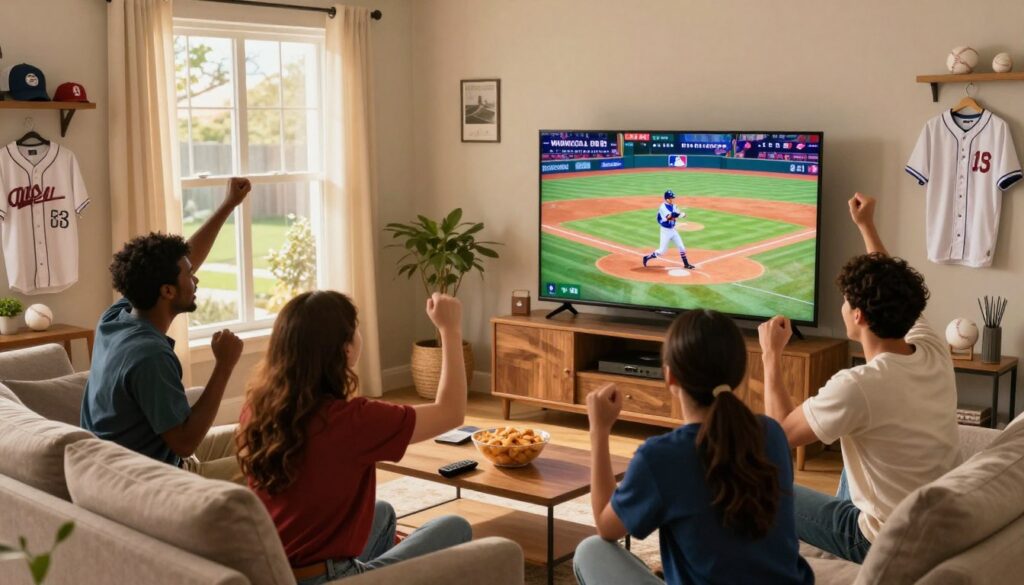
Curious how to get dependable live baseball coverage from south of the border without a costly cable contract? You’re looking for clear, Canada-friendly guidance on streaming U.S.-focused MLB feeds and sports networks you actually want. This intro helps you decide whether internet-based TV fits your viewing habits and budget.
Internet Protocol Television (IPTV) turns broadcast signals into streamed packets, so you can watch on phones, smart TVs, and set-top boxes without a cable box. Modern services aim to cut buffering, lower latency, and support HD and 4K for peak-event nights like rivalry games and late comebacks.
This product roundup will help you compare providers by coverage, performance, device support, price, and policies. You’ll see the biggest problems sports fans try to solve—buffering, complex setups, and paying for channels you never watch—and a clear buying framework to prioritize coverage first, then speed, compatibility, price, and legal/privacy basics. For a compliant option to consider, learn more about accessing MLB Extra Innings via IPTV, and always verify channel lineups and terms before subscribing.
Key Takeaways
- You can find internet-based options that carry U.S. baseball feeds without cable.
- Prioritize smooth streaming, low lag, and reliable access during big games.
- Compare coverage first, then performance, device compatibility, price, and policies.
- Expect to solve buffering and costly bundles by choosing the right service.
- Consider licensed providers like GetMaxTV and always check lineups before paying.
Why MLB fans are switching from cable to IPTV for sports streaming
Many viewers are ditching big bundles for online services that give them direct access to the games they care about.
The decline of traditional cable and the rise of flexible sports viewing
Cable bills are rising and come with long contracts, equipment rentals, and channels you never watch. That model feels rigid, especially if you follow U.S. baseball from Canada.
Online sports streaming changes that. Channels and on-demand libraries arrive over your internet connection. You get faster access to games, highlights, and replays without waiting for an installer.
Watching live sports without extra boxes, contracts, or bundles
Convenience is a big draw. You can start a game on your phone, move to a smart TV, and skip multiple remotes and monthly hardware fees.
“The best part is not paying for channels you don’t need and being able to choose packages that match your team.”
One platform for leagues, games, highlights, and sports content
With the right platform you can get leagues, live games, condensed replays, and related sports content under one subscription.
Sports packages matter—national versus regional feeds affect which games you actually see. Pick packages that match your team and time zone to avoid gaps.
- Lower monthly cost vs cable for focused sports fans
- Multi-device access—watch on the go or at home
- Better parity with cable on quality when networks are well provisioned
| Issue | Cable | Internet-first services |
|---|---|---|
| Cost | High bundled bills | Lower, pick-your-package pricing |
| Setup | Installer, boxes, contracts | Quick sign-up, multi-device access |
| Content access | Regional blackouts, rigid lineups | Broader packages, on-demand highlights |
| Mobility | Mostly at home | Watch anywhere, switch between games |
In 2026, you’ll likely switch between streams, check schedules on the fly, and expect near-instant access. The real choice isn’t simply whether you use internet-based delivery, but which provider gives reliable coverage and the right sports packages for your fandom. For a compliant option worth checking, learn more about accessing MLB Extra Innings via IPTV.
What to look for in an IPTV service for MLB games in 2026
https://www.youtube.com/watch?v=UaN-g0jFyfQ
Start with coverage. Confirm the specific channels and regional feeds that carry the matchups you follow. A long channel list means little if it misses your team’s regional broadcasts.
Then check streaming quality. Look for consistent HD and occasional 4K where offered, low latency so you don’t hear crowds before your stream, and proven anti-buffering measures.
Device support is next. Make sure apps exist for Smart TVs, Firestick/Android TV, phones, tablets, and browsers. Multi-screen streaming helps when households follow different teams.
Buyer checklist
- Coverage first: Confirm channels and regional feeds with the provider.
- Performance: Ask about speed requirements, CDN/back-end capacity, and low buffering guarantees.
- Devices: Verify app availability and simultaneous stream limits.
- Reliability: Confirm uptime history for big events and playoff windows.
- Support & policies: Look for setup help, fast troubleshooting, and clear refund/trial terms.
“Confirm channel lineups and server capacity before you subscribe to avoid game-night headaches.”
Use these criteria to sort providers by viewer type—budget, multi-device homes, or premium sports packages—and always confirm with the provider the exact channels and plans before paying.
iptv mlb usa providers: best-fit picks for different sports fans

You should pick a service that fits how often you watch, which devices you own, and how broad you need your sports packages to be.
How we define “best”: the right pick balances channel coverage, steady streaming, device support, and fair plans. Frequency of viewing and simultaneous streams shape the choice more than brand hype.
Best overall for all-around sports packages
Best for variety: look for a provider with broad channel lineups, adaptive streaming quality, and responsive support. Providers like ViPlayTV are examples you can compare, but always confirm MLB-related channels before you subscribe.
Best budget choice for casual viewers
Budget should still mean reliable HD and a usable app. Cheap plans can drop during big games. Choose services that offer a short free trial or a money-back window so you can test performance.
Best for premium sports channels and broader league coverage
If you want analysis shows, extra leagues, and deep VOD libraries, pick a top option that prioritizes premium sports and consistent bitrate. Expect higher monthly plans, but better channel depth and extras.
Best for households that stream multiple games
For multi-device homes, focus on simultaneous-stream limits and predictable device policies. Good multi-screen support avoids arguments on game night and keeps everyone watching smoothly.
A legal option worth a quick look: GetMaxTV
Compliance matters. If you prefer a straightforward, licensed path, consider a legal provider like GetMaxTV’s sports package for clear terms and simple setup. For practical tips on choosing plans, see this quick guide.
“Provider names matter less than the exact channels and device support you confirm before checkout.”
Channel lineup and MLB coverage: what “sports packages” should include
Knowing which channels you truly need keeps costs down and ensures you catch every game that matters. Start by listing the teams and shows you won’t miss. Use that list to check any provider’s published channel roster before you pay.
Core sports channels and useful add-ons
Look for major national sports networks and baseball-focused channels first.
- Core: national sports networks, a dedicated baseball channel, and major news/sports analysis networks.
- Add-ons: regional feeds for your team, condensed game libraries, and highlight/replay packages.
- Ask for a current channel list or screenshots in the provider’s app so you can verify coverage.
National vs regional feeds and what it means for your access
National games are simple: if a game is on a national network, you usually get access. Regional feeds matter most for season-long coverage of a single club.
Regional coverage determines whether you’ll see your local team’s regular-season slate. Always confirm regional blackout rules and whether the provider includes those specific feeds.
Extra value: analysis shows, replays, and on-demand sports content
Good sports packages bundle live games with pre/post-game shows, condensed games, and on-demand highlights. This matters for busy schedules and time-zone differences during long seasons.
For a shortlist of reliable choices and to compare the best sports streaming options, see best sports streaming options.
Streaming performance: how to avoid buffering during live sports
Smooth match-day viewing depends more on steady throughput than headline download numbers. For reliable sports streaming, aim for consistent bandwidth and low network jitter rather than just a high peak speed.
Internet speed targets for HD vs 4K
Use these practical ranges as a baseline: plan for about 10–25+ Mbps per device for steady HD and 25–50+ Mbps for 4K. If multiple devices stream at once, increase those targets.
Reduce lag with wired and smarter Wi‑Fi
The easiest high-impact fix is an Ethernet cable to your main device. If you’re on Wi‑Fi, prefer 5GHz for less interference and place your router closer to the viewing area.
If coverage is poor, consider mesh Wi‑Fi or a dedicated access point so every room gets stable service.
Adaptive streaming and why it helps the experience
Adaptive bitrate simply means the service lowers or raises quality to avoid buffering. Let it work—forcing max resolution often creates pauses.
- Restart your router and device before big events.
- Close background apps that use bandwidth.
- Test speeds early and pick a provider with strong servers/CDN.
“A steady connection and a simple wired setup beat last-minute panics during crucial events.”
For a deeper look at options and provider comparisons, see the ultimate guide to streaming sports.
Devices and apps: how you’ll actually watch MLB with IPTV
Pick the right devices and apps and you’ll spend less time fiddling and more time watching the big plays.
Firestick and Android TV setup basics for fast start
On Firestick or Android TV you usually install the app, sign in with credentials, and test playback quality.
Quick checklist: choose resolution, select a reliable player, and enable low-latency or buffering options if available.
Smart TV, browser, and mobile viewing for watching anywhere
Smart TVs can be convenient but older models lag. If your TV feels slow, use a dedicated streaming box for smoother channel switching.
On phones and tablets, prefer Wi‑Fi to save data and cast to the big screen when you’re home.
Multi-view and split streaming for overlapping games
If your household follows different teams, check simultaneous stream limits before subscribing.
Multi-view features are great, but prioritize stability—split screens demand strong bandwidth.
| Device | Best use | Notes |
|---|---|---|
| Firestick / Android TV | Fast channel switching | Install app, set resolution, reliable for live sports |
| Smart TV | Casual viewing | Easy, but older models may be sluggish |
| Phone / Tablet | On-the-go access | Use Wi‑Fi, cast to TV for big-screen games |
| Browser (PC/Mac) | Second-screen tracking | Good for scores and multi-window viewing |
Device checklist: supported devices, simple login, stable streams on your main screen, and an app interface that’s quick during tense moments.
For service comparisons focused on sports packages and device support, see this roundup of best iptv options and a specific look at a licensed option for football fans at GetMaxTV.
Pricing and plans: what you should pay per month (and what to avoid)
Picking the right monthly plan starts with matching what you actually watch to the reliability you need on game nights.
Value framework: expect reliable sports coverage to cost more than bargain offers. A typical, stable plan that covers major games often lands in the ~$40–$50 per month range. Cheaper options exist (some list plans from $9.99/month), but verify uptime and refunds before you commit.
Monthly vs annual subscriptions
Monthly is safer when you’re testing a new provider. It lets you switch if performance falters during peak hours.
Annual plans can save money if you already tested the service in real-game conditions.
How to use a free trial or money-back period
Use the trial during a big game night. Test your main device, HD stability, and channel switching. Confirm simultaneous streams in your home before upgrading.
Hidden fees and red flags
Watch for device limits, surprise renewal charges, and weak post-sale support. Extremely low prices are fine only if the provider shows solid uptime and clear refund terms.
| Plan type | Typical cost | Best for |
|---|---|---|
| Monthly | $10–$50+ | Testing performance, short-term use |
| Annual | Discounted yearly rate | Committed fans after trials |
| Trial / Money-back | $0–$10 (trial) | Peak-hour testing |
Quick checklist: during a free trial, verify the channels you need, confirm HD stability, and test simultaneous streams. The best choice is rarely the absolute cheapest; pick the plan that delivers steady streaming on the devices you use most.
For side-by-side provider comparisons and options to consider, see this roundup of best providers for sports.
Legal and privacy considerations when streaming MLB via IPTV
Legal clarity and simple privacy steps go a long way toward safe, reliable sports streaming.
How to spot legitimate services and why licensing matters
Legitimate options are clear about licensing, publish channel lists, and offer reachable support. That matters because licensed services can legally supply the feeds you expect and are less likely to have sudden outages or takedowns.
Look for a real business address, straightforward billing, and a documented refund or trial policy before you buy. A trustworthy provider posts contact options and public terms that match what you see at checkout.
Privacy basics: secure payments, account protection, and safer habits
Use strong, unique passwords and enable 2FA when available. This limits account sharing and reduces the chance of unauthorized access.
Prefer secure payment methods like credit cards or trusted checkout platforms that provide receipts and dispute protection. Avoid opaque payment flows with no receipt or account dashboard.
Understanding terms of service so you know what you’re buying
Read the terms for device limits, renewal rules, and refund windows. Check what the provider promises if streams go down or channels vanish.
“Confirm cancellation and renewal rules up front so you’re not surprised by automatic charges.”
| Checklist | Why it matters | What to ask |
|---|---|---|
| Clear licensing statement | Signals legal content access | Which channels and regional feeds are covered? |
| Transparent billing | Protects you from hidden fees | Is billing recurring? Are receipts provided? |
| Support & refunds | Helps during outages or technical issues | Can you reach support before buying? Is refund policy written? |
| Privacy & security | Keeps accounts safe | Are secure payments and 2FA offered? |
VPNs can be an optional privacy layer to encrypt traffic, but they won’t fix an unlicensed service. Choose reputable platforms, verify terms, and practice basic account hygiene to keep your subscriptions reliable and private.
Conclusion
Final tip: confirm the exact channels you need, then test playback during real games to judge latency, buffering, and app ease.
Start by verifying coverage, then check streaming performance and device compatibility. Use a free trial or short monthly plan to stress-test the service on game nights.
Compared with traditional cable, this way avoids extra boxes and long contracts. You can tailor packages to what you actually watch and often save per month.
Focus on solid internet speed (or Ethernet/5GHz Wi‑Fi), a capable streaming device, and clear provider policies before you commit. Compare top providers for fair plans, device limits, and fast support.
If you want a legal IPTV subscription, check GetMaxTV’s offer on this legal path. If you want a legal IPTV subscription, check GetMaxTV’s offer on https://getmaxtv.com.
FAQ
What makes streaming live baseball via internet protocol television a better choice than traditional cable?
You get more flexibility and typically lower monthly costs. Streaming services focus on sports packages and let you pick the channels and leagues you actually watch, avoid long contracts, and often offer apps for smart TVs, Fire TV, phones, and browsers so you can watch on the device you prefer.
How do I know a provider has good MLB channel coverage and regional feeds?
Check the channel lineup before you subscribe. Look for national sports networks, regional sports networks that carry your local team, and clear information about blackouts or regional restrictions. Providers that list specific teams, channel packages, and on-demand replays give better transparency.
What streaming quality should I expect for live games — is 4K necessary?
HD is the baseline you should expect for most live games; 4K is a premium option that needs higher bandwidth. If you value picture clarity and have a 4K TV, choose a plan that explicitly supports 4K and low-latency streaming to reduce buffering during action-packed moments.
How fast does my internet need to be to watch games without buffering?
For consistent HD streaming, aim for at least 10–15 Mbps per stream. For 4K, target 25 Mbps or more per stream. If multiple devices stream at once, add bandwidth for each active stream. Use a wired Ethernet connection or a strong 5 GHz Wi‑Fi signal to lower lag.
Which devices and apps are typically supported for watching live games?
Look for providers that support Smart TVs (Roku, Samsung, LG), Fire TV/Firestick, Android TV, phones (iOS and Android), tablets, and web browsers. Multi-screen support and simple apps make it easier to switch devices during travel or within your home.
Can I watch multiple games at the same time on one account?
That depends on the plan. Some providers let multiple streams per account for household viewing, while budget plans may limit simultaneous streams. Check device limits and multi-view or split-screen features if you regularly watch overlapping games.
What should I consider about reliability during big events like playoffs?
Prioritize providers with strong server performance and high uptime guarantees. Read user reviews about live-event performance and ask about surge capacity during playoffs. Good customer support during events is also a sign the provider plans for peak loads.
How do I avoid hidden fees and “too good to be true” pricing?
Read the fine print for setup fees, device rental charges, channel add-on costs, and limits on resolution or streams. If a plan is extremely cheap but lacks basic channels you need, it may add costs later. Choose providers with transparent monthly pricing and clear refund or trial policies.
Are free trials useful for testing a sports streaming service?
Yes. A free trial or money-back guarantee lets you test channel coverage, app performance, picture quality, and customer service during live games. Use the trial to watch a live game, check regional access, and test on your usual devices and internet connection.
How can I tell if a service is legitimate and properly licensed?
Legitimate providers clearly state their licensing, list official channel partners, and accept major payment methods. Avoid services that obscure rights, rely on suspicious domain names, or have many unresolved legal complaints. Licensing matters for consistent, legal access to games.
What privacy steps should I take when using a streaming provider?
Use strong, unique passwords, enable two-factor authentication if available, and pay with reputable methods. Keep apps updated, use secure home Wi‑Fi settings, and read the provider’s privacy policy to understand data collection and sharing practices.
How important is customer support before the first pitch?
Very. Responsive support helps with setup, device compatibility, and account issues — all crucial before game time. Look for providers offering live chat, phone support, clear setup guides, and responsive social channels for quick help.
What’s the right plan if I only watch a few games per month?
A budget or pay-per-month plan is best for casual viewers. These plans cost less per month and avoid long commitments. Confirm they include the specific regional channels or game coverage you need before subscribing.
Should I consider annual plans for cost savings?
Annual plans can lower your monthly cost, but only choose them if you’re confident in the provider’s reliability and channel lineup. If you’re unsure, use a monthly plan or a free trial first to evaluate performance during the season.
What features add real value beyond live games?
Look for on-demand replays, condensed games, highlight shows, analysis programs, and DVR/cloud recording. These extras help you catch missed innings, rewatch key plays, and get deeper coverage without needing additional services.
The GetMaxTV Team is a group of cord-cutting experts and streaming technology specialists who have been testing and reviewing IPTV services since 2022. Based in North America, our team personally tests every service we recommend across 15+ devices including Fire TV Stick, Roku, Apple TV, Samsung Smart TVs, and gaming consoles. We verify channel counts, measure buffering rates, test picture quality in HD and 4K, and evaluate customer support response times. Our mission is to help viewers save money by switching from expensive cable subscriptions ($147/month average) to affordable, high-quality IPTV alternatives. Every article on GetMaxTV.com is based on hands-on testing and real-world experience — not recycled marketing claims.