
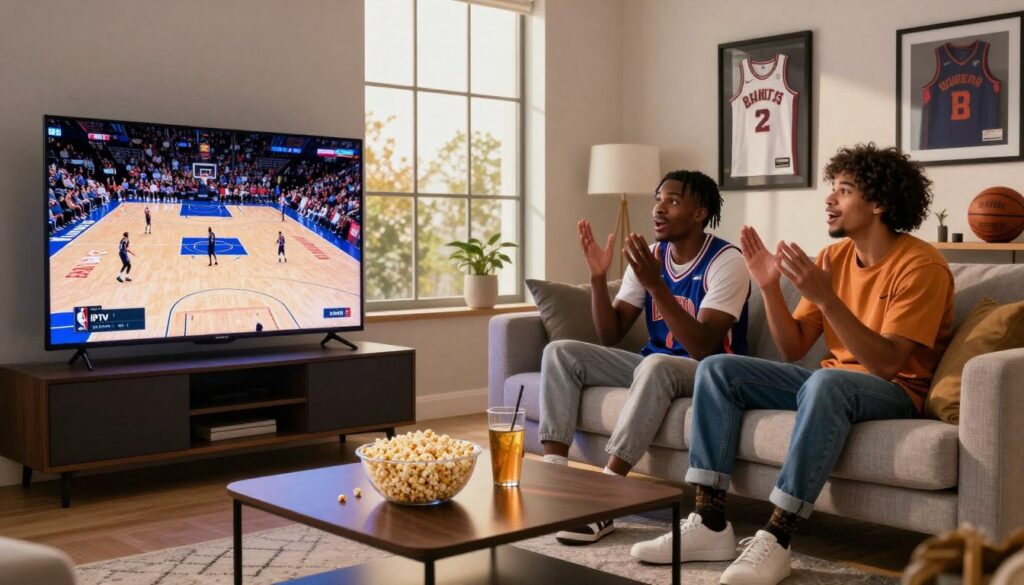
Looking for a smarter, lower-cost way to watch live games without the cable fuss? You aren’t alone. As a fan you want reliable access, clean streams, and a simple way to view across Fire Stick, Smart TV, or mobile devices without overspending on a full cable bundle.
This short guide shows what internet-based TV delivery is, how it compares to League Pass — which can top $200 a season — and what to check in a provider for performance and safety. You’ll learn how streaming services work, what features matter, and how to set up a service that fits Canada, the UK, and US viewing realities.
Trust matters: we’ll focus on support, legal basics, and real-world tips to boost your viewing experience during big matchups. As one example to evaluate, see GetMaxTV for a trial and setup notes here.
Key Takeaways
- Find a provider that balances reliability, customer support, and legal standing.
- Internet delivery can be a cost-effective supplement to League Pass for many fans.
- Check device compatibility for Fire Stick, Smart TVs, and mobile phones.
- Aim for stable internet (5 Mbps+ for HD, 25 Mbps+ for 4K) and wired connections for best results.
- Use the guide’s criteria to evaluate services like GetMaxTV without assuming guarantees.
What League Pass Includes (and What It Costs Today)
League Pass delivers live and on-demand coverage for all 30 teams, plus replays, highlights, and extra studio shows that deepen your season follow-up. This is useful if you want broad team access and flexible viewing.
Packages and pricing
Pricing varies by package and promotions, but many fans see totals over $200 for a season. Example price points: Team Package $249.99, League Pass $299.99, and League Pass with NBA TV $349.99. These figures change, so check current offers before you buy.
Blackouts and restrictions
Some games are blacked out in your area due to local broadcast rights. In plain terms: even with a subscription you may not get every live local or nationally televised game in your market.
“League Pass is strong for breadth and replays, but you may still need additional services to truly never miss key matchups.”
If you need wider channel access or extra device flexibility, consider comparing other services and options as add-ons or alternatives.
How IPTV Works for Live Sports Streaming
Think of internet protocol television as TV sent over your home internet. It delivers live channels and on-demand content as data packets. Your app decodes that data into a stream you can watch on a Smart TV, Fire Stick, or phone.
Internet Protocol Television explained in plain English
Streams travel over the internet, not coax or satellite. An app reads a playlist (often M3U) and shows a list of channels and VOD libraries.
Why this is different from cable and streaming apps
Unlike cable, this model is app-based and device-flexible. You don’t need a set-top box or long contracts.
Compared with separate streaming apps, protocol television often looks like traditional TV—live channel lists, categories, and a program guide—so you can flip to a game quickly.
What channels, content, and a program guide mean for fans
Channels are live feeds. Content includes replays and highlights. The program guide shows start times and lets you jump into a live game or an alternate feed.
- Quick tip: use the guide to find game times and tune in right when the tip-off starts.
| Feature | What it is | Why it matters | Example use |
|---|---|---|---|
| Channels | Live TV feeds | Watch games as they air | Switch between regional and national feeds |
| Content | VOD, replays, highlights | Catch up after the live event | Replay a key play or full game later |
| Program guide | EPG schedule | Find start times and alternate streams | Set reminders or jump to live |
| Device support | Apps on TV, stick, and mobile | Watch on any screen | Move from couch to commute without missing action |
To test a provider and see how channels and the program guide behave in real time, try a trial such as the one described at GetMaxTV trial guide.
Why Many Fans Use IPTV for NBA Games
If you want fewer subscriptions and clearer pricing, internet services often shave costs compared with a full cable plan.
Cost is the biggest motivator for many fans. You can find low-price entry points (some services advertise plans from about $6.95/month), which helps if you want one bill instead of multiple streaming subscriptions and a costly cable package.
Flexible viewing across devices
These services support Smart TVs, Fire Stick-style streaming sticks, and mobile devices. That means you can watch live games in the living room, catch a second-screen feed in the bedroom, or follow action on your phone while out.
Convenience features that matter
Features like quick channel switching, favorites, recent channels, and a clear sports category make game nights easier. Some providers include pause/rewind and on-demand libraries, but availability varies — check before you buy.
Keep expectations realistic: replay libraries, DVR controls, and catch-up TV differ by provider. If you follow other sports, a wider sports lineup can reduce app-hopping and improve your overall viewing experience.
- Cost: simpler billing vs. cable and multiple apps
- Device support: watch on living-room TVs and mobile devices alike
- Entertainment value: broader sports channels can centralize content
For a balanced view of reputable providers and trial options, see this concise overview on legal services and market choices: Top legal service review.
iptv nba usa: What to Look for in the Best IPTV Service

Good sports viewing starts with verifying which networks carry the games and whether the stream stays steady at tip-off.
Sports channel coverage: Check that the provider lists national and regional networks that actually broadcast games. Look for pregame and postgame feeds, studio shows, and multiple regional feeds when available.
Streaming quality benchmarks
HD expectations: sharp image and steady motion at standard frame rates.
4K expectations: smooth pans and clear fast breaks; test during live action to confirm.
Stability signals to verify
- Published uptime targets and real-world uptime reports.
- Backup streams for key channels during busy events.
- Active monitoring or status pages that report outages.
Customer support during events
Good customer support answers quickly during big games. They should give clear troubleshooting steps and confirm if an outage is on their end or your network.
Compatibility and multi-screen options
Confirm device compatibility for your TV, streaming stick, and phone. Multi-screen support matters if your household watches simultaneous games.
Quick buyer’s checklist:
| Check | Why it matters | How to test | Minimum standard |
|---|---|---|---|
| Channel lineup | Ensures access to live games | Compare listed networks to scheduled games | National + local feeds |
| Video quality | Comfortable viewing during fast action | Stream a live game trial | HD stable; 4K available if offered |
| Stability tools | Reduces dropped streams | Ask about backup streams and uptime | 99%+ uptime, backups for major channels |
| Support & compatibility | Fix issues quickly and watch on any device | Test support response; confirm device list | Fast support, multi-device licenses |
Evaluate providers offer details carefully and test a trial before committing. For a trial comparison, you can review options like top provider trials and judge fit rather than marketing claims. Briefly, services such as GetMaxTV can be measured against this checklist to see if they match your viewing needs.
How to Choose an IPTV Provider Without Guesswork
A calm, repeatable test method beats flashy marketing when you pick a streaming service. Start with a checklist that focuses on what matters for game nights: channel coverage, stream stability, device support, trial terms, and support responsiveness.
Compare offers, features, and subscription terms
Read the subscription fine print. Note billing cycle, auto-renew rules, device limits, and whether multi-screen access costs extra.
Tip: a short refundable trial reduces risk and shows real-world performance under load.
What reviews reveal — and what they don’t
User feedback can reveal patterns like repeated downtime or slow support. But it can’t predict your experience because your home network and devices matter.
Free trials vs paid trials: what to test during a game
Use a trial during a prime-time game to test peak performance. Check channel switching speed, EPG accuracy, audio/video sync, and how quickly support responds to a ticket.
- Document your connection type, device model, and app used.
- Run the same test across two providers for fair comparison.
- Watch for buffering: it often stems from your Wi‑Fi, local network congestion, or underpowered devices as much as provider load.
Repeatable choice method: run a game-night test, record results, compare support response, then decide. For quick trial options and top deals, check this guide to top deals and trials.
How to Set Up IPTV to Watch NBA Games on Your Devices
A smooth game night begins with a steady connection, a supported app, and the account details your service supplies. Read these simple steps before you start so setup is quick and painless.
What you need first
Make sure you have a stable internet connection, a compatible player app, and the subscription credentials from your service.
Tip: test your connection speed (5 Mbps+ for HD, 25 Mbps+ for 4K) before a big game.
Fire TV Stick and Android basics
On Fire TV Stick, install the app from the store or sideload a trusted player, then enter your login or playlist info. Let the guide and channels load before you tune in.
On Android, download the app from Google Play, sign in with an M3U URL or Xtream-style login, and confirm channels appear. Choose a stable decoder in app settings if video stutters.
Smart TV and mobile device setup
If your Smart TV has the app store, install the player directly. If not, use an external streamer like a Fire TV device for the same experience.
On mobile, sign in once, enable Wi‑Fi-only streaming to save data, and save sports categories or favorites for quick access on the go.
When M3U or Xtream-style login is used
M3U is a playlist link or file that lists channels. Xtream-style login uses a server URL plus a username and password inside your app.
Keep logins private: don’t share playlist URLs or post screenshots that reveal usernames or server addresses. Treat credentials like any password.
| Step | What to do | Why it matters |
|---|---|---|
| Check internet connection | Run a speed test and prefer Ethernet when possible | Reduces buffering and keeps streams stable |
| Install player app | Use official store apps or trusted sideload sources | Ensures compatibility and fewer crashes |
| Enter credentials | Use M3U URL or Xtream login provided by your service | Grants access to channels and the program guide |
| Protect login | Don’t share or post server details | Maintains account privacy and reduces risk |
For a quick trial and step-by-step help from a reputable provider, check a setup walkthrough at GetMaxTV setup guide.
How to Find Live NBA Games and Replays Inside Your IPTV App
Master the app layout so you can jump into live action or pull up replays without hunting. Start in the Sports category, then scan the channels list for networks that show games and events.
Using the channel list and sports categories to watch live
Open Sports, filter by basketball or search team names. Add key channel entries to Favorites so game nights become one-click.
Using the program guide to track games, events, and start times
Use the program guide (EPG) to confirm tip-off and pregame windows. Check for alternate feeds (home/away) and set your app timezone correctly to avoid missed starts.
Replays, highlights, and on-demand options when you miss a game
Look for VOD or replay folders in the menu. Some providers keep full replays and highlights, others only network-level content. If catch-up is critical, test during a trial or follow a setup walkthrough to confirm availability.
- Quick workflow: favorite channels, verify guide timezone, use search and recent channels to bounce between simultaneous games, then check VOD for missed action.
- Note: replay availability varies by provider—expect gaps and plan to use highlights when full replays aren’t offered.
For step-by-step setup or regional access tips, see a practical setup walkthrough and an access guide.
How to Fix Buffering and Improve Stream Quality During Big Games
Fixing stutters and improving picture clarity is usually about a few simple network and device tweaks. Start with the basics you control and work outward: your modem, router, and the device showing the game.
Internet speed targets for HD and 4K viewing
Aim for at least ~25 Mbps for consistent HD. For smoother headroom, target ~50 Mbps if others share the connection. For reliable 4K, plan for 100 Mbps or more.
Home network tips
Place the router centrally and avoid heavy obstructions. Use 5 GHz when close and prefer Ethernet for your main TV device.
Limit other large downloads or streams during big games and reboot the router before tip-off if your network slows down.
Device settings that impact playback
Set resolution to match bandwidth; don’t force 4K on weak Wi‑Fi. Enable hardware decoding in the app if available. Try alternate player settings when motion looks choppy.
When to contact support and what to tell them
If multiple channels or devices fail, it may be a provider issue. If only one device buffers, it’s likely local.
When you contact support, share:
- Device model and app name
- Wi‑Fi or Ethernet status and measured internet speed
- Exact channel and time the problem occurred
| Problem | Likely cause | Quick fix | When to contact support |
|---|---|---|---|
| Frequent buffering | Insufficient bandwidth or congestion | Pause downloads; use Ethernet; reboot router | If issue persists after tests |
| Resolution drops | Adaptive bitrate reacting to weak signal | Set manual resolution; move closer to router | If quality never improves on Ethernet |
| Choppy motion | Decoder or app settings | Enable hardware decoding; try a different player | If multiple apps show same problem |
| All channels down | Upstream provider outage | Check provider status page; test other internet services | Contact provider with timestamps and speed test |
For step-by-step troubleshooting tips and a checklist, see this troubleshooting guide: stream troubleshooting guide.
Legal and Safety Basics for IPTV Sports Streaming
Before you sign up, know how to spot a legitimate streaming offer and what risks to avoid.
What a legal service looks like
Legal services show a clear business name, published terms, and contact channels you can use if something goes wrong.
Look for transparent pricing, licensing statements when required in Canada, and reachable email or phone support. These signs reduce surprises during big events.
Risks from unverified sources
Unverified providers often deliver poor quality streams and sudden outages during peak games.
They can also rely on sketchy apps or links that risk malware or unstable playlists. The most common real-world nuisance is unreliable access when demand is highest.
Simple privacy and multi-device best practices
Use unique passwords and avoid sharing your playlist or login publicly. Sign in only on personal devices and log out of old gadgets.
A VPN can add privacy, but it doesn’t replace choosing a legitimate provider or following local rules.
| Area | Legal service | Unverified source | Practical action |
|---|---|---|---|
| Transparency | Clear business and licensing | Hidden terms, vague pricing | Check policies and contact info |
| Reliability | Stable streams, published uptime | Frequent outages at peak | Test a trial during a big game |
| Privacy | Secure account handling | Shared playlists, leaked credentials | Use unique passwords; limit devices |
Conclusion
In the end, your best choice balances channel coverage, stream reliability, and how you actually watch games at home. Compare League Pass value against an iptv service that gives flexible device support and broader sports access.
Key checks: confirm HD/4K performance, published uptime and backups, device compatibility, and quick support on big nights. Run a live-game trial to validate guide accuracy and your home network before you commit.
Realistic note: no service is flawless every night, but a vetted provider plus a solid internet setup helps you never miss the action. If you’re comparing providers now, review GetMaxTV’s IPTV service and, if you want a legal subscription, check GetMaxTV’s current offer at https://getmaxtv.com.
FAQ
What is the best option to watch NBA games using internet protocol television services?
Choose a provider that offers reliable sports channel coverage, clear HD or 4K streams, and strong uptime. Look for services that support Smart TVs, Fire TV Stick, Android, and mobile devices. Prioritize providers with responsive customer support, low latency during live events, and an easy-to-use electronic program guide so you can never miss a live game or replay.
What does NBA League Pass include and how much does it cost today?
League Pass gives live and on-demand access for all 30 teams, plus condensed games and archives. Pricing varies by package and season; full-season packages can exceed 0, while single-team or monthly options cost less. Note that local blackout rules and regional restrictions can still limit live viewing for some games.
How does internet protocol television work for live sports streaming?
This service delivers channels and content over your internet connection instead of through cable. Streams come as channels or on-demand items through an app or a dedicated playlist, and the electronic program guide (EPG) helps you find live games, start times, and replays. The experience depends on your network, device, and the provider’s stream quality.
How is this different from cable or standard streaming apps?
It uses packet-based delivery rather than traditional broadcast or satellite signals, which can offer more channel choice and flexible subscriptions. You get features like multi-screen viewing, cross-device compatibility, and often lower costs compared with a full cable bundle, but quality and legality depend on the provider.
What should you look for in a sports-focused service?
Check channel lineups for reliable NBA networks and related sports feeds, stream quality (HD or 4K, frame rate), service stability (uptime and backup streams), and strong customer support during big events. Also confirm multi-device compatibility and simultaneous stream limits so the whole household can watch.
How do you compare providers and avoid bad choices?
Compare channel coverage, trial offers, refund policies, and subscription terms. Read recent user reviews for real-world experience with buffering and support response times. Use a free or paid trial to test streams during a live game before committing.
What do you need to set up a service to watch games on your devices?
You’ll need a stable internet connection, the provider’s app or supported player, and your subscription credentials. For Fire TV Stick, install the compatible app; on Android and Smart TVs, follow the provider’s setup guide. Keep any M3U or Xtream-style login details private and secure.
How do you find live games and replays inside the app?
Use the channel list and sports categories to locate live broadcasts. The program guide shows start times, current games, and upcoming events. Look for on-demand sections for replays, highlights, and condensed games if you miss a live matchup.
What internet speeds are recommended for HD and 4K viewing?
Aim for at least 5 Mbps per stream for HD and 25 Mbps per stream for stable 4K. These targets help minimize buffering during fast-paced games, but real-world needs vary with codec and provider efficiency.
How can you reduce buffering and improve stream quality at home?
Use Ethernet for the primary device when possible, place your Wi‑Fi router centrally, and limit concurrent high-bandwidth activity on the network during games. Adjust device settings for optimal resolution and clear cache or restart the app if issues persist.
When should you contact support and what info helps them resolve issues fast?
Contact support if you see persistent buffering, black screens, or login errors. Provide your device model, app version, time of the issue, and a speed test result. That lets agents identify whether the problem is network-related, device-specific, or on the provider’s side.
What makes a legal and safe sports streaming service?
A legitimate provider shows clear licensing information, transparent pricing, and reachable customer support. It maintains consistent stream quality and delivers regular updates. Avoid unverified sources that offer suspiciously low prices or unstable access, as they pose risks to security and reliability.
What privacy steps should you take when streaming on multiple devices?
Use strong, unique passwords for your account and enable two-factor authentication if available. Keep your subscription credentials private, use secure home Wi‑Fi with WPA3 or WPA2, and consider a reputable VPN only where legal and allowed by your provider.
The GetMaxTV Team is a group of cord-cutting experts and streaming technology specialists who have been testing and reviewing IPTV services since 2022. Based in North America, our team personally tests every service we recommend across 15+ devices including Fire TV Stick, Roku, Apple TV, Samsung Smart TVs, and gaming consoles. We verify channel counts, measure buffering rates, test picture quality in HD and 4K, and evaluate customer support response times. Our mission is to help viewers save money by switching from expensive cable subscriptions ($147/month average) to affordable, high-quality IPTV alternatives. Every article on GetMaxTV.com is based on hands-on testing and real-world experience — not recycled marketing claims.