
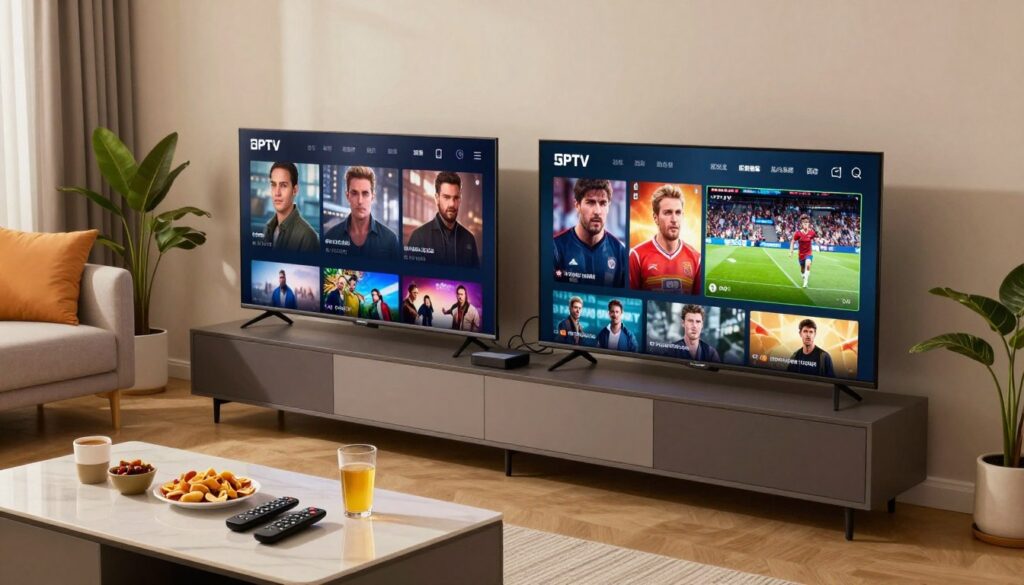
Want to watch two different shows at once without fighting over the remote? This guide explains how dual-stream plans work in a typical Canadian home and helps you pick a plan that fits your viewing habits and budget.
What this page is: a clear, product-focused guide that shows what “two connections” means, what’s included, and how pricing and discounts are shown.
You’ll learn practical setup tips for both TVs, realistic performance notes, and what to check before you buy so your service truly fits your home. We reference providers and plans, including a helpful example on GetMaxTV, so you can compare offers side by side.
By the end, you’ll know how to select a subscription and product option that gives uninterrupted service on two screens without paying for extras. Ready to compare plans? Check GetMaxTV’s offer to explore setups and pricing.
Key Takeaways
- You can stream on two TVs at once with the right dual-stream plan.
- The guide shows what a product includes and how pricing appears.
- Look for device compatibility and realistic performance notes.
- Discounts often lower monthly cost for longer subscriptions.
- Visit this example plan to see real dual-stream configurations.
Why Two IPTV Connections Matter for Your Home in Canada
In many Canadian homes, being able to stream two shows at once changes evening routines. It stops the remote battles and keeps everyone watching what they want.
Watch on two TVs at the same time without interruptions.
Watch on two TVs at the same time without interruptions
You can enjoy the big game in the living room while someone else watches a series upstairs. That means no forcing someone to log out or pause their show.
A better fit for couples, families, roommates, and shared spaces
Households often overlap during peak hours. Families, roommates, and couples need reliability so kids’ shows and adult programs run smoothly.
What “two connections” typically means for devices and streams
Usually this phrase means two concurrent streams at once, whether they’re on two TVs or a TV plus another device. Your internet speed, Wi‑Fi strength, and device performance still affect play quality.
Think of this as buying flexibility, not just channels. A dual-stream plan gives your household the freedom to watch what they want, when they want.
- Real-life benefit: watch different programs at once without interruptions.
- Pain point solved: no more buffering or “already watching” messages.
- Tip: check provider rules and speed needs before you buy — see best options for multiple devices and advanced setup tips.
iptv 2 connections Plans: What You Get With a Dual-Stream Subscription
A good dual-stream package spells out stream limits, picture quality, and the devices it supports so you know what to expect.
Two simultaneous connections for your subscription
What you get: one subscription that allows two people to watch different channels at the same time under a single account.
Providers usually count streams in real time. If a third device starts playing, it may fail or show a limit message.
High-quality Premium TV streaming and “uninterrupted service” expectations
High-quality means clear resolution choices, steady bitrate, and supported devices. Verify resolution options and app compatibility before you buy.
Uninterrupted service means the provider maintains streams, but your internet, router, and peak-hour congestion will still affect playback.
Content variety and channel access: what to look for
Check that the content offered matches what you watch—sports, news, films, and kids’ channels—and that the guide and search work reliably.
How to choose the right plan length in months
Shorter terms help you test a product. Longer terms reduce renewals and can save money if you watch daily. This plan offers 2 connections for 12/months, so match the months to your seasonal viewing needs.
- Checklist: simultaneous streams, supported apps/devices, Canada availability, and clear plan terms.
- Need more setup examples? See multiple devices options at multiple devices.
- Want a short trial? Check the 3-month option at 3 months.
Pricing and Value: Current Price vs Original Price and How Discounts Work

Price labels tell you more than cost — they show value, savings, and what you’ll actually pay at checkout.
Understanding price terms: current price, original price, and overall value
Current price is the amount you pay today at checkout. It already reflects any active promotion or automatic discount.
Original price is the standard or prior amount shown for comparison. Seeing both helps you judge whether the deal is meaningful.
Look beyond the numbers. Consider streaming stability, simultaneous viewing needs, and whether the plan fits your household routines when judging overall value.
How to save 25% with eligible payments at checkout
You can save 25% on a subscription when you pay with the eligible methods listed below. The discount is applied automatically at checkout — no promo code needed.
- Eligible payment types: Cryptocurrency, Amazon & Walmart eGift Cards, or Prepaid Gift Cards.
Practical buyer guidance
Before you pay, confirm the plan term and the device count you selected so the discounted checkout matches your intention.
“Always review the final checkout totals to make sure the current price reflects the discount versus the original price.”
Tip: Check the final price on the receipt to be sure your savings applied and the subscription meets your needs in Canada.
How to Use Two Connections Across Your TVs and Devices
Make full use of a dual-stream plan by pairing devices and the right home network.
Best setup examples for real homes
Living room + bedroom: One TV wired or on the main Wi‑Fi, the other on the secondary. This works well for couples with different schedules.
Basement + main TV: Give the main TV an Ethernet link if possible. The basement can use a strong Wi‑Fi node or mesh point.
TV + mobile: Let mobile devices use cellular or a guest Wi‑Fi band when someone leaves home to avoid home network strain.
Connection management tips to keep streaming stable
- Plan who uses each stream. A third active device may be blocked, so assign viewing slots.
- Use Ethernet for at least one TV and place your router centrally in the house.
- Close unused apps, restart stuck apps or devices, and pause large downloads during prime time.
- Limit interference in condos: change Wi‑Fi channels or add a mesh node for consistent coverage.
| Home Setup | Recommended Link | Why it helps |
|---|---|---|
| Living room + bedroom | Router + Wi‑Fi | Balanced loads; easy control of each screen |
| Basement + main TV | Ethernet + Mesh | Stable high-bandwidth for main viewing |
| TV + mobile | Wi‑Fi + Cellular (when away) | Reduces home network contention |
Tip: The best product experience comes when your service matches a reliable internet plan and a tidy in-home network setup.
“Pair your dual-stream plan with simple network steps to avoid buffering and blocked playback.”
Trust Signals: Reviews, Purchasing, and What to Expect From the Product
Knowing how reviews are filtered and displayed can save you time and disappointment. Clear review practices help you weigh real service quality against marketing claims.
How verified feedback is handled on some services
Only logged-in customers who bought the product may leave a review. That verified-purchase model reduces spam and boosts credibility. You get fewer fake entries and more useful, experience-based notes.
When you read user feedback, focus on details over star averages. Prioritize comments about stream stability, device compatibility, and customer support response times. Look for mentions that match your typical watching habits.
- What to look for: stability, support, and channel access accuracy.
- Confirm regional availability and the exact channel lineup before you buy.
- Check refund, renewal, and plan-term rules posted on the site.
“Use reviews as one signal among price, plan terms, and device support to decide if the service fits your home.”
For a deeper opinion and a vendor example, see the GetMaxTV review page.
Conclusion
A plan that supports simultaneous viewing on two screens removes the remote fights and keeps streams stable.
Core takeaway: Two concurrent connections let your household watch different programs at once, which is ideal for busy homes in Canada.
Choose confidently by matching the plan length in months to your habits, confirming the number of connections you need, and reviewing price and terms before checkout.
Value is more than the monthly total — check stability, device compatibility, and clear plan rules. Read the multiple connections guide and consider a longer term like a 12‑month offer for savings.
If you want an IPTV subscription that streams on two devices at once, check GetMaxTV’s current offer at GetMaxTV.
FAQ
What does a dual-stream plan mean for your home setup?
A dual-stream plan lets you watch different channels on two screens at the same time. That usually covers two TVs, or a TV and a mobile device. It’s ideal if you and someone else want separate shows without interruptions.
Will a two-stream subscription work across multiple device types?
Yes. Most services allow two simultaneous streams across smart TVs, streaming sticks, phones, and tablets. Check device compatibility before you buy to avoid surprises.
How do you choose the right plan length in months?
Pick a length based on how long you expect to keep the service. Short terms give flexibility; longer terms lower the monthly cost. Match the plan to your viewing habits and budget.
What should you expect for picture quality and uptime?
Look for plans that advertise high-definition channels and reliable uptime. Read reviews to confirm real-world performance during peak hours to ensure smooth playback.
How do current price and original price affect value?
Compare the current price to the original price to see the discount. Factor in channel lineup, streaming quality, and months included to judge overall value rather than just the sticker price.
How can you save 25% at checkout?
Some providers offer a 25% discount when you use specific payment methods at checkout. Verify eligibility and terms before completing the purchase to ensure the discount applies.
Which payment methods typically trigger the discount?
Discounts often apply to payments made via cryptocurrency, Amazon or Walmart eGift Cards, or certain prepaid gift cards. Confirm accepted methods on the checkout page.
What are good setup examples for two connections?
Common setups include living room + bedroom, basement + main TV, or main TV + mobile device. These layouts give flexibility and let different household members stream simultaneously.
How do you manage connections during peak hours?
Keep your router firmware updated, use wired Ethernet for one device when possible, and limit large downloads during peak streaming times. These steps help maintain stable streams.
How reliable are product reviews for these services?
Reviews can be useful but read verified-purchase feedback when available. Verified reviews tend to reflect real customer experiences with channel access, reliability, and support.
What should you check before purchasing?
Confirm channel lists, supported devices, plan length in months, current price, refund policy, and accepted payment options for discounts. That ensures you get the right fit and value for your home.
The GetMaxTV Team is a group of cord-cutting experts and streaming technology specialists who have been testing and reviewing IPTV services since 2022. Based in North America, our team personally tests every service we recommend across 15+ devices including Fire TV Stick, Roku, Apple TV, Samsung Smart TVs, and gaming consoles. We verify channel counts, measure buffering rates, test picture quality in HD and 4K, and evaluate customer support response times. Our mission is to help viewers save money by switching from expensive cable subscriptions ($147/month average) to affordable, high-quality IPTV alternatives. Every article on GetMaxTV.com is based on hands-on testing and real-world experience — not recycled marketing claims.