
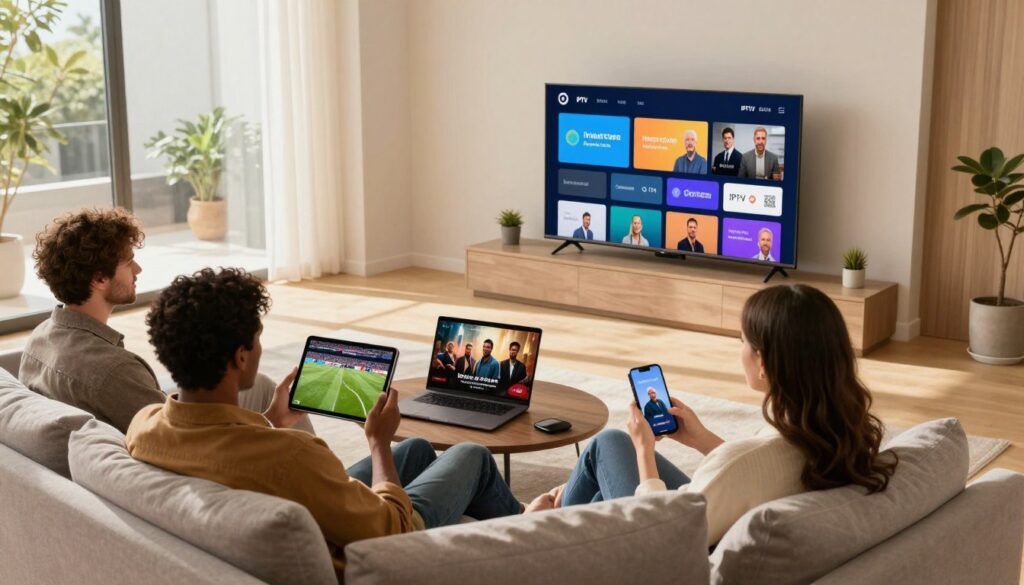
Can one household really keep everyone happy with a single subscription?
Simultaneous streaming means you can play video on more than one device at the same time under one account — either the same show or different programs on each screen.
In practical terms, some providers allow up to five active devices per household plan. That matters when parents use the living-room TV, kids watch on tablets, and someone else follows a live game on a laptop.
You’ll get a clear buyer’s guide here: how to pick the right stream count, avoid buffering, and compare plans for Canadian homes. We’ll focus on reliability, picture quality, customer support, and fair pricing — not just more channels for less.
Device compatibility, required internet speed per play, and peak-time performance are the decision factors we’ll evaluate. For a real-world example, see how providers market multi-device access and check the multi-device guide for technical notes.
Ready to compare options? Take a look at GetMaxTV’s offer as one example of a service that highlights flexible multi-device access.
Key Takeaways
- You can watch on multiple devices at once, but provider limits vary.
- Choose stream count based on household habits and device mix.
- Reliable performance needs proper internet speed and good servers.
- Compare device compatibility, peak-time quality, and support before subscribing.
- Check trial options and instant activation to test real-world performance.
What Simultaneous Streams Mean in Internet Protocol Television
Think of a stream as an active play session tied to your account, not merely the number of devices with an app installed. In internet protocol television this distinction matters because many services let you install the app on several gadgets but limit how many play at once.
Logging in on five devices is different from playing on five screens. Your device can keep the app and your login, yet only the allowed number of active playbacks will actually work at the same time.
Watching the same channel on two TVs is treated the same as watching two different channels for enforcement: both count as active playbacks. Multi-device plans often let family members view different content — like a game and a kids’ show — at the same time.
Why providers set limits: they protect quality, cut peak-time overload, and discourage account sharing outside your household. If you go over the allowed connections, one device may stop or you may see a “too many connections” error.
Quick rule to remember: devices installed ≠ devices streaming. Check marketing carefully — “multi-device compatible” does not always mean multi-stream access.
Why IPTV simultaneous streams Matter for Canadian Households
Modern households expect flexible viewing on phones, tablets and smart TVs. When everyone has a say in what to watch, multi-device access cuts arguing over the main TV. You can let kids watch cartoons on a tablet while you catch the news or a movie in another room.
Family viewing without fighting over the TV
Less negotiation, more convenience. With multiple active playbacks, your household routine stays intact. Families with two or more TVs notice the calm right away.
Sports nights and live events when everyone wants a different screen
Think hockey night, a big soccer match, or a boxing PPV. Live events matter because you can’t pause real time. Let one person stream the game on a smart TV while another follows a second match on a phone.
Replacing cable with flexible multi-room entertainment
Multi-room setups let you replace traditional cable and still keep channels across devices. If you want setup tips, check the advanced settings guide for Canada-focused advice.
“The best value comes when quality and stability hold up at peak time — exactly when Canadians tune in for live sports.”
- Reduce TV friction by matching stream count to routines.
- Make live sports and events work for every fan at home.
- Replace cable where reliable performance and channels meet your needs.
How Many Streams Do You Actually Need?
Pick a plan by counting how many people watch different shows at once during your busiest hours. That simple rule gives you a practical starting point for choosing the right subscription without overspending.
Matching your plan to your household size and viewing habits
Match plans to real usage
Count the maximum number of people who will watch different content at the same time. Use that number as your target connection count.
Common options and typical tiers
Most providers sell clear options: 1 for solo viewers, 2 for couples or roommates, and 3–5 for families. Choose the option that covers your peak evening or weekend load.
| Household | Typical connection need | Why it fits |
|---|---|---|
| Single person | 1 | All viewing on one device or shared TV. |
| Couple/roommates | 2 | Two different shows or devices at once. |
| Family (kids + adults) | 3–5 | Kids, parents, and guest use across rooms. |
When one connection is enough — and when it isn't
One connection works if everyone watches together or if only one person views at peak times. It keeps price low and setup simple.
It isn’t enough when kids use tablets while adults watch live sports, or when two TVs run nightly. That creates workarounds and frustration.
Try before you commit
Use a short-term trial or a 24‑hour plan to test quality during your real peak hours. Trials help confirm stability, picture quality, and whether the chosen price matches the value.
- Estimate peak concurrent viewers.
- Pick the closest connection tier.
- Run a trial during evenings/weekends.
- Adjust plan to avoid wasted price or daily friction.
Devices and Apps That Support Multi-Device IPTV Streaming

Most services work across a wide range of devices, but compatibility varies by brand and app type. Start by listing what you already own and what you plan to add to your home setup.
Common device types you’ll use in Canada
Smart TVs, Fire TV/Firestick, Android TV boxes, MAG/Formuler boxes, phones and tablets, and PCs are the usual suspects. These device categories cover most living rooms and bedrooms.
Player apps and login formats
Apps differ: some use an M3U playlist (a simple URL), others use Xtream-style login credentials. M3U credentials are just a playlist URL or login your player app uses to load channels and VOD.
Quick checklist before you buy
- Confirm which devices your chosen iptv provider supports and which app formats it uses.
- Choose player apps with strong EPG support and profile management for family use.
- Verify number of allowed logins, setup instructions per device, and typical activation time.
“A good provider makes onboarding across your whole home fast and painless.”
Pro tip: During a trial, test setup on at least two different device types to confirm true multi-device access and a stable connection.
Streaming Quality and Internet Speed Requirements to Avoid Buffering
Buffering often comes down to one thing: how much usable bandwidth you actually have when everyone watches.
Match speeds to real use. Your required internet bandwidth scales with the number of concurrent viewers. Two HD viewers need roughly double the bandwidth of one, plus overhead for spikes and background devices.
Recommended speeds per viewing type
Use these targets as practical guides to avoid buffering and keep picture quality steady.
| Quality | Suggested per-viewer Mbps | Notes |
|---|---|---|
| SD | 3–5 Mbps | Works for small screens; minimal bandwidth. |
| HD (1080p) | 8–30 Mbps | 15–30 Mbps recommended for consistent quality and fewer spikes. |
| 4K | 25–30+ Mbps | Plan for ~25–30 Mbps per 4K viewer to avoid drop in quality. |
Why Ethernet often beats Wi‑Fi
Ethernet reduces interference and packet loss. That stability matters when multiple devices use the same home network.
For 4K or several high-quality channels, wired connections usually cut buffering and improve the overall experience.
How compression and adaptive bitrate affect your viewing
Most providers use codecs like H.264 with adaptive bitrate. That helps reduce buffering by lowering quality during slow periods.
Keep in mind: adaptive playback prevents freezes but can make the picture softer when demand spikes.
Quick tests to spot ISP slowdowns
Run speedtest.net on the device you use to watch, at different times (evening vs morning). Compare Wi‑Fi vs Ethernet results.
- Test during peak hours to find slowdowns.
- Check the same device and browser or app you stream from.
- Validate before adding 3–5 concurrent viewers — the network, not the app, usually limits you.
“Run tests at different times and on wired vs wireless to see if your provider meets demand.”
For practical troubleshooting and tips on improving your home bandwidth, check your home internet speed before you upgrade your plan or add more viewing devices.
Provider Features That Make Multi-Stream IPTV Worth Buying
A solid provider blends uptime guarantees with real-world proof so your whole household stays watching when it matters.
High uptime and clear reliability
Look for 99.9% uptime claims and supporting evidence. Good vendors publish maintenance windows, server locations, and peak-time reports. That helps you trust daily performance.
Program guide and content navigation
EPG coverage makes live channels usable across TVs and apps. Favor a provider whose guide shows most channels and keeps program data current.
VOD, catch-up, and sports access
A deep library and catch-up reduce the need for extra subscriptions. For Canadian fans, strong sports packages and PPV events let different family members watch different games without conflict.
“Fast activation and 24/7 support are the trust signals that matter for multi-device homes.”
| Feature | Why it matters | What to check |
|---|---|---|
| Uptime | Keeps every screen live | 99.9% claim, status page |
| EPG | Simplifies live TV use | Coverage % and update frequency |
| VOD library | Adds movies and shows on demand | Titles count and catch-up window |
| Activation & support | Quick start, fewer setup issues | Minutes to credentials, 24/7 help |
Try a short trial to verify peak-time quality. For a quick comparison, see a best iptv guide and a practical Canadian provider example.
Comparing IPTV Plans, Packages, and Price for Multiple Streams
What you pay usually ties directly to how many active connections you need and the service’s reliability under load. Providers price packages so each added connection increases cost because it uses more server capacity and support resources.
Typical pricing model: one connection costs least, then tiers 2–5 raise the monthly price. Short packages (3/6 months) reduce risk; long plans (12 months) cut the monthly price if the service proves stable.
Use a trial during your real peak hours before you commit to a year. Trials and short money-back guarantees let you verify quality, support responsiveness, and channel stability.
Value signals vs. cheap plans
Cheap price often hides poor uptime, weak support, shaky EPG, or thin VOD content. Those weaknesses matter more when your whole home relies on the service.
“The best value balances steady quality, easy support, and the content you actually watch.”
- Compare like-for-like: stream count, device support, EPG coverage, VOD/catch-up, and clear support channels.
- Run a trial: test evenings and weekends for true peak performance.
- Choose commitment length based on your trial results—opt for longer plans only when stability and support pass your test.
For deals and a quick comparison on packages and price, check this top deals page to see how providers present tiered offerings and trial options.
Support, Trials, and Guarantees: What to Look for Before You Commit
Good support and clear guarantees protect your household viewing and give you a low-risk way to evaluate a new service. Before you buy a subscription, confirm how the provider helps users during setup, peak hours, and outages.
Why 24/7 help matters for multi-device homes
Many setup problems happen at night or on weekends — exactly when your family streams together. Round-the-clock support ensures you can get help when a device, app, or connection fails. That prevents lost game time and frustrated users.
What good support looks like
Look for multiple contact methods: live chat, WhatsApp, and email with published response times. Good teams walk you through app installs, login formats, and basic network checks.
Fast, helpful troubleshooting should cover device compatibility, EPG issues, and connection basics. That shows the service cares about your long-term experience.
How to use trials and money-back guarantees wisely
Run a trial during your real peak hours. Test channel switching, EPG accuracy, VOD playback, and at least two devices at once. A 24‑hour or 7‑day guarantee gives you time to expose weak points.
Money-back windows reduce risk when you pay for multi-device access — they let you confirm quality before committing to a longer plan.
Secure payments and account access hygiene
Use checkout methods with buyer protection (credit card, reputable gateways). Never share passwords in public chat threads; store credentials in a secure password manager.
Pick unique passwords and avoid reuse. Understand connection limits so you know when extra logins may trigger errors or lockouts.
“Reputable providers treat you like a long-term user — and their support practices usually show it.”
| What to check | Why it matters | Red flag |
|---|---|---|
| 24/7 support channels | Get help during peak viewing hours | Only email support or very slow replies |
| Trial / money-back guarantee | Test quality under real conditions | No trial or unclear refund terms |
| Secure payment options | Protect your purchase and data | Only manual bank transfers or sketchy checkout |
| Clear account limits & login rules | Avoid unexpected lockouts | Vague terms about concurrent connections |
Tip: Use a short trial to test support responsiveness and real-world connection quality. For a budget-friendly option to compare, consider checking a verified subscription offer like this cheap subscription plan before you commit.
Common Multi-Stream IPTV Mistakes to Avoid
You can avoid wasted money and hassles by matching plan capacity to how your home really watches media. Small choices now will save you setup time and late-night frustration.
Buying too few streams (or paying for too many)
Under-buying leads to constant interruptions when two people try to watch different channels at once.
Over-buying wastes money if you never use extra connections. Use a short trial to confirm need.
Ignoring peak-time performance and buffering tests
Test your chosen service during evenings and weekends. Watch for buffering and channel dropouts when demand is highest.
Overlooking device compatibility and EPG usability
Confirm the app works on your smart TV, streaming stick, or box. A poor guide makes live viewing awkward, no matter how many channels you get.
Choosing a provider without clear support and reliability signals
Pick a provider with uptime targets, quick support, and clear terms. A multi-device setup multiplies weaknesses, so stability matters most.
| Mistake | Impact | Quick fix |
|---|---|---|
| Too few connections | Playback errors | Pick one tier up or try a trial |
| Too many paid connections | Unnecessary cost | Validate with short plan |
| No peak testing | Evening buffering | Test nights/weekends on multiple devices |
| Bad EPG or app | Poor channel navigation | Check app support and EPG samples |
“Run a trial and test real-world viewing — it will show you more than any marketing claim.”
Conclusion
Deciding smartly means balancing what your household uses today with the access you want tomorrow.
Start by counting how many people watch different channels at once, then confirm device support and test internet speed during peak hours. Verify EPG and catch-up features, and prefer providers that list clear trust signals like instant activation, 24/7 support, and a 7‑day money‑back guarantee.
Remember, the best experience blends reliable channels, a deep movies and series library, and useful features — not just the lowest price. If you plan to watch sports or live events on multiple screens, run a short trial to validate peak-time performance.
If you’re comparing multi-device options and want to see a current offer, review GetMaxTV here: https://getmaxtv.com. If you want an iptv subscription, check GetMaxTV’s offer on https://getmaxtv.com for plans, channel lineups, and trial details.
FAQ
What does “simultaneous streams” mean in Internet Protocol Television?
It refers to how many devices on one account can play live channels or on-demand content at the same time. You can install the provider’s app on multiple devices, but the number of concurrent connections is limited by your subscription plan and the provider’s rules.
Can I install the app on all my smart TVs and still watch different channels at once?
Yes, you can install the app on every supported TV, phone, tablet, or streaming stick, but whether you can watch different channels simultaneously depends on your plan’s allowed concurrent connections. Check your provider’s package details for device and connection limits.
Is watching the same channel on two devices treated differently than watching two separate channels?
Some providers count both as separate active connections, while a few allow multiple devices to view the same channel without using extra slots. Always confirm with the service provider to avoid unexpected blockages during family viewing or live events.
Why do providers set limits on concurrent streams for accounts and households?
Limits protect server capacity, prevent account sharing outside the household, and keep quality high during peak times. Providers balance network load and licensing terms by controlling how many concurrent users can access the service.
How does this matter for a Canadian household?
If you share content across rooms or have a household that watches different sports channels, you’ll need enough concurrent connections to avoid fights over the living room TV. A plan with multiple connections can replace traditional cable and give everyone more flexibility.
What’s the right number of concurrent connections for my home?
Match your plan to household size and viewing habits. Single viewers may need one connection; families or shared apartments often need three to five. Consider who watches at the same time and whether you host sports nights or movie marathons.
What are common plan options for multi-device use?
Providers typically offer single-stream plans, dual-connection tiers, and packages that allow up to five simultaneous devices. Some also offer short-term or trial plans so you can confirm the right level of access before committing.
When is one connection enough and when is it not?
One connection works if only one person watches at a time or if you mainly use the service on a single living room TV. It’s not enough for households where several people regularly watch different channels or for frequent live event viewing.
Which devices and apps support multi-device viewing?
Smart TVs from Samsung, LG, and Sony, streaming sticks like Roku and Amazon Fire TV, phones, tablets, Windows/Mac PCs, and dedicated set-top boxes commonly support the apps. Look for apps that accept M3U credentials or have native login options for easier setup.
What should I check before setting up on each device?
Verify app compatibility, supported login formats, available video resolutions, and whether the provider allows multiple active sessions. Also ensure your device firmware and player app are up to date for best performance.
What internet speeds do I need to avoid buffering?
Aim for roughly 3–5 Mbps per standard-definition stream, 5–8 Mbps per HD stream, and 15–25 Mbps for 4K. Add a margin if multiple devices will stream at once to keep picture quality steady.
Does wired Ethernet help versus Wi‑Fi?
Yes. Ethernet usually offers lower latency and fewer dropouts than Wi‑Fi, which helps during peak-time viewing and for high-resolution streams. If you can’t run cables, use a stable dual-band router and place it near active devices.
How do compression and adaptive streaming affect quality?
Providers use compression and adaptive bitrates to deliver a steady picture across varying connections. Higher compression lowers bandwidth needs but can reduce detail. Adaptive streaming shifts quality up or down to prevent buffering during slow network moments.
How can I quickly test my connection for streaming problems?
Run an online speed test during the time you normally watch, check for packet loss or high latency, and try a wired connection or different router channel. If issues persist, contact your internet service provider or the streaming service’s support.
Which provider features make multi-device plans worthwhile?
Look for high uptime, reliable servers, a solid electronic program guide (EPG), a deep VOD library and catch-up options, dedicated sports packages and pay-per-view access, and a smooth activation process so you’re watching quickly after sign-up.
How does pricing usually work for multiple connections?
Providers often charge more for extra concurrent connections or sell tiered plans that include a certain number of active devices. Compare short-term and long-term options to see which gives the best balance of price and features for your household.
Should I choose a short-term or long-term subscription?
Short-term plans or trials are great to test device compatibility, peak-time performance, and whether the content library meets your needs. Long-term subscriptions can offer better per-month value if the service proves reliable and complete.
What support and guarantees should I expect before buying?
Prioritize providers that offer 24/7 customer support, trials or money-back guarantees, clear activation steps, and secure payment methods. Good support reduces downtime and helps you add or move devices without headaches.
What common mistakes should I avoid when choosing a multi-device plan?
Don’t buy too few concurrent connections or pay for excessive capacity you won’t use. Test peak-time performance, confirm device compatibility and EPG usability, and pick a provider with transparent support and reliability signals to avoid regrets.
The GetMaxTV Team is a group of cord-cutting experts and streaming technology specialists who have been testing and reviewing IPTV services since 2022. Based in North America, our team personally tests every service we recommend across 15+ devices including Fire TV Stick, Roku, Apple TV, Samsung Smart TVs, and gaming consoles. We verify channel counts, measure buffering rates, test picture quality in HD and 4K, and evaluate customer support response times. Our mission is to help viewers save money by switching from expensive cable subscriptions ($147/month average) to affordable, high-quality IPTV alternatives. Every article on GetMaxTV.com is based on hands-on testing and real-world experience — not recycled marketing claims.