
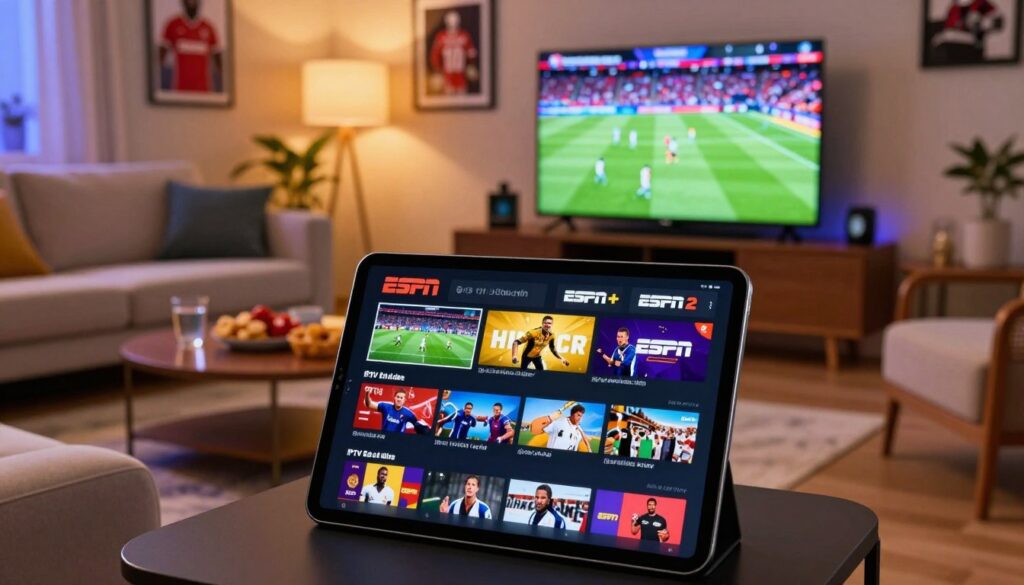
Wondering if you can get reliable U.S. sports channels in Canada without traditional cable? This short guide helps you set up a single, streamlined system to watch live sports, add ESPN+ exclusives, and avoid common blackout headaches.
IPTV delivers channels over the internet, so your goal is simple: watch live games and extra programming with stable streams and easy device support. Expect that ESPN linear channels and ESPN+ behave differently — ESPN+ is a separate premium service with its own access.
We’ll focus on practical buyer criteria: channel availability, stream quality, reliability, EPG/catch-up features, device compatibility, and responsive customer support. You’ll also learn speed baselines (about 15 Mbps; 30 Mbps helps for HD/4K) and why a VPN can help with geo-restrictions.
For step-by-step setup and a ready option to consider, see this ClearVPN walkthrough and compare it to a provider like GetMaxTV’s ESPN access guide. When you’re ready, check GetMaxTV’s offer to get started.
Key Takeaways
- IPTV streams live sports over the internet; ESPN channels and ESPN+ are handled separately.
- Plan for at least 15 Mbps; 30 Mbps is better for HD and fewer interruptions.
- Compare providers on channel lineup, stream quality, EPG, device support, and support response.
- VPNs often help with geo-blocks—see the ClearVPN instructions for guidance.
- Review options like GetMaxTV to find a legal, reliable setup that fits your needs.
Why IPTV Is a Popular Way to Watch ESPN in Canada
Internet-delivered television is changing how people in Canada follow live sports and big U.S. broadcasts. In plain terms, Internet Protocol Television delivers live channels over your broadband connection instead of through a coax cable or a satellite dish.
You may choose using iptv because it removes rigid contracts and the bulky hardware tied to traditional cable satellite plans. Sports fans like that you can open an app and jump to a game fast. You get more device access — living room TV, phone, tablet, or laptop — depending on the provider.
Key benefits include flexibility, easier device setup, and often a wider selection of sports channels. Still, always confirm that the exact networks you want (ESPN family channels, regional feeds) are included before you buy.
How it compares to cable and satellite
Traditional cable satellite bundles often lock you into long plans, limit portability, and make add-ons complicated. An app-driven service gives you simpler control and faster switching between channels.
| Feature | Traditional cable satellite | Internet Protocol Television | Why it matters for sports |
|---|---|---|---|
| Contracts | Often long-term, fees for early exit | Monthly or trial options common | Flexibility to test services before committing |
| Device access | Mainly TV box or set-top | Apps on TV, mobile, and PC | Watch games at home or on the go |
| Channel variety | Depends on package tiers | Broader sports channels advertised | More chances to find niche leagues and feeds |
Remember: the viewing experience depends on your home network and the provider’s reliability. To learn more about options that suit Canada, see our IPTV in Canada guide.
Which ESPN Channels You Can Stream With IPTV
Start by checking exactly which networks a provider delivers; “sports included” can mean different things.
ESPN (main) — When a provider lists this channel, you typically get the primary live channel programming that covers major sports events, marquee games, and the studio shows that wrap around them.
ESPN2 — This channel adds extra games, alternative broadcasts, and niche sports content you might not see on the main feed. It’s where many secondary matches and specialty events air.
ESPN News — An always-on feed for 24/7 updates, analysis, highlights, and breaking stories. It’s useful when live games aren’t on and you want round-the-clock sports coverage.
ESPN+ — A separate, premium add-on with exclusive live events, a deeper on-demand library of replays and originals, and extra content not available on the live channels.
Buyer checklist — Before you buy, confirm the exact channels (ESPN, ESPN2, ESPN News) are listed, ask whether they stream in HD/FHD, and verify any rights or regional restrictions for Canada. Content availability and blackout rules can vary by region and events.
For the best experience, pair reliable live channels with a legitimate ESPN+ account so you get both live coverage and the premium library of extras.
What to Look for in an espn iptv subscription
Begin with a checklist that helps you confirm a provider actually delivers the channels and features you need.
Channels available
Confirm the lineup lists ESPN, ESPN2, and the other sports channels you watch. Don’t accept a vague “sports package” label.
Must-check: Get a screenshot or PDF of the channel list and ask if regional feeds or alternate broadcasts are included.
Streaming quality
Look for clear labeling: HD (720p), FHD (1080p), and 4K. Higher tiers need faster home speeds.
Verify 4K claims with a trial run; many providers advertise it but offer limited 4K hours.
Reliability signals
Ask about realistic uptime percentages and any anti-freeze or buffering controls the service uses.
Test streams at peak times (evenings, playoffs) to confirm stability under load.
EPG, catch-up, and VOD
Good guides and catch-up make your viewing easier. VOD adds value when games are off.
Check how far back catch-up goes and whether EPG updates reliably across devices.
Customer support standards
Quality support means 24/7 help, fast chat/email replies, and clear setup guides for your device.
Verify: Ask pre-sales questions and note the response time. Ensure payment is encrypted and refund terms are clear.
| Check | Why it matters | How to verify |
|---|---|---|
| Channels available | Ensures the specific sports channels you want are present | Request a screenshot, test listed channels during live events |
| Quality (HD/FHD/4K) | Affects clarity and bandwidth needs | Run a trial and compare during peak broadcasts |
| Reliability & buffering controls | Determines if streams stay watchable in real conditions | Check uptime claims, test at prime time |
| EPG & catch-up | Makes navigation and replay simple | Review EPG accuracy and catch-up window |
| Customer support | Helps resolve device or login issues quickly | Send a pre-sales message and time the response |
Buyer habit: Screenshot channel lists, ask pre-sales questions, and test the service at the times you watch most. For more options and community feedback, review top providers for live sports: top providers for live sports.
IPTV Provider Types and App Options You’ll See in 2025
Choosing a provider often comes down to whether it hands you an M3U link or a full portal login for apps and devices.
Two provider styles: some services give you a plain M3U/M3U8 playlist link. Others use a portal-style login that loads channels inside a branded app. Both can work well if the service is reliable and supported on your device.
M3U vs M3U8 — what they mean for compatibility
M3U is a simple text playlist of stream URLs. M3U8 is the HLS version and handles adaptive streams better. In short: playlists keep your choices open and let you use many popular apps.
Common apps and who they suit
- TiviMate — Best for a TV-first UI and easy navigation on Android TV boxes.
- IPTV Smarters — Good for multi-device access and mobile-friendly controls.
- VLC — Great for quick desktop testing and single-stream playback.
- Kodi — Ideal if you want deep customization and add-on flexibility.
Quick compatibility checklist
- Confirm your iptv provider supports the app you plan to use.
- Ask if they provide clear setup guides for your device model.
- Check trial access to test stability during peak hours.
“Judge the best iptv by stability, support, and real-world features—not by flashy marketing.”
Finally, note that many premium services use token-based M3U links for security. Tokens can reduce account sharing and boost reliability, but you may need occasional re-login if tokens expire. For details on playlists and setup, see this playlist how-to guide.
Plans, Packages, and Trials: How to Compare Cost vs Value
Compare cost against real performance before you lock in a long plan. Longer packages often lower the monthly price, but features and support can differ. Test the service during the matches you care about first.
Monthly vs longer plans
Monthly plans give flexibility to switch if quality dips. They let you verify catch-up, device limits, and priority support without a big outlay.
Longer packages usually offer a lower per-month rate and extra features such as VOD or more simultaneous connections. Only choose one if it passed your trial checks.
Testing first with a free trial or low-cost trial
Use a free trial or a low-cost trial to judge stream stability and picture quality at peak times. Some offers include a short paid trial (for example, a modest fee) to reduce abuse and still let you test.
- Watch main channels during peak hours.
- Check EPG accuracy and channel switching speed.
- Confirm audio/video sync on your main device.
Refunds, guarantees, and onboarding
Verify the refund window (for example, a 7-day money-back), payment protections, and any conditions on guarantees. After you pay, activation credentials or a playlist link usually arrive by email.
“A small extra cost is worth it if the service stays stable during big events and support answers fast.”
| What to compare | Monthly | Longer plan |
|---|---|---|
| Price per month | Higher, more flexible | Lower, prepaid |
| Features | Basic; test before upgrade | Often includes catch-up/VOD |
| Support priority | Standard | May include priority support |
| Risk | Low—easy to cancel | Higher if you skip a trial |
If you want to compare plans and test performance in your region, you can review GetMaxTV’s current options at GetMaxTV. Choose value over the lowest price: reliable streams and responsive support save frustration on big game days.
Devices That Work for Streaming ESPN via IPTV

Pick devices that match how you watch live sports—big-screen evenings, mobile commutes, or multi-room setups.
Smart TVs and IPTV boxes deliver the most cable-like experience. A dedicated box or a built-in Smart TV app gives you remote-driven menus, EPGs, and quick channel access for game nights.
Streaming sticks and media players such as Roku, Chromecast, and Fire TV are budget-friendly. They install apps easily and bring streaming services to older TVs without a cable box.
Mobile
Your phone or tablet is ideal for on-the-go sports. Look for an app with fast search, stable playback, and a favorites list so you can reach live games quickly.
Desktop and laptop
Use a web player or VLC as a reliable backup and for troubleshooting. A wired Ethernet connection on a laptop often beats Wi‑Fi for steady streams.
“Choose hardware that fits your viewing habits—performance depends on both the provider and your home network.”
In Canada, prioritize wired connections and strong Wi‑Fi. The right device plus a solid network can replace traditional cable or satellite gear and keep your live sports access steady.
How to Set Up IPTV to Watch ESPN Live
Start with a simple plan and a few settings to make game day smooth. Below is an easy sequence you can repeat on any device so you move from purchase to watching live sports fast.
Install the app and sign in
Download the app recommended by your provider on your TV, stick, or phone. Open it and enter your account details—usually a username/password or a portal URL.
Add your playlist or portal (M3U)
Find the playlist field in the app settings and paste the M3U link your provider gave you. Name the list so it’s easy to find and add EPG if available so schedules match local time.
Customize channels and first-run settings
Create a sports group and mark favorites like ESPN, ESPN2, or news feeds so you reach games quickly. Check default player options, stream format, and time zone—these affect live schedules in Canada.
Quick verification routine
- Open a live channel, switch between a few channels, and confirm audio sync.
- Verify the EPG lines up with what’s on screen.
- If something fails, reload the playlist or contact support.
This short setup keeps fewer clicks between you and the game. For a detailed setup guide, see our detailed setup guide, or check GetMaxTV’s walkthrough for a ready option.
How to Watch ESPN+ Alongside IPTV
Combining live channel streams with a premium sports library fills gaps in coverage and boosts replay options.
Why pair them: Your internet channels handle live studio coverage and channel surfing. A premium add-on fills in exclusive matchups, replays, and a deeper on-demand library you won’t get on linear feeds.
Create and manage your account for premium programming
Sign up on the official site and choose the plan that fits how you watch. Keep your login secure with a strong password and two-factor auth when available.
Use the provider’s billing tools to review charges and manage renewals so you avoid surprises.
Linking access on compatible devices
Install the official app on the TV, phone, or tablet you use most. Sign in once and test playback so switching between live channels and the app feels smooth.
If your TV supports single-sign or provider linking, enable it to reduce repeated logins.
What to expect from the premium content
You’ll find exclusive live events, extended replays, documentaries, and archive matches. Think of it as the deep-dive complement to regular channel coverage.
- Buyer reality: Even with an espn iptv subscription, the premium service is separate and billed on its own.
- Practical workflow: Use your channels for live studio shows and quick game hops. Open the app for specific events, replays, and extra programming.
Streaming Quality and Internet Speed Tips to Prevent Buffering
A smooth live feed comes from both your internet plan and a few simple device tweaks. Use clear targets and small changes to cut interruptions and keep the game in real time.
Speed targets and why they matter
15 Mbps is a practical baseline for single HD viewing. It covers most live games with steady quality when your network is not congested.
30 Mbps gives headroom for full HD and short 4K bursts, plus better stability during fast plays that expose slowdowns.
Home network setup: Ethernet, Wi‑Fi, and congestion
Whenever possible, use Ethernet for your main TV or box. Wired links reduce packet loss and give a more reliable experience than Wi‑Fi.
Place your router in an open spot and reduce background downloads during games. Heavy uploads or cloud backups can throttle available speed quickly.
Player settings that improve playback
Increase the player buffering duration if your app allows it. A slightly larger buffer trades a short startup delay for fewer mid-game pauses.
Try different decoder options (hardware vs software) and alternate stream formats if available. Some devices handle one format better than another.
Multi-device limits and practical checks
Multiple active devices share your bandwidth and can reduce stream quality. Limit simultaneous high-definition streams during big events.
Some services restrict concurrent connections to protect performance; know your provider’s rules and plan device use around peak matches.
“If a single channel buffers while others are fine, contact support—it’s often a provider-side issue worth reporting.”
| Tip | Action | Expected Result |
|---|---|---|
| Speed test | Run tests at game time (wired and wireless) | Shows if bandwidth meets 15–30 Mbps targets |
| Wired vs Wi‑Fi | Use Ethernet for main device | Lower packet loss and fewer freezes |
| Player tweaks | Increase buffer; switch decoder/format | Fewer mid-game stalls, improved quality |
| Device limits | Pause large downloads and reduce active streams | More stable feed for the primary device |
Quick troubleshooting ladder: test speed, reboot router, try wired, then check an alternate stream. If problems persist, reach out to provider support with your test results so they can help quickly.
Troubleshooting ESPN IPTV Issues: Fast Fixes That Usually Work
Start with small fixes; many playback problems clear in the first five minutes.
First 5-minute routine: restart the app, reboot your streaming device, then power-cycle your router and modem. These simple steps fix most connection faults and improve speed.
Channel availability — if a channel is missing, refresh the playlist and reload the EPG. Confirm your chosen packages include the channel you need; sometimes tiers omit specific channels.
Lag, buffering, or quality drops
Run a speed test during peak time. Switch from Wi‑Fi to Ethernet and pause other household streams to reduce buffering and improve quality.
When to contact the provider
If the problem persists across devices and networks, document the issue (channel name, time, app used) and reach out to support. Use chat or email and include device model, app, playlist/portal type, and steps you tried.
“Good providers treat support as part of the product, not an afterthought.”
For a deeper checklist and instant fixes, see this troubleshooting guide.
Legal and Safety Considerations When Using IPTV for ESPN
Before you buy, learn how to tell licensed services apart from risky resellers.
How to spot legitimate providers vs risky services
The technology is neutral; legality depends on whether a provider has rights to distribute content. Look for clear ownership, published channel lists, and visible terms of service.
Avoid offers that promise “lifetime” access, ask for untraceable payments, or provide no support channels. These are common red flags that signal risk.
Geo-restrictions and blackouts
Rights for live sports vary by region, so blackouts and geo-blocks are possible. Many users use a VPN to manage location-based access, but you should follow local laws and platform rules when doing so.
Privacy and account safety
Use unique passwords and enable two-factor auth when available. Do not share playlist links publicly and prefer providers that accept reputable payment methods for buyer protection.
“Choose a service with clear refunds and responsive support — that transparency reduces risk on big game days.”
A Canada-focused checklist before you subscribe
- Confirm device compatibility for your TV or streaming box in Canada.
- Test peak-time performance with a free trial and check local ISP behavior.
- Verify refund windows and clear refund policy language.
- Prefer providers with published contact support and documented uptime claims.
| Risk check | What to expect | Action |
|---|---|---|
| Opaque ownership | No company details or address | Skip the service or request proof of operation |
| “Lifetime” deals | Often unsustainable or bait offers | Avoid; choose trial-tested plans |
| No buyer protections | Payments via risky channels with no refunds | Use trusted payment methods for secure payments |
| Poor support | No chat, no SLA, slow replies | Send pre-sales questions and time the response |
IP-based services can replace traditional cable or satellite setups for many viewers, but the best iptv choice is the one with transparent policies, reliable support, and a clear refund path. For vetted sports-focused options, see a recommended provider guide: GetMaxTV sports options.
Conclusion
Finish your purchase process with a hands-on test during peak play to avoid surprises. , Confirm the channels you need (ESPN, ESPN2, ESPN News), check that your network hits the 15–30 Mbps guidance, and verify prompt support if issues arise.
Use a free trial as your final filter. Test real-game streaming, device compatibility, and EPG accuracy before you commit to a longer plan.
Remember: ESPN+ is a separate premium service for exclusives and on-demand entertainment. Manage it alongside your live channels if you want that deeper library.
If you’re ready to pick an iptv subscription for sports and live channels, check GetMaxTV’s current offer at https://getmaxtv.com.
FAQ
What does Internet Protocol Television mean and how does it deliver live sports channels?
Internet Protocol Television uses your broadband connection to send video directly to devices. Streams are delivered as data packets rather than through satellite or cable lines, so you access live channels, on‑demand content, and electronic program guides through apps or web players on smart TVs, phones, or streaming boxes.
Why do many sports fans switch from traditional cable or satellite to streaming services?
You switch for flexibility and lower costs. Streaming services let you watch on multiple devices, pick packages that match your viewing habits, and avoid long-term contracts. You also get easier access to niche sports channels and the ability to add premium tiers for special events.
Which sports channels and event coverage can I expect to find on a quality provider?
A solid provider offers major live channels, secondary feeds for concurrent games, round‑the‑clock news/analysis channels, and premium add‑ons with exclusive matchups. Look for coverage of major leagues, tournaments, studio shows, and replay libraries.
How do I confirm a provider includes the channels I want?
Check the provider’s channel list before you sign up. Confirm channel names, regional feeds, and any blackout rules. Ask support to verify access to specific games or events you care about and request a trial to test availability.
What streaming quality should I expect and what formats are common?
Expect HD as standard, with Full HD and 4K offered by some services and for select events. Common stream formats include HLS (M3U8) and adaptive bitrate streams that adjust quality to your connection to reduce buffering.
What reliability signals should I look for from a provider?
Look for advertised uptime percentages, positive user reviews about stable streams, anti‑freeze features in apps, and responsive customer support. Providers that offer catch‑up and VOD reduce reliance on live stream quality for missing content.
What app features improve my viewing experience?
Useful features include an intuitive EPG (electronic program guide), catch‑up TV, cloud DVR or VOD libraries, favorites management, multi‑audio/subtitle support, and clear setup guides for devices.
Which playlist formats and apps are important for compatibility?
M3U and M3U8 playlists are widely used to define channel streams and ensure compatibility across players. Popular apps and players include TiviMate, IPTV Smarters, VLC, and Kodi, each offering different UI and playback options.
How do monthly plans compare to longer-term packages?
Monthly plans give you flexibility and low commitment, while longer plans often reduce monthly costs and sometimes include bonus features or priority support. Consider your viewing patterns and whether discounts justify a longer term.
Is it wise to try a service before committing long term?
Yes. A trial helps you evaluate channel stability, picture quality, app performance, and customer support responsiveness before you commit to a longer agreement.
What refund or guarantee policies should I verify?
Confirm trial length, refund windows, and conditions for cancellation. Avoid services that advertise vague “lifetime” deals without clear support channels or refund terms.
Which devices work best for living‑room viewing?
Smart TVs and dedicated IPTV set‑top boxes provide a cable‑like experience. Look for devices with app support, Ethernet ports for stability, and remote control convenience.
What about streaming devices like Roku, Chromecast, or Fire TV?
These devices offer easy installation and broad app support. Check that your chosen app or player is available for the device and that it supports the playlist format or portal your provider uses.
Can I watch live sports on my phone or tablet?
Yes. Mobile apps let you stream on the go. Make sure your cellular plan or Wi‑Fi connection meets recommended speeds and enable low‑data modes if needed to avoid excessive usage.
How do I set up a streaming app and add my playlist?
Install the recommended app, sign in with your account credentials, then enter the M3U or portal URL provided by your service. Follow on‑screen prompts for EPG loading and channel grouping.
How can I organize channels for quick access to sports feeds?
Use favorites and custom groups within the app to pin primary sports channels, create a sports category, and sort by live events so you can jump to games quickly.
How do I add a premium add‑on service and manage that account?
Create a separate premium account where required, link it in supported apps or devices, and sign in with those credentials. Manage billing and renewals through the provider’s account portal to avoid interruptions.
What internet speed do I need to prevent buffering during live events?
Aim for at least 15 Mbps for reliable HD streams; 30 Mbps or more helps for 4K or multiple simultaneous streams. These targets assume a stable home network and no heavy background usage.
How does my home network affect stream quality?
Ethernet connections provide the most stability. If you use Wi‑Fi, place your router centrally, reduce interference, and use the 5 GHz band for higher throughput. Limit other high‑bandwidth activities during live events.
What player settings can improve playback quality?
Adjust buffer size, select hardware decoding if available, and pick adaptive bitrate options. Some apps let you lock a bitrate to stabilize quality during congestion.
What quick fixes help when a channel won’t play?
Restart the app and device, reboot your router, refresh the playlist or portal, and check the provider’s status page. If the issue persists, contact support with error details and timestamps.
How do I handle missing channels or EPG mismatches?
Reload or reimport the playlist, refresh the EPG data, and confirm your package includes the channel. If problems continue, request a playlist update from support.
How can I spot legitimate providers and avoid risky services?
Choose providers with clear company information, transparent pricing, documented channel lineups, reliable support channels, and positive independent reviews. Avoid deals that seem too cheap for premium content or that lack contact details.
When are VPNs commonly used for accessing content?
Viewers sometimes use VPNs to work around geo‑restrictions or blackouts. Remember that using a VPN may violate some service terms and can affect streaming performance, so weigh the risks before proceeding.
What privacy and payment precautions should I take?
Use secure payment methods, avoid sharing credentials, and steer clear of services that push “lifetime” access without clear support. Keep account recovery info current and enable two‑factor authentication where available.
What should a Canada‑focused checklist include before you subscribe?
Verify local broadcast rights and blackouts, confirm French‑language or regional feeds if needed, check acceptable payment methods, and ensure customer support covers your time zone. A trial period is especially useful for Canadian viewers to test regional availability.
The GetMaxTV Team is a group of cord-cutting experts and streaming technology specialists who have been testing and reviewing IPTV services since 2022. Based in North America, our team personally tests every service we recommend across 15+ devices including Fire TV Stick, Roku, Apple TV, Samsung Smart TVs, and gaming consoles. We verify channel counts, measure buffering rates, test picture quality in HD and 4K, and evaluate customer support response times. Our mission is to help viewers save money by switching from expensive cable subscriptions ($147/month average) to affordable, high-quality IPTV alternatives. Every article on GetMaxTV.com is based on hands-on testing and real-world experience — not recycled marketing claims.