
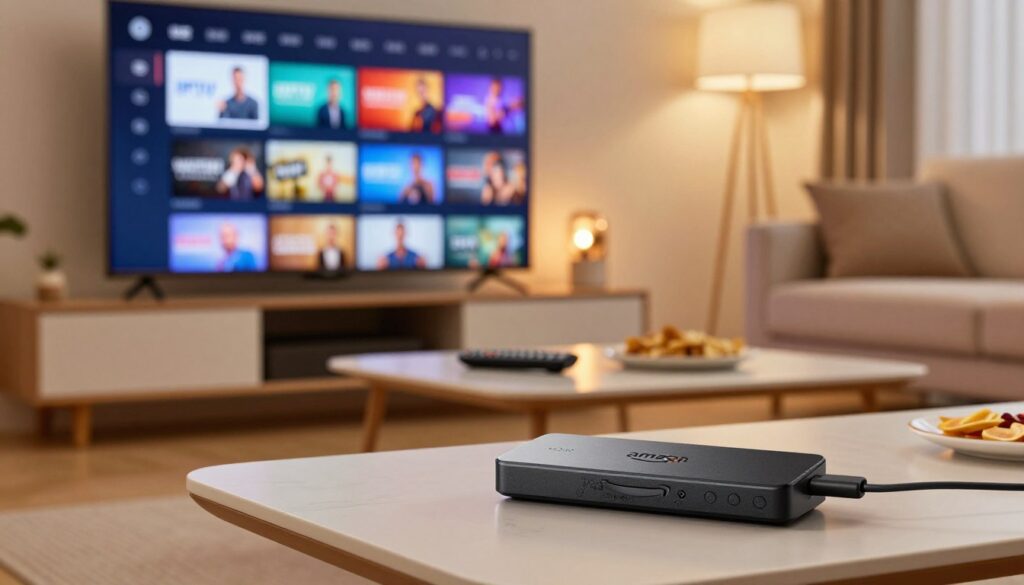
Can you really test an IPTV service on your Amazon Firestick without getting stuck with a bad subscription? This guide answers that question and shows you how to avoid surprises like buffering, missing channels, or weak support.
You can run practical streaming checks on your device before you pay. Some offers are truly no-cost, while others ask for a card up front. Read the fine print so you know which is which.
This short buyer’s guide is organized so you can jump to setup, safety steps, a weekend testing checklist, sports checks, or the final decision section. It focuses on Amazon Firestick users and clear, hands-on tests you can finish in a day.
We also note Canada realities: peak-hour ISP limits, common payment preferences, and the need for quick support when streams fail. The goal is to help you compare options confidently and avoid long-term commitments you haven’t validated.
Ready to start? Check GetMaxTV to see how a verified provider performs in real Canadian conditions.
Key Takeaways
- You can test a service on your Firestick before committing.
- Know the difference between truly no-cost offers and ones that need a card.
- Follow setup, safety, and a checklist to spot issues quickly.
- Canada-specific network behavior matters during prime time.
- Use short tests for streaming, channels, and support response.
- Check GetMaxTV as a practical starting point.
Why a Free Trial Matters Before You Commit to an IPTV Subscription in Canada
Before you sign up, a hands-on weekend check will show how a streaming plan performs on your exact internet, router, and TV setup.
What you learn in a single weekend matters. A short test exposes channel load times, prime-time congestion, and whether the content you want is actually available. It also shows how responsive the vendor’s support team is when streams fail.
What you can learn in a single weekend of testing
- Channel load and switching speed on your Wi‑Fi or wired link.
- Prime-time stability during evening hours common in Canada.
- Whether on-demand libraries and live sports meet your needs.
How trials reduce risk compared to long-term plans
Short trials let you confirm quality before paying for months. You avoid surprises like buffering in basements or slow speeds in crowded condos. This reduces the chance of buying a plan that looks great on paper but fails in your home.
| Test | Why it matters | What to record |
|---|---|---|
| Channel load | Shows responsiveness | Seconds to play, failures |
| Prime-time stream | Reveals congestion | Buffer events per hour |
| Support response | Measures help when it breaks | Response time and fix success |
To compare fairly, measure the items above for each provider. If you want a Canadian-optimized option to start with, check GetMaxTV offers and run the same tests.
IPTV Explained in Plain English: Internet Protocol Television vs Traditional Cable
Instead of a coax cable and a bulky box, your TV shows can arrive over your home internet connection. Internet protocol television simply means channels and shows travel as data packets on your network, like web pages or video calls.
How this delivery works
With internet protocol, providers stream live channels and offer on-demand libraries you can open anytime. Live channels are sent as continuous streams, so stability depends on the provider’s servers and your local internet speed.
What the common terms mean for you
On-demand content and VOD content are libraries you can play at any time. They are not live and let you pause, rewind, or binge-watch.
EPG is the electronic program guide; a good guide makes channels easy to find. Catch-up lets you rewatch recent shows — confirm it during a test, because not all services include it.
- Compare setup: cable often needs a set-top box; protocol television works on many devices.
- Think portability: internet delivery lets you watch on phones, tablets, and TVs.
- Remember performance: your home network largely determines stream quality.
For a beginner’s deep dive into how this works, see a clear explainer at what is IPTV.
free iptv trial firestick: What It Is and How It Works
Knowing how sign-up and activation flow works helps you start streaming with confidence.
What a short test gives you: temporary access to live channels, on-demand libraries, and basic features so you can judge real performance on your internet and TV.
Common signup flows
Email-only activation is fast. You give an email and get a link or temporary login. This is low friction and ideal for a quick check.
Other providers send credentials for an app or playlist. You receive a username/password or an M3U URL to enter into a player.
Players you may use on your Firestick
Some providers push their own app, while others expect you to install third-party iptv apps like TiviMate or IPTV Smarters.
Ask whether the provider supports your chosen media player and whether the app works well on firestick android devices before you sign up.
What “instant activation” looks like
Instant activation means logins arrive by email within minutes and you can start streaming right away. If instructions are missing, links break, or support is slow, that is a red flag.
Keep trial messages and credentials organized in one place so you can compare providers side-by-side later. For a look at popular player options, see popular player options.
“Quick access and clear steps let you test core performance without guesswork.”
Free Trials That Are Actually Free vs Credit Card Traps
Before you enter payment details, know what “actually free” means: no payment info required, no surprise renewals, and a clear end date when access stops. That definition protects your wallet and gives you a real chance to judge streaming quality.
No-strings, auto-renew, and money-back guarantees
No-strings trials let you sign up without billing info. They are safest if you only want to test channels and performance.
Auto-renew trials require card details up front. If you miss the cancellation window, the provider starts a subscription automatically.
Money-back guarantees ask you to pay then promise a refund within a window. This can work, but refunds may take time.
Simple safeguards that keep you in control
- Set calendar reminders for the trial end and cancellation deadlines.
- Use an email filter to capture trial confirmations and expiration notes.
- When a provider asks for verification, read the terms — “card hold” language can be a charge.
- If billing is required, prefer a virtual card or single-use number to block unwanted charges.
Judge providers by clarity. If the sign-up page explains when charges occur and how to cancel, that signals trust. For a tested Canadian option and a practical check you can run, see this provider test.
How Long Should Your IPTV Trial Be to Make a Confident Decision
Choose a test window that matches how and when you watch. A planned schedule helps you see if a streaming provider performs during typical nights and big events.
What you can realistically test in 24 hours
A 24-hour trial is good for basic checks: app activation, channel load time, and a few sample streams. You can confirm playback quality and whether the setup steps are clear.
However, one day can miss evening congestion and rare failures. Use the short window to record load times and any immediate errors.
Why 48–72 hours is ideal for peak-time stress testing
Three days lets you test weekday and weekend traffic, evening peak hours, and live sports. During this span you can spot buffering that only appears under load.
Test multiple content types and devices. If the service shows consistency across slots, you’re closer to a reliable iptv choice.
When a week-long trial makes sense
Choose seven days if you need to test many rooms, different network setups, or several simultaneous streams. This is smart when you plan family sharing or expect heavy use during big events.
Tip: start a trial before a weekend so you can test prime-time, sports, and typical daily use back-to-back. That schedule gives the best snapshot of the real user experience.
Quick checklist:
- 24h — basics, activation, immediate playback.
- 48–72h — peak-time stress, multi-device checks.
- 7 days — full home testing and varied content.
This guide helps you pick the right length so you can compare iptv services fairly and choose a service that stays smooth when you need it most.
Firestick Readiness Check: What You Need Before You Start Streaming

Before you press play, run a quick checklist so your Amazon Firestick and home network are ready for smooth streaming.
Start with basics: update the Fire OS, reboot the device, and clear apps you don’t use. Low storage or many background apps can make an otherwise good service freeze.
Firestick Android basics, storage, and update checklist
Check available storage in Settings and remove large apps you no longer use. Install the streaming app and a reliable player, then restart the device.
Quick maintenance: update system firmware, sign into your account, and close background apps before testing.
Internet speed expectations for HD and 4K streaming
For stable HD, aim for at least 10–15 Mbps per stream. For 4K, plan 25 Mbps or more per stream.
More important than peak speed is consistent throughput. Test during evening hours to see true performance.
- Try Ethernet with an adapter if Wi‑Fi is spotty.
- Move your router or use a mesh node to improve signal to your device.
- Factor in other devices and smart tvs on the same network when you test.
| Check | Minimum | Why it matters |
|---|---|---|
| Storage | 1–2 GB free | Allows app installs and cache space for smooth playback |
| HD speed | 10–15 Mbps | Good quality with low buffering on most networks |
| 4K speed | 25+ Mbps | Needed for stable ultra HD streams during peak hours |
When you test a new service, follow these checks so you can tell whether issues come from the provider or your setup. For a Canadian-optimized option to compare, see GetMaxTV for Sky channels.
How to Install IPTV Apps on Amazon Firestick Safely
Before you install anything, prioritize safe sources to protect your device and your data. Start with the official app store when possible, because it reduces malware risk and keeps updates reliable.
Official app store installs vs sideloading third-party apps
Official app store installs give you vetted apps, automatic updates, and clearer permission controls. This makes them the safest starting point for most users in Canada.
Sideloading opens more choices but increases exposure. Unverified packages may request broad permissions and lack timely updates. If you sideload, research the provider and prefer signed APKs from known sources.
What to avoid when an app isn’t in the Amazon App Store
Steer clear of sites with aggressive pop-ups, installers that ask for unrelated permissions, and download links posted on random forums. Those are common red flags.
Not in the store does not automatically mean bad, but it does mean you should raise your caution and verify the service reputation before installing.
- Keep Fire OS updated and install only the apps you need.
- Check reviews and official provider pages before sideloading.
- Consider a VPN if you evaluate unverified services to protect privacy during streaming tests.
“Choose trusted sources and protect your device—security matters more than quick access.”
What to Test During Your IPTV Trial for Real-World Reliability
Start your testing with a practical checklist that mirrors how you use TV every evening. This helps you see real performance, not lab claims.
Begin during prime time and run the same checks for two evenings. That reveals buffering or freezing when many viewers are online.
Buffering and freezing during prime time
Play a popular live channels stream during a game or evening show. Note buffering events per hour and any sudden freezes.
Record: time to recover, and whether a refresh fixes playback or requires relaunching the app.
Channel switching speed and stream stability
Flip through the channels you watch most. Fast switching should feel near-instant on your device.
Mark channels that stall or show long loading screens. Compare how many seconds each channel needs to start.
EPG accuracy and guide usability
Open the electronic program guide on different days. Check whether schedules match what plays and whether the guide loads quickly.
Test search and catch-up features to confirm listings are correct for Canadian channels and local time zones.
Multi-device performance
If your plan allows multiple devices, stream on two or more devices at once. Test TV, tablet, and phone concurrently.
Note degraded quality, failed streams, or sudden disconnects when multiple streams run in your home.
Support responsiveness matters. Contact support with a real question during the test. Track response time and whether the agent resolves the issue.
| Check | What to measure | Pass/Fail | Why it matters |
|---|---|---|---|
| Prime-time buffering | Buffer events/hour | Pass if | Shows server and network resilience under load |
| Channel switching | Seconds to play | Pass if ≤3s | Reflects how responsive live channels feel on devices |
| EPG & catch-up | Accuracy and load time | Pass if schedules match | Determines ease of day-to-day navigation |
| Multiple devices | Concurrent stream quality | Pass if no drops | Verifies household sharing and true multi-device support |
Use this checklist to compare any iptv service objectively. Focus on repeatable results during peak hours and how quickly support helps when things go wrong.
Live Channels and Sports: How to Stress-Test the Service Like a Pro
Want to know if a provider is game-night ready? Put it under pressure with live sports. Fast motion, peak demand, and large audiences expose buffering, drops, and guide errors quickly.
How to test live sports without missing key moments:
- Pick two or three sports channels you actually watch and switch between them during key plays.
- Note buffering frequency, recover time, and any total dropouts during critical moments.
- Use a phone or second TV to record timestamps so you can compare across providers later.
Check channel selection for Canada and global events:
Confirm local sports, regional news, and international feeds are available. If you follow leagues abroad, test those specific channels during match time.
Understand delay and why it matters:
Delay is common in internet-based streaming. It affects spoilers from social feeds and live-score apps. Measure delay by comparing a live radio or social update to the stream start time.
| Score area | What to record | Pass benchmark |
|---|---|---|
| Stability | Buffer events/hour | ≤2 |
| Picture clarity | Artifacts or resolution drops | No visible drops |
| Delay | Seconds behind real time | ≤20s for most events |
| Consistency | Same results across nights | Repeatable performance |
Test at least one high-demand event during your access window. Use this checklist to compare services side-by-side and decide which offers the coverage and reliability you need. For a roundup of top providers and a sports-focused discussion, see this best iptv guide and community feedback on sports services.
On-Demand Content Checks: Movies, Shows, and VOD Content Quality
Try three different titles right away to discover whether the service actually delivers the quality it promises. Play one movie, one episode of a show, and one recently added title. That gives a quick look at playback, freshness, and stability.
Verify HD and 4K claims: watch dark scenes and fast motion to spot banding, pixelation, or frame drops. Note startup time and whether resolution switches midplayback.
Library usability and search
Test search accuracy by title, actor, and genre. Check category organization and whether new releases appear in a “recent” list. If you spend more time hunting than watching, the library is not usable.
What good VOD behavior looks like
- Fast load (≤5s) and consistent playback on each test item.
- No repeated app crashes when jumping between movies and shows.
- Clear metadata and working play/resume points for long content.
| Check | What to record | Pass benchmark |
|---|---|---|
| Playback quality | Artifacts, resolution drops | No visible drops in HD/4K |
| Search & categories | Time to find titles | ≤30s to locate a listed movie |
| Freshness | Recently added titles | Recent releases present |
Finally, compare VOD performance to live streaming. Some services shine with movies but lag on live channels. Use both checks to choose the best streaming option for your needs.
Legal and Safety Reality Check for Free IPTV and Unverified IPTV Providers
Understanding the line between licensed apps and unverified services helps you avoid security and legal headaches.
Legitimate free iptv apps are usually listed in an app store and carry clear licensing information. These apps give predictable access and tend to follow platform rules and content agreements.
Unauthorized or unverified services often require sideloading and appear outside the store. That changes the safety profile immediately and raises questions about licensing and support.
Practical risks to watch for
- Malware and rogue APKs that can compromise device security or data.
- Privacy issues: apps may collect or leak personal info without clear policies.
- Unstable access where channels or VOD disappear with little notice.
How to reduce risk
Research iptv providers before you install. Look for reviews, legal notices, and clear contact details.
Avoid sketchy downloads and prefer apps in the official app store when possible. If you evaluate an unverified option, consider a vpn for privacy and use a test account that limits exposure.
“Know what ‘free’ really means and choose safety over shortcuts.”
Legal status varies by region. You are responsible for ensuring what you stream complies with Canadian law and the provider’s terms. Use this reality check to make a smart, safe decision—not a fear-based one.
Should You Use a VPN on Firestick When Testing IPTV in Canada
A virtual private network acts like a privacy shield and can also mask traffic that some ISPs throttle. It routes your data through a remote server so your provider sees encrypted traffic instead of specific streams.
Privacy and ISP throttling considerations during streaming
Using a vpn improves privacy by hiding the channels and pages you access from your ISP. That reduces data profiling and can keep your activity more private on shared networks.
If your ISP limits video traffic during peak hours, a vpn can sometimes avoid that throttling and improve playback stability.
When a VPN is optional vs strongly recommended
Optional: legal, official services available in Canada rarely require a vpn. If the provider is licensed and you want the simplest setup, you can test without one.
Recommended: when you try unverified services, want extra privacy, or must reach geo-restricted content. In these cases a vpn adds a layer of control.
Quick test to decide: during peak time, play the same channel with vpn on, then off. Record buffer events and startup time. If the vpn improves stability, include it in your final setup.
Using a vpn helps privacy and can reduce ISP interference, but it doesn’t make a service legal or safe.
| Use case | Why consider a VPN | Possible downside | Pass/fail test |
|---|---|---|---|
| Official Canadian service | Extra privacy for your account | Small speed loss possible | No major change in playback = optional |
| Unverified providers | Protects privacy and masks traffic | Adds configuration step | Less buffering with vpn = recommended |
| Geo-restricted channels | Enables access from different regions | May breach terms with some services | Works across devices = useful |
Test a vpn early during your evaluation, not after you subscribe. For a deeper guide on vpn and streaming, see this vpn and IPTV guide.
How to Spot Reliable IPTV Services in Canada
When you choose a streaming provider, focus on measurable service signals, not flashy channel counts. This buyer-focused checklist helps you separate marketing claims from real reliability in Canada.
Support quality: why 24/7 responsiveness matters
Support matters because streaming problems happen at night, on weekends, and during big events. If an outage hits during a game, you want help fast.
Test support during your evaluation window. Send a question and note response time, clarity, and whether the agent resolves the issue.
“Fast, helpful support is one of the clearest signs of a trustworthy service.”
Uptime and infrastructure claims
Providers may claim “99.9% uptime.” Ask what that number means: scheduled maintenance, regional outages, and how they measure it.
- Request recent uptime reports or status pages.
- Ask about CDN partners and server locations in North America.
- Check independent reviews for consistency during prime time.
Transparent pricing and contract terms
Transparent pricing shows plan duration, device limits, and included features like EPG, VOD, and catch-up. Beware of vague “VIP” labels that hide limits.
No long-term contracts reduce your risk: if performance drops, you can switch without penalty.
Use your trial window as a support test: slow or unhelpful answers during evaluation usually signal future trouble. For a practical provider list to compare reliability and support, see this provider list.
Trial-to-Subscription Checklist: Choosing the Best IPTV Service for Your Needs
Turn your trial notes into a clear checklist so you buy a subscription that actually fits your day-to-day viewing. Use a short, repeatable process to compare providers and avoid impulse buys.
Match your priorities: live channels, sports, VOD, or all-in-one
List what matters most. If sports top your list, weight stability and delay higher. If you watch on-demand titles, weigh search accuracy and playback quality.
Decide how many devices you need and what “multiple devices” really means
Clarify whether a provider allows simultaneous streams or only multiple logins. Some services let several devices sign in but limit live streams to two at once.
- Score each provider for your must-haves: specific channels, EPG accuracy, language options, and VOD content freshness.
- Rank stability for sports: buffer events, delay, and recovery time carry extra weight if you follow live events.
- Confirm device rules before subscribing—ask about concurrent streams and add-on screen fees.
- Pick plan length to match your confidence: start shorter if you need more validation, longer if results were flawless.
| Decision factor | What to record | Why it matters |
|---|---|---|
| Channels you need | Presence of must-have channels | Ensures content you care about is included |
| Sports performance | Buffer events/hour, delay (s) | Determines game-night reliability |
| VOD & search | Load time, findability | Impacts everyday on-demand watching |
| Devices & concurrency | Allowed simultaneous streams | Affects household sharing and device use |
Final step: convert each test result into a numeric score and compare totals. This moves you from impressions to a defensible subscription choice.
If you want to compare top providers or view current offers for top 4K live plans, check top 4K live plans as a practical starting point.
Try a Canadian-Optimized Option: GetMaxTV for Firestick Users
If you need a provider that holds up during prime time, focus on measurable signals: instant activation, steady HD/4K playback, and fast, local support. Use these markers when you compare any service on your device.
What to look for in a premium service: fast activation, HD/4K, and support
Check activation speed so you can start testing in minutes. Verify HD and 4K labels during live and on-demand playback.
Test support by sending a real question and timing the response. Priority: 24/7 Canadian help and clear setup instructions for your Firestick.
What you should verify early
- Channel switching responsiveness and EPG accuracy.
- Multi-device limits (1–4 concurrent streams) and true concurrency behavior.
- Uptime claims (99.9%) and prime-time stability.
As an example of a Canadian-focused option, explore plans and details at GetMaxTV. It lists 25,000+ live channels, a large VOD library, Interac e-Transfer payment, no long-term contracts, and 15+ years in the market. Still, you should validate those claims with your own network and viewing habits before subscribing.
Conclusion
A short, focused test is the best way to confirm a service delivers steady channels and quality content in your home.
Core takeaway: use the test window to measure prime-time stability, channel switching speed, EPG usability, VOD playback, and support responsiveness. These checks show real-world streaming performance, not marketing claims.
Pick providers with clear trial terms and avoid unexpected charges unless you can manage cancellations. Prefer official apps, be cautious with unverified sources, and protect privacy during tests.
If you want a practical next step and are comparing subscription options for Canada and your Firestick, review GetMaxTV’s offer at GetMaxTV and consult this best options guide for further comparison.
FAQ
What can you learn during a weekend test of an IPTV service on your Firestick?
In a single weekend you can check basic playback quality, channel availability, EPG accuracy, and whether live channels and on-demand content load without buffering. You’ll also test device compatibility, app responsiveness, and how the service handles peak hours for sports or popular shows.
How do trials reduce your risk compared to buying a long-term subscription?
Trials let you verify stream stability, picture quality, and support responsiveness before you commit. That prevents wasted money on a service that lacks channels you want, has frequent outages, or uses a clunky app on your smart TVs, Amazon Fire TV, or iOS devices.
How does Internet Protocol Television differ from traditional cable?
Internet Protocol Television delivers live channels and VOD content over your internet connection instead of coaxial cable. That gives you more flexibility—on-demand libraries, catch-up features, and viewing across multiple devices like Android boxes, smart TVs, and media player apps.
What do terms like “live TV,” “VOD,” EPG, and catch-up mean for your viewing?
“Live TV” is real-time broadcasts, VOD (video on demand) lets you watch shows or movies anytime, EPG is the electronic program guide that lists schedules, and catch-up allows playback of recent broadcasts. Together they shape how easily you find and watch content.
What does a typical signup flow for a trial look like?
Signups vary: some providers give email-only access with an activation link, others provide app credentials you enter into an IPTV app or media player. You may receive M3U or playlist links, or credentials for branded apps available on the app store.
Which players will you likely use on an Amazon Fire TV device?
Common options include dedicated IPTV apps from providers, generic players like IPTV Smarters, and media players such as VLC or MX Player. Choose a well-supported app to avoid playback or EPG issues on your Fire TV.
What does “instant activation” usually mean?
Instant activation means you receive access credentials or a link immediately after signing up. You can then add the service to your app and start streaming right away without waiting for manual approval.
How can you tell a trial is truly no-strings versus a credit card trap?
No-strings trials won’t require card details or will clearly state auto-renew terms. Watch for fine print about auto-renewal and test cancellation steps before subscribing. Using virtual cards or reminders helps you avoid unexpected charges.
How long should your trial be to make a confident decision?
A 24-hour period reveals basic playback, but 48–72 hours is best to stress-test peak-time performance. A week is ideal if you want to fully vet channel depth, on-demand libraries, and multi-device behavior.
What Firestick readiness checks should you perform before streaming?
Ensure your Firestick software is updated, clear enough storage, and has a stable Wi‑Fi or wired connection. Verify you meet recommended internet speeds for HD or 4K and that Bluetooth or other accessories are paired if needed.
Is it safer to install apps from the Amazon Appstore or sideload third-party apps?
Installing from the Amazon Appstore is safer because apps are vetted. Sideloading can expand options but increases risk. Only sideload trusted apps from reputable sources and scan installation files where possible.
What should you test during your trial to judge real-world reliability?
Test buffering and freezing during peak hours, channel switching speed, EPG accuracy, and whether playback recovers after network hiccups. Also test multi-device streaming if your household watches simultaneously.
How do you stress-test live sports streams without missing key moments?
Start streams early, monitor delay and buffer behavior during critical plays, and use short recording or capture tools if allowed. Check alternate channels for the same event to compare latency and stability.
How do you verify on-demand content quality labeled HD or 4K?
Play VOD titles marked HD/4K during different times of day, confirm resolution and bitrate in the player, and compare playback on a 4K TV. Also test search and category organization to see if you can find titles easily.
What legal and safety issues should you watch for with unverified providers?
Unofficial services may operate in a gray area, risk unstable access, and sometimes distribute malware. Prioritize licensed providers, check terms of service, and avoid downloading unfamiliar APKs that request excessive permissions.
Should you use a VPN when testing a service in Canada?
A VPN can protect your privacy and avoid ISP throttling while streaming. Use a reputable VPN when you’re worried about privacy or regional restrictions. For most licensed services, a VPN is optional but beneficial for added security.
How can you spot a reliable IPTV provider in Canada?
Look for clear pricing, responsive customer support, verified uptime claims, and transparent channel lists. Check reviews from real users, test multi-device limits, and prefer providers that offer easy cancellation policies.
What should be on your trial-to-subscription checklist?
Match the service to your priorities—live channels, sports, VOD, or an all-in-one package. Confirm how many simultaneous streams you need, compatibility with your smart TVs and mobile devices, and the quality of customer support.
What features matter in a premium, Canada-optimized service like GetMaxTV for Firestick?
Fast activation, reliable HD/4K streams, robust EPG, responsive support, and straightforward plans are key. Also check channel selection for Canadian and international content, and clear device limits for multiple users.
The GetMaxTV Team is a group of cord-cutting experts and streaming technology specialists who have been testing and reviewing IPTV services since 2022. Based in North America, our team personally tests every service we recommend across 15+ devices including Fire TV Stick, Roku, Apple TV, Samsung Smart TVs, and gaming consoles. We verify channel counts, measure buffering rates, test picture quality in HD and 4K, and evaluate customer support response times. Our mission is to help viewers save money by switching from expensive cable subscriptions ($147/month average) to affordable, high-quality IPTV alternatives. Every article on GetMaxTV.com is based on hands-on testing and real-world experience — not recycled marketing claims.