
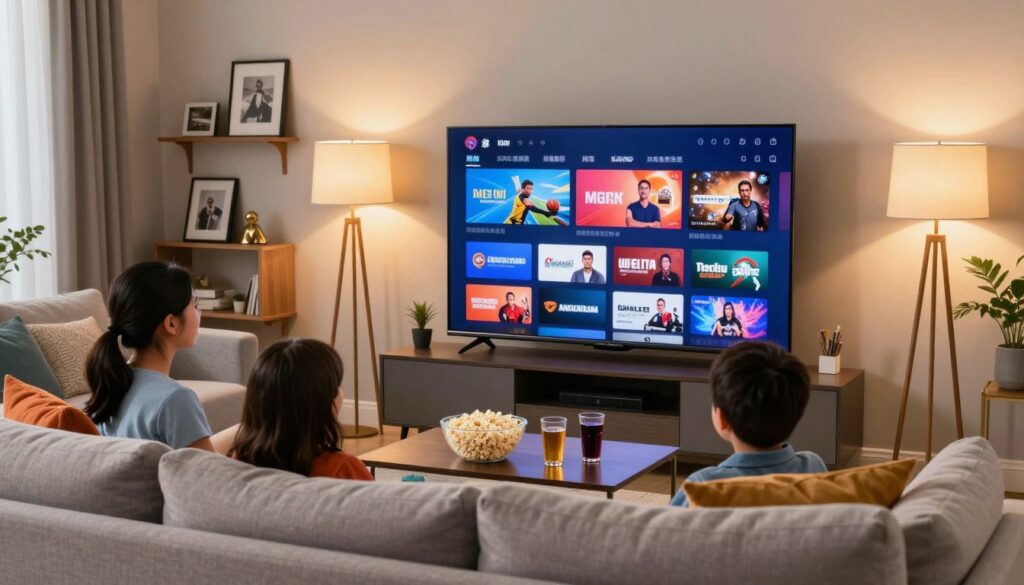
Want a low-risk way to watch U.S. live TV from Canada and know if a service truly works for your household?
You’re in the right place. This short guide shows how a short test period can help you inspect channel lineups, streaming quality, and device compatibility before you commit to a subscription.
We’ll cover what a good preview looks like, quick checks to run in 24–48 hours, and how to spot sketchy services. You’ll also get safety-first tips on privacy and legitimacy so you avoid surprises.
Many providers offer brief access windows so you can check live sports stability, channel switching speed, and whether the program guide matches what’s airing. Use those hours to test on your TV box, phone, and media player.
When you’re ready to compare paid plans, consider options like GetMaxTV as a benchmark for features and support.
Key Takeaways
- Short test windows let you evaluate channels and picture quality with little risk.
- Focus checks on live sports stability, channel switching, and EPG accuracy.
- Test on several devices to confirm real-world compatibility.
- Watch for clear licensing and transparent support to avoid sketchy services.
- Use comparisons like GetMaxTV to decide if a subscription fits your needs.
Why IPTV free trials matter for streaming U.S. channels right now
Streaming now reaches most American homes, and that shift changes how you choose a service.
Traditional cable is shrinking while internet-based content grows. That means many providers compete on channels, price, and technical quality. As a viewer in Canada, you want consistent access to U.S.-focused programming without overpaying.
Short access windows — commonly 24–48 hours — let you verify claims fast. You can check channel counts, HD or 4K quality, uptime, and device compatibility instead of trusting marketing alone.
How a quick test reduces risk
Different plans hide big differences in stream quality and support. Some services look great off-peak but struggle during prime time. Running the same checks across providers reveals those gaps.
- Compare live sports, news, and local channels during peak hours.
- Test on your phone, TV box, and smart TV for real-world compatibility.
- Watch for resolution drops, buffering, and channel guide accuracy.
| Factor | What to check | Why it matters | Quick pass/fail |
|---|---|---|---|
| Channel lineup | Availability of U.S. networks and local feeds | Ensures the programming you want is present | Yes / No |
| Video quality | Stable HD/4K during live events | Higher resolution reduces replay and refunds | Good / Poor |
| Peak-hour performance | Stream stability between 7–11 PM | Catches congestion that marketing hides | Stable / Unstable |
| Device support | Apps or players for your devices | Prevents surprise compatibility issues | Supported / Not supported |
Next: you’ll get a step-by-step checklist to run the same tests across every provider so you can compare plans fairly. If you want a quick comparison of popular offerings, see this service roundup.
What an IPTV free trial is and what you should expect during the trial
A short test window is a temporary access period that lets you use the service as if you had a subscription. During this time, you should confirm channel access, on-demand libraries, and program guide features without heavy limits.
Typical length and full access
Most tests last 24–48 days, though some providers extend longer. Use structured checks and one evening of peak viewing to make the most of a short window.
Full access means live channels, VOD visibility, EPG data, and at least one mainstream app or player option.
No-card vs payment-required options
No-credit-card signups remove auto-renewal risk and are safer for quick checks. Trials that ask for payment details may auto-charge — read cancellation rules before you enter information.
What to test during live events
Watch a sports game or breaking news to expose buffering, jitter, or resolution drops. Test evening peak hours and try the same channel on your TV box and phone.
| What to test | How to check | Why it matters |
|---|---|---|
| Live channel stability | Stream sports or news during peak hours | Shows buffering and server load handling |
| Video and audio quality | Compare HD streams and audio sync across devices | Ensures viewing is watchable and clear |
| Support responsiveness | Ask a setup question and note reply time | Predicts long-term help when issues arise |
For a quick compatibility check, try the IPTV test page during peak evening hours to see how the service performs on your setup.
free trial iptv usa: what to look for if you’re streaming from Canada

When you stream U.S. channels from Canada, small differences in access make a big impact. Focus on whether the service gives reliable access to national networks, regional feeds, and the sports you follow most.
Access to U.S. live channels, local programming, and major sports coverage
U.S. channels should include national networks, any available local stations, and the sports rights you want. During your test evening, tune to a news channel, a regional station, and a high-demand sports event to verify true access.
Device compatibility across your home setup
Try apps on your Smart TV, a streaming stick, and mobile devices. Confirm that the EPG loads, channel switching is quick, and streams resume after brief interruptions. A laptop or tablet can act as a fallback if one platform fails.
Internet speed, peak-hour performance, and why uptime claims matter
Your internet may be fast, yet peak-hour congestion or provider server load can still degrade quality. Watch the same channel for 60–90 minutes and note buffering, drops, or resolution loss. That checks uptime and real-world streaming quality.
| What to check | How to test | Success sign |
|---|---|---|
| Channel lineup | Open news, local, and sports channels during prime time | All channels play in expected quality |
| Devices | Test Smart TV, stick, phone, and laptop | Apps behave consistently across devices |
| Uptime & peak load | Monitor a live event for 60–90 minutes | No repeated drops or long buffering |
Document what worked and what failed so you can compare services side by side. That makes your final choice much clearer and reduces surprises after subscription.
Verified vs unverified IPTV providers: how to protect yourself
Before you commit, learn how to tell licensed services from short‑lived fly‑by‑night offerings. A verified provider will show licensing, public business details, and clear channel sourcing. An unverified operator often hides origins and may vanish during major events.
Licensing and compliance checks you can make
Look for clear terms, a refund and cancellation policy, and transparent pricing that continues after any trial. Verify company contact info and read a recent review from independent sites.
Performance differences to expect
Verified providers usually claim high uptime and deliver consistent quality during peak hours. Unverified services can show sudden outages, changing channel lists, and limited or no real support when issues arise.
| Verified | Unverified | Practical sign |
|---|---|---|
| Public licensing & support | Hidden sourcing, vague terms | Stable channel access |
| 99%+ uptime claims, real support | Frequent drops, slow replies | Quick recovery during events |
| Consistent pricing | Sudden price or list changes | Predictable billing |
Privacy and security basics
Avoid oversharing personal info and use unique passwords. Prefer official apps over unknown APKs and keep software updated.
When a VPN helps: use one on public Wi‑Fi or to reduce ISP throttling. A VPN won’t fix overloaded servers or legal issues tied to unverified services.
Quick checklist before you sign up:
- Clear terms and refund policy
- Visible business contact and support options
- Transparent post‑trial pricing
Follow this guide and you’ll favor stable, legitimate access over gambling on unreliable streams. For tips on spotting fake reviews and finding reliable options, see this how-to guide.
Key features the best IPTV free trial services should include
A good preview should show real, repeatable performance — not just flashy channel counts. When you run a test, focus on usability and support as much as raw numbers.
Channel lineup depth and an on-demand library that works
Check channels by category: news, sports, entertainment, and kids. Make sure listed channels actually load and stay stable.
Open the on-demand library, search for a few titles, and play them. Reliable content means accurate search results, correct audio, and working subtitles.
Consistent HD/4K video quality during peak hours
Pay attention to sustained bitrate during evening viewing. Occasional bursts of 4K are nice, but steady HD or 4K at peak time matters more.
EPG usability and fast channel switching
Confirm the program guide shows correct times and titles for your timezone. Switch channels quickly; laggy switching hints at server or app limits.
Multi-device options and household support
Test the platform on your TV, phone, and streaming stick. See if simultaneous streams work without repeated logouts.
Responsive support when setup or playback breaks
Good support gives clear steps, not canned replies. Try a live chat or help ticket and note response time and usefulness.
For a deeper how-to on short checks, see the 24‑hour test guide, or consider places to buy a subscription after you confirm performance.
How to evaluate an IPTV free trial in a single evening
You can verify real-world performance in one evening if you follow a focused checklist. Start with a clear plan and treat the session like a stress test, not casual browsing.
Start: pick a live sports game or breaking news feed during prime time. Those live events push servers and reveal limits fast.
Run a quick “stress test” with live sports or breaking news
Watch at least 30–60 minutes of a high-demand event. Note buffering loops, lag spikes, and sudden resolution drops.
Check for buffering, lag, resolution drops, and audio sync issues
Listen for audio drift on commentary-heavy channels. Pause and resume to force rebuffering. If the stream repeatedly restarts, mark it as a fail.
Test the same channels on multiple devices to confirm compatibility
Open the same channel on your Smart TV and phone at the same time. If one device shows issues and the other is fine, the problem is likely device-specific.
If both show problems, the service or network is at fault.
Confirm trial terms, upgrade pricing, and cancellation expectations
Before the session ends, check how long the trial lasts, what happens when it ends, and the upgrade price or ongoing plan cost.
Screenshot plan details and support chats so you have proof of promised features or response times if disputes arise.
- Stress test: 30–60 minutes on sports or live events.
- Device check: same channel on two devices.
- Failure signs: buffering loops, lag, res drops, audio-sync drift.
- Admin check: trial length, upgrade price, cancellation method.
When you finish, compare notes across services. If you want a guided trial option, try this quick trial signup as one of your benchmarks.
Product roundup: trial services that tend to perform best for U.S. live channels
This roundup groups services by strength so you can pick a test that matches your viewing priorities. Always verify licensing and legality where you live before paying.
Providers built for sports and live events
IPTVtune, Trendyscreen, Worthystream, OTT Ocean — these providers promote sports and live-event performance. Test them during a real game to check channel switching and commentary sync.
Providers known for large VOD libraries
Bunnystream, IPTVLoad — these platforms emphasize a deep library. Focus your review on search accuracy and consistent playback, not just headline counts.
Providers for multi-device households
Superman Streams supports multiple simultaneous devices. Try concurrent streams on your TV and phone during peak evening hours to confirm real-world behavior.
Uptime and anti-freeze tech
4K Pro, Bunnystream claim 99%+ uptime and anti-freeze optimizations. Anti-freeze usually means better server routing and buffering logic, but you still need a stress check to verify.
| Category | What to test | Example providers |
|---|---|---|
| Sports/live events | Peak-game stability | IPTVtune, Trendyscreen |
| VOD/library | Search & playback | Bunnystream, IPTVLoad |
| Multi-device | Simultaneous streams | Superman Streams |
When you’re ready to move from testing to a longer plan, compare results with a quick IPTV test and prioritize providers that match your viewing needs.
Common setup and streaming issues during free trials and how to fix them
Before blaming the provider, run a short checklist to separate device trouble from service issues.
Buffering fixes: move your router closer, switch to Ethernet if you can, and reduce Wi‑Fi interference by closing unused apps or reassigning crowded channels. Check player settings and increase buffer size if available; that often smooths short hiccups.
Playlist and app troubleshooting for Smart TV, Firestick, and mobile
If a playlist won’t load, clear the app cache, reinstall the app, or re-add the playlist URL. On Smart TVs test the official player first; on sticks and phones try an alternate player to see if the problem follows the platform or the service.
Is it you or the service?
- Play a known-stable public stream to confirm your network.
- Reboot your router and device, then retest the same channel.
- Try the same channel on another device — if issues persist, it’s likely the service.
When to contact support: reach out for account activation, EPG mapping, or setup credentials. Slow or vague replies during the limited window are a red flag; treat response quality as part of your evaluation.
Quick tip: use this troubleshooting guide for instant solutions, and move on swiftly if core playback and device compatibility fail — that protects your long-term viewing experience.
Conclusion
Don’t judge a service by its listings — test live programming under real conditions to see if channels and access hold up during peak hours.
Use a short evening test to check stability during live events, consistent video quality, a usable EPG, device compatibility, and how responsive support is. Compare your notes across two providers so you make a decision based on repeatable results, not one good night.
Safety first: verify legitimacy, read terms for auto-renewal and price changes, and keep a screenshot of plan details. If you want a structured place to compare what you tested, visit the free trial page for a quick reference.
If you decide a subscription fits your needs, check the GetMaxTV offer to review plans, price, and supported devices. When you test smart and compare providers, you’ll get better access and a more reliable viewing experience — and a smoother transition to a paid plan or subscription.
FAQ
What does a free trial let you test when trying U.S. live channels?
A trial lets you check channel availability, live sports feeds, on-demand libraries, and prime-time stream stability. Use it to confirm channel lineup depth, picture quality (HD/4K), EPG responsiveness, and whether multi-device streaming works on your smart TV, Fire TV, phone, or tablet.
How long do typical trials run and what should “full access” include?
Trials usually span 24 hours to 7 days. Full access should include the same live channels, VOD library, and device limits you’d get as a paying subscriber. It should let you watch live events, access catch-up content, and test peak-hour performance without feature restrictions.
Are there trials that don’t require a credit card and are they safe?
Yes—some providers offer no-card trials so you can test risk-free. Those tend to be safer for evaluating service quality without worrying about accidental charges. If a trial requires payment details, read cancellation terms and watch for automatic renewals.
What key things should I test during a live sports broadcast?
During live sports, watch for buffering, mid-play freezes, audio-video sync, and bitrate drops during fast motion. Check stream latency for commentary delays and test multiple camera-angle or alternate-feed options if available.
If I’m streaming from Canada, what should I look for in a U.S.-focused trial?
Make sure the provider openly supports cross-border access, offers the U.S. local channels you want, and includes major sports networks. Confirm device compatibility, regional blackout policies, and performance during peak U.S. viewing times.
What internet speed do I need to avoid buffering for HD and 4K?
Aim for at least 10 Mbps per HD stream and 25 Mbps per 4K stream. For households with multiple concurrent streams, add bandwidth per device. Also test peak-hour performance since advertised speeds don’t always reflect real-world throughput.
How can I tell if a provider is verified or potentially risky?
Look for clear licensing info, transparent company details, and reputable payment processors. Verified providers publish terms of service, offer clear support channels, and show consistent uptime records. Be wary of services that hide contact info or promise unavailable channels.
When should you use a VPN with your streaming service?
Use a VPN if you need extra privacy or to secure connections on public Wi‑Fi. For cross-border viewers, a VPN sometimes helps access region-restricted content, but it can violate some providers’ terms. Confirm the provider’s policy before using one.
What performance metrics matter most during a short evaluation?
Prioritize startup time, buffering frequency, resolution stability, and channel-change speed. Also test EPG responsiveness and subtitle/alternate-audio behavior. Fast, consistent playback during a stress test gives a clear performance picture.
How do you run a quick “stress test” in one evening?
Stream a live sports match or breaking-news feed during peak hours, open several streams on different devices, and switch channels rapidly. Monitor for freezes, bitrate drops, and audio issues. Note any login or app crashes and contact support if problems persist.
What should the best trial services include in terms of features?
Top trials offer deep channel lineups, a usable VOD library, HD/4K consistency, an electronic program guide, multi-screen support, and responsive customer service. They should clearly state device limits, pricing after the trial, and cancellation steps.
Which setup fixes quickly resolve buffering or quality dips?
Try connecting via Ethernet, moving your router, restarting the modem and app, and closing background apps. Lowering stream quality settings can reduce buffering. If issues persist, test another device to isolate whether it’s the app, network, or service.
When should you contact support versus switching providers?
Contact support for login issues, app errors, or slow channel loads that might have simple fixes. If you get repeated buffering, frequent outages, or poor response from support during the trial, move on—reliable uptime and helpful customer care are essential.
How do pricing and cancellation terms impact your trial evaluation?
Check upgrade prices, automatic renewal policies, and cancellation windows before you join. A fair provider makes cancellation simple and discloses post-trial charges. Use the trial to confirm value for price, not just short-term quality.
What devices should you test to ensure compatibility across your home setup?
Test the app on your smart TV model, Amazon Fire TV Stick, Roku (if supported), Android/iOS phones, tablets, and a web browser. Confirm simultaneous streams match the provider’s limits and that features like casting and pause-while-live work consistently.
The GetMaxTV Team is a group of cord-cutting experts and streaming technology specialists who have been testing and reviewing IPTV services since 2022. Based in North America, our team personally tests every service we recommend across 15+ devices including Fire TV Stick, Roku, Apple TV, Samsung Smart TVs, and gaming consoles. We verify channel counts, measure buffering rates, test picture quality in HD and 4K, and evaluate customer support response times. Our mission is to help viewers save money by switching from expensive cable subscriptions ($147/month average) to affordable, high-quality IPTV alternatives. Every article on GetMaxTV.com is based on hands-on testing and real-world experience — not recycled marketing claims.