
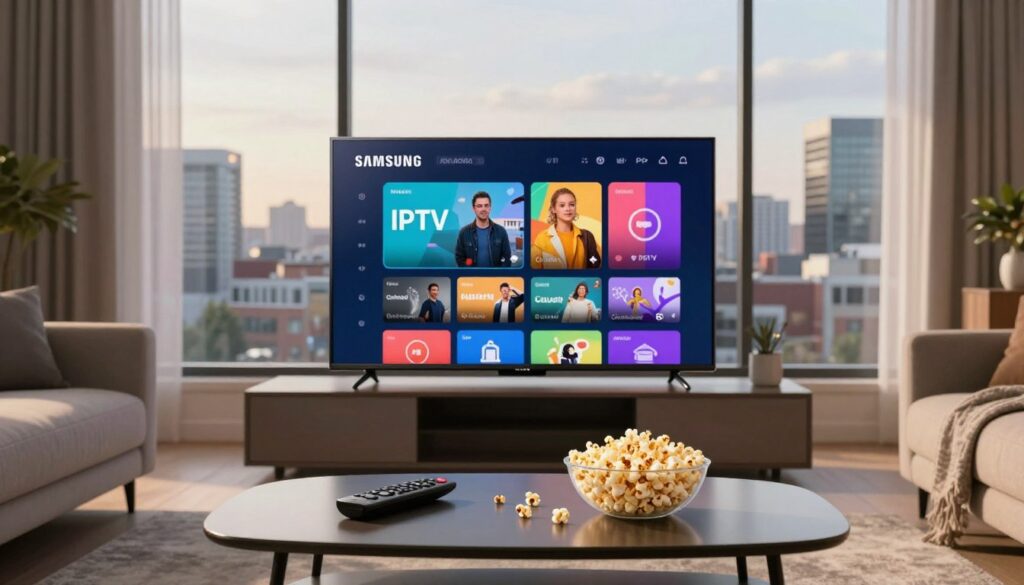
Can a few simple steps turn your Tizen téléviseur into a smooth streaming hub? This guide shows you how to check compatibility, choose the right app, and finish a safe installation so you can enjoy better streaming at home.
You’ll learn what “iptv sur smart tv samsung au canada” means here, which Samsung models support apps from 2015 onward, and when a USB method is needed for older sets.
Expect clear, beginner-friendly steps that vary by model year and firmware. I’ll explain the two main paths: installing an application from the Samsung App Store or using a USB-based installation when app availability is limited.
This is a practical, trustworthy how-to focused on safe setup and performance tips. I’ll also mention GetMaxTV as an example provider to check when comparing subscriptions, while staying provider-agnostic. Finally, I’ll cover basic legality: apps are usually legal, but make sure your channels are properly licensed.
Key Takeaways
- Confirm your Samsung Tizen model year and firmware before starting.
- Two setup paths: App Store installation or USB side-load for older téléviseurs.
- Follow safe installation and basic performance tips for smoother streaming.
- Compare providers like GetMaxTV, but stay provider-neutral in setup steps.
- Apps are generally legal; ensure your channel sources are licensed.
What you need before you start streaming on a Samsung Smart TV
Make sure you have the right model, a steady connexion, and your provider credentials ready. Start by checking your téléviseur model year: Tizen systems from 2015 and newer support apps via Smart Hub. That means you can download dedicated players and expect more reliable updates and stability than older sets.
Confirm Tizen support
Quick check: open Settings → Support → About this TV to see the model year and firmware. If it lists Tizen or a 2015+ model, you can install players directly from the App Store.
Connexion basics for smooth streaming
Aim for at least 10 Mbps on Wi‑Fi for a single HD stream; Ethernet is preferred for consistent playback. Check your router for QoS or firmware updates. Consistency matters more than peak speed when watching live chaînes.
Subscription details to have on hand
Your abonnement iptv or service will typically supply either an Xtream Codes API (server URL, username, password) or an M3U playlist URL. Find these in your provider email or account portal.
- Confirm how many appareils your plan allows—many services limit concurrent connections.
- Sign into a Samsung account and keep the remote handy before you begin.
For an example setup walkthrough, see the GetMaxTV setup guide to compare provider instructions.
Understanding how IPTV apps work on Samsung Tizen

A dedicated player on Tizen turns playlist links into an organized channel guide you can browse with your remote. In plain terms, an application reads an M3U list or an Xtream-style API and shows live chaînes, VOD, and catch-up when your provider includes them.
The apps—examples include IPTV Smarters Pro and Smart IPTV—offer playlist parsing, EPG support, categories, and a built-in video player optimized for your télévision. They sort channels, keep program data, and provide navigation so your viewing expérience feels native.
What they don’t do: these applications don’t ship with channels. You still need a separate service that supplies a playlist or login credentials. The app is the player; the provider supplies the content.
- Playlist parsing and channel grouping
- EPG (program guide) and category menus
- Integrated video rendering tuned for Tizen
Legality basics: the application itself can be legal. You’re responsible for ensuring the channels you stream are properly licensed. Evaluate providers like any television service—look for clear pricing, terms, and distribution rights.
For step-by-step setup examples, see this installation walkthrough or the GetMaxTV setup guide.
iptv sur smart tv samsung au canada: compatibility and best setup path
Start by deciding which install path matches your set and region—this avoids wasted steps. If your téléviseur runs Tizen (2015 or newer) and the player shows in the Samsung App Store for your region, the App Store method is the clearest option.
When the App Store method is the best choice
The App Store route gives you built-in updates, consistent support, and fewer manual files to manage. You’ll install from Smart Hub, use your télécommande to open Apps → My Apps, and the player appears like other apps. This path usually works best for ongoing support and compatibility with your current version of Tizen.
When a USB installation makes more sense
Use USB when your model is older, the player is not available in your region, or a specific package (for example, Smart IPTV in a ZIP) is required. USB installs are practical but manual: keep the files organized on your computer and expect to repeat the process if you update the app later.
Navigation tips: press Home, open Apps, then check My Apps. Keep your télécommande handy so you don’t search hidden menus across different firmware versions.
- Decision tree: Tizen 2015+ + app visible → App Store install.
- Older model or regional limits → USB side-load with the ZIP package.
- Both options are valid when you download from reputable sources and follow developer instructions.
For a practical list of providers and regional options in Canada, see this best services guide to compare choices before you install.
Choosing the right IPTV app for Samsung Smart TV
Which player you choose will shape how you log in, upload lists, and move between channels.
iptv smarters pro is popular because it accepts Xtream-style credentials and gives a familiar layout. If your provider supplies a server, username, and password, this application usually gets you watching with minimal fuss.
Smart IPTV uses a MAC-based M3U upload. You add your TV’s MAC on the developer portal, upload the playlist, then reload the app. Be aware there is often a one-time activation fee after a short trial.
Other players and quick comparisons
| Player | Format | Price (approx) | Best for |
|---|---|---|---|
| IBO Player | M3U / Xtream | ~8 EUR | Flexible list support |
| Flix IPTV | M3U | ~7.99 EUR | Simple M3U uploads |
| OTT+ Player | Xtream | ~$9 | API login and EPG |
How to pick: match M3U vs Xtream support, weigh activation or purchase costs, then test EPG and channel switching speed. Your viewing qualité and chaînes depend mostly on your abonnement and provider. If you’re comparing options, consider adding GetMaxTV to your shortlist and see the QLED setup guide for a step-by-step example.
Installing an IPTV app from the Samsung App Store on Tizen
Start with a simple installation route from Smart Hub. First make sure your set is online and your Samsung account is active. A quick check now saves time later.
Find and install via Smart Hub
Press Home on your télécommande, open Apps, then use Search. Type “iptv smarters pro” or “smart iptv” and select Install when the application appears.
What to check during setup
- Connexion: confirm Ethernet or Wi‑Fi is active and stable.
- Account & storage: sign into your Samsung account and ensure there is free storage to install the app.
- Prompts: allow permissions if requested; take note of any on‑screen identifiers like a MAC address.
If the app is missing from your region
Sometimes listings differ by catalog. Your main options are to change the TV region where allowed or pick a different player that appears in your store.
Practical next steps: if you still can’t find the app, follow the USB method in the next section or compare providers and guides, such as this GetMaxTV setup guide, to choose the best option.
| Situation | Quick fix | When to use |
|---|---|---|
| App visible in store | Install via Smart Hub | Preferred, automatic updates |
| App not listed | Change region or choose another player | Try region change first; otherwise USB |
| Install fails | Check storage, account, connexion | Retry after clearing space or signing in |
Installing an IPTV app via USB when your TV isn’t fully compatible
A USB-based install is a practical workaround for sets that lack direct app support. Use this when your model is older, the app store won’t show the player, or the store method fails despite correct account and connexion.
Downloading and preparing the package safely
Download only from the official source — get the Smart IPTV ZIP at the developer’s instructions page: official Smart IPTV guide. Do not use third‑party mirrors.
Formatting the USB and copying files
Format the USB drive to FAT32, then extract the ZIP on your computer. Keep the folder structure exactly as provided and copy the extracted files to the root (top level) of the drive.
Launching the app from “My Apps” after install
Insert the USB into the téléviseur and wait for detection. Open Apps → My Apps to find the new application entry and launch it.
Expect an activation or trial prompt for some players; follow the official activation flow. If the app does not appear, your model or OS version may lack support — consider a streaming device as an alternate path.
| Step | What to do | Why it matters |
|---|---|---|
| Download | Use the official Smart IPTV page | Reduces risk and ensures correct version |
| Format USB | Set to FAT32 and copy files to root | TV can detect and read the package |
| Install | Insert USB, open My Apps, launch | Completes installation and shows activation |
For related guidance on alternate install methods, see a detailed walkthrough on how to install third‑party apps and a practical provider comparison for watching HD channels.
Configuring IPTV Smarters Pro or Smart IPTV on your Samsung TV
This section walks you through setting up two popular players so you can load channels and watch quickly.
IPTV Smarters Pro setup with Xtream Codes API
Open the app and tap Add User. Choose Xtream Codes API and fill Server URL, Username, and Password exactly as your provider sent them. The Server URL must include the correct scheme (http:// or https://).
Tap Login and confirm the channel list loads. If nothing appears, recheck for extra spaces or missing characters in the server field.
Using an M3U playlist URL in Smarters
Select the M3U option in the Add User screen and paste the full playlist URL. Long links copy poorly on remotes—use a notes app on your phone and paste carefully to avoid truncation.
Smart IPTV using your TV’s MAC and M3U
Write down the MAC shown in the app. Visit https://siptv.app/mylist/, enter the MAC and your M3U link, then press Send. The portal binds the list to your MAC; restart the app to load chaînes.
Common options and quick fixes
- Enable EPG loading and favorites for faster navigation.
- Use subtitles or alternate audio in player options when available.
- For login errors, ask your provider to reissue credentials or confirm the abonnement iptv status.
- Large playlists slow first load; trim categories or request a smaller list from your provider.
“If channels fail to appear after upload, restart the app and check for simple typos — most issues are fixed that way.”
For tips on choosing and trimming playlists, see our guide to finding the best playlist.
Optimizing streaming quality and reducing buffering on Samsung Tizen
Small changes to your home network can cut buffering and make live channels feel instant. Start with clear speed targets so you know what to aim for.
Speed targets for real-world H264 feeds
H264 streams often average ~8 Mbit/s. Aim for at least 16 Mbps per stream to cover spikes when you change channels. For reliable HD, target ~30 Mbps.
Ethernet vs Wi‑Fi
Use Ethernet where possible. A wired connexion reduces latency and makes channel switching faster. Modern Wi‑Fi can work if signal is strong and the router is current.
Quick stability checks
- Restart the app, then reboot your set if freezes persist.
- Power‑cycle modem/router and test another channel or category to isolate issues.
- Pause large downloads and move the TV to a less crowded Wi‑Fi band.
If many channels fail at once or EPG won’t load, the problem likely sits with your provider or their service. If only your set struggles while other devices stream fine, the issue is probably your home network. Contact support only after you run these quick checks.
Conclusion
In closing, this guide gives you a clear path: verify your Tizen téléviseur, choose a player, complete installation, then finish configuration with Xtream or M3U credentials.
Do this first: confirm your abonnement details, double‑check server URL formatting, and keep playlist info secure — these control access to your chaînes.
Use the App Store method for 2015+ sets and USB side‑load for older models or missing regional listings. You may repeat steps a few fois if you switch apps or versions.
Performance recap: aim for ~16 Mbps minimum (30 Mbps for HD), prefer Ethernet, and reboot your télécommande, TV, or router when playback stalls.
For a legal abonnement and to compare plans, devices, and support quality, review GetMaxTV’s legal subscription options here: legal subscription options. Compare devices, channel lineups, and multi‑app support so your télévision expérience stays smooth long‑term.
FAQ
What models support Tizen apps for watching streams?
Most Samsung TVs from 2015 onward run Tizen and support downloadable players. Check your model number in the Settings > Support > About TV to confirm. If your set is older than 2015, you may need a USB install or an external box such as an Android TV stick to run modern applications and get a reliable experience with channels and the remote control.
What internet speed do you need for smooth streaming?
Aim for at least 10 Mbps for a single HD stream and 25 Mbps or higher for multiple HD or 4K streams. Use a wired Ethernet connection when possible to reduce buffering and improve channel switching. If you must use Wi‑Fi, place your router near the television and avoid crowded 2.4 GHz networks; 5 GHz is preferable.
What subscription details are required to connect a player?
You’ll need either an M3U playlist URL or Xtream Codes credentials (server URL, username, password) provided by your service. Keep your activation code, MAC address, or login handy during setup. Verify the provider supports the playlist format you plan to use to avoid configuration issues.
Do IPTV apps provide channels and content themselves?
No. Players act as software to play streams; they don’t supply licensed channels. You must subscribe to a content provider that supplies playlists or API access. Always confirm that your content is licensed to avoid legal or service interruptions.
When should you install from the Samsung App Store versus using USB?
Use the App Store when the app is available and compatible with your TV model for the simplest, most secure install. Choose USB installation on older Tizen models or when regional store restrictions prevent downloading. USB installs require careful file preparation and are more advanced.
How do you find and install a player in the Samsung Smart Hub?
Open Smart Hub, search the Apps section for the player name, and select Install. After installation, open the app and enter your M3U URL or Xtream credentials. If the player is missing, check your TV’s firmware and region settings before trying alternative install methods.
What if an app doesn’t appear in my Samsung App Store region?
You can try updating TV firmware, changing the TV’s region where supported, or sideloading via USB if your model allows it. Another option is to use an external streaming device (Roku, Amazon Fire TV, Android TV) where the app is available. Be cautious with region changes and follow official Samsung guidance.
How do you prepare a USB drive for sideloading a player like Smart IPTV?
Format the drive to FAT32, place the app files in the correct folder structure exactly as instructed by the developer, and safely eject before inserting into the TV. Always download packages from the official developer site or trusted sources to avoid corrupted files and protect your device.
How do you set up IPTV Smarters Pro using Xtream Codes?
Open the app, choose Login with Xtream Codes API, then enter the server URL, username, and password from your provider. The app will load live channels, VOD, and EPG if the provider includes them. Save settings and test several channels to ensure the connection is stable.
How do you set up a player with an M3U playlist URL?
In the app, pick the M3U option and paste the playlist URL provided by your service. The app will parse channels and create a guide if EPG data is included. If channels fail to load, verify the URL in a browser and confirm your subscription is active.
How does the Smart IPTV MAC address activation method work?
Smart IPTV uses your TV’s MAC address to link a playlist. You register that MAC on the player’s activation page provided by the service, upload or link the M3U file, and the app fetches channels tied to that MAC. Keep the MAC and activation code secure to avoid unauthorized access.
What settings improve playback and viewing experience?
Use a wired connection, enable hardware acceleration if the app offers it, set video resolution to match your TV, and close background apps. Tweak buffer settings if available and ensure your router supports Quality of Service (QoS) to prioritize streaming traffic.
What bitrate targets should you expect for H.264 streams?
Standard-definition streams often use 1–3 Mbps, HD around 5–8 Mbps, and 4K can exceed 20 Mbps depending on encoding. If channels stutter, check your real-world throughput, not just the advertised plan, and test at different times to spot congestion.
Is Ethernet always better than Wi‑Fi for channel switching?
Yes. Ethernet delivers lower latency and steadier throughput, which reduces freezes and speeds channel changes. If you must use Wi‑Fi, prefer 5 GHz and minimize interference from other devices to keep the viewing experience smooth.
What quick checks can you run when channels load slowly or stutter?
Restart the TV and router, test internet speed, switch to a different app or device to isolate the issue, and try a wired connection. Also check for firmware updates for your television and the player app, and confirm your subscription hasn’t reached a concurrent stream limit.
Which alternative players work well on Tizen if Smarters or Smart IPTV aren’t available?
Consider IBO Player, Flix IPTV, or OTT+ Player for compatibility and different interface choices. Each supports M3U or API methods in varying degrees; compare features like EPG support, parental controls, and subtitle handling before choosing.
How do you choose the right app based on playlist type and cost?
Pick an app that natively supports your playlist format (M3U vs Xtream) to reduce setup steps. Factor in subscription fees, one-time activation costs, and the user interface. Trial free versions when available to ensure usability with your television and remote.
Where can you get help if installation or playback fails?
Start with the app developer’s support pages and the provider’s help desk for subscription or playlist problems. Samsung support can assist with firmware and system issues. If you use an external streaming device, consult its manufacturer support for device-specific troubleshooting.
The GetMaxTV Team is a group of cord-cutting experts and streaming technology specialists who have been testing and reviewing IPTV services since 2022. Based in North America, our team personally tests every service we recommend across 15+ devices including Fire TV Stick, Roku, Apple TV, Samsung Smart TVs, and gaming consoles. We verify channel counts, measure buffering rates, test picture quality in HD and 4K, and evaluate customer support response times. Our mission is to help viewers save money by switching from expensive cable subscriptions ($147/month average) to affordable, high-quality IPTV alternatives. Every article on GetMaxTV.com is based on hands-on testing and real-world experience — not recycled marketing claims.