
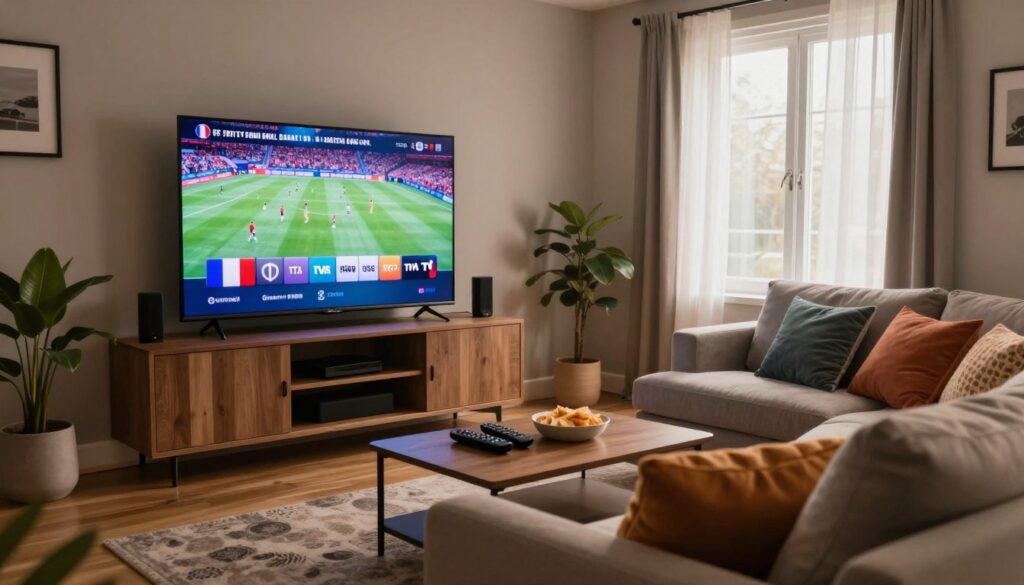
Curious how you can get reliable access to TVA, RDS and V/Noovo without cable? If you want a practical, year-by-year buyer’s guide for 2026, this introduction helps you sort real value from hype.
You’ll learn what “French channels with streaming service” looks like in everyday life: live news, local shows and sports available across multiple screens. This guide focuses on channel availability, stability, and day-to-day usability so you can decide what fits your household.
Streaming delivers live TV over the internet, and more homes choose it for flexible viewing across phones, TVs and a Fire Stick. Note: the tech is legal when the provider has distribution rights—confirm that before you subscribe to avoid surprises.
Later sections cover a channel checklist, feed verification, internet speed needs in Canadian homes, device setup, and features that keep service trouble-free over a full year. Compare options like GetMaxTV as one legitimate, easy-to-setup choice while you evaluate offers.
Key Takeaways
- Focus on channel lineup, stream stability, and daily usability when you compare services.
- Confirm distribution rights to ensure your subscription is legal and reliable.
- Plan for adequate internet speed and check Fire Stick compatibility before you buy.
- Prioritize news, sports schedules, and VOD needs for your household’s viewing habits.
- Use this guide to weigh costs and features across the year, not just month-to-month hype.
What you actually need to watch French TV in Quebec with IPTV
The key to smart streaming is a simple checklist: reliable internet, the right device, and a clear idea of live versus on-demand needs.
Which networks matter most for Quebec viewers
You should expect major local networks like TVA and ICI Radio-Canada, plus Télé-Québec and V/Noovo. If sports are important, confirm RDS and any listed sports feeds actually stream live.
Live TV vs VOD vs catch-up: what to prioritize for your household
Decide if live sports or a large VOD library matters more. If your schedule is busy, prioritize catch-up and a good on-demand catalog. If weekend movies are your thing, look for a tidy movies library and quick search tools.
- Must-haves: stable home connection, compatible app/device, yearly plan that fits multiple rooms.
- Sports reality check: verify RDS feeds and live event reliability before you sign up.
- What “good” looks like: consistent streams at peak hours, fast channel start times, and responsive support.
For a practical comparison, see a detailed guide on local offerings at local streaming guide or check a provider overview at GetMaxTV coverage.
iptv french channels quebec: channel checklist for TVA, RDS, and V

A quick channel audit saves you time: verify names, feeds, and live-game coverage first.
Must-have networks and specialty picks
Core picks: TVA, RDS, V/Noovo and ICI Radio‑Canada are non-negotiable for local news and sports. Add Télé‑Québec, Canal D, Canal Vie, Z, and Séries+ for everyday viewing.
Sports essentials
If you watch hockey or other major games, confirm RDS and RDS2, plus broader sports feeds that carry NHL, NBA or MLS. Ask about HD availability and live event reliability.
France-based programming shortlist
Look for TF1, M6, France 2–5, Canal+, Arte and TV5 Monde if you want France-based shows. A logo in a list isn’t enough — insist on stable peak-hour streaming.
How to verify the feed before you buy
- Request a test line and exact channel names.
- Check EPG entries for accuracy and bilingual labels.
- Run a 5-minute audit: open TVA, open RDS, open V/Noovo, test a live sports game, confirm audio and resolution.
- Ask support which regional feed they provide; unclear answers mean keep shopping.
| Check | Why it matters | Quick test |
|---|---|---|
| Local feed (TVA/ICI) | Regional news & ads match your area | Open morning news; confirm local reports |
| Sports feeds (RDS/RDS2) | Live games, HD streams, league coverage | Play a live game during prime time |
| France-based channels | Different schedule & rights; adds variety | Verify stream stability at evening peak |
For a full provider comparison and a deeper look at feeds, see the best IPTV in France guide to help validate offerings before a yearly subscription.
Streaming quality and internet speed requirements in Quebec homes
Streaming quality depends on how video is compressed and how much bandwidth your household can spare. Good quality means the right resolution (SD, HD, 4K), a steady bitrate, and fast channel start times so picture appears quickly when you switch.
Why H264 matters for day-to-day viewing
H264 is a common codec that compresses video well. That keeps data use low — a typical stream sits near 8 Mbit. When you change a channel, H264 can briefly spike as it locks in the new picture. That explains short delays during channel surfing compared with traditional cable.
Target speeds and household reality
Aim for at least 16 Mbps as a baseline for stable viewing. For reliable HD, plan around 30 Mbps. If others watch video or play online games at the same time, add headroom.
| Scenario | Recommended speed | Why |
|---|---|---|
| Single HD stream | 16–30 Mbps | Stable picture, few interruptions |
| Multiple devices/family | 30–60 Mbps | Headroom for concurrent use |
| 4K or peak sports | 50+ Mbps | Higher bitrate and fast changes |
Run a speed test where your TV sits, then test again during evening peak. If only one device buffers, tidy your Wi‑Fi or restart the device. If several devices fail, contact local setup guide or reach out to support with exact test results and timestamps.
Devices and setup: Fire Stick, smart TVs, IPTV boxes, and activation
A good device choice and a tidy installation cut most setup headaches. Pick one reliable player, finish activation, and you’ll spend less time fixing problems over the year.
Fire Stick installation tips for smooth streaming
If you use a Fire Stick, keep storage free and close unused apps. Prefer 5 GHz Wi‑Fi and try an Ethernet adapter when the router is far away.
Quick wins: clear cache, update the app, and reboot the stick after installation.
Smart TV and Android TV setup considerations
Smart TV apps vary by model year. Android TV often has broader app support and better handling of high‑bitrate sports streams.
When boxes and MAG-style boxes make sense
MAG-style boxes or dedicated boxes fit homes wanting a cable-like UI and stable navigation. They handle multiple rooms well and reduce app compatibility surprises.
Activation, logins, and EPG setup
Typical activation steps: receive credentials or a portal URL, log in, choose playlist type, then confirm important channels load first.
“Test one news feed, one sports feed, and one kids channel before you customize the guide.”
| Step | Why | Time |
|---|---|---|
| Install app/device | Completes installation | 5–10 min |
| Activation/login | Links your account | 5–10 min |
| EPG match | Shows correct program titles | 5–10 min |
Try the restart-and-retest checklist before contacting support. A focused 15–30 minute setup now keeps streaming smooth for months.
Features that separate good IPTV services from frustrating ones
Good services stand out by solving small daily annoyances before you notice them.
EPG quality matters. Look for accurate schedules, clear program titles, and correct time alignment. If your household uses two languages, bilingual navigation is a real plus. Test the guide on a weekday morning and an evening sports block to confirm reliability.
VOD libraries need more than big numbers. Check that movies and series are well organized, that new titles arrive often, and that French-language picks are easy to find. Try playback, subtitles, and resume features before you buy.
Multi-device use is essential for families. Confirm how many concurrent streams the provider allows and whether sports and movies can run at the same time without slowdowns.
Support that helps is a core quality signal. Good support answers your specific question quickly, offers clear setup steps, and resolves EPG or login issues without delay.
Before committing for a year, ask one precise support question and judge their response time and clarity.
| Feature | What to test | Why it matters |
|---|---|---|
| EPG accuracy | Check morning news & sports times | Keeps your guide usable and predictable |
| VOD freshness | Search for recent movies and subtitles | Shows ongoing content updates |
| Support speed | Send a ticket about a feed and time it | Indicates real-world help during outages |
How to compare IPTV subscriptions and value in 2026
Start by matching a provider to how your household actually watches live TV and sports this year. Use a simple scorecard that weights the things you use most: must-have channels, sports priority, device count, and VOD needs.
Monthly vs yearly plans and typical price ranges
Monthly plans let you test without a long commitment. Expect about CAD $10–12 per month from many tested providers.
Yearly plans often lower the effective cost to roughly CAD $97–118 per year. If you already validated reliability, a year saves money.
What uptime and reliability stats mean for real viewing
Numbers like 99.9% uptime matter, but you should translate them into experience. High uptime reduces outages across the year, yet peak-hour performance is what affects your games and prime-time shows.
Look beyond the percentage: test channel start times, buffering rate, and behavior during major live events.
Testing signals you can borrow before committing long-term
Ask for a trial and run this checklist over several evenings:
- Open your top 10 channels and note feed names and times.
- Watch one live sports event and try two devices at once.
- Test during evening peak and record any buffering or drops.
| What to capture | Why it helps | Example note |
|---|---|---|
| Channel/feed name | Supports accurate support tickets | TVA news feed — 7:05pm — Fire Stick |
| Time & device | Shows peak-hour behavior | 8:15pm — phone + TV |
| Connection type | Distinguishes Wi‑Fi vs Ethernet issues | 5 GHz Wi‑Fi, router 8m away |
“Compare value to cable or satellite by weighing flexibility, channel mix, and clear subscription terms.”
For a market snapshot and provider overviews, see a testing summary and local options at Canada IPTV testing summary and a regional setup reference at local setup guide.
Conclusion
Your buying rule should be simple: pick the exact networks you need and test how they perform day-to-day. Focus on consistency, usability, and clear support rather than marketing claims.
Technical basics matter: a stable internet connection and a solid device setup (Fire Stick, smart TV, or boxes) are as important as the provider when you want smooth sports or movie nights.
Before you commit for a year, validate feeds, check the EPG on your main device, and confirm the plan fits how your household watches live TV and movies.
Stay legality-first: choose providers that are transparent about distribution rights so you get reliable access and less risk. For a legal IPTV subscription, check GetMaxTV’s current offer in the full guide.
FAQ
What do you need to watch French channels in Quebec using a streaming service?
You need a reliable internet connection, a compatible player (like an Amazon Fire TV Stick, Android TV, or a dedicated media box), a subscription from a reputable provider, and an electronic program guide (EPG). Make sure your plan lists TVA, RDS, and V clearly if those networks matter to you. Also check device activation steps and whether the provider offers VOD and catch-up features.
Which networks matter most for Quebec viewers?
Prioritize TVA for general entertainment and local news, RDS for French-language sports coverage, and V for youth and lifestyle programming. Add regional affiliates and specialty channels if you follow local news, francophone culture, or niche sports. Confirm whether the feeds are Quebec-specific or France-based before subscribing.
Should you choose live TV, VOD, or catch-up first?
Pick based on how your household watches. If you watch sports and news live, prioritize stable live TV and low channel-change latency. If you prefer movies and series on demand, look for a strong VOD library with recent French-language titles. Catch-up is useful if you miss prime-time shows often—ideally you want a mix of all three.
What channels should be on a checklist for TVA, RDS, and V?
Verify that the provider lists the main TVA feed, regional TVA affiliates, the primary RDS feed (and RDS2 if you follow simultaneous sports), and V. Also check for TVA Sports or any sublicensed sports feeds, plus local news channels and specialty francophone content.
What sports coverage should Quebec fans expect?
Look for RDS for NHL, CFL, and major soccer coverage, plus channels carrying local junior hockey and university sports. Confirm blackout rules, regional rights, and whether the provider offers multiple concurrent sports streams for major events.
Should you include France-based European channels?
France-based channels are great if you want French-produced dramas, talk shows, and news from Europe. They don’t replace Quebec feeds for local sports and regional news, so add them only if you value a broader francophone lineup.
How can you verify the exact channel feed before subscribing?
Ask the provider for a sample channel list and request trial access or a short-term month plan. Check time zones, regional identifiers, and ask if the feed is Canadian or international. Test live events and EPG accuracy during the trial.
How does H.264 streaming affect bandwidth and channel changes?
H.264 is efficient but still uses several megabits per second for HD streams. It can cause a brief buffer or channel-change delay as the decoder catches the next I-frame. Providers using modern codecs like H.265 will be more efficient, but device compatibility matters.
What minimum internet speeds should you target for stable viewing?
Aim for at least 10 Mbps for one HD stream, 25 Mbps for multiple concurrent HD streams, and 50+ Mbps for 4K content or several users. Wired Ethernet reduces buffering; a dual-band router helps if multiple devices share Wi‑Fi.
Any tips for installing on a Fire TV Stick?
Enable apps from unknown sources if your provider requires a third-party app. Use a lightweight sideload manager or the Amazon Appstore when available. Clear background apps, keep Fire OS updated, and test streaming in different video quality settings to reduce stutter.
What should you consider for smart TVs and Android TV devices?
Verify the provider’s app compatibility with your TV model and OS version. Use wired Ethernet if possible and reserve 2.4 GHz Wi‑Fi for older devices and 5 GHz for high-bandwidth streams. Check subtitle and audio track support for French content.
When do dedicated IPTV boxes make sense?
Boxes or MAG‑style devices help on older TVs, offer consistent performance, and sometimes include a native EPG. Choose them if your smart TV apps are unreliable or you want a single-purpose appliance with easier parental controls.
What are common activation and EPG setup steps?
Activation usually requires a subscription code, username, and password. Enter credentials in the app or device interface, then download the EPG. If the guide is off, sync the time zone or request a guide update from support.
How do you judge EPG quality and bilingual guides?
A good EPG is accurate, updates often, includes program descriptions in French and English when available, and lets you search and set recordings easily. Test guide latency and channel labeling during a trial.
What makes a strong VOD library?
Fresh titles, clear French dubbing or subtitling, organized categories, and fast playback matter. Check whether the provider refreshes content regularly and offers classic Québécois films alongside international releases.
How many concurrent streams should a family expect?
Typical plans offer 2–4 simultaneous streams. If you have a large household, choose plans with higher concurrent streams or add an extra device license. Confirm whether mobile streaming counts toward the total.
What does good support look like in practice?
Fast response times, clear setup guides, remote troubleshooting, and channel list updates are key. Look for email, chat, and phone options plus an active help center with installation videos.
Monthly vs yearly plans — which is better value?
Monthly plans offer flexibility if you want to test feeds; yearly plans save money if you’re committed. Compare trial options, channel accuracy, and included VOD to judge true value for 2026.
What uptime and reliability stats should matter?
Look for providers advertising uptime above 99% and low packet loss. Real-world reliability means minimal channel drops during live sports and consistent VOD access. Ask for recent uptime reports if possible.
Can you test a signal before committing long-term?
Yes — request a trial, short-term rental, or a one-month plan to evaluate channels, latency, and support. Use the trial to test live sports, EPG accuracy, and device compatibility.
The GetMaxTV Team is a group of cord-cutting experts and streaming technology specialists who have been testing and reviewing IPTV services since 2022. Based in North America, our team personally tests every service we recommend across 15+ devices including Fire TV Stick, Roku, Apple TV, Samsung Smart TVs, and gaming consoles. We verify channel counts, measure buffering rates, test picture quality in HD and 4K, and evaluate customer support response times. Our mission is to help viewers save money by switching from expensive cable subscriptions ($147/month average) to affordable, high-quality IPTV alternatives. Every article on GetMaxTV.com is based on hands-on testing and real-world experience — not recycled marketing claims.