
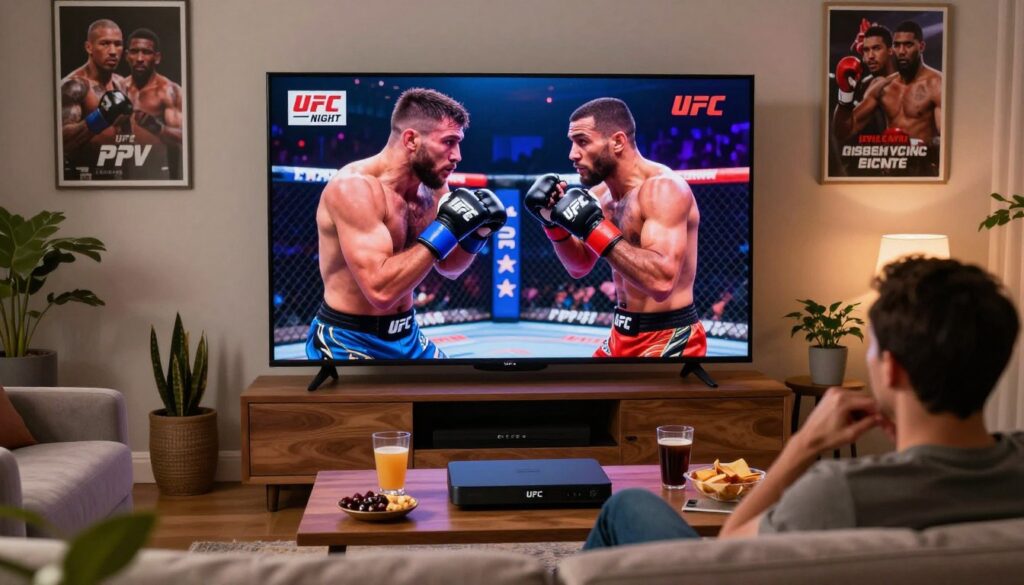
Want a stress-free way to catch every fight night without surprise add-ons?
You want simple access to UFC, boxing, and WWE events through an IPTV service that includes pay-per-view content without extra fees.
This short guide explains what “PPV included” typically means and shows what to check before you buy. Think value over cable: reliable streaming, predictable charges, and clear refund terms matter most for Canadian viewers.
We define Internet Protocol Television in plain words, compare it to cable, and preview a product-roundup with a top pick plus alternatives. You’ll get tips for devices (Smart TVs, Fire Stick, Android TV, iOS, computers), recommended internet speeds, and quick fixes to reduce buffering on fight night.
Practical focus: what you can test during a free trial and which terms to read — refunds, multi-device limits, and instant activation. For a fast starting point, check GetMaxTV’s offer here and see our top pick details in the roundup.
Key Takeaways
- Confirm “PPV included” details before subscribing.
- Choose providers that offer free trials and easy refunds.
- Use compatible devices and aim for 25+ Mbps for HD streams.
- Compare support, multi-device limits, and activation speed.
- Prioritize licensed, reputable services for safety and quality.
- Check GetMaxTV’s offer to start a trial and test streams risk-free.
Why PPV on IPTV Is Popular in Canada Right Now
When major fight cards arrive, more Canadians look beyond traditional bundles to find flexible, affordable sports access. You want clear pricing, fast activation, and channels that work across your devices during big events.
How it compares with traditional cable for live sports value
Traditional cable often bundles dozens of channels you don’t need. That raises the monthly cost and delays how quickly you can add specialty sports channels.
An iptv subscription usually gives portability, customizable packages, and faster access. You can start a plan the same day and stream across phones, smart TVs, or boxes. That makes it attractive during UFC, major boxing, and WWE months.
What “PPV included” usually means
PPV included generally signals the provider adds special event channels or round-the-clock event channels inside its lineup rather than charging per event. That can save money, but the real value depends on server capacity and support during peak nights.
- Verify lineup screenshots and EPG accuracy.
- Try a short trial to test fight-night traffic and stream stability.
- Compare monthly vs. annual plans — the lowest price isn’t always the best live sports experience.
For a practical guide to vetting services before you subscribe, see this helpful roundup: finding the best iptv service in.
How to watch ppv on iptv without extra charges
Don’t assume event access—use a quick verification process to confirm channels, feeds, and schedules first.
Follow this clear checklist before you pay. Ask the service if PPV and 24/7 event channels are included, and where they appear in channel categories.
- Search the channel list for UFC, boxing, and WWE names exactly as events are marketed.
- Check the sports category depth — multiple related channels mean better backup feeds.
- Confirm the provider’s naming convention so you spot event feeds quickly on fight night.
Trial tests to run
During a free trial, test channel switching speed. Jump between prelims, main card, and backup feeds to see how fast streams load. That exposes lag or stuck channels.
What fight-night stability looks like
Good stability means steady playback, quick load times, and minimal buffering during round changes. Use the EPG to confirm start times and last-minute schedule updates.
| Check | Why it matters | Pass/Fail |
|---|---|---|
| PPV listed in channel guide | Shows included events without extra billing | Pass if listed |
| Multiple event feeds | Provides backups if one stream degrades | Pass if 2+ feeds |
| Quick channel switching | Needed to hop between live channels during cards | Pass under 3 sec |
What to Look for in the Best IPTV for PPV and Live Sports
Good live sports access begins with measurable performance, not promises. You want services that state features but also let you test them. Prioritize providers that offer trials and clear evidence for uptime and anti-freeze tech.
Reliable streaming that holds up
Reliable streaming means steady playback at peak times, fast channel loads, and resilience when thousands tune in simultaneously. Look for claims like 99.9% uptime but treat them as testable promises.
During a trial, switch channels quickly and start multiple streams. If buffering appears when many viewers join, the provider’s anti-freeze may not be effective.
Picture quality from SD to 4K/UHD
Your provider should offer SD, HD, and 4K/UHD tiers. 4K matters more on large screens and for fast-action combat sports where detail and motion clarity reduce eye strain.
Depth of sports coverage
Beyond headline events, choose a service with broad sports categories. Major leagues plus dedicated combat sports channels keep the service useful year-round. More channels mean better backup feeds when one stream falters.
EPG, catch-up, and VOD that help planning
EPG and catch-up TV let you plan prelims and rewatch key moments. Large VOD libraries of movies and series also add value for pre- and post-event viewing.
Canada-optimized servers and coast-to-coast performance
Canadian-optimized servers reduce latency from Toronto to Vancouver. Check provider notes about regional routing and test during local peak hours to confirm coast-to-coast consistency.
For a hands-on comparison of features and real-world results, review this practical roundup: best iptv choices.
Quick Snapshot of Common IPTV Features (Channels, VOD, and Support)
Before you subscribe, use this short snapshot to compare headline claims with real value. Providers often list large numbers to impress you. What matters is how the lineup and help perform during a big event.
Live channels at scale
Many providers claim 15,000 to 30,000+ live channels. Large counts can be real, but you should focus on channel quality, backups for sports, and clear labels.
Look for neat categories, a dedicated sports section, and event or labeled event feeds so you can find matches fast.
On-demand libraries
Typical VOD libraries list 60,000 to 120,000+ movies and series. Library size is useful, but test search, playback, and subtitle options during a trial.
Support expectations
You want fast help close to fight time. Expect 24/7 support via email, WhatsApp, or live chat for Canadian viewers. Response speed matters—time a reply during your trial with a setup question.
- Channel checks: Count is one thing; reliable sports feeds and clear event labels are the payoff.
- VOD testing: Try search, play, and subtitles—don’t trust numbers alone.
- Support test: Open a ticket and note response time to judge real customer support.
Choose services that match your habits, not just the biggest numbers. For a deeper look at how these features work, see this explainer on how the technology works and check current offers for high-quality 4K live channels in the market here.
Top Pick: GetMaxTV for PPV, UFC, Boxing, and WWE
If steady streams and clear event listings matter most, consider evaluating GetMaxTV as a practical sports-first option.
Who it’s best for in Canada: You want a straightforward iptv subscription that focuses on live sports access, stable streaming, and practical support when you need it. This makes GetMaxTV a sensible top pick to test, not an automatic choice.
What to prioritize when you evaluate this service
- Event channels and EPG accuracy: Confirm event listings and channel names match UFC, boxing, and WWE cards.
- Fast channel switching: Test how quickly streams load between prelims and main cards.
- Picture quality: Check consistent HD and 4K options on your devices.
- Supported devices and multi-connection: Verify how many simultaneous streams your subscription allows.
- Support responsiveness: Time a help request during peak hours to judge real support performance.
Main offer to review
Review the GetMaxTV offer and see if it matches your needs: GetMaxTV offer. Treat it as a top pick to evaluate with the same checklist you used for other providers.
| Feature | Why it matters | What to test |
|---|---|---|
| Event inclusion | Shows whether events are part of the subscription | Find event channels in the EPG |
| Stream stability | Prevents buffering during big fights | Run a multi-stream test during peak hours |
| Support & response | Fast fixes minimize downtime | Open a ticket and note reply time |
Alternative IPTV Providers to Consider (What They Advertise vs. What You Should Verify)

Big numbers and bold guarantees can be tempting, but simple tests reveal which providers actually deliver. Start with proof you can run during a trial instead of trusting slogans. Focus on measurable results: sports stability, channel accuracy, and clear refund rules.
Sanity-checking “zero buffering” and anti-freeze claims
Test at peak hours. Try multiple sports channels in the evening. Note how fast streams recover if a feed stalls. Time how long buffering lasts and repeat the test across your devices.
Channel count and VOD size — why bigger isn’t always better
Huge channel lists can hide duplicates and broken EPG entries. Verify that listed channels actually play and that the vod and movies series library loads fast. A usable search and consistent playback matter more than raw numbers.
Money-back guarantees and what to read
Read the refund window and eligibility rules carefully. Confirm how to request a refund and whether trials count. Keep a short scorecard for each service: sports coverage, buffering, channel switching, and support response time.
Plans, Pricing, and Subscription Terms Canadian Viewers Typically See
Price labels hide important details—know what a plan actually includes before you buy. In Canada you’ll commonly see 1, 3, 6 and 12-month packages. Monthly rates often sit near $29–$39 CAD, while promotional annual offers can appear around $79 CAD.
Monthly vs. multi-month packages
Short terms give flexibility and let you test stability during big events.
Longer packages usually lower the effective price and sometimes include perks like priority servers or EPG and catch-up features.
Multi-device options and connections
Installing the app on many devices is common. Simultaneous streaming requires a multi-connection plan.
Look for clear counts (1–4 connections) and confirm how many streams run at once before you subscribe.
Hidden cost traps to avoid
Watch for extra fees for added connections, vague renewal clauses, or surprise upcharges for premium event channels. Ask the provider how renewals work and what counts as a refundable issue.
| What to screenshot | Why it matters | Where to find it |
|---|---|---|
| Plan duration & price | Proof of agreed term and rate | Checkout page or confirmation email |
| Number of connections | Limits simultaneous device use | Feature list or terms |
| Refund window & support | How to get help or money back | Terms page and support contact |
Before you pay, compare plans and check current offers from trusted providers like current offers. Confirm payment options and ask support to confirm event-day limits so you won’t be surprised.
Free Trials and “Instant Activation” for IPTV Services
A 24-hour free trial is the fastest, lowest-risk way to verify a provider before you pay.
Use the free trial to test real-world stability during prime time. Try the exact device you’ll use for big events—Smart TV, Fire Stick app, or an Android TV box—not just your phone.
What to test during a 24-hour free trial
- Peak-hour streaming: run a stream during evening local time to spot buffering.
- Sports channel reliability: confirm event channels play and match listings.
- Channel switching time: switch between feeds and time how long it takes.
- EPG accuracy: check start times and guide labels for event sections.
- Support check: send one setup question and one lineup question to test response speed.
What “instant activation” usually provides
Instant activation often arrives by email or WhatsApp within minutes. Expect credentials such as an M3U link, an Xtream-style username/password, or portal details you paste into your app.
These details let you add a profile and start streams immediately. Save the login email and test the link on each device to confirm multi-device access.
| Item | Why it matters | What to check |
|---|---|---|
| Free trial length | Time to test peak performance | Confirm 24-hour start and end times |
| Activation type | How you receive credentials | Look for M3U, portal, or Xtream logins |
| Support channels | How quickly you get help | Message via WhatsApp/email and note reply time |
Quick note: internet protocol television depends on server location and your internet quality. That affects access and stream resilience during busy events, so use the free trial as your final check before subscribing.
Devices That Work Best for Watching PPV on IPTV
Your choice of hardware shapes how reliable and sharp live events look in your living room.
Smart TVs are the most convenient devices for casual viewing. They boot fast and feel native on the big screen. Use them when you want ease and stable picture quality.
Fire Stick/Fire TV and Android TV boxes give app flexibility. They run many streaming apps well and are easy to update. Use a box if you need performance and extras.
Computers and iOS devices make good backups. They are handy for quick switches if a main device stalls. Keep one charged and ready.
Home setup basics
Aim for ~15 Mbps minimum for HD and ~30 Mbps for consistent HD/4K quality. Ethernet wiring reduces interference. Wi‑Fi can work, but strong signal and a modern router help avoid buffering.
Multi-device households
You can install the service on many devices, but simultaneous viewing depends on your plan’s connection limit. Pick a plan that matches how many people stream at once.
| Device | Strengths | Best use | Network tip |
|---|---|---|---|
| Smart TVs | Easy setup, big screen | Main viewing | Use Ethernet if possible |
| Fire Stick/Fire TV | App flexibility | Rooms without smart TV | Prefer 5 GHz Wi‑Fi or wired dongle |
| Android TV box | Performance, codecs | Power users/4K | Ethernet strongly recommended |
| Computer / iOS | Fast switching, backup | Secondary device | Keep browser/apps updated |
Plan-ahead tip: choose a primary device and have a secondary ready to switch if needed. If you want a quick setup walkthrough, check the GetMaxTV setup page.
How to Get the Smoothest PPV Stream on Fight Night
A short pre-game checklist can cut buffering and keep channels ready when the main card starts. Follow a few quick steps in the hour before kickoff to improve your streaming experience.
Reducing buffering with simple network and device tweaks
Prep checklist: restart your router 15–30 minutes before, close background apps on your device, and run a speed test (aim for ~15 Mbps minimum; ~30 Mbps for HD/4K). If your router supports QoS or device prioritization, give priority to your primary streaming device.
Fast fixes when a channel won’t load
If a channel stalls, switch to a different channel and then back. Refresh the playlist or EPG, or fully restart the streaming app. These quick actions often re-establish a stable feed within seconds.
When to contact customer support and what details to provide
Contact customer support if multiple channels fail, authentication errors appear, or freezing persists during peak hours. Provide these details to speed resolution:
- Device type and app name
- Internet speed test result and time
- Channel name/number and exact time of the issue
- Whether other devices are streaming simultaneously
| Issue | Quick test | When to contact support |
|---|---|---|
| Single channel buffering | Switch channel, refresh app | If it repeats on other feeds |
| Multiple channels down | Run speed test, reboot router | Contact support with speed result |
| Authentication/login error | Re-enter credentials, check account status | Contact support with account email and timestamp |
Conclusion
Don’t let flashy numbers replace real tests—prioritize measurable reliability for event nights.
Quick summary: pick a service built for live-sports performance, not just big channel claims. Confirm that event channels exist, that UFC/boxing/WWE feeds match listings, and that streaming holds up during peak hours.
Value versus traditional cable today means flexible access, wider entertainment content, and simpler device choices — provided the provider is reliable. Look for reduced buffering, fast channel switching, responsive support, and 4K quality options where offered.
Do one last due-diligence step: use a free trial, read refund terms, and confirm multi-connection limits. Evaluate GetMaxTV with the same checklist and read the practical guide at GetMaxTV guide before you commit.
If you want an IPTV subscription for PPV and live sports, check GetMaxTV’s offer on https://getmaxtv.com.
FAQ
What does “PPV included” usually mean in an IPTV subscription?
“PPV included” typically means special event channels—like major fights or wrestling events—are available through your plan without an extra per-event charge. Confirm whether that applies to every event or only selected ones, and check if access covers both live streams and replay/recorded options in the VOD library.
How does streaming live sports through IPTV compare with traditional cable for value?
IPTV often costs less than cable while offering a wider channel mix and large on-demand libraries. You’ll save when you get multi-sport and PPV events bundled into a single subscription. However, actual value depends on stream reliability, video quality, and honest channel listings—so verify uptime stats and customer support before switching.
How can I confirm PPV and 24/7 event channels are included before subscribing?
Ask the provider for a written channel list and explicit confirmation that PPV events are covered. Request a trial or a screenshot of the event day lineup. Also check terms for blackout rules, regional restrictions, or third-party licensing that might exclude specific matches.
How do I check lineup coverage for UFC, boxing, and WWE?
Look for event pages or a searchable electronic program guide (EPG) showing past and upcoming combat sports. Confirm the provider lists the specific promotion or numbered event you want. If in doubt, contact support and ask them to confirm coverage for your exact event date and region.
What should I expect on fight night—channel switching, schedules, and stability?
Expect scheduled build-up channels, pre-show feeds, the main event channel, and post-fight coverage. Good services offer seamless channel switching and redundant streams to reduce freezes. Prepare for peak traffic by testing your connection earlier in the day and using the provider’s recommended app or player for stability.
What reliability metrics matter when choosing a provider for PPV and live sports?
Look for advertised uptime near 99.9%, anti-freeze or buffer-reduction technologies, and content delivery via multiple geographically distributed servers. Read user reviews about real-world performance during major events to confirm the claims.
How important are picture quality options like HD and 4K/UHD?
Very important if you want the best viewing experience. Higher bitrates and 4K/UHD streams offer more clarity for fast-action sports. Verify the provider’s bitrate ranges for each quality tier and whether your device and internet speed can handle 4K reliably.
What does “sports depth” mean and why should you care?
Sports depth refers to the range of leagues and combat sports covered—major leagues, niche tournaments, regional broadcasts, and PPV events. Broader depth means you’ll find more live options and replays, which is useful if you follow multiple sports or promotions.
How does an EPG and catch-up TV help plan your viewing?
An EPG shows upcoming schedules and channel numbers so you can plan ahead. Catch-up TV lets you watch missed events or pre-shows later, which is essential if you can’t view a live card. Verify catch-up length—48 hours, 7 days, or longer—before committing.
Should I expect big VOD libraries to complement PPV weekends?
Yes. Providers often pair live events with large on-demand catalogs of movies and series to add value. Check whether sports replays and highlight packages are included in the library and how quickly they’re uploaded after events.
Are Canadian-optimized servers important for viewers in Canada?
Absolutely. Localized servers reduce latency and improve stream stability across Canada. Providers with coast-to-coast performance and multiple Canadian nodes will generally deliver smoother HD and 4K streams.
How many live channels and on-demand titles do providers usually advertise?
Some advertise tens of thousands of live channels and six-figure VOD counts. Treat large totals skeptically—focus on whether the channel list and on-demand catalog actually include the content you want, rather than raw numbers.
What support should you expect from a reliable provider?
Look for 24/7 customer support via chat, email, or messaging apps like WhatsApp. Fast, knowledgeable help matters most on event nights—make sure support responds quickly and can troubleshoot stream links, app issues, and account details.
Who benefits most from GetMaxTV for PPV, UFC, boxing, and WWE?
Viewers in Canada who want a bundled solution for combat sports and big-event access may find it useful. Prioritize checking their confirmed event listings, streaming quality, device compatibility, and trial availability before subscribing.
How do you sanity-check “zero buffering” or “anti-freeze” claims?
Test during a free trial or ask for a demo stream during peak hours. Check independent reviews and user reports after major events. The provider should explain the tech behind anti-freeze—CDN redundancy, adaptive bitrate, or server scaling.
Why isn’t a bigger channel or VOD count always better?
Bigger catalogs can include duplicates, dead links, or low-quality streams. Prioritize curated channel lists, reliable link maintenance, and up-to-date VOD additions over sheer volume.
What should you read in money-back guarantees and refund policies?
Read eligibility windows, pro-rated refunds, and conditions tied to account misuse or third-party blocking. Make sure PPV event non-delivery is explicitly covered so you can claim a refund if a paid event fails to stream.
What changes between monthly and multi-month packages?
Multi-month plans usually reduce monthly cost but require a longer commitment. Check whether features, channel access, or active device limits change across terms and whether promotional pricing renews at a higher rate.
How do multi-device options affect simultaneous streaming?
Packages list concurrent stream limits—single-screen, two-screen, or more. If your household streams multiple events at once, choose a plan with enough simultaneous connections to avoid conflicts.
What hidden cost traps should you avoid with subscriptions?
Watch for setup fees, device activation charges, geo-unlock add-ons, and taxes. Also confirm whether premium event access or higher-resolution streams (e.g., 4K) require extra fees despite an “included” claim.
What should you test during a 24-hour free trial?
Check live event streams, PPV inclusion, EPG accuracy, VOD playback, device compatibility, and peak-hour stability. Test login/activation speed and response times from customer support as well.
What credentials will I receive with instant activation via email?
Expect M3U links or app logins, instructions for client setup, and streaming endpoints or portal URLs. Keep the email secure and follow the provider’s setup guide for the recommended player or smart TV app.
Which devices work best for major fight nights?
Smart TVs with native apps, Fire TV/Stick, Android TV boxes, iOS devices, and computers all perform well. Choose devices with up-to-date firmware and native support for the provider’s app or standard players like VLC or IPTV Smarters.
What internet speed do you need for HD and 4K streams?
Target at least 8–12 Mbps for stable HD and 25 Mbps or higher for reliable 4K. For households with multiple simultaneous streams, add the required bandwidth per active stream to your total.
How do simultaneous streaming limits affect multi-device households?
Limits determine how many devices can stream at once. If your plan allows two connections and three people try to stream different events, one stream will be blocked. Upgrade the plan to match household habits.
What simple network and device tweaks reduce buffering on fight night?
Use wired Ethernet when possible, close background apps, restart your router before the event, and switch to the provider’s recommended player. Prioritize the device on your router or use QoS settings to favor streaming traffic.
What fast fixes work when a channel won’t load?
Refresh the stream, restart the app, clear app cache, try an alternate stream link or server if provided, and reboot the device. If issues persist, switch to a different device to isolate the problem.
When should you contact customer support and what details should you provide?
Contact support immediately for persistent freezes, missing PPV access, or playback errors. Provide your account ID, exact channel name, event time, the device and app you use, and screenshots or error messages to speed up resolution.
The GetMaxTV Team is a group of cord-cutting experts and streaming technology specialists who have been testing and reviewing IPTV services since 2022. Based in North America, our team personally tests every service we recommend across 15+ devices including Fire TV Stick, Roku, Apple TV, Samsung Smart TVs, and gaming consoles. We verify channel counts, measure buffering rates, test picture quality in HD and 4K, and evaluate customer support response times. Our mission is to help viewers save money by switching from expensive cable subscriptions ($147/month average) to affordable, high-quality IPTV alternatives. Every article on GetMaxTV.com is based on hands-on testing and real-world experience — not recycled marketing claims.