
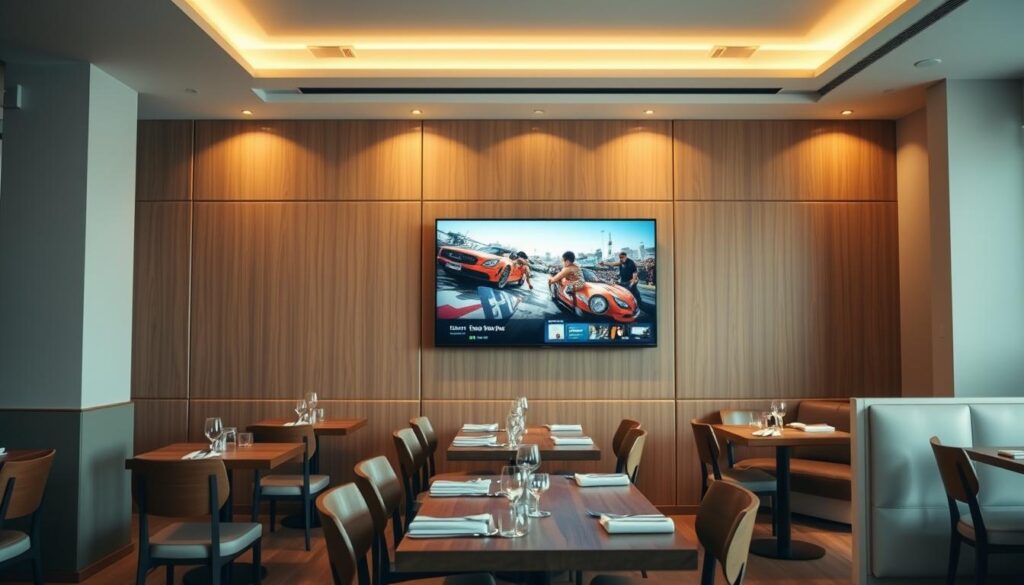
What if a single screen upgrade could lift guest satisfaction and boost your average check without adding staff headaches?
You want a fast, reliable path to modern television and entertainment that fits busy venues. This guide shows how a modern iptv system replaces old cable with a flexible, centrally managed solution that serves bars, dining areas, patios, and private rooms.
You’ll learn practical steps to assess your network, pick displays and set‑top boxes like MAG544w3 or MAG540w3, and choose distribution—AV over IP, RF, or a hybrid—that scales with modular fault isolation.
GetMaxTV leads on value with 19,000+ live channels, 97,000+ VOD, universal device support, instant activation, and 24/7 support. We’ll guide you from evaluating issues with venue TV to a risk‑free start, including a quick link to more setup details: channel unlocking and setup.
Key Takeaways
- Modern iptv systems give centralized control, scheduling, and split‑screen features that improve guest experience.
- Value-first providers like GetMaxTV pair huge channel libraries with low cost and instant activation.
- Choose hardware and distribution based on room size, sight lines, and network capacity.
- Managed ethernet and AV over IP simplify maintenance and scale across locations.
- Dayparting, branded interfaces, and smart content placement boost dwell time and marketing impact.
Why restaurants are switching from traditional cable to internet protocol television
Instead of wrestling with coax lines and set-top boxes, owners are choosing a flexible video solution that reaches every screen via Ethernet.
Outdated cable vs. flexible systems
Traditional cable locks you into rigid packages and clunky boxes. That makes updates slow and costly during a busy shift.
Networked systems route video across your existing infrastructure, so adding a screen is a matter of configuration, not wiring. AV over IP scales by adding switches and localizes faults, so one outage won’t stop service across the venue.
Lower friction for staff and better guest experience
Centralized control cuts staff friction. From a single interface you can change channels, set split screens, or push promos without walking the floor.
Managed ethernet reduces truck rolls and specialized maintenance compared to old cable feeds, lowering downtime and upkeep costs.
- You can mix live feeds, promos, and signage to match crowd mood and boost upsells.
- Training is simpler: one system, one interface, fewer remotes.
- GetMaxTV removes price and contract barriers—just $6.95/month, all sports and movies included, instant activation and 24/7 support.
Ready to switch? See a practical setup and a streamlined activation path in the streamlined setup guide that walks you through activation in minutes.
What IPTV for restaurants actually means
A network-based video approach changes how your venue delivers live and on-demand entertainment.
Internet protocol television sends channels and VOD across your local Ethernet so each display becomes a managed endpoint. A modern system uses set-top boxes like MAG544w3 or MAG540w3 with 4K/HEVC and Wi‑Fi support to keep picture quality high at lower bitrates.
Understanding delivery and control
You control what guests see from a single dashboard. Use the same screen to stream live sports, show promos, or run branded signage without swapping hardware.
- Delivery can be AV over IP, RF, or a hybrid depending on layout and distance.
- Internet protocol supports unicast for targeted feeds and multicast for broad distribution.
- Management tools schedule updates, dayparting, and unified branding across rooms and hotels.
GetMaxTV brings over 19,000 live channels and 97,000+ VOD to nearly any device with instant activation and 24/7 support, so you spend less time troubleshooting and more time curating great viewing for guests.
Business impact: boost guest experience, dwell time, and check size
A smart screen strategy changes how your guests feel, stay, and spend.
When you control the content mix — live games, highlights, and promos — you shape the guest experience. Split‑screen and dayparting keep attention on food and drink offers without interrupting service.
Big events drive time in seat and higher tabs. A reliable system prevents awkward channel hunts and keeps eyes on the room, so servers sell more during natural breaks.
You can push timed promos from a single dashboard. That makes marketing easy and boosts the effectiveness of specials and event nights.
- Control content to raise satisfaction and lengthen visits.
- Use split‑screen and promos to nudge orders during slow moments.
- Consistent entertainment across locations improves loyalty and brand value.
GetMaxTV’s all‑inclusive channels and VOD at $6.95/month give you instant access to sports and movies that keep groups engaged and returning. Learn more in this streaming overview: streaming overview.
Planning your screen strategy: room size, sight lines, and screen counts

Start planning screen placement by mapping each space so every seat gets a clear sight line and the right screen size.
Begin with a floor map. Draw your dining room, bar, patio, and private rooms. Mark seating clusters and measure typical viewing distance. That tells you how many screens you need and which sizes will work best.
Designing for bars, booths, patios, and private rooms
Place fewer large displays in open bars so groups share a focal point. Use more compact screens in booths to limit glare and keep guests focused on their meals.
Outdoor patios need weather-rated displays and higher brightness. Private rooms often benefit from a projector or a mid-size 4K screen for intimate viewing.
Selecting HD/4K displays, LED/LCD, or projectors
Choose LED/LCD where ambient light is high. Pick projectors in dark, high-ceiling private areas. Opt for 4K-capable displays and HEVC-ready set-top boxes so your system delivers crisp quality with efficient bitrates.
- Plan audio zones so bar commentary is audible while dining tables stay conversational.
- Label screens in your management interface so staff can control zones without disrupting other areas.
- Keep infrastructure tidy in a small rack with ventilation, power conditioning, and labeled network paths to simplify maintenance.
Keep setup simple and budget-friendly. Map first, choose sensible screen types, and use zone control. For a fast, low-risk rollout and a practical setup guide, see this streamlined setup guide: streamlined setup guide.
Choosing a distribution model: AV over IP, RF, or a hybrid approach
Pick a distribution path that matches your venue layout and growth plans—each choice has trade‑offs in scalability, cost, and maintenance.
AV over IP is ideal when you expect modular growth. Add switches and endpoints as your system expands without ripping out existing cabling. Failures localize, so maintenance is faster and you avoid site‑wide outages.
Video over RF coax
RF over coax excels on long runs and legacy displays. It’s affordable, reliable, and simple to maintain. Use it where distance or cost makes new cabling impractical.
Hybrid deployments
Many venues blend both. Use IP for interactive zones and RF for backbone distribution to distant rooms. Hybrid setups save cost while giving granular control where you need it.
Bandwidth and business systems
Plan network segments and QoS so video never starves POS or security. Inadequate capacity causes jitter that can slow payments and reservations.
- Use multicast for shared channels to conserve bandwidth; choose unicast for unique streams.
- Document switching hardware and keep spare parts on hand to cut maintenance time.
- Pre‑wire both coax and ethernet in new builds to preserve flexibility as layouts change.
| Model | Best use | Key benefit | Maintenance |
|---|---|---|---|
| AV over IP | Modular growth, interactive zones | Scales by adding switches; localized faults | Network updates, switch management |
| RF coax | Long runs, legacy screens | Stable quality over distance; low install cost | Simple coax checks and signal maintenance |
| Hybrid | Mixed layouts with cost limits | Balanced control and affordability | Both network and coax routines |
| Design tip | New builds or remodels | Pre-wire coax + ethernet for future needs | Reduces downtime and eases long‑term maintenance |
GetMaxTV works across AV, RF, and hybrid systems, with instant activation and 24/7 support to validate your design and keep quality high during peak service. That makes choosing a model easier and safer for your guests and operations.
Centralized content management and branded interfaces
Manage every screen from a single, cloud-hosted dashboard that keeps content, schedules, and visuals consistent across your venue.
Real-time scheduling and remote control
From your phone or laptop you can schedule programs, push urgent updates, and change layouts instantly. A simple control panel reduces staff steps and speeds reaction during busy shifts.
Build branded menus with your logo, colors, and background art so on‑screen design matches your dining space.
- Use templates for promos and events to swap offers without design delays.
- Provide personalized zones—family-friendly near booths, sports at the bar—so content fits each audience.
- Export schedules and proofs-of-play to align with your marketing calendar and vendor campaigns.
Why this system helps your team
The management system simplifies training: clear labels, role permissions, and fewer remotes keep control in managers’ hands. Because it’s IP-based, you can automate updates across sites and maintain consistency.
GetMaxTV makes real-time updates easy and branding seamless, with instant activation and universal compatibility so your control workflows run on devices your team already uses. Learn setup details in the streamlined setup guide.
Content strategy for restaurants: live sports, promos, and digital signage
Use a layered content approach so live events anchor attention while promos and QR calls-to-action drive action.
Keep the viewing experience lively and profitable. Run split‑screen layouts that show the game and a rotating promo panel. That keeps guests engaged during commercials and highlights appetizers or happy‑hour cocktails.
Split-screen that sells between breaks
Show the match full-screen with a narrow promo strip during play, then expand offers during breaks. This approach nudges orders without distracting the guest.
Dayparting to match mood and flow
Schedule mellow ambient loops and brunch specials by day. Switch to upbeat music videos and signature drink promos at night to match crowd energy.
Interactive calls-to-action and partner campaigns
Add QR codes, social handles, and partner spots to prompt quick orders, loyalty sign-ups, or event RSVPs. Remote updates let you push changes from a phone or laptop in seconds, so you never miss a moment.
- Align promos with kitchen capacity—feature items you can deliver fast during peak shifts.
- Keep a sports and events calendar preloaded so staff aren’t scrambling.
- Zone content: host stand messages, bar promos on main screens, calm loops in dining areas.
“With a single low-cost package that includes all sports and movies, you can run split-screen and dayparting without extra channel fees.”
Tip: Use GetMaxTV as your baseline entertainment — it includes all sports and movie packages at one low price, making these tactics cost-effective and quick to activate. Learn more about the best service.
Hardware essentials: set-top boxes, IPTV decoders, and encoders
Smart hardware selection lets you mix wired and wireless endpoints without sacrificing control or uptime.
Choose 4K/HEVC-capable set-top boxes to future-proof your system and keep picture quality high while reducing bandwidth. Models like the MAG544w3 (Amlogic S905Y4-B) and MAG540w3 (Amlogic S905Y4) offer 4K, HEVC, and built-in Wi‑Fi when cabling is hard to run.
Decoders and controller basics
Pick decoders that accept unicast and multicast UDP/RTP streams. Support for MPEG‑2 or H.264 SPTS/MPTS keeps the system flexible across content sources.
Modulators and IP/RF convergence
HDTV Modulator‑IPTV encoders make QAM or 8VSB channels and MPEG‑TS streams. Look for built‑in scalers, dual‑language SAP audio, and Emergency Alert (EAS) messaging to meet safety and accessibility needs.
- Prefer wired Ethernet where stability matters; use Wi‑Fi where wiring isn’t feasible.
- Keep spares and label endpoints to speed troubleshooting and reduce downtime.
- Map VLANs or dedicated switches to isolate video traffic and protect POS and other systems.
- Choose devices with easy firmware updates and robust remote management.
GetMaxTV works with common hardware and activates in minutes, so you won’t be locked into costly proprietary gear. That keeps setup simple and your services live fast.
Integration with restaurant operations and systems
Make your screen system work like another team member—syncing promos, service alerts, and guest messaging without extra steps.
Connect menus, room service, and concierge workflows so content reflects what your kitchen and service teams can deliver. Link promos to inventory and events so offers pause automatically when an item runs out.
Hospitality systems used in hotels often centralize guest info and updates. You can borrow those best practices to streamline day-to-day operations and reduce confusion during peak service.
Display control at scale: power, channel, and volume per screen
You can manage power, channel selection, and volume by screen or by zone from any browser. That keeps staff focused on service, not remote juggling.
- Tie promos to menu items and inventory so marketing and kitchen operations stay in sync.
- Schedule automatic on/off times to save energy and protect screens, with manual overrides for special events.
- Assign roles so managers make global updates while servers use limited controls at their station.
- Connect playlists to your promotions calendar so offers stay fresh without last-minute scrambles.
- Use alerts or on-screen takeovers for time-sensitive notices like last call or private events.
Practical ops benefits: centralized management cuts specialized maintenance and reduces downtime compared to legacy setups. Keep a simple SOP for rebooting or swapping endpoints so even new staff can handle minor issues.
“Activation and 24/7 support mean your team isn’t left troubleshooting during a busy night.”
To see how hospitality systems adapt to dining venues, check this industry overview at restaurant and bar services. With reliable support, you make service smoother and let staff focus on guests, not screens.
Scalability and multi-location control for chains
Scale your screens and playlists across dozens of locations without adding IT staff or complex contracts.
Standardize content while keeping local flexibility. You can set channel lineups, playlists, and promos centrally and allow managers to tweak local offers. This keeps brand consistency and lets stores respond to crowd needs.
AV over IP grows by adding switches, so the system expands without heavy rewiring. Segment each site on its own VLAN to protect POS and guest systems while keeping behavior uniform across units.
- Push network-wide updates from HQ in seconds to keep campaigns timely.
- Use templates and shared assets so new locations go live fast with proven content.
- Monitor uptime and quality centrally to spot issues and cut downtime.
| Need | How it scales | Benefit |
|---|---|---|
| Channel standardization | Central playlists and templates | Consistent brand experience |
| Site growth | Add endpoints and switches | Fast rollouts, low install cost |
| Security | Per-site VLAN segmentation | Protect operations and POS |
GetMaxTV is an easy, no-contract solution with instant activation and 24/7 support. It works with common hardware across hotels and venues, so you pilot in one market and scale confidently.
Reliability, maintenance, and managed ethernet advantages
When uptime matters, the right network and maintenance plan make the difference between smooth nights and service headaches.
Choose managed ethernet and standard switches so routine maintenance uses familiar tools and clear documentation. That cuts specialized labor and reduces truck rolls compared with older cable infrastructure.
Simplified upkeep vs. traditional cable infrastructures
Label cables, ports, and screens. Keep a tidy rack with airflow and power conditioning. Train staff on quick checks—link lights, input status, and basic reboots—to solve most issues in seconds.
Peak-hour performance and localized fault isolation
AV over IP systems isolate faults so one bad endpoint won’t drop every screen during the dinner rush. Use RF backbones where long runs matter; hybrid designs balance complexity and quality.
- Prioritize bandwidth planning so video never starves POS or payment systems at peak hour.
- Schedule firmware and software updates during quiet windows and keep rollback plans ready.
- Monitor stream health and swap devices showing errors before guests notice.
| Area | Best practice | Benefit |
|---|---|---|
| Maintenance | Managed ethernet + labeled rack | Faster fixes; lower skilled labor needs |
| Fault handling | Modular AV over IP | Localized issues; minimal service impact |
| Long runs | RF backbone or hybrid | Stable quality over distance |
GetMaxTV reduces headaches with simple upkeep, reliable streams, and 24/7 human support so you’re never alone before a big game.
Cost and ROI: why value matters more than ever in 2025
When you total monthly fees, install time, and staff hours, a modern system pays back faster than legacy cable.
Compare the real costs. Legacy cable often adds line items for sports and movies, high install fees, and long contracts that tie up capital. Contemporary streaming services deliver more channels, flexible control, and lower recurring spend.
Comparing legacy cable packages to modern streaming services
Practical benefits compound quickly: plug-and-play setup reduces install time, centralized management shrinks staff interruptions, and split-screen promos raise incremental sales during breaks.
- Legacy cable stacks fees; modern services give broader content at lower monthly cost.
- GetMaxTV at $6.95/month includes all sports and movies, has no contract, instant activation, and a no-risk free trial—so your payback starts immediately.
- Hybrid distribution lets you reuse coax where sensible, trimming capital spend while keeping quality high.
- Affordable hardware and universal compatibility mean devices move between locations and projects without vendor lock-in.
Bottom line: count faster setup, fewer service calls, and better analytics when you measure ROI. The right solution shrinks costs and turns screens into measurable revenue drivers.
Meet GetMaxTV: the value leader for restaurants in 2025
This solution puts a full entertainment stack into a single affordable plan so you can focus on service and sales.
This service delivers a vast content library and simple management tools that work on devices you already own. Activate in two minutes and start using centralized scheduling and split‑screen layouts to run promos during game breaks.
Massive content library
19,000+ live channels and 97,000+ VOD keep your lineup fresh and relevant to every crowd. All sports and movie packages are included at no extra cost, so big events never require add-ons.
Simple pricing and instant activation
Pay only $6.95/month with no contract. Instant activation in two minutes gets screens live without install delays.
Wide device support and scaling
The service runs on Firestick, Smart TV, Android, Mac, Windows, and common set-top boxes like MAG544w3 and MAG540w3 that support 4K/HEVC streaming with Wi‑Fi.
- Centralized control, scheduling, and split-screen to pair promos with live events.
- 24/7 support so you get help during game nights or peak shifts.
- Scales from a single venue to chains with consistent management and branded menus.
“Start fast, prove ROI, and expand with a solution purpose-built to keep guests engaged and staff productive.”
| Feature | Benefit | Notes |
|---|---|---|
| Content | 19,000+ live channels; 97,000+ VOD | All sports and movies included |
| Pricing | $6.95/month; no contract | Low recurring cost; flexible |
| Compatibility | Firestick, Smart TV, Android, Mac, Windows, MAG set-top boxes | Works with existing network and 4K/HEVC devices |
| Operations | Centralized scheduling and split-screen | Remote control from phone or laptop |
Why it matters: this system reduces setup time, removes hidden channel fees, and gives you reliable service and updates so your screens drive revenue, not headaches.
Instant activation and 24/7 support tailored to busy venues
Start live playback in under two minutes and avoid long install windows that disrupt busy shifts.
Quick setup, no downtime: go from box to broadcast in about two minutes. The plug-and-play devices and universal apps mean you won’t need to close a dining room or block off time away from guests.
Remote control from a phone or laptop keeps managers on the floor while they change channels, push promos, or fix layout issues. That reduces trips to displays and frees your staff to serve.
Start watching in 2 minutes without disrupting service
Activation is designed to be low-risk and staff-friendly. Use simple wired or wireless connections, sign in, and you’re live. Standard operating procedures make onboarding quick for new hires.
Round-the-clock help when it’s game night or a full house
24/7 support means a live game hiccup won’t derail a packed house. You get fast, human assistance so your operations keep moving and guest experience stays top quality.
“Activation in minutes and around-the-clock help make upgrades low-risk and easy to run during peak service.”
- Go live in about 2 minutes without blocking service windows.
- Plug-and-play devices and universal apps keep installs simple.
- Remote control from phone or laptop lets managers act without leaving the floor.
- 24/7 support provides rapid help during big events or busy shifts.
- Consistent peak-hour performance protects guest experience and staff workflow.
| Benefit | What it means | Impact on operations |
|---|---|---|
| Two-minute activation | Plug, sign in, go live | Minimal disruption; fast time-to-value |
| 24/7 support | Live help any hour | Less downtime; fewer truck rolls |
| Remote control | Phone or laptop access | Staff stay on the floor; faster promos |
| Standard SOPs | Simple setup and fixes | New hires handle basics; reduced training time |
Low-risk adoption: if you want details on features that support quick installs and reliable service, see the feature list. With instant activation and round-the-clock help, you can add a modern system without slowing your service or stretching staff thin.
Step-by-step: how to deploy IPTV for restaurants with GetMaxTV
Deploying a modern streaming system is quick when you follow a clear plan. Start by mapping every screen and seating cluster so your rollout matches sight lines and service flow.
Assess screens, bandwidth, and network paths
Inventory screens and zones, note viewing distance, and flag future expansion points. Check bandwidth and plan network segments or QoS so video won’t impact POS or security.
Choose distribution based on layout: AV over IP for modular growth, RF for long runs, or a hybrid mix where it saves cost.
Connect devices and configure centralized management
Prefer wired Ethernet runs where possible. Connect set-top boxes or use smart TV apps, then log into GetMaxTV and pair devices — activation usually takes about two minutes per site.
Configure the management system: name screens, set zones, assign roles, and upload brand assets and promo templates.
Schedule content, set split-screens, and go live
Build daypart schedules and split-screen layouts for live sports with offers during breaks. Test audio and picture in each zone, document SOPs, and monitor performance the first weekend.
“Instant activation and simple management make deployment low-risk and fast to scale.”
Ready to try it? GetMaxTV is universally compatible, no contract, and offers a free trial—contact support to start a risk-free pilot today.
Conclusion
Close the loop on your plan with an easy, low-risk rollout that keeps guests engaged night after night.
GetMaxTV delivers a clear solution: 19,000+ live channels and 97,000+ VOD for just $6.95/month, no contract and instant activation. This hospitality-grade iptv solution gives you centralized control, split-screen layouts, scheduling, and remote management so staff stay focused on service.
Use the system you already own; scale across locations with proven systems that hold up during peak hours. The right content and control turn screens into steady revenue and a better guest experience.
Ready to subscribe? Visit https://getmaxtv.com/ or try a free trial via WhatsApp: https://wa.me/message/OZ4NORVZQTYAC1.
FAQ
What does restaurant IPTV: Commercial Streaming 2025 mean?
It refers to delivering television and on-demand content over your internet connection, tailored for dining venues. You get live sports, movies, and promotional screens managed from a central dashboard so your staff can focus on service while guests enjoy reliable, branded entertainment.
Why should you switch from traditional cable to internet protocol television?
You gain flexibility, lower monthly costs, and easier updates. Unlike legacy cable, streaming systems let you change channel lineups, push promos, and schedule content remotely. That reduces friction for staff and improves guest satisfaction and dwell time.
How do these systems improve guest experience and staff workflows?
Centralized control cuts time spent walking to screens or troubleshooting remotes. You can instantly switch feeds for big games, loop digital signage, or mute a screen during announcements. Guests notice consistent quality and tailored messaging, which boosts check size and loyalty.
What should you consider when planning a screen strategy?
Match screen size and placement to seating, sight lines, and viewing distance. Plan separate displays for bars, booths, patios, and private rooms. Decide on resolution—HD or 4K—and whether LED, LCD, or projectors best fit each zone.
How do AV over IP, RF, and hybrid models differ?
AV over IP scales easily using network switches and supports modular expansion. RF over coax offers long-distance reliability and simple maintenance. Hybrid setups combine both to lower cost while keeping robust control. Choose based on existing infrastructure and expansion plans.
What network bandwidth should you allocate to avoid jitter and protect POS/security?
Reserve sufficient capacity for peak streaming, plus separate VLANs or QoS rules for media, POS, and back-office systems. That prevents interference with payment systems and cameras while keeping video smooth during busy hours.
How does centralized content management help your brand?
It lets you schedule live events, push promos, and update menus or logos across locations instantly. You can create branded templates and on-demand imagery so every screen reinforces your identity and marketing campaigns.
What content strategies work best in restaurants?
Mix live sports with targeted promos and digital signage. Use split-screen to show games plus specials during breaks. Implement dayparting—calmer music and brunch visuals by day, upbeat playlists and sports at night—and add QR codes or social handles to drive engagement.
What hardware is essential for cafés, bars, and restaurants?
Use 4K/HEVC-capable set-top boxes or smart players, reliable decoders/controllers that handle unicast and multicast, and HDTV modulator-encoders if you need IP-to-RF convergence. Choose durable commercial displays and consider PoE or centralized power control for scale.
Can the system integrate with menus, room service, and other operations?
Yes. Modern platforms tie into POS, digital menus, and concierge systems to trigger content based on orders or events. You can also control power, channel, and volume per screen for operational efficiency and guest comfort.
How scalable are these solutions for multi-location chains?
Very scalable. Cloud-based management enables grouped updates, regional scheduling, and centralized monitoring across dozens or hundreds of sites, reducing field visits and ensuring brand consistency.
What reliability and maintenance advantages come with managed ethernet?
Managed networks offer simplified upkeep, proactive monitoring, and localized fault isolation. You’ll see better peak-hour performance, quicker fault diagnosis, and fewer disruptions than older coax-based approaches.
How do costs and ROI compare to legacy cable in 2025?
Upfront hardware and network upgrades are often offset by lower monthly service fees, reduced labor, higher check sizes, and stronger marketing ROI. Evaluate subscriptions, support, and expected revenue lift to calculate payback time.
What content and device compatibility should you expect from top providers?
Look for extensive live and on-demand libraries, inclusive sports and movie packages, and wide device support like Fire TV Stick, Smart TVs, Android boxes, macOS, and Windows. That ensures easy deployment across your mix of displays and player types.
How quickly can you go live and get support during peak events?
Many vendors offer instant activation in minutes and 24/7 technical support so you won’t miss a big game or a busy dinner service. Fast onboarding minimizes downtime and avoids lost revenue on event nights.
What are the basic steps to deploy a commercial streaming system in your venue?
Start by assessing screens, bandwidth, and network paths. Select compatible players and encoders, connect devices to a managed network, and configure centralized content management. Finally, schedule playlists, set split-screens, and run a live test before peak service.
The GetMaxTV Team is a group of cord-cutting experts and streaming technology specialists who have been testing and reviewing IPTV services since 2022. Based in North America, our team personally tests every service we recommend across 15+ devices including Fire TV Stick, Roku, Apple TV, Samsung Smart TVs, and gaming consoles. We verify channel counts, measure buffering rates, test picture quality in HD and 4K, and evaluate customer support response times. Our mission is to help viewers save money by switching from expensive cable subscriptions ($147/month average) to affordable, high-quality IPTV alternatives. Every article on GetMaxTV.com is based on hands-on testing and real-world experience — not recycled marketing claims.