
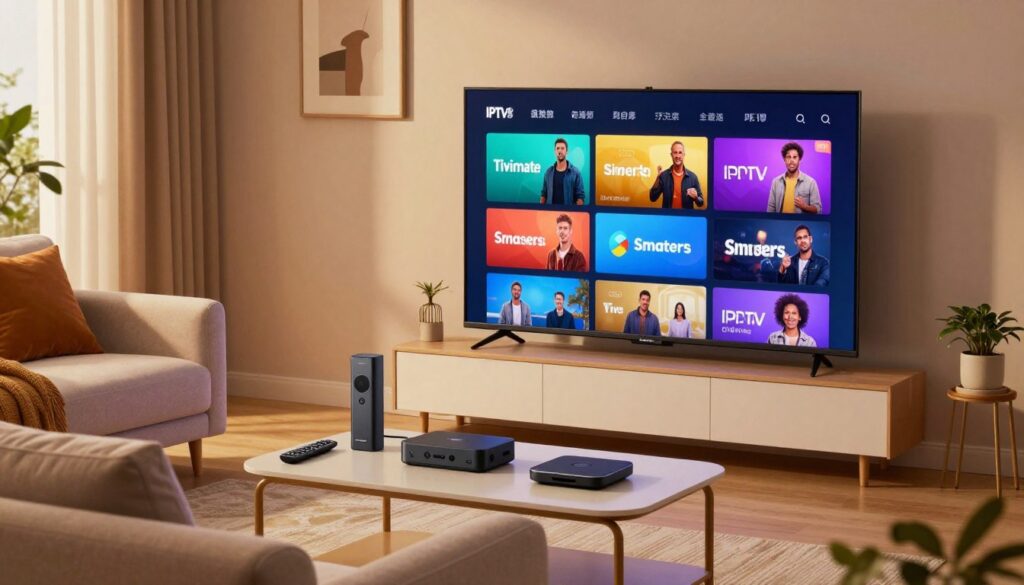
Which player will make your TV feel smarter and your evenings easier? If you want the best setup for live télévision in Canada, you need a clear, practical view of how each application behaves on a Fire Stick.
IPTV players organize and play streams from your subscription; they don’t supply channels themselves. This guide compares TiviMate and IPTV Smarters Pro from a day-to-day angle: menu speed, how the interface feels on a big screen, playlist handling, and stability when your list grows.
We’ll keep things legal and simple. You’ll learn what an iptv player is (and isn’t), which app fits beginners or power users, and what to expect from free versus paid features.
Along the way we’ll reference providers like GetMaxTV as an example of a legal subscription option. By the end, you’ll know which application suits how you watch: casual channel surfing, heavy EPG use, or multi-playlist household streaming.
Key Takeaways
- IPTV players organize streams; your subscription supplies channels.
- TiviMate favors customization and fast channel changes on Fire Stick.
- IPTV Smarters Pro is broad in device support and familiar layouts.
- Legal use depends on your service and content rights, not the app.
- Your choice should match how you watch live télévision and manage playlists.
How IPTV players work on Firestick (and what they don’t include)
Think of the app as the screen-side manager that displays and plays streams your service provides. It acts like a lecteur: the application shows your channel list, sorts categories, and hands streams to the player on your Fire Stick. It does not sell or host channels.
The way you log in matters. Most services use one of three formats: an M3U playlist URL for raw channel lists, an EPG URL for program guide data, or an Xtream Codes API login (server + username + password) that pulls live TV and VOD in a tidy structure.
Practical differences: M3U is simple but can feel messy without good sorting. Xtream Codes often arrives organized into live, movies, and series buckets. A working epg is important in Canada so schedules and sports show at the right local time.
What makes a version feel “good” on the Fire Stick? A readable interface from the couch, quick channel zapping, reliable streaming after long sessions, and easy playlist management when your provider changes details. For a step-by-step setup on this device, see our IPTV on Fire Stick guide.
What makes the meilleure appli iptv pour firestick for streaming in Canada
What really matters is whether the app gets you to live télévision quickly and keeps menus readable from the sofa. Your choice should be about daily comfort: fast search, easy favorites, and clear categories that match Canadian viewing habits.
Interface and navigation
Couch-friendly navigation means large text, quick search, and a favorites row that keeps your top channels one click away. Categories should let you hide unused groups and pin local French or sports channels to the top.
EPG and schedule quality
Good epg support gives accurate times, readable grids, and catch-up when the service offers it. That improves your télévision planning and keeps live sports on schedule.
Playlists and real-life use
Multiple playlists, quick refresh, and sorting tools reduce clutter when services change. For setup tips and privacy basics, see a short how to use IPTV guide.
“The right option fits how you watch, not just the longest feature list.”
Player features and device reach
Look for multiview, recording, and parental controls if you need them. Also check compatibility across other appareils so you can move from the Fire Stick to phones, Android TV, or a laptop—our setup on this device guide helps with that.
TiviMate vs IPTV Smarters Pro on Firestick: side-by-side comparison

On a Fire Stick, these two players take different routes to the same goal: make live TV quick and tidy.
TiviMate strengths on Fire TV
TiviMate is built with TV-first polish. You get deep interface customization, fast guide performance, and strong playlist handling.
Premium unlocks multiview, recordings, parental controls, and advanced sorting — useful when you run several services.
IPTV Smarters Pro strengths
IPTV Smarters shines with broad device support and a familiar “Live TV / Movies / Series” layout.
If you want the same application across phones, computers, and smart TVs, this version minimizes the learning curve.
Formats supported
Both handle M3U and support epg feeds. Smarters often makes Xtream Codes logins easiest to import, while TiviMate focuses on how well large playlists perform on Fire TV.
Free vs paid expectations
Expectations: TiviMate’s paid tier brings headline features that improve long sessions and heavy playlist use. Smarters’ premium options vary by platform and sometimes offer extra tools that differ by device.
Who should pick which
Choose Smarters Pro if you want quick setup and cross-device consistency.
Choose TiviMate if you’re a power user who values guide speed, layout control, and advanced playlist tools on Fire Stick.
“The app shapes your experience, but your provider and connection still drive stream quality.”
Want wider app options? See a quick list of top players in our apps roundup and a focused comparison at GetMaxTV.
Other top IPTV applications that work well with Fire Stick and other devices
If TiviMate or Smarters don’t match your routine, these alternatives give you practical choices without overcomplicating setup.
XCIPTV Player
Who it’s for: You want a modern interface and a built-in player on Android and Fire Stick devices.
It’s free, fast to set up, and useful when you just want quick playback.
Televizo
Who it’s for: You value stability and image quality. The premium version removes ads and adds backups and parental controls.
OTT Navigator and iMPlayer
These are best if you rely on a dense guide and advanced playlist management. They shine with epg support and backups for multiple lists.
Kodi + PVR IPTV Simple Client
If you like deep customization, Kodi turns your TV into a flexible media hub. This setup suits power users who enjoy tweaking layout and behavior.
VLC, GSE Smart IPTV, and Smart IPTV (SIPTV)
Use VLC or GSE as practical utilities for quick testing and playlist control. SIPTV fits Smart TVs with its one-time activation model.
Quick tip: If you want a device-focused setup walkthrough, see our IPTV on Fire Stick guide.
Setup, safety, and legal notes for IPTV on Firestick in 2025
Before you press play, take a few minutes to confirm setup and rights so your evenings run smoothly.
Quick setup checklist
Install your chosen application from a trusted source on your Fire Stick. Next, enter your provider details: an M3U URL + EPG URL or Xtream Codes credentials (server, username, password).
Confirm channels load and that the main playlists appear. If a channel fails, test the same stream in another application to separate app issues from service problems.
Validate the EPG and interface
Check the EPG time zone for your province in Canada and ensure guide entries match live broadcasts.
If the app supports favorites or hiding categories, set those up now to make the interface feel familiar and fast to navigate.
Legal clarity and practical VPN guidance
Players are tools, not content hosts. Legality depends on whether your subscription grants rights to the télévision channels and on-demand material you watch. Unofficial services that infringe copyrights cause legal risk, not the player itself.
A VPN can help with privacy or routing problems and may improve stability on some networks. Use a VPN only if you have a clear need and can keep the setup stable on your Fire Stick.
“Confirm channels load before tweaking; verify EPG times and keep subscriptions legitimate.”
For a step-by-step device walkthrough, see our Fire Stick setup guide.
Conclusion
Conclusion
Pick an application that makes nightly viewing simple, or one that rewards tweaking with a better guide and layout.
If you want the easiest path on a Fire Stick, choose an application with a familiar layout and quick setup. IPTV Smarters Pro often wins here for beginners.
If you care about a premium, TV-first interface and deep playlist control, TiviMate is the better long-term version once you unlock paid fonctionnalités.
Juggling multiple appareils? Match the app to the devices you use so your expérience stays consistent across screens.
Remember: the player does not supply channels; your service and subscription determine legality and stream quality. If you want a legal IPTV subscription option, review GetMaxTV’s offer.
Ready to stream the right way? If you want a legal IPTV subscription, check GetMaxTV’s offer at https://getmaxtv.com.
FAQ
What’s the difference between an IPTV player and an IPTV service?
An IPTV player is an app that plays streams you provide. It doesn’t include channels or subscriptions. An IPTV service is the provider that supplies channel streams, M3U playlists, or an Xtream Codes API. You need both: a player on your Fire TV device and an active service that gives you the stream URLs or login credentials.
Which login formats will I encounter on Fire TV?
Expect three common formats: M3U playlists (simple URL or file), EPG URLs for program guides, and the Xtream Codes API (username/password plus server). Most modern players support all three, but setup steps differ slightly between apps.
What features make an app feel “good” on a Fire Stick?
Look for smooth navigation with remote-friendly menus, fast channel switching, reliable playback, clear EPG layouts, and a clean interface. Extras like favorites, search, channel categories, and playlist refresh controls noticeably improve daily use.
How important is EPG quality and catch-up support?
Very important if you watch scheduled TV. A good EPG shows multi-day schedules, maps channels correctly, and supports catch-up or start-over when the service provides it. Poor EPG leads to missing shows and wrong program info.
Can I use multiple playlists and manage them easily?
Yes. Top players let you add and switch between multiple playlists, rename sources, refresh content, and sort channels. That helps when you subscribe to several services or mix live TV with VOD sources.
What player features can change my viewing experience?
Features like multiview (picture-in-picture or split screens), recording or timeshift, parental controls, customizable channel lists, and built-in players that handle varied codecs all affect usability and overall satisfaction.
Are TiviMate and IPTV Smarters Pro compatible with devices beyond Fire Stick?
Yes. Both have support across Android TV, Android phones/tablets, and many work on other platforms via sideloading or official versions. Check each app’s documentation for iOS, Windows, macOS, and native Smart TV support.
What does TiviMate do better on Fire TV?
TiviMate shines with customization, advanced playlist handling, a polished remote-friendly interface, and premium features like grouped channels and multiple playlists. It’s aimed at users who want a refined TV-like experience.
When is IPTV Smarters Pro the smarter pick?
Choose IPTV Smarters Pro if you value cross-platform compatibility and a familiar layout (Live TV, Movies, Series). It’s user-friendly for people who switch between mobile devices and TV boxes and supports many provider login types.
Which formats do these apps support best?
Most leading apps handle M3U, EPG XMLTV/JSON, and the Xtream Codes API. TiviMate and Smarters both support these formats well, but small differences exist in how they map EPG to channels and how playlists are refreshed.
What should I expect from free vs paid versions?
Free tiers usually offer basic playback and limited customization. Paid or premium tiers unlock features like multiple playlists, scheduled recordings, no ads, and advanced sorting. Evaluate by the features you actually use, not just price.
Which app is better for beginners versus power users?
Beginners benefit from Smarters-style layouts and simpler setup. Power users often prefer TiviMate for deep customization, playlist management, and advanced EPG handling. Both are viable; pick what matches your comfort level and viewing habits.
What are reliable alternative players for Fire TV and other devices?
Consider XCIPTV Player for a modern UI, Televizo for stability and image quality, OTT Navigator and iMPlayer for heavy EPG users, Kodi with PVR IPTV Simple Client for customization, and VLC or GSE Smart IPTV for quick playback. Smart IPTV (SIPTV) is a simple Smart TV-style option with a one-time activation model.
How do I set up an IPTV player quickly on Firestick?
The quick checklist: install the player (from Amazon Appstore or sideload), add your provider details (M3U URL, EPG URL, or Xtream credentials), let the app import the guide, and test a few channels. Refresh playlists if channels fail to load.
Is using an IPTV player on Fire TV legal?
The player itself is legal software. Legality depends on the content and your rights to access it. Always use licensed services and avoid unauthorized stream sources. If in doubt, confirm the provider’s licensing and terms.
Should I use a VPN with IPTV?
A VPN can help protect your privacy and sometimes improve routing stability, but it can also reduce speed if the VPN server is far away. Use a reputable VPN with good speeds and choose a nearby server to minimize buffering.
How do I keep my playlists and EPG organized over time?
Regularly refresh playlists, remove dead channels, group favorites, and back up your app settings if supported. Use apps that allow manual edits and sorting so you can tailor the channel list to what you actually watch.
What troubleshooting steps help when playback stutters or channels won’t load?
First, test your internet speed and reboot the Fire TV. Refresh the playlist and EPG in the app. Try a different player to isolate whether the issue is the app or the service. If problems persist, contact your provider and check server status.
The GetMaxTV Team is a group of cord-cutting experts and streaming technology specialists who have been testing and reviewing IPTV services since 2022. Based in North America, our team personally tests every service we recommend across 15+ devices including Fire TV Stick, Roku, Apple TV, Samsung Smart TVs, and gaming consoles. We verify channel counts, measure buffering rates, test picture quality in HD and 4K, and evaluate customer support response times. Our mission is to help viewers save money by switching from expensive cable subscriptions ($147/month average) to affordable, high-quality IPTV alternatives. Every article on GetMaxTV.com is based on hands-on testing and real-world experience — not recycled marketing claims.