
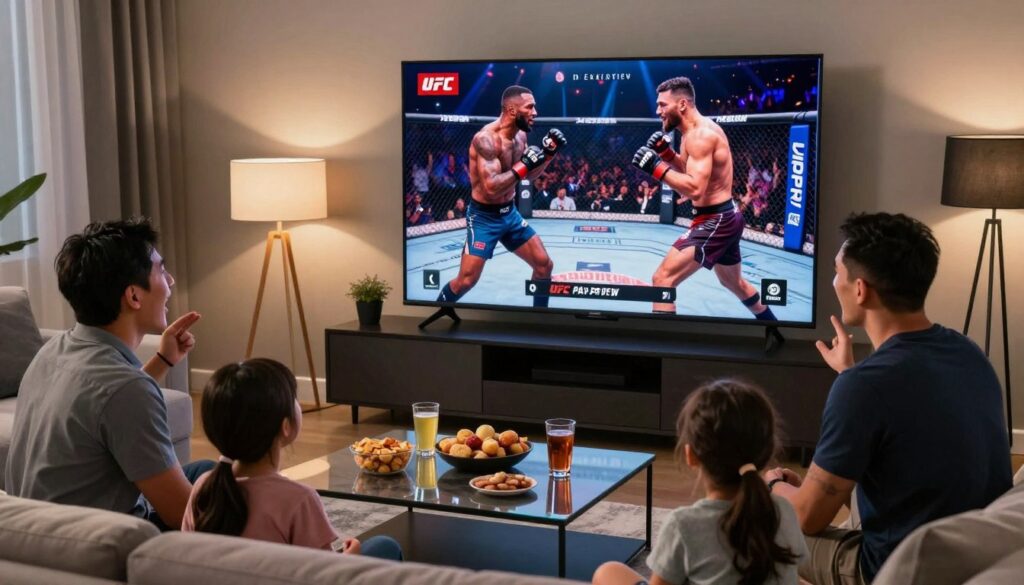
Want a smoother fight night that keeps prelims, walkouts, and the main event stress-free? This short, practical guide shows how you pair an official PPV purchase with a reliable streaming subscription to get broader channel access and consistent live sports viewing.
You’ll learn which compliant options work in your market, how a streaming service fits into your setup, and what to check before you commit. Think device compatibility, electronic program guides, trial periods, and reliable support.
No shortcuts around official purchases—just smarter preparation. We also mention GetMaxTV as an example of a provider that offers simple plans and quick support so you can test performance on fight night.
Follow the checklist here to shortlist providers, test during peak hours, and keep your plan month-to-month until you’re confident in the service and your home network.
Key Takeaways
- Pair official PPV buys with a streaming service for fuller channel lineups and week-to-week sports.
- Verify device compatibility, EPG, trials, and support before subscribing.
- Test providers during peak hours and keep month-to-month plans when possible.
- Use a reliable provider like GetMaxTV as an example to compare speed and support.
- Focus on a smooth, repeatable fight-night routine rather than shortcuts.
What UFC streaming looks like in 2025 for Canadians
In 2025 the typical fight-night setup in Canada mixes a paid main-card entitlement with separate streaming services for lead-up content and archives.
PPV main cards vs. prelims and archives: Prelims and past fights often live inside an official library experience or Fight Pass–style app. The live main card usually needs its own purchase and a sign-in entitlement to confirm your access.
Why combine options? Buying the official main card keeps your viewing compliant and reliable. Meanwhile, broader channel lineups cover weigh-ins, countdown shows, analysis, and news all week. That combination gives you fuller coverage without sacrificing legality.
Device expectations in 2025: Assume you’ll use a smart TV, a streaming box (Apple TV, Roku, Android TV, Fire TV), a console, and a phone. You want consistent playback and the same app signed in across each platform.
Test ahead of time: Verify sign-ins, confirm which app runs on which device, and rehearse switching feeds before walkouts. Convenience—fast navigation and a clear interface—matters as much as picture quality so you don’t miss a round.
- Modern streaming feels like moving between an official app for the event and other services for general entertainment.
- Check regional availability in your store or platform before event night to avoid surprises.
iptv ufc ppv canada: what you’re really shopping for
Shopping for a streaming plan should feel like buying a reliable fight-night workflow, not just more channels. You want predictable access to weigh-ins, pre-fight analysis, and a steady main feed when everyone tunes in.
Live channels for shoulder programming
Shoulder programming—pressers, weigh-ins, and expert shows—adds context to the event week. Live channels that carry these extras make the build-up and post-fight breakdowns easy to follow.
Stable streams for fight-night peaks
Stable means fewer drops, faster channel changes, and consistent bitrate during peak traffic. Test a provider during a busy hour to confirm real-world stream quality.
Clear channel guide (EPG)
An accurate EPG saves time. When prelims and main cards look similar, a clean guide helps you find the right feed without panicking during walkouts.
Responsive support when your app or player acts up
Support should offer practical fixes quickly — app restarts, player logs, and alternate stream tips — not canned responses. Verify response times on the provider’s site before you subscribe.
“Validate channel lists, device notes, and help options directly on the provider page — don’t rely on marketing claims.”
- Reframe your decision: prioritize workflow, stability, and a useful guide over raw channel numbers.
- Use the service as a complement to official purchases, not a replacement.
Official, terms-compliant ways to watch UFC in Canada
Stick to approved platforms to ensure smooth, terms-compliant access to every bout. Use licensed services and the right apps so your event night is predictable and legal.
UFC Fight Pass for prelims and the on-demand library
The Fight Pass offering covers prelims and a deep on-demand library of past fights and features. Supported devices include Samsung (Tizen 4.0+), LG webOS, Apple TV, Android/Android TV, Amazon Fire TV, Roku, Xbox One, iPhone/iPad, and Chromecast. Sign in ahead of time and confirm the event appears under your account.
PPV purchases through official website and app flow
Buy the PPV on the official website or through the app, then open the app on your chosen device to unlock the event. This simple flow avoids third-party installers and keeps your purchase within platform rules. Always follow purchase and household playback limits.
Canada options: TSN and TSN+ coverage notes
TSN and TSN+ often carry live coverage and shoulder programming. If an app is missing from your store, use the platform’s supported browser instead of installing unknown software. That fallback is safer and keeps you compliant.
“Sign in and confirm the event tile well before start time to avoid last-minute troubleshooting.”
| Service | Main Use | Key Devices |
|---|---|---|
| Fight Pass | Prelims, on-demand library | Smart TV, Apple TV, mobile, Roku |
| Official PPV | Main card access after purchase | App on supported devices and browser |
| TSN / TSN+ | Regional broadcasts and build-up shows | Mobile, web browser, select smart TVs |
When IPTV helps and when it doesn’t
A stacked streaming plan can keep you entertained between fight nights without pretending to replace official event buys.
Where a channel service adds real value
You get sports variety, constant news, and general entertainment that keep a subscription useful all year.
Round-the-clock channels deliver talk shows, documentaries, and live sports highlights so your subscription feels worth it beyond one event.
What these services won’t replace
No provider should be assumed to include official event entitlements. Main-card access still requires a purchase or an authorized broadcaster sign-in.
If a listing claims “every event included,” slow down and verify that claim with the provider or the event rights holder.
“Use the service for everyday viewing and build a stack: official event access for fights, and broader channels for everything else.”
Think like a cable alternative: many viewers now prefer flexible month-to-month services plus official event buys instead of a large yearly bundle.
| What it helps with | What it can’t replace | Practical tip |
|---|---|---|
| 24/7 sports talk, news updates, and entertainment content | Official event rights and licensed pay-per-view access | Use trials and verify channel lists before subscribing |
| Fills gaps between main events; better everyday viewing | Guaranteed main-card streams without purchase | Keep month-to-month plans until you test reliability |
| Lower-cost alternative to full cable bundles | Legal entitlement to the live main event | Contact support about any “includes PPV” claims and get confirmation |
Key features to compare before you subscribe
Start by mapping the practical features that matter on fight night so you compare providers on the same terms.
Channel list depth and how to validate it on the provider page
Check for a searchable channel list on the provider page, recent update notes, and clear regional labels. That confirms the channel lineup is current and relevant to your area.
Tip: Screenshot the list and any stated limits before you buy.
Picture quality targets: FHD vs 4K and what your connection needs
Aim for ~25–35 Mbps sustained for reliable FHD and ~50+ Mbps for 4K playback. Test speed on the same device and internet connection you’ll use for the event.
EPG accuracy, usability, and guide mapping on fight weekends
EPG errors cause missed feeds. Prefer providers with a clean guide and accurate start times so you can jump from prelims to analysis without confusion.
DVR and catch-up: recording and replay features
Confirm whether DVR exists, how many hours you get, recording caps, and how far back catch-up reaches. These limits matter if you want replays or missed weigh-ins.
Simultaneous connections and household device limits
Match plan limits to your household devices so users aren’t kicked off mid-event. Verify device counts on the provider page and keep confirmation emails for proof.
“Validate channel lists, device notes, and DVR limits on the official page before you commit.”
| Feature | What to check | Practical threshold |
|---|---|---|
| Channels / list | Searchable list, update date, regional labels | Visible and current on provider page |
| Picture quality | FHD vs 4K support and recommended bandwidth | FHD: 25–35 Mbps; 4K: 50+ Mbps |
| EPG / guide | Accurate mapping, clear start/end times | Matches broadcaster schedule on event day |
| DVR / catch-up | Hours, caps, and replay window | Enough hours for replays you need |
| Simultaneous devices | Max concurrent streams and device types | Matches household device count |
Provider shortlisting: trials, support, and reliability signals

A simple shortlist makes testing realistic. Pick two or three services, run trials, and compare results on the devices you actually use. Reliability matters more than big channel lists on a sales page.
Free trial strategy: how you test during peak hours
Use trial windows to stress-test streams during the expected event time. Try channel switching, fast-forward on catch-up, and repeated sign-ins on the same day.
Prefer testing on a real fight weekend if possible — that shows congestion and real-world latency.
Support quality: what “fast support” should mean in practice
Fast support gives clear troubleshooting steps, estimated response times, and a way to verify account status quickly. Ask for a live chat or ticket that includes diagnostic steps and a reference number.
Red flags in pricing, terms, and unclear access claims
Watch for deals that sound too good, vague renewal terms, or wording that avoids explaining exactly what access you get. Save receipts, screenshots of limits, and any chat transcripts so you can make a confident month-to-month choice.
“Test during peak time, confirm account status quickly, and document everything to avoid surprises.”
- Shortlist method: pick 2–3 services, test, then decide.
- Test checklist: peak-hour streams, channel switching, sign-ins.
- Support check: clear steps, realistic response times, status verification.
- Pricing red flags: unclear renewal, vague access, extreme discounts.
Examples of popular IPTV-style picks for 2025 and how to compare them
Focus on practical checks: compare claimed channel counts, EPG accuracy, and support responsiveness before you commit. Use short trials to see how each provider handles real use.
SOLID IPTV — big lineup and trial window
What they claim: 30K+ channels, 4K/FHD, EPG, and a free trial with fast support.
What to test: load time, channel switching speed, and stream stability during a busy hour.
IPTVVUK — library size vs pricing
What they claim: ~24K channels, 4K/FHD and EPG support.
What to test: compare trial length and refund rules, and check pricing tiers for simultaneous connections.
G‑IPTV — balanced depth and playback checks
What they claim: ~28K channels, 4K/FHD, EPG and quick support.
What to test: playback consistency across your main device and a secondary device at peak times.
How to verify each provider on the official site
- Confirm the public channel list and whether the EPG is included or an add-on.
- Check supported devices, simultaneous connections, and any device limits.
- Read free trial and refund terms; note exact trial length and cancellation steps.
- Record how quickly support replies and whether answers are actionable.
“Compare side‑by‑side: track the same channels, log stream quality, and time support responses.”
Your goal: pick a provider that gives reliable fight-night viewing and a channel lineup you’ll actually use between events.
Device and app setup essentials for UFC nights
Your fight-night success starts with a short pre-check: installs, sign-ins, and a quick playback test. Do this 30–60 minutes before the card so you avoid scrambling during walkouts.
Fire TV and Fire Stick: open the Appstore, search the official app, and install. Sign in and confirm the event tile or entitlement appears under your account. Keep a second stick or your phone signed in as a backup if an update interrupts the primary device.
Smart TVs, Roku, and Chromecast: Smart TV apps may lag updates; Roku discovers channels differently, and Chromecast relies on casting from a phone or browser. Test channel switching and casting behavior on your TV so you know which device gives the smoothest playback.
Apple TV, Android TV, Xbox, and mobile: follow a consistent flow—install the app from the store, sign in, start a short playback, and verify the event shows under the right account. If an app is missing, try the browser fallback on the same device before the event.
Using a player: if you choose to use iptv player, confirm the player is supported on your platform, that playlists and EPG work, and that rapid channel changes don’t crash playback. Favor official stores and reputable sources for installs.
- Fight-night ready routine: primary + backup device, app installed, signed in, playback verified.
- Test early: run the full flow 30–60 minutes before the start.
App store know-how: finding the right apps and avoiding clones
Find the official app faster and avoid impostors by checking a few simple listing details before you install.
How to confirm the publisher and avoid lookalike apps
Open the app store listing and check the publisher/developer name. Match that name to the official brand page so you know it’s genuine.
Also review counts and the update history. Recent updates and many reviews usually signal a maintained app rather than a copycat.
When a browser option is safer than sideloading
If the app isn’t in your platform store, prefer the official browser login over sideloading files. A browser sign-in keeps you on supported code and lowers risk.
Quick checks to do now:
- Compare icons and wording on the listing page to the brand site.
- Keep a screenshot of the correct store tile for fast reinstall.
- Reject installs that ask for unrelated permissions.
- Use strong passwords and watch sign-in status across devices for better security.
“Slow down and verify the publisher, update notes, and review counts before you install.”
| Check | Why it matters | Action |
|---|---|---|
| Publisher / developer | Confirms official ownership | Match with brand site name |
| Update history | Shows active maintenance | Prefer recent updates |
| Permissions | Prevents unnecessary access | Decline apps asking for odd rights |
Performance checklist: bandwidth, connection, and stream quality
Before fight night, run a quick performance check so your stream holds steady when it matters most. These simple steps keep picture quality high and reduce last-minute panic.
Speed targets from the same room and device you’ll watch on
Test speeds on the same device and in the same room you will watch. Aim for ~25–35 Mbps for FHD and ~50+ Mbps for 4K when possible.
Wi‑Fi vs Ethernet: what reduces buffering most
Use Ethernet if you can — a wired connection cuts interference and usually reduces buffering during peak moments.
If wiring isn’t possible, pick 5 GHz, limit other downloads, and reboot your router before the event to improve stability.
Device health checks: updates, cache, and heat management
Update OS and apps, clear the streaming app cache, and close background apps. Move devices out from behind the TV if they run hot.
EPG and reminders so you don’t miss prelims or walkouts
Set EPG favorites and enable reminders in the app or guide. If you have a dvr, add a 10–15 minute buffer so late walkouts or long rounds don’t cut off your recording.
Do this 30–60 minutes before start time. A calm pre-flight routine gives you time to fix issues and enjoy the event.
For more setup and pairing tips, see our practical streaming guide.
VPN guidance for Canadian viewers: privacy and stability (not rule-bypassing)
Think of a VPN as a privacy and routing tool—not a workaround. It can help when you travel, when your IP changes, or when a congested network hurts playback.
When a VPN may help
A VPN can protect your privacy and sometimes give a steadier path for live streaming. Use it for travel or to avoid odd routing that causes buffering.
Best practices to keep it simple
Choose a nearby server to cut latency. Run a speed test on the device you’ll watch from before the event. If you want whole-home coverage, consider router-level setup for consistent service across devices.
Troubleshooting flow for users
If the stream degrades, try a nearby server, restart the app, and check account status rather than reinstalling. That quick sequence fixes most problems fast.
“Use a VPN for privacy and stability—never as a way to bypass platform rules or local law.”
Follow the rules: you are responsible for obeying Canadian law and each platform’s terms of service. A VPN helps privacy and connection, not to evade access controls.
| Use case | Quick tip | Who benefits |
|---|---|---|
| Travel | Pick a nearby server in your home region | Mobile viewers |
| Congestion | Run speed test; switch servers | Household with many devices |
| Whole‑home | Router setup for all devices | Users wanting simple, repeatable setup |
For related setup notes and comparisons see best streaming options.
Budget planning for 2025: monthly price, PPV costs, and free trials
Start with a simple budget: recurring monthly fees plus the one-off event costs that spike your bill. This helps you see the true yearly cost of your viewing setup and compare services fairly.
Mapping your recurring subscription vs. event-month spending
List your regular per month subscriptions first. Add yearly totals for each to see steady costs.
Then add event fees separately. That shows you which months are expensive and which are lean.
Trial timing: test on a fight weekend before you go long-term
Use a free trial during a busy event weekend to test peak performance. Confirm channel switching, long sessions, and any DVR or add-ons work as expected.
What to track: renewal dates, plan limits, and add-ons you don’t use
Keep a single list or spreadsheet with renewal dates, device limits, and features you rarely use. Note the pricing page details: taxes, trial length, and extra fees for DVR or HD.
| Item | Typical cost | Notes |
|---|---|---|
| Monthly subscription | Per month amount | Check renewal date |
| Event / PPV fee | One-off charge | Test with free trial first |
| Add-ons | Extra per month | Cancel unused items |
“Your best value is the plan you actually use, not the biggest bundle on the page.”
IPTV vs cable in Canada: flexibility, channel access, and total cost
Your choice should match how you live with TV, not a headline channel count. Think about switching speed, whether your favorite channels appear, and if you need extra boxes or rentals.
Where streaming services win: month-to-month control and device choice
Streaming plans give you month-to-month control and let you use your own device. You often skip rental fees for boxes and can test services quickly.
Where cable can still matter: regional coverage and simplicity
Cable often bundles local and regional channels reliably. It can be simpler for less tech-savvy households that prefer one remote and fewer app logins.
How to compare “true cost” including hardware, add-ons, and PPV
Calculate base price, hardware or boxes you must buy or rent, add-ons like sports tiers, and PPV event fees. Confirm the exact channels you need — niche regional feeds can change the math.
“Check actual channel lists and hardware fees before you pick—total monthly cost is the only number that matters.”
| Factor | Streaming | Cable |
|---|---|---|
| Flexibility | Month-to-month, device choice | Contract options, fewer plan changes |
| Local channels | Varies by service; confirm lists | Often included and reliable |
| Hardware / boxes | Use own devices or low-cost boxes | Possible rental fees for set-top boxes |
| True price | Base + add-ons + event fees | Base + premium tiers + potential rentals |
Decision prompt: if you value flexibility and multi-device viewing, streaming and iptv options may fit. If you want turn-key local coverage and a single remote, cable may still be worth it.
Choosing a legal IPTV subscription you’ll actually enjoy
Pick a subscription that fits your daily viewing habits, not the loudest sales pitch on the page. Start with a quick, repeatable framework that keeps decisions practical and stress‑free.
Your quick decision framework: devices, channels, quality, and support
First, list the devices you actually use. Confirm the app or player runs on each one.
Next, write down the channels you watch weekly. If a service lacks those channels, move on.
Then set a simple quality target for streaming and test during a busy hour.
Finally, check support: hours, contact methods, and clear setup guides for your device/app combo.
If you want a straightforward option: a brief look at GetMaxTV
GetMaxTV offers reliable subscriptions focused on stability and simple setup. If you prefer a low‑fuss choice, explore the plans and device list to see if it matches your routine.
Verify limits, simultaneous streams, and any DVR features before you buy.
Fit over hype: choose what works for you
- Devices first: the main device must work without tinkering.
- Channels matter: prioritize weekly viewing over big channel counts.
- Support counts: fast, clear help saves fight night stress.
Explore the official details on the GetMaxTV IPTV subscription offer and confirm supported devices, features, and limits before you commit.
Conclusion
The clearest way to avoid last‑minute stress is to verify access, test your app and player, and prepare a quick fallback.
In short: combine official main‑card access with Fight Pass for prelims and a reliable streaming subscription for shoulder programming and everyday channels. Aim for ~25–35 Mbps for FHD or ~50+ Mbps for 4K, and prefer Ethernet when you can.
Prioritize stable streaming, a clean EPG/guide and DVR, and prompt support. Test sign‑ins the day before, confirm access on your primary device, and run a peak‑time trial. Validate channel lists and plan limits on each provider page and use trials to see real performance.
Stay compliant: follow local law and each service’s terms, and use a VPN only for privacy or stability—not to bypass rights. If you want a legal subscription for sports, news and entertainment between events, consider checking GetMaxTV’s offer and our roundup of top IPTV picks for fight fans.
FAQ
What devices will work best to watch PPV events in 2025?
Most modern devices handle live events well. Use a Smart TV, Fire TV Stick, Apple TV, Android TV box, Xbox, PlayStation, or a recent smartphone or tablet. For the smoothest playback, prefer a wired Ethernet connection or a 5GHz Wi‑Fi band and make sure your device firmware and the streaming app are up to date. Consider a dedicated streaming box or player if you want better heat management, expanded app support, and a consistent user interface.
How do official PPV purchases interact with a broader streaming lineup?
You often buy the main card through the UFC app, another official vendor, or your TV provider, then use a channel lineup for pre-fight shows, weigh-ins, and ancillary coverage. Combining an official PPV purchase with a subscription service or channel package gives you both the pay-per-view event and the surrounding analysis and replays without juggling multiple platforms during fight night.
What should you look for in a live channel guide (EPG)?
Look for accurate, up-to-date schedules, easy search and filter options, and a program description for each feed. The EPG should map correctly to the channel list, show start and end times clearly, and offer reminders or calendar integration so you don’t miss prelims or the main card.
How can you test a streaming service before a big fight?
Use a free trial or short-term plan and test during a high-traffic evening to see how the provider handles peak load. Check stream stability, picture quality, EPG accuracy, and customer support response time. Simulate your typical setup: same room, same devices, and the same number of simultaneous streams.
What picture quality should you expect and what internet speed do you need?
Aim for Full HD (FHD) for reliable viewing and 4K if your TV and plan support it. For FHD, target at least 10–15 Mbps per stream; for 4K, 25 Mbps or higher is safer. Account for other household traffic and test with both Ethernet and Wi‑Fi to see which reduces buffering most.
When does a streaming lineup add value compared to buying only the PPV?
A broad channel lineup gives you pre-fight analysis, sports talk, news, and entertainment to fill downtime between events. It’s useful if you want continuous coverage, access to related channels, or a large on-demand library while keeping a single app ecosystem.
What won’t streaming lineups replace when it comes to PPV rights?
No third-party channel package replaces the need to purchase official PPV rights where they’re enforced. Official PPV purchases through the UFC app, the promotion’s web flow, or licensed broadcasters remain necessary for main-card access if those rights are exclusive.
How important is customer support during fight nights?
Very important. Fast, responsive support should include chat, email, and a clear status page. Look for providers that offer peak-hour support and documented troubleshooting guides for common app or player issues so you can resolve problems without missing the action.
What red flags should you watch for when shortlisting providers?
Be wary of unclear pricing, vague channel claims, no trial option, or contracts that hide extra fees. Also watch for poor or missing device compatibility details, inconsistent EPGs, and slow or non-existent support channels.
How do DVR and catch-up features affect your choice?
DVR and catch-up let you record prelims, rewatch walkouts, and save recurring shows. Check storage limits, retention windows, and whether recordings are cloud-based or device-bound. Reliable playback and simple management tools matter on busy event nights.
Should you use a VPN for watching from Canada?
Use a VPN only for privacy, travel, or stability—not to bypass regional rights. If you choose a VPN, pick a high-performance provider with nearby servers, test speeds, and consider router-level setup for consistent coverage.
What’s a good trial strategy to evaluate a service?
Time your trial for a fight weekend, test multiple devices, push simultaneous streams, and use peak hours to assess performance. Verify channel lists, EPG accuracy, playback quality, and support responsiveness before committing long term.
How do you verify app authenticity in an app store?
Confirm the publisher name, app reviews, install numbers, and permissions requested. Official apps from recognized vendors like UFC, TSN, or major platform stores are safer. When in doubt, use the browser-based web player on the official site instead of sideloaded clones.
What device limits should you expect for simultaneous connections?
Providers commonly limit simultaneous streams per account; typical limits range from two to five devices. Confirm those limits before subscribing to avoid being locked out during a household viewing session.
How do you compare channel lists and verify them?
Check the provider’s official channel list page and cross‑reference sample guides or screenshots. Look for the specific sports, news, and entertainment channels you care about and test them during a trial to confirm availability and stream quality.
What practical tips improve streaming reliability on fight night?
Restart your router and device, use Ethernet if possible, close background apps, update your streaming app, and keep a backup device ready. Clear device cache and monitor temperature to avoid throttling during long sessions.
How should you budget for subscription costs and event spending in 2025?
Separate recurring subscription fees from one-off PPV purchases. Track renewal dates, trial expirations, and any add-ons you don’t use. Plan for occasional event months where your total cost will spike because of PPV buys or temporary upgrades for 4K.
How do legal streaming subscriptions compare to cable for cost and convenience?
Streaming wins on flexibility and device choice, while cable can offer regional channels and a simpler single-bill setup. Compare total ownership cost including hardware, add-ons, and PPV purchases to find the right balance for your viewing habits.
What should you confirm before committing to a subscription you’ll enjoy?
Verify device compatibility, channel depth, picture quality targets, EPG accuracy, DVR features, simultaneous stream limits, and support quality. Use a trial to confirm these points under real-world conditions before you subscribe.
The GetMaxTV Team is a group of cord-cutting experts and streaming technology specialists who have been testing and reviewing IPTV services since 2022. Based in North America, our team personally tests every service we recommend across 15+ devices including Fire TV Stick, Roku, Apple TV, Samsung Smart TVs, and gaming consoles. We verify channel counts, measure buffering rates, test picture quality in HD and 4K, and evaluate customer support response times. Our mission is to help viewers save money by switching from expensive cable subscriptions ($147/month average) to affordable, high-quality IPTV alternatives. Every article on GetMaxTV.com is based on hands-on testing and real-world experience — not recycled marketing claims.