
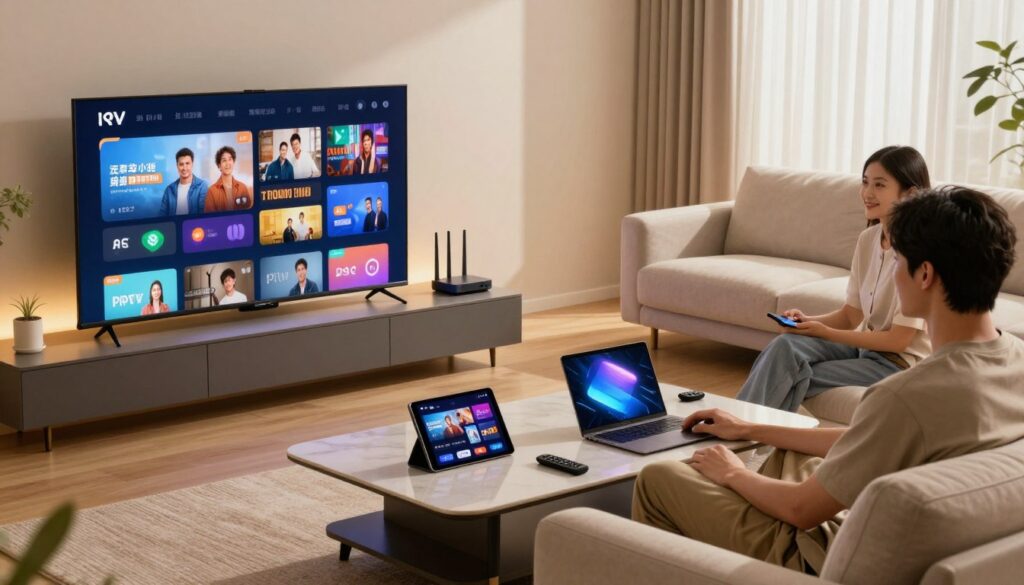
How many screens can you really run at once without overpaying or losing quality? If you live in Canada and juggle sports, kids’ shows, and news across rooms, this question matters.
In this guide you’ll learn what people mean by how many devices you can use versus how many streams play at the same time. Providers often treat device setup and simultaneous playback as two different limits. That difference shapes which plan fits your home.
We’ll keep this practical and decision-focused. Expect clear checks on concurrent streams, device compatibility, internet speed, picture quality, rules, support, and pricing. You’ll also see brief examples to help decide how many streams you need so you don’t underbuy or overpay.
Quick note: this remains educational. Verify legitimacy and plan rules before you pay for any subscription. You’ll also see a short mention of GetMaxTV as an example brand later in the article.
Key Takeaways
- Understand the gap between installed devices and concurrent streams before choosing a plan.
- Match your expected streaming habits to the number of simultaneous streams you need.
- Check device compatibility and internet speed to protect picture quality.
- Confirm plan rules and support to avoid surprises with your subscription.
- Use simple examples to pick a plan that fits your Canadian household and budget.
What “Multiple Connections” Means for Your IPTV Subscription
Think of “multiple connections” as the gap between what you can install and what you can watch at once. You may be able to sign in on many devices, but that does not guarantee several streams will play simultaneously.
Installing on devices means you can add the app to a smart TV, phone, tablet, or box. Concurrent streams mean two or more people can watch different channels or shows at the same time.
- Most single-connection plans let only one device play at once, even if you logged in on five gadgets.
- Watching the same channel on two screens usually counts as two streams for the provider.
- Channels and VOD often share the same concurrency limits, so both count toward your stream total.
Practical checks before you buy
Ask: “How many simultaneous streams are included?” and “Is there a device limit for access?” For example, one person watching TSN in the living room while another streams a movie needs at least two active streams.
| What you log in | What you watch | What to confirm |
|---|---|---|
| Apps on 5 devices | 1 stream at a time | Device count vs. active streams |
| Apps on 3 devices | 2 streams simultaneously | Extra stream cost or upgrade |
| Apps on 2 devices | 2 identical channels | Counts as 2 concurrent streams |
| Apps on phone + tablet | VOD and live channel | Confirm VOD counts toward limits |
For plan comparisons and examples, check short offers like the top 4K deals to see how providers list device and stream rules.
Why IPTV Providers Limit Devices and Concurrent Streams
Every extra stream you start uses real bandwidth and server power, so providers set limits to keep the service steady for everyone.
Bandwidth, server capacity, and fair-use policies
Each active stream consumes bandwidth and CPU on a server. When many viewers tune in at once, load spikes can cause buffering or lower picture quality.
Providers use fair-use rules to prevent heavy users from degrading the experience for others. That is why “unlimited” streaming is rare at a very low price.
Why some providers resell on generic servers
Some services act as resellers and place customer accounts on generic, shared servers. That keeps costs down but may mean uneven performance and sudden changes in availability.
By contrast, providers that invest in premium infrastructure spread traffic across multiple servers and staff engineering support. That model keeps playback more stable during peak events like sports night.
- Technical reason: every new stream increases load and network demand.
- Customer impact: overloaded servers lead to lag, failed channel loads, or lower quality.
- Business logic: fair-use limits protect overall uptime and cut abuse.
Practical takeaway: if reliability matters to you—say for live sports—choose a provider whose infrastructure and transparency match your option. For setup tips and to compare services, see this setup guide today.
iptv multiple connections: How Many Streams Do You Actually Need?
Pick your stream count by imagining your busiest night — that tells you what plan fits best.
Start with who watches at the same time, not how many devices you own. If you live alone, 1 stream usually covers your viewing. As a couple, plan for two.
Families often need 3–5 streams depending on schedules. Think about sports nights: if one person watches the NHL and another follows the NBA, that equals two simultaneous channels. Pay-per-view events and big games spike demand, so choose extra streams for those evenings.
Guests, shared homes, and short stays
Short-term guests, roommates, or an Airbnb setup make extras worthwhile. Extra streams prevent logouts and constant switching during peak entertainment time.
Multi-view vs. multi-device
Multi-view can mean one TV shows several channels at once. That is different from several devices streaming separate channels. Confirm what your provider includes and test how the service handles heavy use.
- Decision tip: plan for your worst-case night and step down only if overlaps are rare.
- Need more detail? See how the service can work on multiple devices.
Supported Devices for Multi-Device IPTV Streaming in Canada
Before paying, list every screen you use and verify that the provider’s player runs on each. This quick check saves time and keeps your setup simple.
Smart TVs, Android TV boxes, and dedicated set-top boxes
Smart TVs from major brands usually allow easy app installation. Confirm your model works with the provider’s player before you subscribe.
Android TV boxes and MAG/Formuler-style boxes are popular because they run many third-party apps and offer flexible channels and playback options.
Firestick, Chromecast, Apple TV, and Roku considerations
Firestick and Android TV sticks are widely supported and easy to set up across rooms, so they are a solid choice for shared homes.
Apple TV and Roku can be more restrictive. Some services lack a native app there, so check compatibility with your chosen provider first.
Phones, tablets, and PCs for on-the-go access
Android and iOS phones, tablets, and Windows/Mac PCs give you portable access to channels and VOD. If you travel in Canada, this can be essential.
| Device type | App support | Ease of setup | Best for |
|---|---|---|---|
| Smart TVs | High (native apps) | Easy | Living-room viewing |
| Android TV / Firestick | Very high (many apps) | Very easy | Flexible rooms & extra TVs |
| MAG / Formuler boxes | High (player-based) | Moderate | Dedicated set-top use |
| Phones / Tablets / PCs | High (mobile/web apps) | Easy | Travel and personal viewing |
Quick tip: write down living room TV, bedroom TV, phone, and tablet, then confirm support with your provider. For extra guidance on device rules, see this supported devices guide.
Internet Speed and Network Setup for Smooth Multi-Streaming
A solid internet plan and a tidy network layout are what keep evening streams steady. Start by matching your plan to typical demand: at least 15 Mbps for one or two viewers and closer to 30 Mbps if you want consistent HD or 4K on several devices.
What “fast enough” means in practice
Most HD streams use about 5–8 Mbps each. If you run two HD channels and a phone stream, add those numbers and leave headroom for other apps.
Why channels can spike during switching
When you change channels the player briefly rebuffers and renegotiates bitrate. That causes short spikes above the average per-stream rate, which is why borderline speed can still stutter.
Wi‑Fi vs. Ethernet and quick fixes
Ethernet is the most stable option for your main TV. Use 5 GHz Wi‑Fi for less interference on other devices.
- Place the router centrally and avoid thick walls between it and TVs.
- Limit background downloads and pause cloud backups during peak hours.
- Enable QoS or prioritize your main streaming device if your router supports it.
Test speeds at real-world times
Run tests from different rooms and at peak hours (evening and weekend). Use a reputable speed test to check upload, download, and jitter.
If playback still fails after verifying speed and stability, follow the provider troubleshooting steps for deeper checks: troubleshooting steps.
Picture Quality Expectations Across Multiple Devices

What you see on screen often comes down to your home network and gear, not the highest resolution a provider lists. Providers advertise 8K/4K/HD support, but real-world playback depends on your internet, router, and the content itself.
HD vs. 4K/8K: marketing vs. reality
“4K” on a sales page means the feed can offer that resolution. It does not guarantee that every channel or movie will display in native 4K at your house.
Live sports often use faster compression or lower bitrate to avoid buffering. That can make motion look softer than a high-bitrate movie file.
Compression, bitrate, and what changes when several streams run
Bitrate is the amount of data per second a stream uses. Higher bitrate usually equals sharper images. Compression reduces bitrate but can blur fast action.
When devices share limited bandwidth, the service may lower stream quality to keep playback smooth. Prioritize your main TV for the best picture and let secondary devices use lower rates if needed.
| Resolution | Typical bitrate | Recommended download per stream |
|---|---|---|
| HD (1080p) | 5–8 Mbps | 10–15 Mbps |
| 4K (2160p) | 15–25 Mbps | 30–50 Mbps |
| 8K (experimental) | >50 Mbps | 75+ Mbps |
Practical tip: test channels and movies you actually watch. If you plan many simultaneous streams, pick a premium service and leave headroom. For help matching speed to 4K needs, see this best internet speed for 4K guide.
Key Features to Look for in the Best IPTV Service with Multiple Connections
Focus on practical features that reduce buffering and keep channels working night after night.
Buyer checklist: reliable program guide, anti-freeze tech, premium server footprint, an organized library, strong sports coverage for Canada, and regular updates.
EPG and program guide reliability
A clear program guide helps everyone in your house find shows fast. Confirm the guide updates often and keeps correct times for live games and new episodes.
Anti-buffer tech and premium servers
Look past buzzwords. Ask about server distribution, uptime history, and anti-freeze measures that reduce rebuffering during peak use.
Library size and real-world value
Large numbers sound good, but check whether the library is searchable and regularly refreshed. You want the channels and movies you actually watch, not stale listings.
Sports coverage and Canadian needs
For sports fans verify NHL, NFL, NBA, MLS and national carriers like TSN and Sportsnet are well supported. Live sports are the toughest stress test for any service.
Updates, support, and long-term stability
Regular updates and 24/7 support keep channels healthy over time. These are the hidden features that matter more than one-time launch claims.
For a practical example and to compare providers, see this best 4K streaming offer.
Account Rules You Should Confirm Before You Buy
Before you hit checkout, make sure the account rules actually match how your household watches TV. Providers often use short, tidy marketing lines that hide key limits. Confirming a few simple points prevents frustration after you subscribe.
Installing on many devices vs. streaming on one device at a time
Some services let you install the app on many devices but allow only one live stream at a time. Install anywhere is not the same as watch anywhere simultaneously. Ask if registered devices count toward any cap and whether VOD and live channels share the same rules.
How “up to 5 devices” works in real usage
“Up to 5 devices” can mean two things: five registered devices or five concurrent streams. These are very different. Verify whether the phrase applies to registered device slots, concurrent streams, or both.
What happens if your account is active elsewhere
If your account is active elsewhere you may see an error, get forced logged out, or experience a stream interruption. Ask the provider how they detect concurrent sessions — IP-based, token-based, or another method — and what the reconnect process looks like.
- Confirm before you pay: exact device vs. stream limits, how the app enforces rules, and any extra fees for more streams.
- Ask about detection: how they spot simultaneous access and what support looks like when sessions conflict.
- Practical tip: if kids start a tablet stream and you lose the living-room feed, you likely have a single-stream plan — pick a plan that fits real use, not the headline.
How Pricing Typically Changes with More Connections
What raises the bill is extra active streams, not the number of gadgets you can register. Providers usually sell tiers by concurrent streams, so your monthly price reflects how many people can watch at once.
What you pay for: added streams, better servers, faster support, and extras like EPG or VPN. Marketing lines such as “5 devices” can mean registered apps rather than five simultaneous viewers.
Balancing price versus reliability
If you mainly watch in one room, a low-cost plan may be enough. If you need whole-home streaming or live sports, pay more for premium server capacity and uptime.
| Price driver | What it means | When it matters |
|---|---|---|
| Concurrent streams | How many viewers at once | Family homes, roommates, sports nights |
| Server footprint | Reliability and anti-freeze tech | Major live events and peak hours |
| Support & addons | Faster help, VPN, EPG, setup | Less tech-savvy households |
Compare subscription packages to cable in a neutral way: streaming can be cheaper, but only if the service rules and quality match your viewing habits. For live events, avoid the cheapest option — reliability is worth the extra price for a smooth experience.
Trials, Refund Policies, and Payment Options That Reduce Risk
Before you pay, try a short hands-on test so you know what to expect. A trial helps you judge real-world performance during busy hours and lets you verify the user experience on your devices.
Trying a service before committing
Use a trial whenever one is offered. Look for 24-hour or 7-day trials that require no credit card, so you can test peak-hour live channels, sports, EPG accuracy, and how fast channels load on each device.
Money-back guarantees and the fine print
Read the refund rules carefully. Money-back guarantees often have strict time limits and exclude add-ons or setup fees. Confirm eligibility, the refund window, and whether you must request cancellation within specific hours.
Secure and encrypted payments
Choose providers that advertise encrypted checkout and familiar payment options. Avoid services that ask for odd methods or require direct bank transfers.
| What to check | Why it matters | Action |
|---|---|---|
| Trial length | Shows peak-hour stability | Run tests in evening hours |
| Refund window | Limits your right to cancel | Note exact cutoff time |
| Payment options | Security and dispute protection | Prefer card or trusted processor |
| Support response time | Needed for multi-device fixes | Contact support during the trial |
Practical tip: test support during your trial and verify refund steps before subscribing. A slightly higher monthly price can be worth it if the provider gives a clear guarantee and secure payment options.
Setup Workflow for Multi-Device Access
Setting up access across all your screens can be quick if you follow a simple, step-by-step flow. This short guide walks you through what should happen after you buy a plan so you avoid common hiccups.
Choose your plan and complete secure checkout
Pick a plan that matches how many people watch at once. Use a secure payment option and save the order confirmation. Strong checkout security protects your subscription and payment details.
Receive activation details and instant delivery
Most providers email an M3U link or portal credentials within minutes. Instant delivery usually means credentials arrive by email so you can start right away.
Sign in and organize your channels
Start by signing into one primary device and confirm the app works. Then add other devices one at a time to avoid login errors.
Organize channels into favorites, sports, and kids groups so everyone finds what they want fast. A working program guide (EPG) makes daily browsing simple.
- Common mistakes: typo in the portal URL, expired trial credentials, or wrong login details.
- If a login fails, retype carefully and check your email for the correct link.
- Good services offer live support when you configure several devices.
VPN, Privacy, and Streaming Stability for Canadian Viewers
A VPN often adds privacy and can hide traffic patterns that trigger ISP throttling during peak times. That can help you keep smoother playback if your provider or ISP is the bottleneck.
At the same time, a VPN may slow your speed if you pick a distant server or an overloaded VPN node. Think of it as trading visibility for possible latency. For homes with many active streams, this tradeoff matters.
When a VPN helps
Use a VPN when you suspect ISP throttling, when you want stronger privacy on public networks, or when a service bundles a trusted VPN as part of the plan. It can mask streaming traffic and reduce ISP-based shaping.
Device-by-device setup
Some devices make VPN setup easy: Android TV and Firestick often run VPN apps directly. Smart TV apps vary, and Apple TV or Roku may need router-level configuration.
Configuring a VPN on your router secures all home devices at once, but it can be more complex and may limit per-device server choices.
Practical testing and tips
To test, compare the same channel at the same time with the VPN on and off. Note buffering, startup time, and picture quality.
“Test during peak hours to see real benefits — evening sports and news reveal throttling best.”
- Try nearest VPN servers for best speed.
- Use VPNs with clear device support and helpful setup guides or documentation.
- Prefer reputable providers and check a hands-on review like this best VPN for streaming before committing.
Finally, remember: privacy improvements and stability gains vary. Choose a provider that documents VPN compatibility and offers support so you can test and adjust without guesswork.
Customer Support and Uptime: What “Reliable” Looks Like
Reliability is more than an uptime percentage — it shows in how fast channels load and stay steady when your family watches.
What 24/7 help should do for your home
You want support that answers fast and gives clear steps so you can test a problem immediately. A good team responds within set hours and can walk you through device setup on the spot.
Fast first response, a simple trouble checklist, and remote guidance are the basics. Try messaging support before you buy to judge both speed and the quality of the reply.
Why engineering and server distribution matter
Premium server distribution spreads load so channels don’t choke during big games. A dedicated engineering team fixes root causes, not just restarts services.
Ask providers how they handle outages, notify customers, and report mean time to repair. Those answers show whether the service values uptime and viewer experience.
| Reliability signal | What it means | Why it matters |
|---|---|---|
| 24/7 support | Live help and quick replies | Faster fixes during peak hours |
| Server distribution | Traffic spread across nodes | Less buffering for shared events |
| Dedicated engineers | Proactive monitoring | Fewer repeat outages |
Troubleshooting Common Multi-Connection Problems
When streams stumble, quick steps can usually get your channels working again in under two minutes. Start calm and try the fastest fixes first before deeper resets.
If a channel freezes, refresh the stream the right way
Switch to another channel and then back. That often forces the player to reload the feed and clears brief buffering or hang-ups.
Also try a short pause on VOD or live pause/rewind — it can nudge the app to recover playback.
Reboot steps for your router and device before deeper fixes
Follow the ordered restart: first close the app, then reboot the device, and only after that power-cycle the router/modem. This isolates which part caused the problem.
How to tell if the issue is your internet, your app, or the provider
Test a well-known, stable channel. If that plays, the issue is likely the channel source or provider. If all channels fail, check Wi‑Fi and run a speed test.
If one device works and another doesn’t, the problem is local to the device or app. If you’re logged out or kicked, your account may be active elsewhere and the provider enforces stream rules.
- Fast checklist: switch channels → restart app → reboot device → reboot router.
- When you contact support, give device type, app name, channel name, and exact time — that speeds diagnosis.
Troubleshooting is part of ownership; a reliable service and good support make fixes straightforward. For a step-by-step help page, see this troubleshooting guide.
Choosing the Right Plan for Your Household in Canada
Pick a plan that matches your busiest viewing night and you’ll avoid surprises. That one night reveals the true needs for sports, movies, and live events.
If you mainly watch sports and live events
Prioritize reliability over raw channel count. For Canadian sports fans, make sure NHL, NFL, NBA, MLS and national carriers like TSN and Sportsnet are supported.
Choose a subscription with extra simultaneous streams and a strong server footprint so big games don’t freeze at the wrong moment.
If your household streams movies and VOD across rooms
Look for a larger library and wider device access. If family members watch movies on TVs and tablets at the same time, pick a package with more concurrent streams and a searchable library.
Check app quality and EPG so everyone finds shows quickly.
If you want a simple, cable-free replacement with predictable monthly cost
For a cable-style swap, choose a plan with an easy app, consistent guide, and clear price tiers. Prioritize support and trials so you can test evenings without risk.
Where to compare offers and features quickly
- Streams included and devices supported
- Guide quality and sports packages
- Trial/refund terms and payment options
- Server stability signals and response times
Buying logic: match the plan to your busiest night, run a trial during a weeknight and a big game, then lock in the subscription that proved steady. That keeps price sensible and viewing reliable across your Canadian home.
Conclusion
To finish, keep one idea front and center: the stream limit controls real use, not the number of devices that can install an app.
When you compare an iptv subscription, check concurrent streams, device support, network speed (aim for at least 15 Mbps for HD), guide reliability, and provider support. Those factors shape playback quality and everyday value.
Test before you commit: use a trial or a known refund policy to watch live channels and stress your home setup during peak hours. That reduces risk and shows true service reliability.
If you want a practical next step, check GetMaxTV’s offer on https://getmaxtv.com
FAQ
How many devices can I use with a typical IPTV subscription?
That depends on your plan. Providers usually state a limit such as one to five simultaneous streams. You can install the app on many devices, but the number of concurrent streams determines how many users can watch different channels at the same time.
What does “multiple connections” mean for my subscription?
It refers to the number of streams you can run concurrently, not necessarily the number of devices where the app is installed. You may have apps on a Smart TV, phone, tablet, and streaming box, but only a set number of those can play at once.
Can different devices watch different channels at the same time?
Yes, if your plan supports multiple concurrent streams. For example, with three streams you can watch live sports on your TV, a movie on a tablet, and news on a phone simultaneously.
Why do providers limit devices and concurrent streams?
Limits protect server capacity and prevent abuse. Bandwidth and fair-use policies keep performance stable for all customers. Providers also track streams to manage load and licensing obligations.
Are some providers just resellers using generic servers?
Yes. Some companies resell services hosted on shared infrastructure. That can reduce price but may affect reliability and picture quality compared with providers that invest in dedicated servers and premium infrastructure.
How many streams do I actually need for my household?
Consider who watches at once. Solo viewers need one stream; couples might want two. Families often need three or more, especially during sports nights or overlapping showtimes. Add temporary needs for guests or Airbnb setups.
How do multi-view features differ from multi-device access?
Multi-view shows several feeds on one screen (split-screen), while multi-device access lets separate devices stream independent channels. Multi-view counts as a single connection on most plans.
Which devices support multi-device streaming in Canada?
Most services support Smart TVs, Android TV boxes, and dedicated IPTV boxes. Popular streaming devices like Fire TV Stick, Chromecast, Apple TV, and Roku also work, though compatibility varies by provider and app.
Can I watch on my phone, tablet, or PC while away from home?
Yes. Phones, tablets, and PCs let you stream on the go. Check whether your plan allows remote streaming and whether any device limits apply when you’re off your home network.
What internet speed do I need for multiple streams?
Aim for at least 15 Mbps for a single HD stream and around 30 Mbps for multiple HD or 4K streams. Real-world needs rise with more concurrent streams and higher quality settings.
Why do streams spike in bandwidth when switching channels?
Channel switches trigger new stream handshakes and buffering while the app requests a fresh bitrate. That temporary spike is normal; a faster connection and low-latency network reduce delays.
Is Wi‑Fi or Ethernet better for multi-streaming?
Ethernet provides more stable bandwidth and lower latency, which reduces buffering. Use Wi‑Fi for mobile convenience, but choose 5 GHz bands, reduce interference, or add mesh extenders for consistent performance.
How can I test real-world speed throughout the day?
Run speed tests at different times using websites or apps like Speedtest by Ookla. Test both Wi‑Fi and wired connections, and compare upload, download, and latency to see peak congestion times.
What picture quality can I expect across multiple devices?
Quality depends on bitrate, compression, and your internet. HD runs well on moderate connections; 4K needs significantly more bandwidth. When several streams run, each may auto-adjust to stable bitrates.
How do compression and bitrate affect quality with many streams?
Providers use codecs and bitrate caps to balance quality and bandwidth. Higher compression reduces data use but can lower clarity. If multiple streams exceed capacity, the service lowers bitrate to avoid buffering.
What features should I look for in the best service for multiple connections?
Look for a reliable EPG/program guide, strong anti-buffer technology, large channel and VOD libraries, solid sports coverage (NHL, NFL, NBA, MLS), and frequent updates. Good server distribution and premium infrastructure improve stability.
What account rules should I confirm before buying?
Ask whether you can install apps on many devices, how “up to 5 devices” is enforced, and what happens if the account is active elsewhere. Confirm concurrent stream limits and shared-household policies.
How does pricing change with more connections?
Prices rise with additional concurrent streams because you pay for extra server capacity and reliability. Compare cost versus uptime and streaming quality rather than choosing solely on price.
Can I try a service before committing?
Many providers offer short trials. Use them to test channel availability, picture quality, multi-device performance, and app compatibility before paying for a longer subscription.
What should I look for in refund policies and payment options?
Read the fine print on money-back guarantees, trial terms, and refund windows. Prefer secure, encrypted payment options and providers that clearly state cancellation rules.
What’s the typical setup process for multi-device access?
Choose a plan, complete secure checkout, and receive M3U links or activation credentials. Install the app on each device, sign in, and organize your channel list for easy access.
When should I use a VPN for streaming in Canada?
A VPN can help if your ISP throttles video or you need extra privacy. Use a reputable VPN with good speed and servers close to Canada to minimize latency and buffering.
Do I need a VPN on every device?
You can run a VPN on individual devices or on your router to cover the whole home network. Router-level VPN protects all devices but may require more advanced setup and can affect speed.
What does reliable customer support look like for multi-device users?
Look for 24/7 support, clear troubleshooting guides, and quick response times. Providers with dedicated engineering teams and distributed servers resolve multi-device issues faster.
How do I fix a freezing or buffering channel?
Refresh the stream, pause and resume, or switch channels briefly. If problems persist, reboot the app and device, test your internet, and contact support with logs or screenshots.
What router and reboot steps should I try before deeper fixes?
Restart your device, then power-cycle the router and modem. Check cables, ensure firmware is current, and test with an Ethernet connection to isolate Wi‑Fi issues.
How can I tell whether the issue is my internet, the app, or the provider?
Test other streaming services and run speed tests. If only this service has issues, the provider or their servers are likely at fault. If all streams falter, your network is probably the cause.
Which plan is right if you mainly watch sports and live events?
Choose a plan with robust live channel coverage, strong sports packages, low latency, and enough concurrent streams for family members who watch different events at once.
What plan suits households that stream movies and VOD across rooms?
Prioritize a large library of on-demand movies and series, reliable VOD streaming, and enough streams for simultaneous playback in multiple rooms.
How do you replace cable with a predictable monthly cost?
Compare providers on channels, VOD library, stream limits, and price. Pick a plan that covers your regular viewing habits and offers stable performance to avoid surprise costs.
Where can I quickly compare offers and features?
Use reputable comparison sites, community forums, and trial periods to evaluate channel lineups, app compatibility, speed performance, and customer reviews before deciding.
The GetMaxTV Team is a group of cord-cutting experts and streaming technology specialists who have been testing and reviewing IPTV services since 2022. Based in North America, our team personally tests every service we recommend across 15+ devices including Fire TV Stick, Roku, Apple TV, Samsung Smart TVs, and gaming consoles. We verify channel counts, measure buffering rates, test picture quality in HD and 4K, and evaluate customer support response times. Our mission is to help viewers save money by switching from expensive cable subscriptions ($147/month average) to affordable, high-quality IPTV alternatives. Every article on GetMaxTV.com is based on hands-on testing and real-world experience — not recycled marketing claims.