
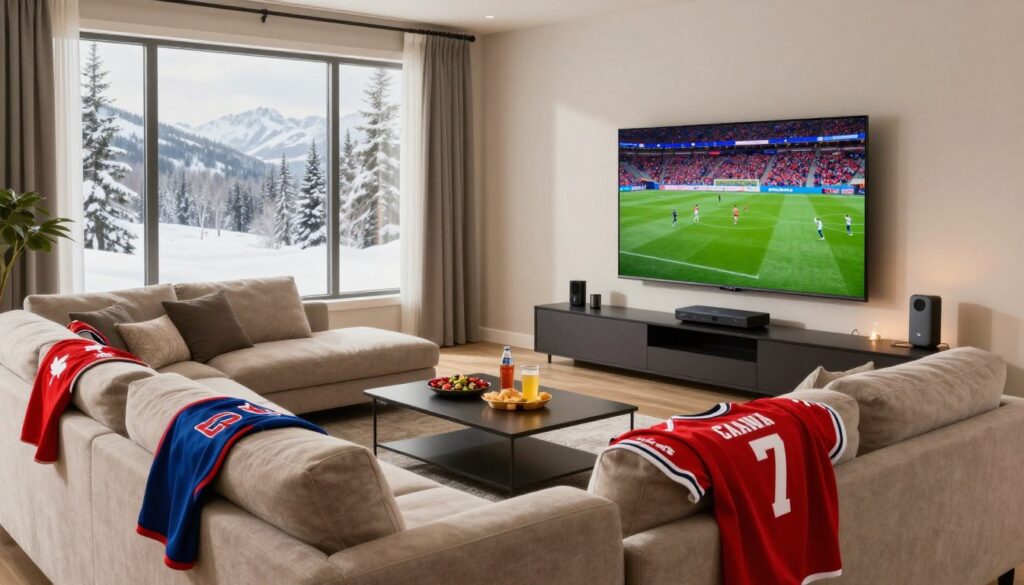
Want a living room sports hub that feels fast, reliable, and easy to navigate when games go live? You’re building a system that should work every week, not just on big nights.
This short guide helps you make practical decisions today. You’ll focus on internet speed, device choices, provider reliability, and the game-day features that matter most for smooth viewing.
Streaming over your home internet can deliver HD to 4K, but a great experience depends on a stable connection and a trustworthy provider. This buyer’s guide compares options so you can buy with confidence and avoid avoidable issues.
Expect clear checks for connection speed, channel lineups for Canadian households, streaming quality, and support responsiveness. You won’t be chasing too-good-to-be-true deals — you’ll build a system that performs when it matters.
Ready to explore reliable options? Check GetMaxTV’s legal service to see a practical alternative that may fit your needs: GetMaxTV.
Key Takeaways
- Build for stability: prioritize a strong internet plan and low-latency devices.
- Pick providers with clear channel lineups and responsive support.
- Choose HD or 4K based on your bandwidth and screen size.
- Focus on features that matter on game day: quick channel changes and reliable streams.
- Compare options so you can buy confidently and enjoy consistent live viewing.
What you’re building: the ideal living room sports streaming experience
When games matter, your stream should switch quickly and stay smooth without surprises. This section helps you understand what the technology actually does and what to test before kickoff.
What internet protocol television means today
Internet protocol television simply means channels are delivered over your internet connection instead of a coax cable or satellite dish. You get channels like apps, with more flexibility to move devices around the house.
Why live sports is tougher than casual viewing
Live events are less forgiving. A single network hiccup or slow device can cause buffering during a key play.
That’s why you evaluate providers not by channel count alone but by how they handle peak traffic and rapid channel changes.
The three S’s for game day: speed, stability, switching
- Speed: Enough bandwidth to keep HD or 4K streams steady.
- Stability: Consistent delivery so streams don’t drop at crucial moments.
- Switching: Fast channel changes so you can jump between games without delay.
Use these points as a simple checklist when comparing providers and hardware. If you want device ideas, see the best IPTV boxes and consider legal services like GetMaxTV legal service for dependable viewing.
iptv living room sports setup in canada: what to look for before you buy
Before you buy, focus on the channels and features that match how your household actually watches games.
Channel variety that fits Canadian households
Look beyond large totals. A provider advertising 25,000+ live channels sounds impressive, but you want reliable access to local news, national fixtures, and the leagues you follow each week.
Check channel lineups for Canadian staples and confirm EPG and catch-up features. That tells you whether the service fits daily habits or just inflates numbers.
Live sports coverage that matches your viewing habits
Map what you watch most. If you follow NHL and NBA weekly, prioritize channels that consistently carry those games.
Occasional soccer or niche events are fine, but they shouldn’t be the tiebreaker when core access matters.
Streaming quality options from HD to 4K
Verify which channels offer HD and which truly deliver 4K during live events. Some providers list 4K but restrict it to select feeds.
Confirm bandwidth needs and whether 4K is stable on game nights.
Uptime and reliability expectations for live events
Ask providers about uptime targets and how they handle peak demand. Many market 99.9% uptime and multi-device support; ask for evidence or customer references.
Canadian servers and why they matter for performance
Servers located in Canada shorten routing and often reduce latency during national broadcasts. That improves stream performance and reduces freeze risks.
Customer support you can reach when the game is on
You want responsive, 24/7 support with live chat or phone options. A simple ticket form is not enough on kickoff nights.
“Responsive support is a game-day feature — fast help beats hours of troubleshooting.”
| Checklist item | What to verify | Why it matters | Red flag |
|---|---|---|---|
| Channel variety | Local news, national feeds, league coverage | Matches your weekly viewing | Huge counts with no local channels |
| Streaming quality | HD vs 4K availability and test playback | Picture clarity during live events | 4K listed but rarely active |
| Servers & uptime | Canadian servers, uptime SLA | Better performance and less lag | No published uptime or routing info |
| Support | 24/7 live help, phone/chat | Quick fixes on game day | Only email ticketing |
Compare providers side-by-side using this checklist and test access before you commit. For a Canada-focused option and device guidance, see a trusted Canadian provider review and check a local box option for compatibility: Canadian provider guide and GetMaxTV box options.
Internet requirements for smooth HD and 4K sports streaming in Canada
Your streaming experience improves when you focus on consistent delivery, not just headline speeds. Below are clear, practical targets and quick actions you can take before kickoff.
Minimum speeds: 15 Mbps for HD and 25 Mbps for 4K
Plan around 15 Mbps per HD stream and 25 Mbps for 4K. Add headroom if others will stream, game, or download during the same match.
Ethernet vs. Wi‑Fi: reduce buffering during peak-time games
Choose Ethernet when possible. A wired connection cuts through Wi‑Fi congestion and often stops buffering during busy evenings.
If you must use Wi‑Fi, prefer the 5 GHz band for the main device to get faster, more stable performance.
Router placement and home network tips for a busy household
Keep your router central and out of cabinets. Thick walls and TVs can block signal and hurt stream quality.
Household load matters: consoles, video calls, and background downloads compete with your stream. Before a big game, run a quick speed test, confirm your device is on the right band, and pause large downloads.
| Action | Why it helps | Quick check |
|---|---|---|
| Use Ethernet for main device | Lower latency and fewer dropouts | Plug cable and test playback |
| Central router placement | Better coverage and fewer dead zones | Move router off the floor and away from metal |
| Pre-game routine | Reduces surprises during live play | Speed test, band check, close apps |
Choosing the right devices for your living room setup

Choose devices that keep your game-night streams quick and glitch-free.
Start by testing your TV’s built-in app. If menus load fast, channel changes feel instant, and the player rarely crashes, your Smart TV may be good enough.
Smart TVs and built-in apps: when they’re enough
Check processor speed, app stability, and how fast you switch channels. Older TVs often lag or force app restarts. If yours handles HD smoothly, you can skip extra gear.
Streaming sticks and TV boxes: Fire TV, Android TV, and similar options
If your TV is slow, a dedicated stick or box gives snappier menus and better app compatibility. Fire TV and Android TV devices are common picks for faster navigation and fewer crashes.
Watching on multiple devices at home
Plan for one main TV, plus a tablet or phone for quick checks. Confirm your provider’s multi-device rules before you subscribe to avoid access conflicts during big games.
| Choice | When to pick it | Key benefit |
|---|---|---|
| Smart TV | Newer model with fast apps | Simple, no extra hardware |
| Streaming stick/box | Older TV or slow app performance | Smoother menus and app support |
| Tablet/Phone | Second-screen viewing | Flexible access across the house |
Tip: Verify how many simultaneous streams your service allows. The right device choice reduces stuttering, speeds up channel changes, and makes the whole entertainment experience feel closer to cable. For legal sports packages and device compatibility, check sports packages at sports packages.
Picture and sound upgrades that make sports feel “stadium-level”
Small upgrades to picture and sound can turn your couch into a near-stadium experience without breaking the bank. Start by deciding what matters most: sharper detail or louder, clearer crowd and commentary.
4K vs. HD: where you’ll notice the difference
When the source is true 4K, you’ll see crisper field lines, clearer player names, and finer detail during fast motion. On smaller TVs or from farther seats, the gain is less obvious.
Reality check: not every channel or game is native 4K, so test a few broadcasts before assuming everything will look Ultra HD.
Audio setup basics
A simple soundbar gives clearer commentary and fuller crowd noise with minimal fuss. It’s the fastest way to improve your game-day audio.
If you want immersion, an AV receiver with surround speakers adds depth and directionality. That setup demands space and more budget but rewards you with a theater-like feel.
- Good: upgraded TV settings and a mid-range soundbar for better clarity.
- Better: higher-quality 4K TV (if your seat distance supports it) plus a premium soundbar.
- Best: large 4K display, AV receiver, and 5.1 or 7.1 speakers for a true live-feel.
Focus on comfort: better sound often lets you enjoy games at lower volumes, which is kinder to others nearby and keeps the viewing experience pleasant for longer.
Channels, content, and features that improve game day
A clear channel lineup and fast navigation make game night simple, not stressful. You want live channels that load quickly and a library that helps on off-days.
Live channels plus a rich on-demand library
Live channels are essential so you can follow games as they happen. They reduce delay and keep play-by-play intact.
An on-demand catalog adds value for rewatching highlights, documentaries, and off-day entertainment. Look for breadth across movies, series, and shows and clean organization.
EPG and channel navigation for fast switching
The electronic program guide (EPG) is your navigation map. A grid view, clear schedules, and search make jumping between channel feeds painless.
Channel switching speed matters: menus that lag or reload will cost you key moments. Test the guide and channel change time during any trial.
Catch-up features for busy schedules
Catch-up options let you start a match from the beginning or replay recent segments when you miss kickoff. That flexibility is a practical game-day feature for families.
“Try these features during a free trial — menus and app behavior vary a lot between providers.”
| Feature | Why it matters | What to test |
|---|---|---|
| Live channels | Real-time access to matches | Load time and stability |
| On-demand library | Replays, movies, and shows for off-days | Search, categories, and playback quality |
| EPG & guide | Fast navigation and schedule clarity | Grid view, search, and channel jump time |
For tips on watching events and checking provider features, see a practical how-to and a Canadian provider review: how to watch sports and GetMaxTV provider guide.
Subscription plans and pricing: how to pick the right term and value
Picking a plan is about matching how often you watch and how much risk you’ll accept for a lower price. Start by thinking about how often you tune in during the season and how much hassle you tolerate when switching providers.
Common plan lengths and when each makes sense
Monthly (1 month): Best if you want maximum flexibility or a short trial during a busy sports period.
Quarterly (3 months): Good if you follow a season and want fewer renewals without a big upfront cost.
Semi-annual (6 months): Works if you’re confident in the service and want a mid-range discount.
Annual (12 months): Offers the best effective price but only when you’ve confirmed reliability and channel coverage.
No long-term contracts vs. commitment discounts
No contract usually means you pay for a fixed term and can stop at the end without cancellation fees. It is not the same as month-to-month insurance against missing channels.
Commitment discounts lower the price per month, but only lock in savings if the service proves stable during real viewing. Use a short term or trial first if you’re unsure.
Multi-device plans and what to verify before checkout
Confirm total simultaneous streams and whether device limits apply per account. Check how many devices can play live at once so a household won’t hit limits mid-game.
“Use a trial to test peak-time access and channel switching during actual game evenings, not a quiet weekday afternoon.”
| Plan length | When to pick it | Key benefit | Watch for |
|---|---|---|---|
| 1 month | Short-term tests, playoffs | Maximum flexibility | Higher monthly price |
| 3 months | Season blocks, lower churn | Moderate savings | Renewal timing |
| 6 months | Committed viewers who checked channels | Better price per month | Longer commitment risk |
| 12 months | Long-term fans with proven service | Lowest effective price | Upfront cost, less flexibility |
Value checklist: compare plans by sports coverage, uptime guarantees, support options, and true ease of use — not only headline price. Try a trial to confirm access and performance during real peak viewing time before you commit.
Legal, trustworthy IPTV in Canada: how to assess a provider
Trustworthy services make their rights and fees easy to find — that’s your first checkpoint.
Legal at a practical level means clear licensing, transparent pricing, and published policies you can read before you buy. A reputable provider explains how channels are delivered, what devices work, and what happens if access is interrupted.
What good providers do
They list channel lineups, device limits, and uptime promises. They also offer visible contact options and responsive support that answers questions before and after you subscribe.
Buyer-friendly trust signals
Look for published terms, a free or low-cost trial, payment receipts, and easy refund paths. Interac e‑Transfer is a common Canada-friendly payment method you may see; clear receipts and refund policies matter for accountability.
Red flags to watch for
Be wary of vague channel lists, pressure to pay fast, or sellers who avoid detailed answers about device limits or support hours. Unclear pricing and no trial are warning signs.
“Verify policies, test access during a trial, and compare providers side by side before you commit.”
| Trust Signal | What to check | Why it matters | Red flag |
|---|---|---|---|
| Published terms | Refunds, uptime, device limits | Sets expectations | No policies or hidden fees |
| Trial availability | Short live test period | Proof of performance | No trial or demo |
| Support & contact | 24/7 chat/phone and response logs | Help when issues occur | Only an email form |
| Payment clarity | Receipts, methods (e.g., Interac e‑Transfer) | Accountability and records | Cash-only or vague invoices |
Tip: Compare at least two major providers and use the same checklist for each. For a secure option and more details on provider choices, see this secure IPTV streaming page.
Setup checklist: from purchase to kickoff in a few steps
Before kickoff, a short checklist can turn last-minute stress into a calm, five-minute routine. Follow this quick guide so you know what to expect after purchase and have reliable access when the game starts.
Account activation and getting your login details
Most providers send an activation email with your login details and simple instructions. Save that message and the username/password in a secure note so you can find the details quickly.
Tip: Note any device limits the provider lists so you don’t lock yourself out by signing in on too many screens.
Installing an app and signing in
Install the official app on your main device, then sign in with the credentials you received. Some services ask for a portal URL or playlist — the email will include those details if needed.
Open the app and confirm the menu loads; if it feels slow, try a different device or restart your router before game time.
Testing channels and verifying 4K playback
Run a 10-minute test: cycle through a few live channels, check audio/video sync, and play one 4K feed if you plan to watch Ultra HD. Confirm picture quality and stream performance.
If you see stutters, switch to Ethernet or lower the stream quality. For more about low-latency options and device settings, see this low-latency guide.
Performance troubleshooting for live sports (without the panic)
A clear, step-by-step approach can fix most buffering or freeze issues fast. Stay calm and work down this short flow so you avoid random changes that make things worse.
Quick fixes: restart your router and device
Start simple. Restart your router, then restart the streaming device. Wait 60 seconds between power cycles and try the channel again.
Check for account and device limits
Confirm no one else is using the same account. If your provider limits multiple devices, simultaneous streams can throttle your playback or drop the feed.
Easy network checks you can do right now
- Verify Wi‑Fi signal near the TV; move closer if needed.
- Switch to Ethernet for better speed and stability when possible.
- Pause heavy downloads or game updates that share your bandwidth.
When to contact support: if freezing affects multiple channels, repeats on big events, or problems survive restarts. Gather useful details—channel name, time, device type, and connection—and share them with customer support to speed resolution.
“Document the issue clearly so support can pinpoint the root cause fast.”
| Check | Quick fix | Contact support if |
|---|---|---|
| Buffering | Restart router & device | Repeats after restart |
| Device limit | Sign out extra devices | Access denied or dropouts |
| Wi‑Fi weak | Move closer or use Ethernet | Signal stays low |
For a full troubleshooting checklist with extra tips and settings, try the troubleshooting checklist. It helps you record the exact details a support agent needs and improves the chance of a quick fix.
Where GetMaxTV fits if you want a legal IPTV subscription
When you compare legal streaming options, focus on practical performance instead of headline channel counts.
What to compare across providers before you decide:
- Sports coverage aligned with your habits: confirm the specific channels you watch, not just totals.
- Consistent quality: test HD and any 4K feeds during a trial and check playback stability.
- Reliable servers: Canadian-optimized servers matter for lower latency and smoother live channels when many viewers stream at once.
- Responsive support and clear policies: 24/7 help, instant activation, and visible refund or device limits give you confidence.
Sanity-check big numbers: verify the on-demand library by testing categories, search accuracy, and actual movies and series available. Confirm the EPG works and that channel switching is fast. Big lists mean nothing if the app is slow or content is buried.
Keep expectations realistic: you still must match the service with the right internet and device choices for the smoothest results. If you want to review a legal option and compare features like channels, VOD library, and support, learn more at GetMaxTV.
“Responsive support and transparent details are part of a trustworthy buying decision, not just add-ons.”
Conclusion
A steady connection, responsive devices, and a clear channel lineup are the three things that turn good streaming into great game nights.
Remember the core build: prioritize bandwidth stability, pick hardware that reacts quickly, and choose a provider with the channels you actually watch.
Before you commit, run short tests: check HD or 4K playback, verify multi-device access, and time channel changes during a live event.
Use the trust checklist: review published terms, trials, and support options so you avoid unclear packages and surprise limits.
Ready to move from research to action? If you want a legal iptv subscription, check GetMaxTV’s offer at https://getmaxtv.com
FAQ
What does “Internet Protocol Television” mean and how is it different from cable?
Internet Protocol Television delivers channels and on-demand content over your internet connection instead of coaxial cable. You’ll notice faster channel updates, app-driven interfaces, and the ability to watch on multiple devices. Unlike traditional cable, you manage subscriptions through apps or providers and can often select plans tailored to your viewing habits and device ecosystem.
What matters most for reliable live sports streaming?
The three biggest factors are consistent internet speed, low latency, and quick channel switching. Make sure your broadband meets HD or 4K speed recommendations, use wired connections when possible, and pick a service with strong uptime and Canadian servers to cut lag during big events.
How many channels should I expect to get good coverage for major Canadian leagues?
Look for a provider that includes national sports networks, regional channels, and international feeds if you follow overseas leagues. A balanced package will offer live channels, on-demand replays, and localized commentary options so you don’t miss any local or national matchups.
What internet speeds do I need for HD and 4K game day viewing?
Aim for at least 15 Mbps per stream for reliable HD and around 25 Mbps per stream for 4K. If multiple devices stream simultaneously, add those requirements together and leave headroom for other household uses like gaming or videoconferencing.
Should I use Ethernet or Wi‑Fi for live events?
Use Ethernet when possible to reduce packet loss and buffering. If you must use Wi‑Fi, choose 5 GHz bands, keep your router close to the TV, and minimize interference from other devices. Mesh systems help large homes maintain steady connections.
Do Canadian servers really make a difference for performance?
Yes. Servers geographically closer to you lower latency and improve stream stability during peak events. Providers with Canadian nodes typically deliver faster channel switching and reduced buffering for viewers across provinces.
What devices work best for a high-quality viewing experience?
Modern Smart TVs with built-in streaming apps, streaming sticks like Amazon Fire TV or Roku, and Android TV boxes all perform well. Choose a device that supports the resolution you want (HD or 4K), has up-to-date apps, and can join your home network reliably.
Can I watch on multiple devices at the same time?
Most plans allow concurrent streams, but limits vary. Check the provider’s multi-device policy before you buy. If you have a busy household, pick a plan that supports several simultaneous streams and confirm device authentication methods.
How do picture and sound upgrades impact the sports experience?
4K improves clarity for fast action and tight replays, while a dedicated soundbar or AV receiver delivers clearer commentary and immersive crowd noise. Even modest audio upgrades make play-by-play and on-screen effects feel more “in-stadium.”
What channel features help on game days?
Fast Electronic Program Guides (EPG), reliable catch-up or replay functionality, DVR or cloud-recording, and an organized on-demand library all improve your experience. These features let you jump between live feeds, save matches, and rewatch key moments.
How do subscription plans typically differ and what should I choose?
Plans vary by length (monthly to annual), channel count, and how many concurrent streams they allow. Choose shorter terms if you want flexibility, or annual plans for savings. Verify trial periods and refund policies so you can test performance risk-free.
How do I tell if a provider is legal and trustworthy?
Verify licensing disclosures, clear terms of service, and transparent pricing. Look for reputable payment options like credit cards and Interac e‑Transfer, public customer support channels, and active help centers. Avoid sellers promising too much for too little cost.
What are common red flags when evaluating providers?
Vague channel lists, inconsistent uptime claims, no clear refund policy, and pressure to pay via untraceable methods are major warnings. Also be wary of services that block independent reviews or lack verifiable customer support avenues.
How do I set up my service quickly after purchase?
Activate your account with the provider’s credentials, install the official app on your device, sign in, and run a quick playback test on a few channels. Confirm 4K streams if your plan and device support them, and test channel switching during a live event.
What quick troubleshooting steps help during buffering or freezes?
Restart your router and streaming device, switch to a wired connection, check for concurrent stream limits on your account, and test other channels or apps to isolate the issue. If problems persist, contact support with timestamps and device details.
What should I compare across providers before deciding?
Compare channel lineups, picture quality (HD vs. 4K), server locations, stream concurrency, pricing tiers, trial offers, and support responsiveness. Also check app compatibility with your Smart TV or streaming stick to avoid surprises.
Does GetMaxTV offer a reliable, licensed service option?
GetMaxTV positions itself as a legal subscription option with clear plans and customer support. Before you commit, review its channel list, trial terms, and server performance to ensure it matches your viewing patterns and device needs.
The GetMaxTV Team is a group of cord-cutting experts and streaming technology specialists who have been testing and reviewing IPTV services since 2022. Based in North America, our team personally tests every service we recommend across 15+ devices including Fire TV Stick, Roku, Apple TV, Samsung Smart TVs, and gaming consoles. We verify channel counts, measure buffering rates, test picture quality in HD and 4K, and evaluate customer support response times. Our mission is to help viewers save money by switching from expensive cable subscriptions ($147/month average) to affordable, high-quality IPTV alternatives. Every article on GetMaxTV.com is based on hands-on testing and real-world experience — not recycled marketing claims.