
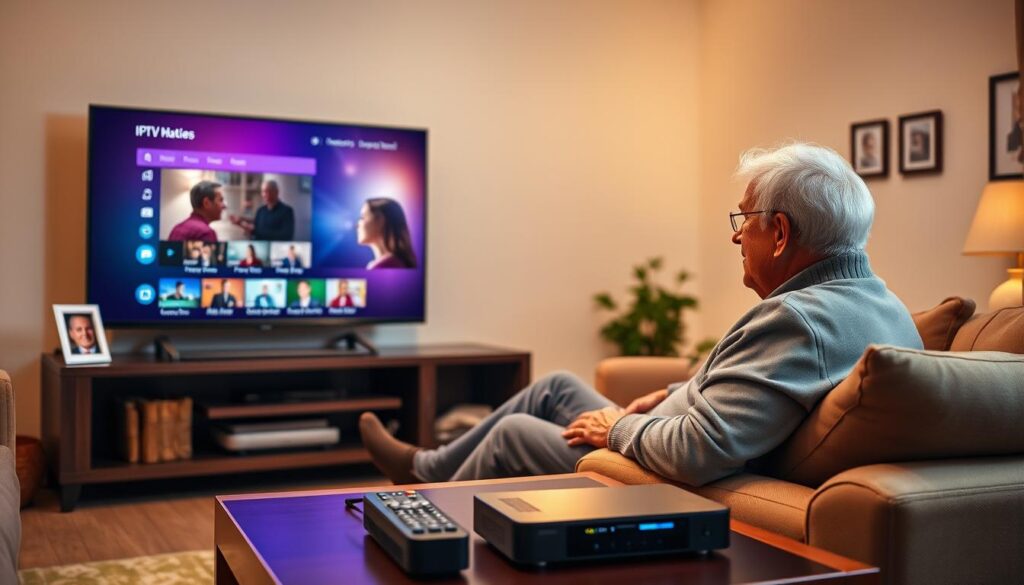
Ready to cut the clutter and get TV that simply works? You might ask: can modern streaming really give you all the channels you love without confusing gear or costly contracts?
This short guide explains how internet-based TV brings more entertainment with less hassle. You will learn which devices and apps make setup quick, which features matter most for clear menus and large text, and how to keep monthly costs predictable.
GetMaxTV stands out as a value-packed solution — low monthly price, thousands of live channels and VOD, instant activation, wide device compatibility, and 24/7 support to make signup risk-free. If you want a simple path to start watching in minutes, this guide shows the steps.
Key Takeaways
- You can replace bulky cable gear with a straightforward streaming solution.
- Look for big fonts, high contrast, and easy menus when choosing a service.
- GetMaxTV offers fast activation, broad device support, and strong value.
- Helpful 24/7 support and plug-and-play apps make setup painless.
- Learn to tailor subtitles, favorites, and channels so you enjoy favorite shows quickly.
Need more details on choosing an easy setup? Check a helpful guide on selecting user-friendly streaming options at easy setup tips, or explore a top provider’s channel access info at GetMaxTV channel details.
Why IPTV for seniors is the easiest way to enjoy TV in 2025
In 2025, streamed television puts control back in your hands with minimal setup. You no longer need cable boxes or satellite dishes cluttering your living room. Everything runs over the internet so setup is quick and tidy.
Goodbye cable boxes: TV over the internet, not satellites
App-based streaming cuts setup time. Install a simple app on your TV or tablet and sign in. GetMaxTV offers instant activation so you can be watching in minutes.
Comfort features seniors appreciate: large text, clear sound, simple menus
Modern apps focus on usability. You’ll find large fonts, high-contrast guides, and clear labeling that make finding news and shows easy.
- Smoother picture and sound improves your viewing experience.
- No contract and low monthly price mean you can try the best iptv service without risk.
- 24/7 support by live chat or phone gives confidence when you need help with menus or audio.
The result: calmer, simpler entertainment with fast access to the channels you care about and friendly help when you want it.
Understanding IPTV: how it works and why it’s ideal for you now
Think of streamed TV as a bookshelf of channels you can open with a single tap. The basic idea is simple: your home internet delivers live and on-demand content to a smart TV, tablet, or set-top device you already own.
Instant access: install an app, sign in, and you have immediate access to live channels and huge libraries without waiting on installers. GetMaxTV highlights instant activation and no-contract flexibility so you can start watching right away.
On-demand content, live channels, and custom favorites
Apps bring live TV and on-demand content together. You can watch a news broadcast live or pick a movie anytime.
You can mark channels as favorites so your top picks are one click away. Software-based technology means apps get updates to improve viewing and add features without new hardware.
- Works on smart devices like Smart TVs, Firestick, tablets, and phones.
- Streaming quality can reach HD or 4K when supported.
- Flexible, month-to-month plans let you try the best iptv service with low risk.
What seniors should look for in an IPTV provider
A clear, friendly interface makes all the difference when you pick a streaming service.
Simple, high-contrast interface and large fonts
Menus should be easy to read. Look for large text, high contrast, and clearly labeled sections so you find channels fast.
Minimal-button navigation and voice control options
Choose services that keep on-screen navigation simple and support remotes with few buttons.
Voice search is a helpful option when you want hands-free control or to skip typing.
24/7 customer support that actually helps
Real help matters. Pick a provider with live chat or phone support any time you need it.
GetMaxTV offers round-the-clock assistance and instant activation so you can start watching quickly.
Stable HD/4K streams with minimal buffering
Reliable picture quality makes text readable and viewing comfortable. Confirm multi-device support: Smart TVs, Firestick, Android, iOS, Windows, and Mac.
Try the service without a contract to verify the ease of use before you commit.
| What to look for | Why it matters | How GetMaxTV helps |
|---|---|---|
| Large fonts & high contrast | Faster channel finding and less eye strain | Clear menus and readable text across apps |
| Simple navigation & voice options | Less frustration and easier search | Minimal-button support and voice-capable apps |
| 24/7 customer support | Quick help during setup or issues | Live chat and phone help any time |
| Stable HD/4K streaming | Smooth picture and minimal buffering | Reliable uptime and multi-device compatibility |
Want deeper technical notes on 4K? See our 4K streaming details.
Comparing costs: IPTV vs cable for a fixed budget

Budget-friendly streaming can cut your monthly TV bill without losing channels. Many people on a fixed income find predictable plans easier to manage.
No long contracts, no installation fees, and fewer surprise charges keep your budget steady. App-based setup and plug-and-play devices mean no technician visits.
Why $6.95/month stretches your dollars
At only $6.95/month, GetMaxTV is a low-cost provider that includes sports and movies with no extra add-ons. Instant activation means you start watching right away.
- Traditional cable often adds installation and contract costs that raise your bill.
- Streaming removes many of those fees and gives flexible monthly options.
- 24/7 support helps with billing or viewing questions so you feel secure.
| Cost item | Cable | GetMaxTV |
|---|---|---|
| Monthly base price | Higher, varies by provider | $6.95/month |
| Installation & equipment | Often charged | None (app-based setup) |
| Sports & movies | Often extra packages | Included at no extra cost |
| Contracts | Common | No contract, cancel anytime |
This short guide helps you choose iptv options that match your budget and viewing needs. For an easy next step, see the GetMaxTV plan and decide which service fits you best.
Devices that work best: Firestick, Smart TVs, tablets, and more
Pick the device you already know—your TV, tablet, or a simple stick—and enjoy easy setup and clear menus.
GetMaxTV runs on the streaming devices you already own. That includes Firestick, major smart tvs, tablets, laptops, and phones. Install the app, sign in, and activation is usually instant so you can start watching right away.
The service supports Android, iOS, Windows, and Mac. That means you have easy access across platforms without extra fees or new hardware purchases.
Set-top boxes and app-based streaming make setup stress-free
If you prefer a remote, a simple set-top box with few buttons keeps navigation easy. App-based streaming keeps the process minimal: download the app, log in, and bookmark the app on your TV home screen for one-click access.
- You can watch with a Firestick, smart tvs from top brands, tablets, or a basic set-top box.
- Stable Wi‑Fi or Ethernet will improve your viewing experience and cut buffering.
- Accessibility features like subtitles and high-contrast modes help on small screens.
- One subscription can serve multiple rooms by using streaming devices across the house.
- App updates keep your technology current without buying new equipment.
In short: choose the device that feels easiest, and GetMaxTV will work across it. That freedom makes setup faster and viewing more comfortable.
Senior-friendly IPTV apps you can use today
A friendly front-end app can turn a big channel list into an easy-to-use menu.
Below are three widely used apps that work well with GetMaxTV and keep menus simple. Each focuses on clear text, simple navigation, and fast access to the shows and channels you want.
IPTV Smarters Pro: clean interface and voice search
IPTV Smarters Pro offers a tidy layout and voice search to speed finding shows. It supports live TV and VOD, so you can jump from a live channel to a movie without extra steps.
TiviMate: favorites, reminders, and high-contrast display
TiviMate helps you pin favorites, set reminders, and flip to a high-contrast mode to make text easier to read. The favorites list cuts browsing time and keeps top channels at hand.
Flix IPTV: large text, EPG, and audio/subtitle options
Flix IPTV emphasizes large text and a clear EPG. It also offers audio and subtitle controls so you can tailor sound and captions for comfort.
All three apps are simple to log into and organize channels clearly. If you need help installing or switching an app, GetMaxTV’s 24/7 support will guide you step by step.
| App | Key strength | Best for |
|---|---|---|
| IPTV Smarters Pro | Voice search, live + VOD | Quick access to shows |
| TiviMate | Favorites, reminders, high-contrast | Easy daily navigation |
| Flix IPTV | Large text, EPG, subtitles | Comfortable reading and sound |
Tip: Try one app first and switch if you prefer another. Each app works well with GetMaxTV’s library and gives a familiar experience on TV or tablet.
Step-by-step: setting up IPTV at home in minutes
A few clear steps are all you need to turn your TV into a modern streaming set. Follow this short guide to get reliable access and big, easy menus.
Quick start: pick a trustworthy service, install the app on your TV or device, sign in, and you’re ready. If you want a walk-through without a set-top box, try a detailed step-by-step setup.
Simple checklist
- Choose a trusted provider and install the chosen streaming app on your TV or stick.
- Sign in using the details sent after purchase—GetMaxTV offers instant activation, often in about two minutes.
- Bookmark the app on your TV home screen for one-click access next time.
- Create a short favorites list and enable large text or high-contrast mode to boost readability.
- Test a few channels; move closer to the router or use Ethernet if buffering appears.
Extra tips
Install the app on each device you use so your access is consistent across rooms. Explore VOD and save movies to your watchlist.
If you need help: 24/7 live support will walk you through every step at your pace. For reseller or business options, see reseller options.
Content that matters: news, live sports, movies, and cultural channels
Keep up with local news, big games, and familiar cultural programs without hunting through long menus.
GetMaxTV brings a vast catalog to your screen. You get 19,000+ live channels that cover local and international news, cultural and religious programming, and special events. The app also includes 97,000+ on-demand movies and series so there’s always something new to watch.
- All sports and movie packages included: no extra fees, so major sports and premium films are ready at $6.95/month.
- Live sports made simple: clear categories and guides let you favorite teams or leagues for fast access to events.
- Round‑the‑clock news: stay informed about your community and the world with continuous coverage.
- Personalized viewing: favorites lists group daily essentials—news, shows, sports—on one easy screen.
- Quality options: HD and 4K streams keep text sharp and scenes clear for comfortable, longer viewing sessions.
With a balanced mix of live channels, movies, and events, this service gives you dependable entertainment and simple access to the programs that matter most.
Reliability and support: why service quality matters for seniors
Dependable connections and friendly support keep your viewing simple.
24/7 live help means you are never alone when you set up or troubleshoot. GetMaxTV offers live chat and phone help any hour. The team can walk you through setup, password resets, subtitles, and simple tips to improve playback.
Use a wired Ethernet link when possible. A direct cable often cuts buffering and keeps picture quality steady. If Ethernet is not handy, a strong Wi‑Fi signal or moving the device closer to the router usually fixes most issues.
App-based systems make remote help easier. Tech staff can guide you step by step while you watch the screen. Multilingual customer support is available, so clear instructions arrive in plain language.
| What helps most | Why it matters | How GetMaxTV helps |
|---|---|---|
| 24/7 support | Fast answers any time | Live chat and phone |
| Wired Ethernet | Stable picture; less buffering | Recommended setup tips |
| Strong Wi‑Fi | Good wireless performance | Signal tips and troubleshooting |
Reliable providers invest in infrastructure and technology. That improves your daily viewing experience and keeps app updates smooth. If you want to read a third‑party user review, check this user experience review.
Safe, simple, and legal streaming practices
Protect your viewing experience by choosing licensed providers with clear support and legal rights to their content. Licensed services reduce interruptions and keep your account secure.
Avoid risky free apps. Unofficial apps can be unstable, unsafe, or illegal and may expose your device to malware. Download apps only from official stores and use strong, unique passwords for each login.
If you are unsure which app to use, ask the provider’s support team. A good provider will explain steps in plain language, offer printed guides, and even walk you through setup.
- Stick with licensed providers to ensure dependable programming and security.
- Use trusted app stores and keep your device updated to benefit from new technology and fixes.
- If a deal sounds too good to be true, pick a provider that stands behind its service and offers 24/7 support.
“Choose a provider that gives clear help and protects your account.”
Want a trustworthy review before you choose? Read an independent evaluation of a top option at Experience Excellence: High-Quality IPTV Services Reviewed. With reliable support, you can use streaming with confidence.
How to choose the best IPTV plan for your needs
Picking the right plan starts with matching features to how you actually watch each week. Decide whether monthly flexibility matters to you. A no-commitment plan makes it easy to pause or switch when your needs change.
Monthly flexibility with no commitment contracts
Keep costs predictable. Look for a best iptv plan that bundles channels and VOD so you do not pay extra for add-ons. Flex plans help budgets stay steady.
Picking the right devices and app for your viewing habits
Confirm the plan supports your devices—smart tvs, Firestick, tablets, or other streaming devices—so setup is plug-and-play.
- Try a couple of apps to find the clearest interface; favor large text and simple menus.
- If you travel or split time between homes, ensure multi-device access is allowed.
- Ask the iptv provider about activation speed and 24/7 support so help is there when needed.
- Match your internet speed and home setup to your viewing habits for smooth playback.
Tip: GetMaxTV’s monthly plan, instant activation, and broad device support make it simple to tailor a service to your needs. For a guided app setup, consider the Smarter app setup as a starting point.
Why GetMaxTV is the best value IPTV provider for seniors
GetMaxTV packs big value into a plan that keeps setup easy and bills predictable.
Only $6.95/month with no contract and near-instant activation means you can be watching in about two minutes. The low price includes all sports and movies so there are no surprise add-ons.
Enjoy a huge library: 19,000+ live channels and 97,000+ VOD titles covering news, cultural programs, events, and more. HD and 4K streams keep text and pictures sharp on the devices you already own.
Universal compatibility supports Firestick, Smart TVs, Android, iOS, Mac, and Windows. Easy apps and clear categories make channels and content simple to browse and save to favorites.
Friendly 24/7 support helps with setup, subtitles, or playback tips any time you need it. That hands-on help makes signup risk-free and keeps daily viewing calm and reliable.
| Feature | What you get | Why it matters |
|---|---|---|
| Price | $6.95/month, no contract | Predictable cost for fixed budgets |
| Library | 19,000+ live channels; 97,000+ VOD | Wide choice of shows, movies, and events |
| Compatibility | Firestick, Smart TV, Android, Mac, Windows | Works on devices you already own |
| Support | 24/7 live help | Quick, patient customer support when needed |
Ready to try it? Check the monthly plan and start watching risk-free today.
Conclusion
Conclusion
Here’s a brief summary to help you move from reading to watching in minutes.
This guide gives you a simple plan to pick a streaming solution that fits your needs, devices, and budget. GetMaxTV combines value and comfort with instant activation, 19,000+ channels, 97,000+ movies and series, and all sports included.
Apps with large text, high-contrast modes, and voice search make the viewing experience easy on Smart TVs and other devices. Friendly 24/7 customer support is ready to help anytime.
Ready to subscribe? Visit https://getmaxtv.com/ to start watching in about two minutes. Prefer a trial first? Message support on WhatsApp for a free, no-obligation test: https://wa.me/message/OZ4NORVZQTYAC1
FAQ
How do I get started with streaming on my smart TV?
First, ensure your TV is connected to the internet via Wi‑Fi or Ethernet. Choose a reputable streaming provider, install its app from the TV’s app store, sign in with the credentials the provider gives you, and follow the on‑screen setup to add favorites and set large text. If you use a Fire TV Stick or Roku, plug it in, connect to Wi‑Fi, and install the same app there.
What devices work best for easy viewing and simple navigation?
Devices like Amazon Fire TV Stick, Android TV boxes, Apple TV, and modern smart TVs offer smooth playback and clear menus. Tablets and iPads are good for testing an app before installing it on your TV. Choose a device that supports voice search and lets you increase font size for comfortable reading.
Can I watch live sports and movies without extra fees?
Many providers include live sports and large VOD libraries in one plan so you don’t face surprise add‑ons. Check the plan details to confirm sports packages and movie access are included at no additional cost before you subscribe.
Is setup difficult if I’m not tech‑savvy?
No. Most setups follow four simple steps: pick a plan, install the app, sign in, and create a short favorites list. Providers with 24/7 customer support can walk you through installation and troubleshoot remote control or connectivity issues.
How do I make menus and text easier to read?
Use apps with high‑contrast themes and large fonts or enable the accessibility settings on your TV or streaming device. Many apps let you enlarge the EPG (electronic program guide) and turn on subtitles or closed captions for clearer viewing.
What internet speed do I need for stable HD or 4K streams?
For HD streams, aim for at least 5–8 Mbps per stream. For 4K, plan on 25 Mbps or more. Use Ethernet when possible or place your router closer to the TV to reduce buffering and improve stability.
How do I pick a plan that fits a fixed monthly budget?
Compare monthly prices, included channel counts, VOD libraries, and whether there are contracts or installation fees. Look for plans that bundle news, sports, and movies at a predictable price to avoid hidden costs.
Is customer support really available when I need it?
Reliable providers offer round‑the‑clock live help via chat, phone, or email. Confirm support hours and response options before subscribing so you can get setup help or troubleshooting whenever you need it.
Are streaming apps safe and legal to use?
Stick to licensed apps available in official app stores and verify the provider is authorized to distribute channels and movies. Avoid unverified free apps, use strong passwords, and update apps regularly to maintain security.
Can I use one account across multiple devices?
Yes. Many services allow simultaneous streams on multiple devices like smart TVs, tablets, and desktops. Check the provider’s device limits so you can share access with family without interruptions.
What accessibility features should I look for in an app?
Look for voice control, large fonts, high‑contrast menus, easy remote navigation, subtitles, and audio descriptions. These features simplify viewing and make the experience more comfortable and inclusive.
How long does activation usually take?
Activation is often instant or completes in a few minutes after you sign in. If activation stalls, contact customer support for quick assistance so you can start watching without delay.
Can I try a service before committing to a plan?
Many providers offer short trials or money‑back guarantees. Use a trial to test stream quality, app accessibility, channel lineup, and customer support before you commit to a monthly plan.
What should I do if I experience buffering or freezes?
Restart your router and streaming device, switch to Ethernet if possible, close other apps using bandwidth, and check your internet speed. If problems persist, contact support; they can check server status and suggest settings adjustments.
The GetMaxTV Team is a group of cord-cutting experts and streaming technology specialists who have been testing and reviewing IPTV services since 2022. Based in North America, our team personally tests every service we recommend across 15+ devices including Fire TV Stick, Roku, Apple TV, Samsung Smart TVs, and gaming consoles. We verify channel counts, measure buffering rates, test picture quality in HD and 4K, and evaluate customer support response times. Our mission is to help viewers save money by switching from expensive cable subscriptions ($147/month average) to affordable, high-quality IPTV alternatives. Every article on GetMaxTV.com is based on hands-on testing and real-world experience — not recycled marketing claims.