
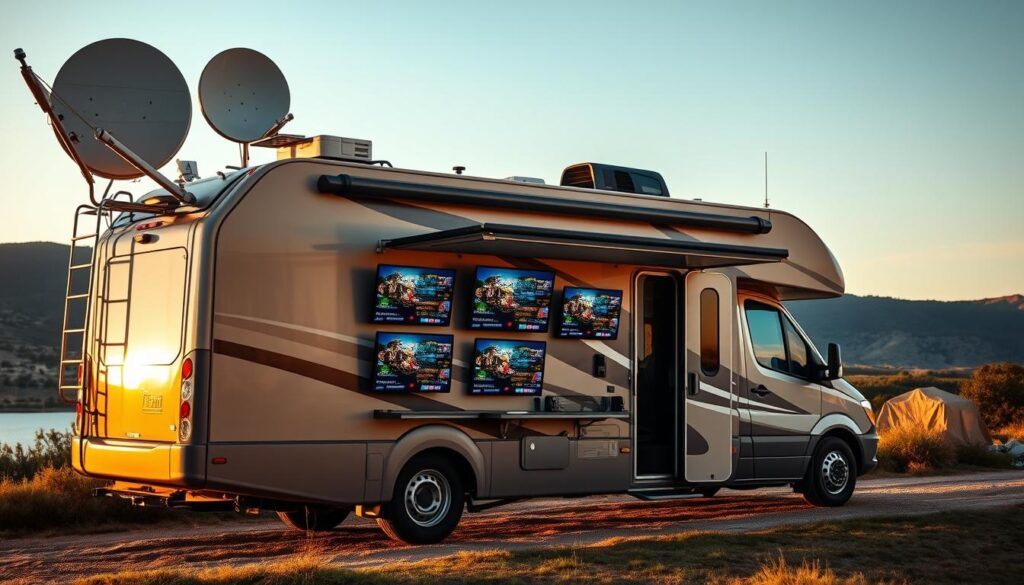
Want a TV setup that actually feels like home no matter where the road takes you?
Gone are the days of relying on campground screens or missing your favorite shows because connections slow at peak times. You can get reliable, affordable streaming access with the right mix of internet choices and a single, easy service.
GetMaxTV stands out with 19,000+ live channels and 97,000+ VOD for just $6.95/month, instant activation in two minutes, and 24/7 support. It works with Firestick, Smart TV, Android, Mac, Windows and more, so your devices plug in without hassle.
We’ll compare common options — antennas, satellite, and mobile internet — then show how a unified streaming solution keeps picture quality high and costs predictable. You’ll learn quick setup steps and how to blend connection choices so your entertainment stays smooth whether you’re parked at a resort or boondocking.
Key Takeaways
- You can enjoy TV on the road with simple streaming that mimics home comfort.
- GetMaxTV offers massive channels and VOD at a low monthly price, reducing app juggling.
- Pairing the right internet option—hotspot, satellite, or campground Wi‑Fi—keeps quality steady.
- Universal device support means quick setup on Firestick, Smart TVs, Android, Mac, and Windows.
- Instant activation and 24/7 support make trying a service low risk.
- Learn more setup tips in our detailed guides, such as this mobile homes streaming guide and the home theater integration guide.
Why RVers Struggle With TV on the Road and How IPTV Solves It
You deserve steady shows on the road, not a patchwork of flaky connections and spotty playback.
Many campgrounds advertise free WiFi, but speeds often crawl during peak hours. That shared load causes buffering just when you want to relax.
Cable hookups at parks vary a lot. Some sites offer a few basic channels, others none. Treat both WiFi and park cable as bonuses, not your primary plan.
Common roadblocks
- Campground WiFi is shared, so your streaming slows at night and ruins the viewing experience.
- Location matters: trees, terrain, and distance from towers drop your signal and data throughput.
- Antennas help with local channels but miss premium sports and big releases.
Modern alternatives
Combine a reliable internet option with a unified streaming service to avoid juggling apps and devices. Satellite can back up remote locations if you have clear‑sky line of sight. Pre‑downloaded shows save data and guarantee smooth nights.
| Common Problem | Why It Happens | Practical Fix |
|---|---|---|
| Slow campground WiFi | Shared bandwidth at peak hours | Use a mobile hotspot or satellite backup |
| Unreliable cable | Park infrastructure varies | Rely on streaming services and a consistent app |
| Poor local signal | Distance or obstructions | Use an antenna plus downloaded content |
Want step‑by‑step setup tips? See this setup guide to get consistent streaming with minimal fuss.
Choosing Internet for Streaming in Your RV: Practical Options and Tips

A smooth stream starts with a smart internet plan and a little prep at each stop.
Campground WiFi is convenient but unreliable during peak hours. Treat it as a bonus for email and maps rather than your main streaming option.
Mobile hotspots and data management
Your hotspot is flexible, but data adds up quickly. SD uses ~1 GB/hour, HD about 3 GB/hour, and 4K 7+ GB/hour. Use app settings and Data Saver modes to lower quality and stretch your plan.
Digital antennas for local channels
Antennas work best within roughly 50 miles of broadcast towers. Mount them high, rotate at new sites, rescan channels, and replace old coax to keep signal strong. Boosters help but can’t create a distant signal.
Satellite internet for remote locations
Satellite offers reliable bandwidth in remote areas with a clear sky. Expect higher equipment and monthly cost, and remember heavy tree cover or terrain can block reception.
Offline viewing
When you know connectivity will be weak, download episodes from Netflix, Amazon Prime, or Disney+ ahead of time. Downloads save data but take device space and may expire after about 30 days.
- Blend options: hotspot plus occasional campground access and offline media gives redundancy.
- Right-size your plan using SD/HD/4K numbers and enable Data Saver in apps.
- Mount antennas and test placement at each stop to boost local channel pickup.
IPTV for RV living: Why GetMaxTV Is the Best-Value Choice in 2025
On the road, you want quick access to shows without juggling apps or wasting data.
GetMaxTV bundles huge value into one low price. You get 19,000+ live channels and 97,000+ VOD, so your content never runs out whether you watch news at breakfast or a late movie.
The monthly cost is just $6.95, and all sports and movie packages are included. That predictable price replaces stacking subscriptions and unexpected add-ons.
“This single service cuts the app switching and gives you a home-like experience on any compatible device.”
It works on Firestick, Smart TV, Android, Mac, Windows, and more. Activation takes about two minutes, and 24/7 support plus no-contract terms mean help is available whenever you need it.
- Access thousands of channels and vast on-demand media without juggling logins.
- Lower data overhead by running one clean app instead of many background services.
- Quick setup and instant activation make it ideal when you pull into a campground or head offline.
Want tips to keep streams buffer-free? Check these buffer-free streaming tips to optimize connection choices and save data while you watch your favorite shows.
RV and Mobile Home Setup: From Internet to First Stream With GetMaxTV
Start your trip with a simple setup that turns your coach into a full-featured entertainment hub in minutes.
What you need
All you need is one stable connection—hotspot, satellite, or park WiFi—and a compatible device like a Firestick or a Smart TV. Keep your router or hotspot placed centrally and away from metal obstructions to improve signal and overall quality.
Quick start on Firestick or Smart TV
On Firestick, download the app, sign in, and you’ll be streaming in about two minutes. On Smart TVs, install from the TV store, log in, and access the full guide and VOD with a couple of taps.
- Make signup risk-free: GetMaxTV activates in ~2 minutes, includes sports and movie packages, has no contract, and offers 24/7 support.
- Keep apps updated so you get the latest fixes and best performance when you arrive at new areas.
- If connections get congested, lower playback settings for steadier streaming, then raise quality later.
- Use a booster to strengthen weak reception when you split time across areas, but remember boosters can’t create a dead signal.
“Fast activation and broad device support mean less setup time and more viewing time.”
Conclusion
Keep your nights simple: one reliable service and a steady connection give you the same shows you love, wherever you park.
GetMaxTV delivers 19,000+ live channels and 97,000+ VOD at $6.95/month, with all sports and movies included, instant activation in about two minutes, no contract, and 24/7 support. It works across the devices you already own so setup stays light and quick.
Satellite internet can rescue viewing in remote locations when skies are clear, but it costs more. Campground Wi‑Fi and cable vary by park, so many people pair plans and pre‑download content to guarantee smooth evening viewing.
Ready to subscribe? Visit GetMaxTV. Prefer to test first? Start a no‑obligation free trial via WhatsApp support at this link, or see our Firestick setup guide here to get started fast.
FAQ
How can I get reliable streaming in remote campgrounds?
Start with a strong mobile data plan and a quality hotspot device or a cellular router with an external antenna. Use 4G LTE or 5G where available, and consider a satellite internet option for very remote locations. Combine that connection with apps that support low-bandwidth modes and offline downloads to keep your viewing steady.
What’s the best way to save mobile data while watching shows on the road?
Lower video quality to SD or 720p when you don’t need full HD, enable data saver modes in streaming apps, and download movies or episodes from services like Netflix, Amazon Prime, or Disney+ before you leave Wi-Fi. Also limit background app updates and use a data-monitoring app to avoid surprises.
Can I still get local broadcast channels in my park or campground?
Yes. A compact digital antenna mounted on your vehicle or campsite can pick up local OTA channels. Re-scan channels after moving, use a booster or rotor if signals are weak, and pair the antenna with a tuner app or compatible TV for the best results.
Which devices work best for mobile streaming and watching live channels?
Fire TV Stick, Roku, Android TV boxes, smart TVs, laptops (Windows/Mac), and Android or iOS tablets and phones all work well. Choose a device you’re comfortable with and that supports the apps you use most. Consider a streaming stick for small spaces and low power use.
How fast does my internet need to be for different video qualities?
For standard definition expect 3–4 Mbps, for HD 5–8 Mbps, and for 4K you’ll want 25 Mbps or more. If multiple people stream at once, add those needs together. Remember cell coverage and campground load can reduce real-world speeds.
Are there affordable services that bundle lots of channels and on-demand content?
Yes. Some streaming services offer large channel lineups and extensive VOD libraries for a low monthly fee. Compare what you watch most—sports, movies, news—and pick a plan that covers your favorites without paying for unused add-ons.
How quickly can I set up a new streaming service when I arrive at a campsite?
Most services activate almost instantly once you sign up and log in on your device. If you have a compatible device ready—like a Firestick or smart TV—you can often be watching within a few minutes, assuming your connection is live.
What backup options should I have if campground Wi-Fi fails?
Keep a mobile hotspot or a cellular router as your primary backup. Pre-download entertainment, carry an antenna for OTA channels, and have a second streaming app or service installed in case one platform has regional outages.
How do I manage subscriptions and app clutter while traveling?
Audit your subscriptions regularly and keep only the services you use. Use a single device profile with saved passwords and a password manager, and group apps by type (live TV, movies, downloads) for quick access. This reduces time spent switching between apps at the campsite.
Will my streaming get blocked in certain campgrounds or parks?
Some campgrounds throttle heavy streaming on shared Wi-Fi or restrict certain traffic. If that happens, switch to your mobile data plan or use a VPN if permitted by park rules. Always check campground policies before relying solely on park Wi-Fi.
The GetMaxTV Team is a group of cord-cutting experts and streaming technology specialists who have been testing and reviewing IPTV services since 2022. Based in North America, our team personally tests every service we recommend across 15+ devices including Fire TV Stick, Roku, Apple TV, Samsung Smart TVs, and gaming consoles. We verify channel counts, measure buffering rates, test picture quality in HD and 4K, and evaluate customer support response times. Our mission is to help viewers save money by switching from expensive cable subscriptions ($147/month average) to affordable, high-quality IPTV alternatives. Every article on GetMaxTV.com is based on hands-on testing and real-world experience — not recycled marketing claims.