
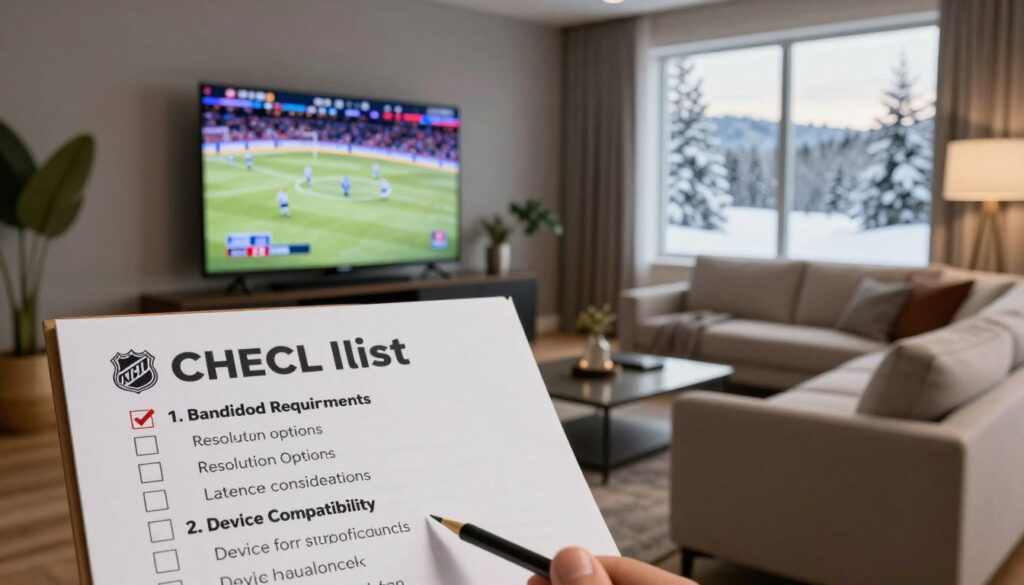
Curious whether your game night will deliver crisp jerseys, smooth camera pans, and no sudden drop at puck drop? That question matters because live hockey exposes weak links across your home network, app, and the provider’s servers.
This short checklist focuses on the signals you can confirm in minutes: clear channel IDs, accurate EPG, startup speed, buffering events, and transparent billing. It is aimed at helping you test sports streams practically, not to rank vendors or give legal advice.
Later we’ll show a real example and mention GetMaxTV as a transparent option. If you want background data on provider testing and real-world metrics, see the provider testing summary at onPattison. Remember: this is general information only, not legal advice.
Ready to avoid hype and spot real signals? Read on, and when you want a legal subscription example, you can check GetMaxTV’s offer at GetMaxTV.
Key Takeaways
- Define good sports streaming by minimal buffering, fast startup, and stable picture.
- Use quick checks: channel accuracy, EPG depth, and app availability.
- Test during high-traffic periods; hockey is a reliable stress test.
- Verify billing transparency and account security before you subscribe.
- Many playback problems trace to home Wi‑Fi; try Ethernet first.
What you want from NHL streaming in Canada
Your best test is simple: can you read the scoreboard and follow the puck without distractions?
Your baseline: clear picture, smooth motion, and reliable game access
You should be able to read scores, identify jerseys, and track the puck with sharp edges on skates. Smooth motion means fast camera pans stay fluid and rush chances never look like a slideshow.
Reliable access is a game-night must. The stream should start quickly and stay stable at puck drop, through the third period, and into overtime.
Why live sports is harder than movies and on-demand apps
Live sports put real pressure on networks at peak times. On-demand shows can pre-buffer and hide congestion. Live feeds have less margin for latency and more chance of buffering during big plays.
Watch for what premium claims actually deliver on-screen: fewer compression artifacts, consistent frame pacing, and quick startup. Write down your priorities — sharp picture, low delay, or multi-device use — to compare services fairly.
| What to check | Good result | Bad sign | Why it matters |
|---|---|---|---|
| Scoreboard legibility | Clear text at all screen sizes | Blurry or pixelated numbers | Missed goals or misreads |
| Motion handling | Fluid pans, no smear | Stuttering or frame drops | Lose puck during rushes |
| Start & peak stability | Fast startup, no buffering | Delays at puck drop | Missed game moments |
When you want a clear, legal subscription example that shows transparency around sports packages, check a provider summary like GetMaxTV sports packages. Use your checklist to validate claims, not just labels.
What IPTV means in Canada right now
Streaming live television through broadband shifts responsibility onto your local network.
How live IP delivery differs from cable and satellite
Live channels over IP arrive through your home internet and an app on a TV device, phone, or tablet. This contrasts with cable and satellite, which use dedicated wiring or a dish and separate infrastructure.
That means uptime and picture stability depend more on your router, ISP, and the provider’s servers than on a fixed coax line or a satellite feed.
How it compares to Disney Plus and Prime Video
Major on-demand platforms like Disney Plus and Prime Video are optimized for pre-loaded shows and adaptive playback. They focus on libraries and catch-up viewing.
By contrast, live IP channels aim for real-time delivery. You get more device flexibility, but you also face greater sensitivity to network hiccups during peak times.
- Definition: live TV channels delivered over your broadband connection.
- Delivery paths: cable uses wired networks; satellite uses dishes; IP uses internet routing.
- Viewer impact: more flexible devices, but you must mind Wi‑Fi, router placement, and device power.
- Options confusion: the same name can mean licensed telco products or third-party internet bundles, so check the provider model.
When you want a licensed-style example of transparent service options, see GetMaxTV’s Canada page: GetMaxTV’s Canada page. The next section covers legal and rights basics that shape stability and support.
Legality and rights basics that impact viewing quality
Licensed rights shape how reliable a live feed stays during big games. When a provider has formal distribution rights, you usually see steadier access and clearer service promises.
Why that matters: rights link directly to technical stability. Authorized distributors get official feeds, priority routing, and formal support agreements. That tends to reduce buffering, sudden channel drops, and broken program guides.
What instability looks like
Unstable services often show disappearing channels, a scrambled EPG, sudden downtime during marquee matches, and no refunds if the feed vanishes.
Those failures mean more missed moments and little recourse. You should expect clear remedies or at least reachable support when problems occur.
Transparency signals to check
- Published channel lineups and accurate branding.
- Clear policies on refunds, cancellations, and uptime.
- Real contact info: phone, email, and a physical address.
- Visible terms of service and privacy notices on provider sites.
You are not being asked to become a lawyer. This is practical guidance to spot professional providers and avoid unstable ultra‑cheap bundles. If you need legal certainty, the right way is to consult a qualified professional.
Next up: a hands-on checklist that walks you through what to verify before you pay.
iptv for nhl in canada viewing quality checklist
If you can’t verify these basics in 10–15 minutes, pause before buying a subscription.
Business identity check: Look for a Canadian address, a clear company name, and direct contact details. That shows accountability and makes customer support reachable.
Channel and rights check: Confirm recognizable channels and consistent branding. The EPG should match live airtimes and not show random or mismatched listings.
App and billing checks
App presence: Prefer services listed on Google Play and the Apple App Store; mainstream stores add publisher vetting and update paths.
Billing: You should see receipts, clear fees, and a visible list of accepted payment methods before checkout.
Security and account rules
Security: Site must use HTTPS and publish a privacy policy. Avoid mystery installers or sketchy download links.
Account rules: Read simultaneous stream limits and device rules so game night doesn’t end in surprise lockouts.
| Check | What to confirm | Why it matters |
|---|---|---|
| Business identity | Canadian address, owner name, support contacts | Accountability and real customer support |
| Channels & rights | Official channel names, accurate EPG | Fewer surprises at puck drop |
| Apps | Listings on Google Play / App Store | Safe updates and device compatibility |
| Billing & security | Receipts, clear fees, HTTPS, privacy policy | Transparent charges and safer use |
Next: NHL-specific performance tests you can run before you commit—because a provider can look legitimate yet still underperform when the game starts.
NHL-specific performance checks you can run before you commit
Run a short, targeted playbook over two or three game nights to see how a service behaves under peak load. Live sports often exposes weak infrastructure, so testing at real game times gives the clearest signal.
Peak-time puck drop: buffering, freezes, and rapid channel switching
Start at puck drop and watch the first 10 minutes. Note buffering events and any full-screen freezes.
Also test zap speed: switch between live channels quickly and see whether the app stalls or audio desyncs.
Motion test: 60 FPS feel and puck tracking
Focus on fast-camera pans and rushes across the blue line. Good streams keep puck edges crisp and motion fluid.
If tracking blurs or stutters during plays, mark that as a repeated failure.
Latency and sync: goal alerts and scoreboard timing
Compare the feed to a second source or your phone’s goal alerts. Note if audio reactions arrive before the picture.
Listen for mouth-to-audio lag and check that the on-screen clock matches live timing.
Stability under pressure: intermission return, overtime, and shootouts
Watch intermission returns and any overtime or shootout sequences. These moments often cause spikes in buffering.
See whether premium sports channels keep steady quality across entire games, not just one period.
- Record findings: buffering frequency, startup latency, zap speed, and any channel dropouts.
- Run tests over 48–90 hours to catch intermittent issues tied to peak times.
Next step: even a strong provider can fail if your home network isn’t ready. The following section covers speed and network setup so you can be sure your side is not the weak link.
Speed and home network requirements for smooth hockey
Your home network is often the single biggest factor between a smooth game and a frustrating buffer. Before you blame a service, confirm your speeds and stability so you can fairly judge any provider’s HD or 4K claims.
Practical speed targets
Aim for 25–50 Mbps for one HD stream. If your home runs multiple devices or you want 4K on several screens, target 100+ Mbps.
Note: raw Mbps matter, but stability and low jitter prevent buffering during live sports, especially at peak times.
Wi‑Fi vs Ethernet
Use Ethernet where possible. A wired TV or streaming box is the simplest way to get consistent playback and lower latency.
If cabling isn’t practical, optimize Wi‑Fi: 5 GHz gives better throughput and less interference, while 2.4 GHz reaches farther through thick walls in older condos and basements.
Router placement, 5 GHz, and mesh options
Place your router central and elevated. Avoid stuffing it in cabinets or near microwaves and cordless phones that add interference.
Consider a mesh system if you have multiple floors, a deep basement, or dead zones. Mesh improves coverage without complex setup and helps when many devices use streaming options at once.
Phone reality check and next step
Test both your living-room Wi‑Fi and your phone (cellular and Wi‑Fi) because results can differ. Use these real tests to rule out local network issues.
Once your network is solid, you can fairly evaluate whether a provider really delivers the HD or 4K picture it advertises.
Picture quality checklist: HD, 4K, and what “premium” should look like
Good picture is about what you can read and follow during play. Look for sharp scoreboard numbers, clear sponsor boards, and crisp puck edges when the camera pans. These are quick, visual signs that a service is delivering solid HD.
What to verify on-screen
Do a fast artifact scan during rushes. Watch for blocky compression, banding in shadows, or smeared ice texture as the camera moves.
Good HD shows readable logos, minimal macroblocking in the crowd, and steady detail through a full period. If detail drops when action speeds up, the provider may be over-compressing.
How to spot fake 4K claims
True 4K adds real detail: you should see ice grain, jersey stitching, and sharper text on boards. If the image is just sharper without new detail, it’s likely upscaled 1080p with added noise.
- Test the exact channels you’ll watch; not all channels from the same provider match.
- Compare services using the same TV settings so the test is fair.
- Next: run reliability checks — a perfect picture still fails if channels won’t load on game night.
Reliability signals you can verify in minutes
In just a few minutes you can spot transparency signals that separate steady services from flaky ones. Use these quick checks to judge how a service communicates and performs during peak game times.
Uptime transparency
Look for a public status page or outage notes. A visible status page and scheduled maintenance windows show a provider that shares problems and plans fixes.
Recent multi-provider testing shows uptime often sits around ~99.2–99.9%. Anything much lower will feel obvious over a season.
Channel load times and zap speed
Measure startup time: start a live channel and time how long the picture appears. Good services hit roughly 1.8–3.0 seconds in tests.
Then do a zap-speed run: switch between three or four channels quickly. If the app stalls or audio slips after repeated changes, mark that as a repeated failure.
- Why it matters: fast switching and steady startup keep you from missing goals, highlights, and intermission returns.
- Quick support test: send a basic question via the provider’s contact form and note response clarity and speed — real help is a key reliability signal.
Check provider sites for status history and clear notices. If you want comparative reading, see a concise services roundup or a practical best subscription guide to see how transparency appears on real sites.
Customer support standards that matter on game night

When a big game starts, support that answers fast is as important as the channel itself. You’re paying for a service that must fix issues quickly when the stakes are live.
Game-night support means more than a contact form. Good customer support gives clear, fast paths to resolution so you don’t miss key moments.
- Live chat for urgent problems — immediate triage and basic fixes.
- Email/tickets for follow-ups and logs you can reference later.
- Phone options when chat can’t diagnose a device or network issue.
“Response times vary from a few minutes to 45–60 minutes; use that as your benchmark when testing.”
Test before you buy: ask a setup question and time the reply. Good help will ask about your device, ISP, and whether you’re on Wi‑Fi or Ethernet. Then it should give steps that match your setup.
| Support channel | Expected first reply | Why it matters |
|---|---|---|
| Live chat | Under 10 minutes | Fast fixes during puck drop |
| Email/ticket | Within hours | Documented troubleshooting |
| Phone | Immediate to 15 minutes | Complex device help |
Transparency signals include published hours, troubleshooting pages, and clear escalation paths. Strong customer support often pairs with clear billing and receipts, which we cover next.
Payments, pricing, and renewal terms to review carefully
A clear payment path and visible renewal dates protect you from surprise charges. Before you subscribe, scan the checkout flow and the account area for renewal details.
Reasonable pricing means a provider covers infrastructure, support, and content rights. If a plan promises every channel for an unrealistically low price, pause and verify what is included.
Accepted payment methods and receipts
Look for standard payment methods that generate an email receipt and a clear billing descriptor. Credit cards, PayPal, and platform stores give you dispute options and a paper trail.
Fees, renewals, and cancellation steps
Confirm any setup or device fees, whether taxes are shown, and the renewal cadence. You should be able to view renewal dates and cancel inside your account without requiring chat only support.
Billing red flags to avoid
- Pressure to pay off-platform or via crypto with no invoice.
- No emailed receipt or unclear refund policy.
- Vague renewal terms or hidden setup fee disclosures.
Quick checklist: verify accepted payment methods, get a receipt, note renewal dates, and read cancellation steps before you pay. If you want guidance on choosing a reliable provider, see how to choose a reliable provider.
Device and app compatibility checklist for Canadian viewers
A smooth setup starts with apps that are easy to find and install on the devices you actually use. That makes game night low-stress and predictable.
Smart TVs and streaming sticks: what “easy setup” should look like
Confirm an official app is available for your smart TV or streaming stick. Prefer releases via Google Play or the Apple App Store rather than side-loading.
Quick checks:
- Official app presence and recent updates.
- Clear install steps and no manual APKs required.
- Login persistence after sleep/wake and quick channel switching.
Phone and tablet viewing: stability on mobile networks and at-home Wi‑Fi
Test a phone on mobile data and on home Wi‑Fi. Move between rooms to make sure the stream stays stable.
EPG, cloud DVR, and catch-up: features that should be clearly documented
Verify the guide shows accurate channels, logos, and start/end times. Check cloud dvr limits: storage hours, retention window, and playback reliability.
| Item | What to confirm | Why it matters |
|---|---|---|
| Device apps | Official app on app stores | Safer updates and support |
| Mobile test | Stable on phone Wi‑Fi and data | Watch anywhere without drops |
| Cloud DVR | Documented limits & playback | Reliable replays and saves |
VPN and privacy: when it helps and what to avoid
A VPN can protect your data and sometimes change how your stream travels across the internet. Use it mainly for privacy and occasional routing tests, not as a guaranteed fix for playback problems.
Using VPN for privacy vs troubleshooting
You might use vpn for two reasons: to encrypt traffic and mask your IP, or to see if a different route reduces ISP throttling and buffering.
Keep expectations realistic: using vpn won’t always stop buffering. Issues can live on the provider side, your Wi‑Fi, or across the wider internet.
VPN work check: testing without breaking playback
Test safely: run one game period with the VPN enabled and one period without it, on the same channel and at the same time of night.
- Confirm the app still plays and the stream doesn’t drop in resolution.
- Check you aren’t blocked by location rules or login failures.
- If performance improves, it may indicate ISP routing effects; if it worsens, try a closer server or disable the VPN for game night.
Responsible use: prioritize legal access and treat a VPN as a privacy tool first. The best answer is to test your full setup (network + device + provider + optional VPN) over a short evaluation window to see whether a VPN actually helps your streaming experience.
How to trial and test an IPTV service like a pro
Treat your trial like a lab: run repeatable tests during real game times and record measurable results. A short, focused window gives you meaningful data without guessing.
What to run over 48–90 hours
Pick at least one peak game night and one daytime session. Test your main TV, your phone, and a secondary device in another room.
- Peak-time stress: watch two full games across prime hours.
- Multi-device: run two streams at once to reveal collapse or resilience.
- Replay/DVR: record or replay a clip and note startup and stability.
Your quick testing log
Keep a simple table or notes. Record: date/time, channel name, startup time (s), buffering events (count), and failures (won’t load, wrong audio, wrong program).
Why this works: repeated measurements stop one-night bias and let you compare vendors fairly. During intermissions, do rapid channel switching — that often exposes weak infrastructure.
When you finish, compare your notes to realistic benchmarks and decide if a trialed trial resource or paid plan meets your needs.
Real-world benchmarks: what good performance can look like
Benchmarks turn vague marketing into testable targets you can run at home. Treat these numbers as guidance, not guarantees. Use them as sanity checks when you trial a service.
Typical targets from recent multi-provider testing
Snapshot from Sept–Dec 2025, 15+ providers:
- Uptime: ~99.2–99.9% (a modern target).
- Startup latency: about 1.8–3.0 seconds to first picture.
- Buffering: roughly 0.2–0.6 events per hour on flagship channels.
- Support: replies from a few minutes up to 45–60 minutes.
How to compare fairly across provinces and ISPs
Test the same channels, at the same times, on the same device and network. Note your ISP, whether you’re on fiber or cable, and your neighbourhood routing. Performance can vary by province and even by block.
| Metric | Good range | Why it matters |
|---|---|---|
| Uptime | 99.2%–99.9% | Keeps channels available through big matches |
| Startup time | 1.8–3.0 s | Reduces missed opening plays |
| Buffering rate | 0.2–0.6 events/hr | Rare interruptions during peak moments |
| Support response | minutes to ~1 hour | Faster help saves you game time |
Remember that cable and satellite often feel steadier because they use dedicated delivery paths. Internet-based streaming depends more on routing and your home setup. Use these benchmarks to spot outliers: if a service falls far outside these ranges in your tests, try other options or check your network first.
Next: a short, transparent example of a licensed-style provider and what to look for on their site. See a real provider summary at a best-legal service guide.
A practical example of a transparent, legal option
To make your choice easier, we’ll walk through the site features that signal a transparent provider. Use this as a template when you review any option so you can spot clear trust signals fast.
What to look for on a provider site: channels list, policies, and support promises
Channels list: a published lineup with channel names and logos. That makes it simple to verify what you’ll actually get.
Policies: readable terms, clear cancellation and refund rules, and a privacy statement. These reduce surprises mid-season.
Support promise: visible contact methods, published hours, and expected reply times. Confirm whether phone, chat, or email are offered and how fast they reply.
Where GetMaxTV fits: a brief example of licensed-style transparency and support
As an illustration, GetMaxTV shows channel lineups, policy pages, and contact details on its site. That presentation helps you compare options and pick the best option for your needs without guessing about customer support or hidden fees.
Contextual link
If you want to review plans and details directly, see GetMaxTV.
Next: a short conclusion will recap the checklist and suggest the simplest next step if you want a legal, transparent subscription.
Conclusion
Close your review by treating the game as a delivery chain: provider, app, device, and your home network all matter for a smooth night.
High-impact checks are simple: published channel lists, stable live channels at puck drop, fast channel switching, clean motion handling, and clear account/device rules. Test at peak time and log results so you can compare services fairly.
Don’t forget home basics: aim for 25–50 Mbps for one HD stream and 100+ Mbps for multi-device 4K, and prefer Ethernet where possible. Remember that cable satellite delivery is often more fixed, while internet-based streaming is flexible but depends on network conditions you can improve.
This is general information only, not legal advice. If you want a legal subscription with clear policies and support, check GetMaxTV’s offer as a starting point.
FAQ
What should you expect from a service that streams NHL games in Canada?
You should expect a clear HD picture, smooth motion during fast plays, reliable access to live channels, accurate program listings (EPG), and transparent billing. Good services publish channel lineups, rights information, and contact details so you know which broadcaster holds regional or national rights.
How does streaming compare to cable and satellite delivery?
Streaming delivers video over the internet while cable and satellite use dedicated broadcast networks. That means streaming quality depends more on your home network and the service’s servers. Properly licensed streaming services often match cable quality, but you need sufficient bandwidth and a stable connection to avoid buffering during live sports.
Are services like Disney+ or Prime Video comparable for live sports?
Disney+ and Prime Video focus on on-demand and some live events. For regular live sports you want a provider that specializes in live channels and real-time feeds. Look for services with low latency, consistent channel signage, and a sports-focused app experience.
How can you tell if a provider is legally licensed and stable?
Check for published rights info, recognizable network brands, and a Canadian business address or local ownership details. Licensed distributors usually show clear terms, invoices, and support channels. A transparent EPG and official channel branding are strong signals of legitimacy.
What key checks should you run on a provider’s website before subscribing?
Verify business identity, look for a Canadian address and real customer support contacts, confirm channel lists and EPG accuracy, and ensure the app appears in Google Play and the Apple App Store. Also check for HTTPS, a privacy policy, and clear billing receipts and accepted payment methods.
What performance tests should you run during a live game?
Test during puck drop for buffering and freezes, switch channels quickly to check zap speed, watch fast-camera pans to evaluate motion handling, and note any audio-video sync issues during goals. Also verify how the stream recovers after intermission and during overtime or shootouts.
What home internet speeds do you need for smooth hockey streaming?
Aim for 25–50 Mbps for a single stable HD stream. If you plan multi-device viewing or 4K, 100+ Mbps is better. These targets help reduce buffering and support higher bitrate feeds during peak times.
Is Wi‑Fi good enough or should you use Ethernet?
Ethernet gives the most consistent performance, especially for fast live sports. If you use Wi‑Fi, prefer 5 GHz, place your router centrally, and consider a mesh system for larger homes to reduce drops and improve latency.
How can you spot low-quality or fake “4K” claims?
Look for compression artifacts, poor sharpness, and color banding during real game action. True 4K has consistent detail across fast motion. Check bitrate notes if available and compare feeds during peak live play to spot upscaling or heavy compression.
What are reliable uptime and load expectations?
Good providers aim for high uptime—typically above 99%—and publish status pages or maintenance windows. Channel load times should be fast and switching between live channels should feel near-instant on a healthy platform.
What should 24/7 customer support include on game night?
Round-the-clock live chat, phone support during peak events, and responsive email help. Fast support response times and a clear escalation path matter when games are live and every minute counts.
Which payment and billing practices are red flags?
Be wary of off-platform payment requests, missing invoices, unclear renewal terms, or pressure to pay via untraceable methods. Legitimate services show receipts, list accepted payment methods, and offer straightforward cancellation steps.
What devices and app features should be documented clearly?
The service should list compatible smart TVs, streaming sticks, phones, and tablets, and explain easy setup steps. Look for EPG, cloud DVR or catch-up options, device limits, and clear simultaneous-stream rules.
When does using a VPN help and when should you avoid it?
Use a VPN for privacy or to secure your connection on public Wi‑Fi. Avoid VPNs that break app playback or violate location-based rights. Test playback without a VPN first, and check the provider’s terms to ensure VPN use won’t block your access.
How should you trial a service like a pro before committing?
Test over 48–90 hours to cover peak-time NHL action, multiple devices, and replay features. Log buffering events, startup times, channel failures, and support response quality. Compare results across different internet conditions and devices.
What real-world benchmarks show good performance?
Look for services quoting uptime around 99.2–99.9%, fast support replies, and consistent playback across ISPs and provinces. Use those targets when comparing providers so you evaluate reliability and customer care fairly.
What should you look for on a transparent provider site?
A clear channels list, published policies, contact information, trial options, and detailed plan features. Real company details and visible support promises help you decide. Reviews and third-party testing summaries add extra confidence.
Which payment methods are commonly accepted and safe?
Credit cards, debit cards, and major digital wallets are standard. Some services accept PayPal or Apple Pay. Ensure payments go through secure checkout (HTTPS) and you receive clear receipts for every transaction.
How many simultaneous streams and device limits should you expect?
Providers vary, but common rules allow 2–4 simultaneous streams. Check the account rules page for device limits, fair-use language, and instructions for managing linked devices to avoid surprises.
How do transparency signals reduce your risk?
Published business info, clear channel rights, visible EPG, app store listings, and honest pricing all reduce uncertainty. These signals show a provider invests in legit distribution and customer care rather than hidden or risky shortcuts.
The GetMaxTV Team is a group of cord-cutting experts and streaming technology specialists who have been testing and reviewing IPTV services since 2022. Based in North America, our team personally tests every service we recommend across 15+ devices including Fire TV Stick, Roku, Apple TV, Samsung Smart TVs, and gaming consoles. We verify channel counts, measure buffering rates, test picture quality in HD and 4K, and evaluate customer support response times. Our mission is to help viewers save money by switching from expensive cable subscriptions ($147/month average) to affordable, high-quality IPTV alternatives. Every article on GetMaxTV.com is based on hands-on testing and real-world experience — not recycled marketing claims.