
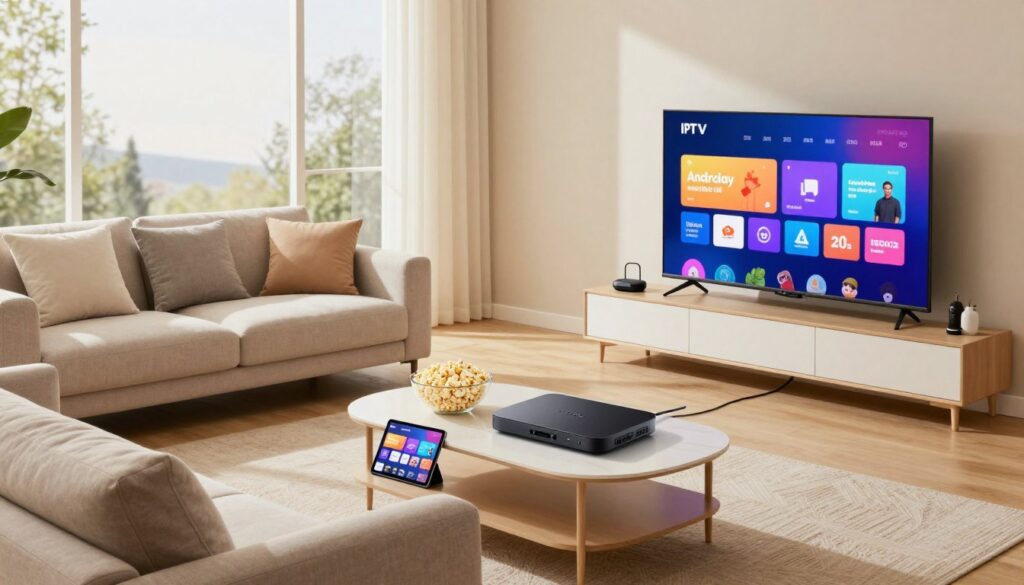
Can your living room setup deliver smoother channels, faster app switching, and fewer buffering nights? If you want a reliable way to turn your TV into a modern media hub, this guide shows you how.
In plain terms: the best setup in 2025 means smooth playback, stable connectivity, consistent app support, and a responsive interface that keeps pace when you browse or jump between apps.
You’ll learn practical buying points—performance, app compatibility, and long-term reliability—so you can pick hardware that works day-to-day. Dedicated streamers often stay faster than built-in TV firmware and give access to Netflix, YouTube, and Amazon Prime Video without lag.
We’ll also explain how IPTV fits alongside mainstream streaming, why some Canadian buyers see UK listings and what that means for plugs, returns, and certification, and why comparing hardware before service choices helps.
Later, we compare devices and show how to get the right RAM, storage, connectivity, and remote control. If you want legal subscription options after choosing hardware, compare services like trusted guides and explore legitimate providers such as GetMaxTV.
Key Takeaways
- Focus on smooth playback, stable connectivity, and responsive interfaces.
- Choose hardware for real-world use, not marketing specs.
- Ensure app compatibility for Netflix, YouTube, and Amazon Prime Video.
- Consider Ethernet or 5GHz Wi‑Fi for fewer buffering spikes.
- Compare hardware first, then pick a licensed service like GetMaxTV.
What an Android TV box does for IPTV and everyday streaming in Canada
A compact media player can turn any TV into a responsive, app-ready screen for live channels and on-demand shows.
How it works: the device plugs into your TV over HDMI, signs in with your Google account, and lets you install apps from the Play Store that are designed for a remote. That means Netflix, YouTube, and Amazon Prime Video live alongside live-channel apps in one tidy interface.
In practice, “video streaming” means the app decodes video while your network keeps data flowing. Good hardware and steady wifi or Ethernet matter far more than flashy specs for consistent playback.
Boxes vs sticks
Boxes usually offer more ports, steady power, and optional Ethernet for rooms where the router is distant. A stick is smaller and cleaner for wall-mounted TVs or travel.
- Pick a form factor based on how many TVs you have, where your router sits, and whether you want portability.
- Control matters: a reliable remote control with voice cuts down searching and logging in.
“A dedicated streamer often gives a slicker, more consistent experience than older smart TV firmware.”
For legal, everyday use—streaming apps, live-channel apps, and media playback—consider devices that keep apps updated and pair well with services like GetMaxTV.
How to choose the right box for your setup

Start by matching performance to how you use streaming and live channels. A faster processor and enough ram keep the interface responsive when you jump between apps or open guides. Cheaper boxes often feel slow at this point.
Performance basics: processor, RAM, and why interface speed matters
Practical baseline: aim for a mid-to-high tier chipset and at least 3–4 GB of ram for smooth navigation. More memory reduces app reloads and makes multitasking less frustrating.
Storage: how much space you need for apps, updates, and media
Choose 32 GB or higher if you install many apps. Cache and updates add up, and low storage forces constant uninstalling.
Connectivity: WiFi stability, Ethernet ports, and when to use an adapter
5 GHz wifi is fine for most rooms, but Ethernet beats wifi for steady bitrates. If a device lacks a wired port—like the Xiaomi TV Box S—you’ll need a USB-to-ethernet adapter.
Remote control and voice
Look for a remote with dedicated volume/input keys, fast pairing, and comfortable layout. A voice remote speeds search, logins, and discovery, especially when you don’t want to type.
Picture and sound
4K is resolution. HDR formats such as Dolby Vision and HDR10+ improve contrast and color. Dolby Atmos is often passthrough-dependent—your TV and receiver must support it to benefit.
Certified vs off-brand
Certified devices deliver better app support, consistent playback, and official store access. Off-brand units can be cheaper but may lack reliable updates or full HD/4K playback in major apps.
- Buyer’s checklist: chipset + 3–4 GB ram, 32 GB storage (or expandable), Ethernet or adapter option, voice remote, certified platform, and HDR/Dolby support that matches your TV.
When you’re ready to pick a service, compare legal options and device compatibility—see GetMaxTV options for licensed choices and good app support.
Best overall IPTV-friendly Android boxes and streamers for Canadians
Decide whether you want top performance, plug‑and‑play simplicity, the best value, or room to grow, and shortlist devices accordingly.
Nvidia Shield TV Pro — premium performance and gaming power
Who it’s for: you want the fastest UI and long‑term speed.
The Shield Pro delivers top‑tier power, AI upscaling, and smooth 4K playback. It handles heavy multitasking and demanding apps with ease.
Tradeoff: higher price (about US$200) but built to stay fast over time.
Homatics Box R 4K — easy setup and strong media features
Who it’s for: you want a reliable, no‑fuss streamer on a midrange budget.
It offers straightforward setup, Google Assistant voice control, and Dolby Atmos support for better sound. Expect good 4K playback for the price.
Xiaomi TV Box S — value pick with a practical caveat
Who it’s for: you want 4K and Dolby Vision without spending much.
Note the limited ram (2 GB) and 8 GB storage. Also, there’s no Ethernet port—if your wifi is spotty, plan for a USB‑to‑Ethernet adapter.
Google TV Streamer — Google ecosystem and extra storage
Who it’s for: heavy app users who live in Google services.
With 32 GB storage you can keep more apps installed without constant cleanup. Some light gaming lag showed in tests, but streaming and Prime Video work well.
RockTek G2 — expandable storage and Chromecast built‑in
Who it’s for: you want SD card expansion and easy casting.
It streams 4K and includes a slot for extra storage, which helps when you store media or many apps. Expect a higher price for a lesser‑known brand, and weigh reliability against features.
“Certified platforms usually deliver fewer compatibility headaches and more consistent HD/4K streams.”
Quick shortlist:
- Best performance: Nvidia Shield TV Pro (power, speed).
- Best value: Xiaomi TV Box S (budget 4K) — add an adapter if needed.
- Best balance: Homatics Box R 4K (ease + Dolby Atmos).
- Best storage: Google TV Streamer (32 GB storage).
- Best expandability: RockTek G2 (SD slot + Chromecast).
Tip: Certified devices tend to handle Prime Video and Amazon Prime Video more reliably. For licensed choices and device compatibility, see licensed choices.
Best budget picks when you just want IPTV and smooth video streaming
If you only want reliable video streaming and easy setup, these budget picks keep things simple and sane.
Onn Android TV Box: very low price and quick setup make this the go-to choice if you want straightforward performance. It supports 4K on major apps, includes Chromecast, and ships with a voice remote that makes search far faster than arrow-typing.
Ematic 4K Android TV Box: friendly for first-time users and fine for basic 4K streaming. Be honest: the 8GB storage can fill up quickly, so manage apps and updates to avoid slowdowns.
Mecool KM9 Pro: a step up for the same budget mindset. It offers more processing power and slightly better multitasking for menus and light gaming. Automatic updates and Google Assistant help keep things current.
- Realistic budget definition: smooth playback and navigation, not premium build or heavy gaming.
- Keep performance steady: update apps, limit installs when storage is tight, and place the device where wifi is strong.
- Before you buy: check supported apps in Canada, remote control feel, and the device’s ram/storage combo.
“Certified devices usually deliver more consistent Prime Video / Amazon Prime Video playback at the same internet speed.”
For a quick comparison of top models, see a short list of best options here.
Best for Prime Video, voice control, and living-room convenience
If Prime Video is your go-to service, picking hardware that favors Amazon’s ecosystem helps you find shows fast and reduces daily friction.
Amazon Fire TV Cube: hands-free Alexa control, HDMI input, and strong AV support
What it does well: the Fire TV Cube gives true hands-free voice control with Alexa, strong 4K playback, and an HDMI input that can centralize device control in a busy living room.
Testing shows excellent picture and sound when your TV and receiver support Dolby Vision and Dolby Atmos. The Cube carries a higher price (around US$140), so it suits homes that lean on Amazon Prime and want fewer remotes to juggle.
Voice search tips: faster show discovery without typing on a remote
Make voice work for you:
- Say the show title exactly, then add “season” or “episode” to narrow results.
- Add the app name, for example, “on Prime Video” to reduce mismatches.
- Use clear, short commands for play/pause, volume, or input switching.
To avoid frustration, keep the Cube on strong wifi, place the mic where it can hear you, and learn a few consistent commands. If you want a licensed media service that pairs well with this kind of setup, consider checking a recommended smart option like the GetMaxTV smart box.
| Feature | Hands-free Voice | AV Pass-through | Best for |
|---|---|---|---|
| Amazon Fire TV Cube | Yes (Alexa) | Dolby Vision & Dolby Atmos (with compatible gear) | Prime Video heavy homes, AV control |
| Standard Voice Streamer | Limited (voice remote) | Depends on model | Budget streaming and simple setups |
| High-end Media Player | Optional voice assistants | Full AV support | Cinematic home setups |
iptv android box uk: what Canadians should know before buying UK-listed models
Seeing a UK listing? Pause and confirm details that matter in Canada. Prices, plugs, and app support often differ between markets. A product sold in GBP may ship with a UK plug and limited regional updates.
Compatibility checklist: apps, region availability, and update support
Quick checks: confirm the exact OS (official Android TV/Google TV vs generic), verify Amazon Prime Video and other key apps run in Canada, and ask how long the maker supplies updates.
Power plugs, shipping, and return policies
Factor currency conversion, shipping, duties, and return practicality into the total price. Many UK-sold units include a UK power plug, so plan for a correct adapter or local power supply.
Streaming quality expectations
Certified platforms normally deliver steadier HD/4K playback in major apps. Uncertified boxes can work, but expect occasional app limits or resolution caps.
Kodi in context: legal uses vs “fully loaded” units
Kodi is legal for your own media or licensed add-ons. Avoid sellers promoting “fully loaded” piracy systems—those add-ons are risky and unreliable.
If you want a nearby retailer or verified option, check a trusted local listing like find nearby devices before you buy.
Conclusion
The best setup balances speed, reliable app support, and a remote you enjoy using every day.
Start by matching device class to your budget, then prioritize enough storage for apps and updates and a responsive remote that makes navigation painless. Certified platforms usually give steadier mainstream app support and fewer surprises.
Smoother performance comes from a balanced kit: decent hardware, stable internet, and realistic expectations about what your TV and sound gear can handle. Be cautious with foreign-listed units unless you’ve confirmed compatibility, updates, and return options.
If you’re ready to pair hardware with a legal subscription, review GetMaxTV’s offer at GetMaxTV. If you want a lawful subscription today, check their plans at https://getmaxtv.com.
FAQ
What does a streaming media box do for your TV and daily viewing?
A streaming media box turns a regular TV into a smart TV by adding an app store, streaming services, and web features. You can install mainstream apps like Netflix, YouTube, and Amazon Prime Video, stream live channels, and run media players. It also adds features such as casting, voice search, and support for higher-resolution video and surround sound.
How do you choose the right device performance for smooth streaming?
Look for a modern processor and at least 2–4 GB of RAM for reliable app performance and fast interface navigation. Devices with better CPUs and more RAM handle multitasking, faster channel changes, and higher-bitrate video without stutter. If you plan to game or use advanced upscaling, opt for higher-end models with proven benchmarks.
How much storage do you need for apps and downloads?
Aim for 16 GB as a practical minimum if you plan to install several streaming apps and keep offline downloads. If you want many apps, local media, or system updates, choose 32 GB or a device with SD card or USB expansion to avoid running out of space.
Does Wi‑Fi matter, or should you use Ethernet or an adapter?
Wi‑Fi can work for most streaming, but wired Ethernet is more stable for 4K, Dolby Vision, or Dolby Atmos streams. If your router is far from the TV, use a powerline adapter or a short Ethernet run. Also choose devices that support 5 GHz Wi‑Fi for less congestion and higher throughput.
Are voice remotes worth it and how do they help?
Yes. A voice remote speeds up searches, launches apps, and controls playback without typing. It often integrates with Google Assistant or Alexa, letting you control smart home gear, ask for recommendations, or find content by actor, genre, or keyword.
What video and audio formats should you prioritize?
Prioritize 4K support, Dolby Vision or HDR10+ for better color and contrast, and Dolby Atmos passthrough if you have a compatible sound system. Those features improve picture fidelity and immersive audio for movies and live events.
Should you buy certified brand devices or off‑brand streamers?
Certified devices from companies like Nvidia, Google, Amazon, and Xiaomi generally offer reliable app support, timely updates, and consistent streaming quality. Off‑brand units can be cheaper but may lack updates, have compatibility quirks, or miss certain apps over time.
Which high-end streamer delivers the best all-around experience?
Premium units with strong processors, AI upscaling, and ample RAM deliver the smoothest menus, fast app switching, and gaming capability. They also often support advanced video and audio formats and include features like extra storage and better cooling for sustained performance.
What are good budget options if you only need basic streaming?
Look for entry-level streamers that support 4K, include a voice remote, and offer reliable Wi‑Fi. These provide smooth video playback for major services and are easy to set up without the bells and whistles of high‑end models.
How does Amazon Fire TV differ for Prime Video and voice control?
Amazon Fire TV devices integrate tightly with Prime Video and Alexa for hands‑free control. They work well if you use Amazon services and want voice automation across your living room, with strong AV support and convenient app access.
Can you use models sold in the UK if you live in Canada?
You can, but check app availability, power plug types, and return policies before buying. Region locks or different firmware can limit app access, and shipping or customs can raise the total cost. Verify updates and certification to avoid compatibility issues.
Is Kodi legal and should you avoid “fully loaded” devices?
Kodi itself is legal and useful for organizing local media and running official add‑ons. Avoid “fully loaded” devices that bundle unauthorized streams or pirated content—those can expose you to legal and security risks and often lack official support and updates.
Do devices support expandable storage like SD cards or USB drives?
Many streamers offer SD card slots or USB ports for extra media storage. This is handy for local video libraries, recorded content, or installing more apps. Confirm expansion options if you expect to store lots of media.
What networking speed do you need for 4K and Dolby Atmos streaming?
For reliable 4K HDR and Dolby Atmos streaming, target at least 25 Mbps per stream. Higher bitrates improve consistency, so if multiple devices stream simultaneously, ensure your home connection and router can handle the combined load.
How do you keep your device up to date and secure?
Enable automatic updates and install apps from official stores only. Regular firmware updates patch vulnerabilities and improve app compatibility. Uninstall unused apps and avoid sideloading unknown packages to reduce security risks.
The GetMaxTV Team is a group of cord-cutting experts and streaming technology specialists who have been testing and reviewing IPTV services since 2022. Based in North America, our team personally tests every service we recommend across 15+ devices including Fire TV Stick, Roku, Apple TV, Samsung Smart TVs, and gaming consoles. We verify channel counts, measure buffering rates, test picture quality in HD and 4K, and evaluate customer support response times. Our mission is to help viewers save money by switching from expensive cable subscriptions ($147/month average) to affordable, high-quality IPTV alternatives. Every article on GetMaxTV.com is based on hands-on testing and real-world experience — not recycled marketing claims.