
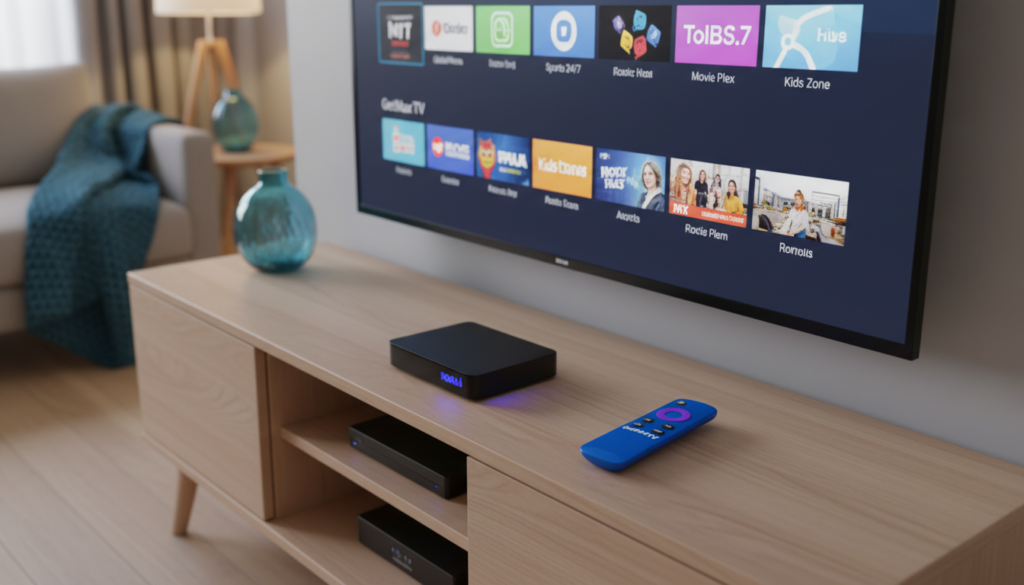
A staggering shift is reshaping American living rooms. In 2026, over 80 million people have cut the cord. The average monthly cable bill has ballooned to $147, while streaming now represents 47.5% of all television viewing.
This massive move away from traditional pay-TV isn’t just about saving money. Viewers are demanding more control, better content, and flexibility. Legacy providers often can’t keep up with these modern expectations.
Internet Protocol Television (IPTV) has emerged as a powerful alternative. It delivers live channels and on-demand libraries directly over your home internet. Platforms like Roku make accessing this world of entertainment incredibly simple.
This guide is your roadmap. We’ll show you how to transform your television into a hub for global media. You’ll learn to navigate various apps and services to build your perfect lineup.
We’ll also cover optimizing your hardware and connection for the smoothest viewing. Get ready to unlock a new dimension of television tailored just for you.
Key Takeaways
- Cord-cutting is accelerating, with streaming now dominating nearly half of all TV consumption.
- IPTV delivers live television and vast on-demand libraries over a broadband internet connection.
- The Roku platform is one of the most popular devices for accessing these digital services.
- A stable internet connection and the correct software are essential for setup.
- This guide will walk you through the entire process for a seamless entertainment experience.
- Understanding your options helps you maximize your hardware and avoid unnecessary costs.
- The future of TV is personalized, on-demand, and controlled by you.
Introduction to IPTV on Roku in 2026
https://www.youtube.com/watch?v=m8iD0nV5Xqo
Forget channel surfing. Today’s viewers command vast libraries of live and on-demand media from their couch. This revolution is powered by technology that turns television signals into digital data packets. These packets fly through your home internet to create a seamless, modern viewing experience.
Overview of IPTV and Streaming Trends
The core idea is simple. Instead of a satellite dish or cable box, your broadband connection delivers the signal. This method allows for incredible flexibility and personalization. Your feed can adapt to show you more of what you love.
You are no longer tied to a fixed broadcast schedule. A world of movies, shows, and live events is available at your fingertips. This shift represents the dominant trend in how people consume media now.
| Aspect | Traditional TV (Then) | Modern Streaming (2026) |
|---|---|---|
| Content Delivery | Satellite/Cable Signal | Internet Data Packets |
| Channel Selection | Fixed, Bundled Packages | Customizable, À La Carte |
| Viewing Control | Scheduled Broadcasts | Watch Instantly, On-Demand |
| Personalization | Generic Channel Lineup | Tailored Recommendations |
| Required Hardware | Proprietary Set-Top Box | Your Smart TV or Streaming Device |
What Sets 2026 Apart for IPTV Enthusiasts
Choice is the biggest change. You now have more options for providers and subscription plans than ever before. These services cater to incredibly specific tastes, from international sports to local news.
Integration with popular streaming devices is also smoother. Setting up your account and logging in is designed to be straightforward. A strong focus on user privacy has emerged. Using a secure VPN is a common and smart practice for many viewers.
This guide will simplify the entire process. We’ll show you the steps from finding the right app to adjusting your final settings.
Understanding the Benefits of IPTV on Roku

The modern television landscape is defined by one thing: sheer volume of choice. This section explores the two biggest perks you gain. You get a massive world of media and a crystal-clear picture.
Access to 21,000+ Live Channels and 97,000+ VOD Titles
Premium services shatter old limits. They offer over 21,000 live channels and 97,000 video-on-demand titles. Your entertainment library becomes truly global.
You can customize your channel list. This means your favorite shows are always a click away. It is a level of control cable never provided.
| Feature | Standard Streaming Service | Premium Streaming Service | Your Benefit |
|---|---|---|---|
| Content Library | Limited live & on-demand | 21,000+ channels, 97,000+ VOD titles | Never run out of things to watch |
| Video Quality | Often HD only | Consistent HD & 4K resolution | Every detail is sharp and clear |
| Server Stability | Can lag during peak times | High-uptime servers for thousands of users | Smooth viewing without frustrating drops |
| Customization | Fixed channel packages | Personalized favorites list | A TV guide built just for you |
Enhanced Viewing Experience in HD and 4K
The visual quality is a game-changer. Modern streams deliver every frame in stunning HD and 4K. Your screen comes alive with detail.
Advanced technology uses your internet connection smartly. It minimizes buffering and lag. This ensures the high quality stays consistent.
Choosing a provider with stable servers is key. Top services support many users at once without problems. Your subscription should guarantee a reliable experience.
Preparing Your Roku Device for IPTV
A successful streaming setup hinges on three pillars: compatible hardware, a robust network, and smart safety practices. Getting these right from the start prevents headaches later.
Compatible Roku Device Models and Requirements
First, check your hardware. Popular models like the Roku Express, Premiere, and Ultra all work well.
Ensure your device’s system software is updated. This avoids issues with modern streaming apps.
Internet Connection and Streaming Quality Considerations
Your internet connection is the backbone. You need at least 25 Mbps for HD and 50 Mbps for 4K media.
Test your speed online. A weak connection causes buffering and ruins your experience.
| Preparation Pillar | Key Requirement | Your Benefit |
|---|---|---|
| Hardware | Compatible Roku device with latest firmware | Full access to all apps and features without glitches |
| Network | Stable internet, 25+ Mbps for HD, 50+ Mbps for 4K | Smooth, high-quality playback without interruptions |
| Safety & Legality | Reputable VPN & licensed content providers | Protected privacy and a reliable, legal service |
Legal Considerations and Safe IPTV Practices
Always choose legitimate providers. Check their website for licensing info. This ensures you get reliable services.
Using a VPN is a smart step for privacy. It keeps your viewing habits secure from your internet provider.
Following these steps gives you peace of mind and the best access to content.
Step-by-Step Guide for Installing IPTV on Roku
Let’s walk through the simple steps to bring a world of content to your television. You have two primary methods to choose from, each with its own advantages.
Your choice depends on what services you use and your personal preference for control.
Using Official Channel Store Methods
The official channel store is the safest way to add new applications. You won’t need to sideload any external files.
Simply search the store for your preferred provider. Select the channel and click the ‘Add’ button.
This installation process is straightforward. It gives you direct access to stable, high-quality streaming from legitimate sources.
| Aspect | Official Store Method | Screen Mirroring Method |
|---|---|---|
| Security Level | High – Verified apps only | Moderate – Depends on source device |
| Ease of Setup | Very Easy – One-click install | Easy – Requires network pairing |
| Required Equipment | Just your streaming device | Your device plus a smartphone or tablet |
| Best For | Permanent, native app use | Quick casting or when an app isn’t available |
| Key Consideration | Ensures app updates and support | Can drain your mobile battery faster |
Screen Mirroring Techniques for Easy Setup
If your favorite service isn’t in the store, screen mirroring is a great option. It lets you cast media from your phone to the TV.
First, enable mirroring in your system settings on both devices. Ensure your mobile and streaming players are on the same Wi-Fi network.
This method is reliable for users who prefer mobile control. Just remember to keep your phone plugged in, as it uses more power.
Following these instructions helps you make the best choices for your setup with minimal effort.
Advanced Setup Techniques: M3U Playlists and More
Dive deeper into your streaming setup with advanced tools like M3U playlists. These methods give you unparalleled control over your channel lineup and viewing experience.
Understanding M3U Playlists and Their Benefits
M3U playlists are powerful tools. They contain lists of channel URLs in a single file. This allows you to access hundreds of streams from one source.
The benefit is massive customization. You can tailor your channel list to include favorite international and local options. It’s a popular method for advanced users.
Configuring M3U on Your Roku Device
First, install a compatible player app from the channel store. This app can parse the M3U format and display your channels.
Next, upload your playlist file through the app’s settings. You might use a web browser to manage your playlist for the most current information.
Finally, verify your login credentials within the app. This ensures your subscription is active and correctly authenticated.
Troubleshooting Common Setup Issues
Sometimes, playlists have formatting errors. Check that your file is correctly structured according to your provider’s instructions.
Expired channel URL links can cause streams to fail. Update your playlist regularly through your account website.
If authentication fails, double-check your details. A stable internet connection is also crucial for smooth access.
Optimizing Your Streaming Experience on Roku
The difference between a good stream and a great one often lies in your device’s configuration menu. Fine-tuning a few key areas ensures your picture is crystal clear and playback is smooth.
This process matches your software settings to your home network and hardware capabilities. It prevents frustrating interruptions during your favorite shows.
Adjusting Settings for Smooth Playback and High Quality
Start inside your streaming app. Look for video quality or bitrate options. Set this to auto or match your internet speed for the best stability.
Next, visit your device’s main system menu. Confirm the display output is set to your TV’s native resolution, like 4K. This simple step makes all your content look sharp.
Balancing buffering settings and turning off unused background features also helps. This frees up processing power for a better experience.
Follow these clear instructions for reliable performance:
- Test your network speed to ensure it’s stable for high-definition media.
- Check for firmware updates regularly; they often include vital performance boosts.
- Prioritize your streaming player on your home router to prevent traffic throttling.
Consistent maintenance of these settings guarantees you get the most from your subscription. You’ll enjoy reliable access to all your channels.
Essential IPTV on Roku Tips and Troubleshooting
Even the most reliable streaming setup can occasionally hit a snag, but knowing a few key fixes keeps your entertainment flowing. This section provides clear instructions to solve common problems and organize your viewing efficiently.
Fixing Buffering and Sync Issues
Buffering often stems from a weak connection. The most effective step is to restart your router and streaming device. This refreshes your network link.
For audio-video sync problems, check the audio output settings in your system menu. Incorrect configurations here are a common cause.
If a specific channel fails, try removing and reinstalling the app. This clears corrupted configuration files. Always ensure your software is updated for the best compatibility.
Managing Multiple IPTV Services on One Device
Juggling several subscriptions is easy with good organization. Create folders on your home screen to group similar apps. This gives you quick access.
Keep a secure log of your login details for different accounts. Use the search features within apps to find content fast without endless scrolling.
Monitor your subscription status through your provider’s website. This helps you identify service outages versus problems with your own internet connection. For more essential streaming tips, explore our detailed guides.
- Restart equipment to resolve most buffering.
- Check audio settings for sync issues.
- Reinstall problematic apps.
- Organize apps into folders.
- Keep a record of login credentials.
Why Choose GetMaxTV
The cornerstone of a great setup isn’t just your hardware; it’s the content provider behind it. This section highlights a top-tier service that combines massive libraries, reliability, and superb support.
Premium Features and 99.9% Uptime
GetMaxTV delivers an exceptional streaming experience. You gain access to over 21,000 live channels and 97,000 video-on-demand titles.
All content is available in crisp HD and 4K quality. The service guarantees 99.9% uptime for consistent, buffer-free viewing.
Free 24-Hour Trial and 30-Day Money-Back Guarantee
You can test everything with a free 24-hour trial. No credit card is required to start. This makes exploring the options truly risk-free.
If you love it, plans begin at just $6.95 per month. Your subscription is backed by a full 30-day money-back guarantee.
Works on Multiple Devices with 24/7 WhatsApp Support
This provider works on nearly any device you own. It’s compatible with Fire TV, Apple TV, Smart TVs, Android, PlayStation, Xbox, and Kodi.
You also get dedicated 24/7 WhatsApp customer support. Help is always available if you need it.
| Feature | Standard Service | GetMaxTV | Your Advantage |
|---|---|---|---|
| Content Library | Limited selection | 21,000+ channels, 97,000+ VOD | Never run out of media |
| Reliability | Variable uptime | 99.9% uptime guarantee | Consistent streaming iptv |
| Risk-Free Start | Often requires payment | Free 24-hour trial, no card needed | Test before you commit |
| Device Support | Limited platforms | Works on all major devices | Use your preferred hardware |
| Customer Support | Email only, slow response | 24/7 live WhatsApp support | Instant help anytime |
Choosing a professional provider simplifies your entire experience. Visit the website at https://getmaxtv.com today to start your free trial and see the difference.
Conclusion
You now hold the keys to a vast and flexible world of entertainment. This guide has shown you how to optimize your setup, use advanced methods, and make smart, legal choices for your viewing.
The most important steps are ensuring a stable internet connection and selecting a legitimate provider. This protects your privacy and guarantees high-quality content.
By following these instructions, you can manage your subscription confidently. Enjoy thousands of channels without constant technical issues.
We hope this knowledge helps you make informed choices for your home entertainment. Thank you for reading our comprehensive streaming guide.
FAQ
Will any Roku player work for this setup?
Most modern models, like the Roku Streaming Stick+ or Roku Ultra, work great. You need a device that supports channel addition from unofficial sources or screen mirroring for the smoothest experience. Check your specific model’s capabilities first.
How do I add an app that isn’t in the official Roku Channel Store?
You typically use the “screen mirroring” method. This involves casting from a compatible smartphone or computer directly to your television. It’s a popular workaround for accessing a wider range of streaming services and content not listed in the store.
Is using these services legal and safe?
It depends entirely on your provider. Always choose a reputable service with proper licensing for its media. Using a VPN can also enhance your privacy and security by encrypting your internet connection during streaming.
What is an M3U playlist, and why would I need it?
An M3U file is a simple text file that contains a list of media stream locations. Many providers use them to give you access to their channel lineup. Configuring one allows for a more integrated and organized viewing experience on compatible media players.
My streams keep buffering. How can I fix this?
First, check your network connection speed—a wired Ethernet connection is often more stable than Wi-Fi. Then, try lowering the video quality in your app’s settings. Restarting your router and streaming device can also clear up temporary glitches.
Why should I consider a service like GetMaxTV?
GetMaxTV offers a reliable premium service with extensive channel and VOD libraries, high 4K stream quality, and robust customer support. Their free trial lets you test the performance and content before committing to a subscription, which is a smart way to evaluate any provider.
The GetMaxTV Team is a group of cord-cutting experts and streaming technology specialists who have been testing and reviewing IPTV services since 2022. Based in North America, our team personally tests every service we recommend across 15+ devices including Fire TV Stick, Roku, Apple TV, Samsung Smart TVs, and gaming consoles. We verify channel counts, measure buffering rates, test picture quality in HD and 4K, and evaluate customer support response times. Our mission is to help viewers save money by switching from expensive cable subscriptions ($147/month average) to affordable, high-quality IPTV alternatives. Every article on GetMaxTV.com is based on hands-on testing and real-world experience — not recycled marketing claims.