
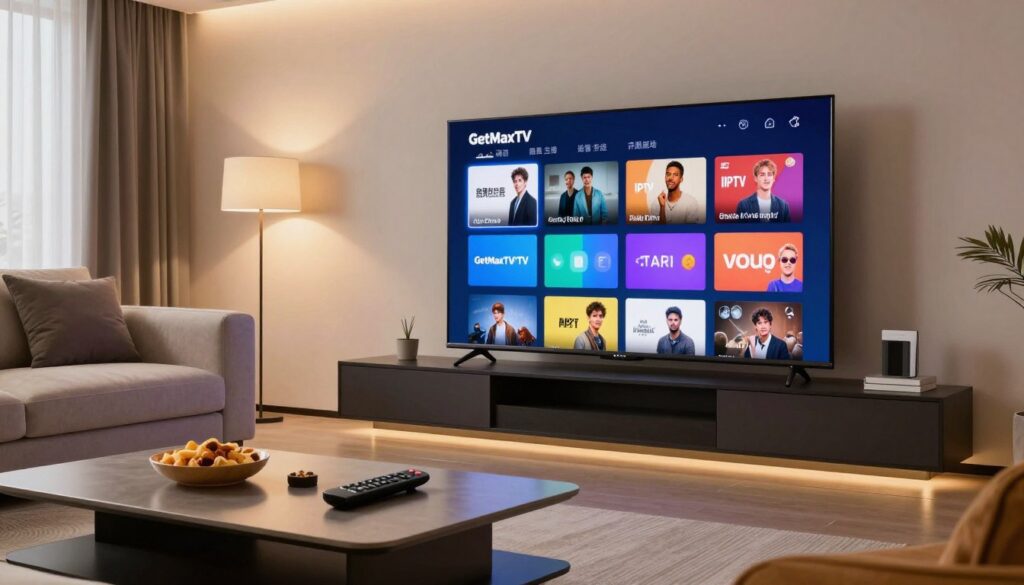
Curious whether a modern streaming option can replace your cable bill in Canada?
You’ll get an clear, expert review that walks you through features, channel lineup, sports performance, VOD, quality formats, devices, setup, support, security and 2025 pricing. This review previews the test-first approach and explains how to use a free trial to confirm performance and channel availability.
In plain terms, IPTV means television delivered over the internet instead of coax. It differs from cable and mainstream apps by offering more international channels, adaptive bitrate streaming, and multi-device access.
Who this is for: cord-cutters, sports fans, families and multilingual households in Canada who want clear facts to decide.
We’ll test real-world reliability, check legality and verify transparent billing — the three factors that matter most to prevent buyer’s regret. Note: channel lists can change, so you should verify must-have channels during the trial.
To try it yourself, consider starting with the provider’s monthly plan and trial to confirm channels and speed before committing: view the monthly plan.
Key Takeaways
- You’ll see a hands-on review of features, channels, and pricing for Canadian users.
- Expect coverage of sports, VOD, 4K/FHD quality, EPG, and parental controls.
- Use the free trial to validate channel availability and streaming performance.
- Reliability, legality, and transparent billing are the top decision factors.
- We explain setup, supported platforms, and who benefits most from this service.
What You Need to Know Before Choosing an IPTV Service in Canada
Picking a new provider starts with facts about reliability, speed, and the channels you actually watch. Your decision should be practical: test performance, confirm must-have channels, and check billing transparency before you subscribe.
Why viewers are leaving traditional cable
Many Canadian viewers move away from traditional cable because online options give more flexibility, better channel variety, and clearer cost control. You can choose plans that match your schedule and language needs instead of paying for large bundles you rarely use.
What commercial-grade reliability means in 2025
Commercial-grade reliability should include stable uptime, predictable peak-hour performance, and fast, helpful support when something breaks. Since the service runs over your internet, your router, Wi‑Fi vs Ethernet, and local network setup matter as much as the provider itself.
How to compare your choices
- Check uptime claims and look for real-user reports of peak-hour stability.
- Verify format options: HD/FHD/4K and adaptive streaming during congestion.
- Evaluate EPG quality, billing transparency, and customer support response times.
Remember: the best iptv option is the one that fits your household. Use a short free trial to reduce risks like buffering, channel gaps, or legal uncertainty. The rest of this review gives a step-by-step checklist you can follow while testing a provider.
getmaxtv iptv at a Glance: Who It’s For and What You Get
If you’re done signing into multiple apps, this platform aims to replace clutter with a single subscription that covers live channels, movies, and global shows.
The core promise: live TV, VOD, and international entertainment in one platform
You get live TV plus a VOD library, multi-device access, and a broad mix of international content. The package includes FHD and 4K where available, an electronic program guide, and support for common devices.
International entertainment means programming in multiple languages and genres — news, regional dramas, and sports from several countries rather than only North American channels.
When this service beats piecing together streaming services
This option fits you if you want one bill for live channels, sports, and on-demand viewing instead of juggling a dozen subscriptions.
- Good for families who need multi-channel live TV and a movie library.
- Useful for multilingual households seeking international channels in one place.
- Best as a cable replacement when you need live sports and scheduled programming.
It can also complement Netflix-style apps if you value exclusive streaming originals. Before you commit, verify channel lineup and test peak-hour stability, video formats, device support, and support responsiveness during the trial — and compare 4K options in the 4K streaming comparison.
Free Trial Experience: Testing GetMaxTV Risk-Free
Try before you pay. A focused 24-hour trial gives you hands-on experience with live channels, movies, and on-demand shows so you can judge real performance in your home.
What the trial includes: browse live channels, sample sports, and watch VOD movies and series without giving payment details. Credentials arrive by email within minutes so you can start streaming fast.
Quick startup flow
You sign up and receive login credentials within minutes. No card required upfront. This low-friction start helps users test immediately.
What to evaluate during your 24 hours
- Channel switching speed and EPG accuracy.
- Buffering during prime time and VOD load times.
- Search and category usability on your devices.
- Confirm actual video quality (HD/FHD/4K) on your TV or phone.
- Contact customer support with one real question to test response time.
| Test | What to watch for | Why it matters |
|---|---|---|
| Channel switching | Lag, freezes | Daily use comfort |
| Prime-time streaming | Buffering, quality drops | Sports and evening shows |
| VOD playback | Start time, clarity | Binge and family viewing |
Test at different times of day — morning news, evening prime, and late-night VOD — because performance can vary. Use the trial to make confident choices rather than relying on reviews alone.
Channel Lineup and International Coverage
Look closely at the channel mix — that’s where you’ll see if a service fits your daily viewing. A strong lineup for Canadian households typically includes local-ish news, live sports, kids channels, and a healthy variety of movie and entertainment categories.
Live channels and premium entertainment options you can expect
Expect thousands of channels in marketing claims, but focus on categories that matter to you. Premium entertainment often means movie libraries, specialty networks, and themed feeds such as documentaries, music, or lifestyle.
Practical tip: verify movie and specialty feeds play in full quality during the trial rather than relying on screenshots.
International channels and global content variety
International channels add value if you want shows in other languages or regional news from the world. Look for clear language filters and regional categories so you can find these stations quickly.
How to check whether your must-have channels are included
Create a short “non-negotiables” list before you test: key sports networks, kids channels, and any specific international stations.
- Search by channel name during the trial.
- Browse category lists and test live playback at different times.
- Contact support to confirm a channel if the guide is unclear.
Providers update lineups often, so confirm availability right before subscribing. The prettiest guide won’t help if your favorite shows aren’t actually there.
Live Sports Performance: What Matters for Game Day Streaming
Game night exposes flaws faster than any other use case, so your sports streams must be tested under real pressure. Your goal is to confirm that the service holds steady when many viewers tune in at once.
How to test peak-hour stability during live sports
Start by streaming a prime-time match and watch for drops during key plays. Switch channels mid-action to see if the stream stutters or the guide lags.
What “buffer-free” should feel like
Buffer-free in 2025 means quick start, minimal stutter, and steady resolution rather than constant swings. You should see smooth playback through the whole half or period.
- Compare the same game on two devices to isolate device vs service issues.
- Use Ethernet when possible and pause large downloads during the event.
- Note whether adaptive bitrate keeps the match watchable when your internet dips.
| Test | What to watch for | Why it matters | Quick fix |
|---|---|---|---|
| Prime-time stream | Buffering, freezes | Shows real-world load handling | Try Ethernet or lower resolution |
| Channel switching | Lag, EPG delay | Affects live action switching | Restart app or device |
| Multi-device check | Only one device slow | Isolates device issues | Update app or clear cache |
If the service performs well on game day, it will likely deliver a solid everyday viewing experience for sports fans and families across Canada.
VOD Library: Movies, Series, and On-Demand Viewing

A strong catalog makes binge-watching simple and keeps kids happy on busy nights.
VOD means on-demand content you pick anytime, unlike live channels with set schedules. For families, that flexibility matters when kids bedtimes and work hours clash.
What to look for: breadth of genres, depth of seasons, and consistent playback. Confirm popular movies and full series actually load and play without errors.
Browsing and testing tips
- Use Trending and Popular lists to sample fresh content quickly.
- Filter by genre and use search to find specific shows or movies you care about.
- Test start time, subtitle options, and whether the player remembers your place between episodes.
- Sample kids and teen categories and check parental control settings for family safety.
| Check | What to test | Why it matters |
|---|---|---|
| Playback start | Time to play, buffering | Controls binge flow and satisfaction |
| Subtitle & resume | Subtitle formats, resume point | Accessibility and seamless viewing |
| Catalog depth | Number of seasons, movie variety | Replaces extra platforms and adds value |
Bottom line: VOD quality often determines overall value. If movies and shows play reliably and navigation is quick, the service can become your main entertainment hub.
Streaming Quality and Video Formats
Video clarity and stable playback shape whether a service feels modern or tired. You get HD, FHD, and 4K options, but what matters most is how they perform in your home.
HD, FHD, and 4K: when they actually matter
HD is fine for small screens and mobile viewing. FHD suits most living rooms and looks sharp on 40–55″ TVs. 4K only makes a clear difference on large TVs or when you sit close.
Match the format to your device and seating distance. If your TV or streaming device doesn’t support 4K, you won’t see the benefit.
Adaptive bitrate streaming: why it helps
Adaptive bitrate adjusts resolution when your internet fluctuates. Instead of freezing, the player lowers quality a notch so playback stays smooth.
This is a key feature that separates hobby setups from services built for real homes. CDNs and bandwidth optimization also reduce buffering during busy hours.
Quick home test and simple fixes
- Stream the same channel in peak and off-peak times to compare clarity and stability.
- Prefer consistent FHD over shaky 4K; stable video quality keeps watching enjoyable.
- Move closer to the router, use 5 GHz Wi‑Fi, or switch to Ethernet to improve performance.
| Format | When to choose | Practical tip |
|---|---|---|
| HD | Phones, tablets, small TVs | Saves bandwidth and avoids stalls |
| FHD | Main living-room TVs (40–55″) | Best balance of clarity and reliability |
| 4K | Large screens, close seating, strong internet | Use Ethernet and test during peak hours |
Device Compatibility: Smart TVs, Firestick, Mobile, and More
Your living room setup decides more than channel lists — it decides whether the service fits your day-to-day life.
Common devices supported: smart tvs, Firestick, Android TV boxes, tablets, and iOS/Android phones. These platforms cover most Canadian homes and affect how fast you can start watching.
Multi-device use and household expectations
Households often need simultaneous streams for kids, adults, and mobile viewers. Plans typically allow up to five concurrent connections depending on your choice.
Why compatibility matters: a great channel lineup is useless if the app is slow on your main TV. Test the app on your primary smart tvs and on your phone during the trial to confirm smooth streaming and EPG readability from the couch.
- Log in on a TV and a phone to validate playback.
- Watch for responsiveness, remote navigation, and app stability after long sessions.
- Check plan limits so you don’t exceed simultaneous stream allowances.
Device flexibility adds value if you travel or want to watch live sports away from home. For extra peace of mind, try the Korean streaming options on both TV and mobile before subscribing.
Setup and Installation: How Quickly You Can Get Started
Getting set up should be fast — you want to watch, not wrestle with apps. Follow this short guide and you’ll go from sign-up to live channels in a few minutes.
Simple installation flow you can complete in minutes
Step-by-step: get credentials (sent by email within minutes), install the app or player on your device, sign in, then open a few live channels to confirm playback.
Typical setup issues and quick fixes worth trying first
- Wrong credentials: re-copy carefully and avoid extra spaces.
- App cache problems: clear cache or reinstall the app.
- Weak Wi‑Fi: try Ethernet or move closer to the router.
- Expired trial window: confirm email timestamp and trial length.
Best practices for a smooth first login during the trial window
Test on your primary TV (Firestick or Smart TV) first — Firestick setup often finishes in under five minutes.
“Start the trial when you can test prime time; that’s when real performance shows.”
| Issue | Symptom | Quick fix |
|---|---|---|
| Login fail | Invalid credentials | Re-enter, check email, save securely |
| Buffering | Stutters during playback | Switch to Ethernet, lower resolution |
| Guide missing | EPG not loading | Restart app, clear cache, contact support |
Tip: if you hit a snag, contact support right away so you don’t waste your trial time. A smooth first login predicts a better long-term streaming experience.
User Experience: Interface, Navigation, and Everyday Usability
Good navigation turns a long channel list into a fast path to what you actually want to watch.
Your daily experience depends on how the platform organizes channels and content. A refined layout saves time and reduces frustration.
How categories and search stop endless scrolling
Categories should be clear: sports, news, kids, international, movies, and locals. This arrangement helps users find lanes quickly.
Search must be fast and forgiving. Good search finds channel names, show titles, and genres so you don’t scroll forever.
EPG: plan live viewing with confidence
The Electronic Program Guide shows what’s on now and what’s next. Use it to plan game nights or premieres without guessing.
During your trial, open the EPG at peak time, switch categories, and check load speed and accuracy.
Small usability wins matter: favorites lists, recent channels, and instant channel switching keep you watching, not searching. These features cut friction and can save you money by making one service handle the viewing you used multiple apps for.
| UX Element | What to test | Why it matters |
|---|---|---|
| Categories | Clear grouping, quick access | Reduces browsing time |
| Search | Speed, autocomplete | Prevents endless scrolling |
| EPG | Load time, accuracy | Plan live shows and sports |
For international channel access and to test navigation with global lists, try the international channel access page during your trial to see how well categories and search handle large lineups.
Parental Controls and Family-Friendly Features
Family-friendly features let you tailor what each viewer can watch without constant supervision. When you replace cable with a single streaming platform, unfiltered channel lists can expose kids to mature content.
How parental controls support safer viewing for kids
Parental controls are essential because children can easily browse thousands of channels and on-demand titles. Good controls give you peace of mind and keep family entertainment age-appropriate.
Look for these options: PIN locks, category restrictions, adult-content blocking, and profile-based limits that separate kids from adult viewers.
Testing controls during your trial
Enable a PIN and block a category during the free trial. Then try to open blocked channels on a phone and a TV to confirm restrictions apply across devices.
- Set a kids profile and verify it only shows approved channels.
- Try late-night movie categories to confirm time-based limits work.
- Check international channels if you want to limit specific regional feeds.
Practical perks: separate favorites for parents and kids reduce accidental exposure and make daily navigation easier.
Usability matters: controls should be simple to set and update without constant troubleshooting. If the platform meets your needs and secures every viewer, you’re more likely to replace multiple subscriptions with one reliable service.
Explore kids channels and family options to see how channel filters and profiles work in practice during your trial.
Customer Support Review: 24/7 Live Chat and WhatsApp Help
When a game or major live event glitches, quick help can make the difference between missing the action and staying calm.
What 24/7 support means in real life when something breaks
24/7 live chat should mean answers during evenings, weekends, and game nights — not a promise to “reply tomorrow.” Serious providers offer live chat, WhatsApp, and email so you can reach a human fast.
How fast responses affect your overall streaming experience
Fast replies stop small issues from becoming long outages. A quick message via live chat that gives step-by-step fixes and follows up is far better than repeated canned responses.
- Test support during the trial: send a setup or buffering query and time the reply via live chat.
- Check whether the agent resolves the issue or just acknowledges it.
- Keep a short log of questions and solutions to judge reliability over time.
Good customer support builds trust. If customer support helps fast and clearly, the whole streaming experience feels like a dependable utility. Try contacting support now using the provider’s customer support page to see response speed for yourself.
Security, Privacy, and Legality Considerations
Security and legal standing are practical filters that separate stable services from risky bargains.
Encryption and data protection: look for end-to-end SSL, clear data-retention rules, and GDPR-aligned policies. Encryption protects your credentials and account data when you stream over the internet.
Why verified legal frameworks matter
Legal compliance reduces the chances of sudden shutdowns and keeps your access stable through a season. A legally operated platform is more likely to offer refunds, clear billing, and predictable service continuity.
How to spot risky gray-market providers
- Vague pricing or “no contract” claims with no written policy.
- Sketchy payment pages, anonymous email addresses, or no support channel.
- Ultra-cheap packages that promise unlimited everything — often short-lived.
| Risk sign | What it means | What to do |
|---|---|---|
| No published policies | Privacy and refunds unclear | Walk away or ask for written terms |
| Weak support | Problems take longer to fix | Test live chat during trial |
| Too-good price | Higher shutdown risk | Prefer transparent providers with clear limits |
Bottom line: include security and legality on your checklist. Confirm published policies, transparent plan limits, and responsive support so you get reliable content and long-term value from your streaming options, whether you’re testing channels or committing to a plan.
Pricing, Plans, and Overall Value in 2025
Before you pick a plan, compare monthly costs to what you actually watch and how many screens you need.
Typical monthly pricing and what’s included
Most subscriptions range from $12–$18/month. That price often bundles live channels, a VOD library, and support for up to five simultaneous connections.
How multi-device access changes the value
Multi-device access makes a subscription more valuable for families. If two people watch different channels at once, a plan that supports five streams reduces the need for multiple subscriptions.
Billing transparency: avoid surprise charges
Check renewal terms, cancellation rules, and device limits. Make sure fees and trial-to-paid transitions are clear so you don’t get billed unexpectedly.
When longer plans make sense
If you confirm stability during a trial, a longer plan can save money. But whether ’re still testing reliability, start monthly to avoid locking into a plan that doesn’t meet your needs.
- What value includes: stable streaming, live sports reliability, deep VOD, usable EPG, and real support across platforms.
- Compare cost to cable: $12–$18 can beat many Canadian cable bundles if the channels you use work reliably.
| Plan | Price (CAD/mo) | Key inclusions |
|---|---|---|
| Starter | $12 | Live channels, VOD, 2 devices |
| Standard | $15 | Full channel list, VOD, 4 devices |
| Premium | $18 | 4K where available, VOD library, 5 devices |
For the latest plan details and to verify inclusions, check the current offer on GetMaxTV. The best deal is the subscription you actually use daily without buffering, missing channels, or surprise fees.
GetMaxTV vs Other IPTV Services: How It Stacks Up
Compare real-world uptime and peak-hour behavior to see which service keeps your living room calm on game night.
Reliability benchmarks and what they mean for you
Uptime (example: ~99.9%) shows how often channels stay online. A high number is good, but it doesn’t tell the whole story.
Validate uptime by testing across morning, prime time, and late-night slots during the trial. Watch for drops during big events to judge peak-hour stability.
Feature comparison you can test quickly
Focus on practical features like 4K/FHD availability, a usable EPG, and parental controls that actually lock content.
Try these: stream a 4K feed, open the program guide, and set a PIN to verify parental controls across devices. Also confirm multi-device limits — some plans support up to five simultaneous streams.
Support matters more than flashy lists
Live support often separates the best performers from those that only look good on paper.
If you watch late sports or weekend shows, limited-hour help can be a dealbreaker. Prefer providers with fast live chat or 24/7 support so outages are fixed quickly.
- Compare peak stability, not just channel counts.
- Test EPG load times and parental controls during the trial.
- Prioritize fast live chat and clear recovery steps when streaming fails.
| Aspect | GetMaxTV (example) | Competitors (TVNado / Catch-On / Digital Lizard) |
|---|---|---|
| Uptime | ~99.9% reported | Varies; some lack verified claims |
| Peak-hour stability | Strong in tests; minimal drops | Mixed reports; occasional congestion |
| Video formats | 4K & FHD where available | FHD common; 4K limited |
| EPG & navigation | Full EPG, responsive guide | Guide quality varies by provider |
| Parental controls | PINs and profile limits | Some have basic locks; not consistent |
| Support | 24/7 live chat and WhatsApp | Limited-hour chat or email only |
Simple rule: if two services cost the same, pick the one with better reliability and faster support. Your trial will be the final proof; use it to confirm uptime, device compatibility, and that parental controls work the way you need.
Where GetMaxTV Fits vs Cable and Mainstream Streaming Platforms
For many Canadian homes, the real question is: can one service cover live sports, news, and family movies without stacking subscriptions?
Cost and content variety compared with traditional cable
Price: traditional cable plans often cost much more than the $12–$18 monthly range reported for modern streaming options. That gap matters if you want to trim bills while keeping core channels.
Content: cable can offer reliable local feeds and carriage agreements. But that often comes with regional limits. You may get broader international channels and language choices from modern platforms for less.
Why streaming services can complement—or replace—cable
Replacement makes sense if you need live sports, news, and a decent VOD library in one plan. You save money and avoid juggling apps.
Complement is better when you value original shows on Netflix-style services. Keep a streaming service for originals and use a live-channel plan for sports and news.
Trade-offs: live-stream options depend on internet stability. Cable may be more resilient in some outages, so match your choice to how you watch.
| Viewer need | Best fit | Why |
|---|---|---|
| Sports-first | Live+VOD plan | Real-time channels and lower latency for games |
| News and locals | Traditional cable or hybrid | Reliable local carriage and consistent feeds |
| Originals and binge | Streaming services | Deep on-demand catalogs and exclusive shows |
Practical tip: start monthly and test prime time. If one service handles your sports, news, and family viewing without buffering, you can confidently replace traditional cable. If not, use both to cover all your entertainment options.
Conclusion
Decide with proof: test live sports, channel availability, and multi-device playback during the trial.
Focus on the essentials: peak-hour reliability, real channel coverage, VOD depth, device support, and fast customer support. Try a 24-hour window and confirm live sports stay smooth and your must-have shows actually play.
Also check navigation, the EPG, and parental controls. Multi-device access (up to five simultaneous streams) and reliable movies and shows make a subscription far more useful for families.
Compare price to practical value — channels, movies, and one platform vs juggling services like multiple apps — then decide. When you’re ready to compare plans after testing, check the latest offer here: see the GetMaxTV overview or visit https://getmaxtv.com for current details.
FAQ
What is the main value of GetMaxTV and who is it best for?
GetMaxTV bundles live TV, on-demand movies, and international channels into one platform. It works well for cord-cutters who want wide channel variety, sports fans who need reliable live streams, and households that want multi-device viewing across smart TVs, Firesticks, and phones.
How do I test the service before committing?
A 24-hour trial is typically available and includes live channels and VOD access. You’ll get credentials by email within minutes, so you can check channel availability, streaming quality, and the EPG during peak hours before you subscribe.
What should I evaluate during the free trial?
Check video quality (HD/4K where offered), channel stability during live sports, EPG accuracy, device compatibility with your smart TV or Android box, and the responsiveness of customer support via 24/7 live chat or WhatsApp.
Which devices are commonly supported?
Most services support Smart TVs (Samsung, LG), Android TV boxes, Amazon Fire TV/Firestick, iOS and Android mobile apps, and web players. Confirm specific app availability for your device before subscribing.
How does streaming quality hold up during peak hours and sports?
Look for adaptive bitrate streaming and proven peak-hour stability. During tests, buffer-free playback, quick channel switching, and consistent HD streams are the signs of a reliable service for live sports.
Are there parental controls and family features?
Yes. Parental controls usually let you lock channels, restrict VOD by rating, and set PINs for purchases. Verify the level of control on the platform you choose to keep kids’ viewing safe.
What should I know about channel lineup and international coverage?
Review the live channels list before signing up to ensure your must-haves are included. Check international channel categories for language-specific news, sports, and entertainment to match your household’s needs.
How fast is setup and what common issues might I face?
Setup is often simple and can be done within minutes. Typical issues include wrong login details, firewall or router settings blocking streams, and outdated app versions. Restarting the device, checking network speed, and updating the app usually fix most problems.
What does pricing usually look like and is billing transparent?
Monthly plans often fall between –, with multi-device access affecting value. Look for clear billing terms, no hidden fees, and straightforward renewal policies. Consider a longer plan only if you’re confident in long-term reliability.
How important is customer support and what should I expect?
Fast, 24/7 live chat and WhatsApp support matter a lot—especially during game day. Expect quick replies for stream outages, credential issues, and device guidance; response time directly affects your viewing experience.
What security and legal concerns should I check?
Verify encryption and privacy protections, including GDPR-aligned policies if applicable. Prefer providers that operate within verified legal frameworks and avoid gray-market services by researching reviews and provider transparency.
Can I watch on multiple devices at once?
Most plans support multi-device streaming, but simultaneous stream limits vary. Check your plan’s concurrent stream allowance if your household needs multiple simultaneous views.
How extensive is the VOD library and how easy is browsing?
The VOD catalog should support binge-watching with search, genre filters, and popularity sorting. Test navigation and load times during the trial to ensure content loads smoothly and the search works reliably.
How do I check if a specific live channel or show is included?
Ask support via live chat or consult the provider’s channel guide on their website. During the trial, verify live channel availability and check the EPG for scheduled shows and regional blackout rules.
What video formats are offered and when does 4K matter?
Services usually offer HD and FHD, with 4K on select channels or VOD. 4K matters for large screens and high-detail content; for most TV viewing, stable HD or FHD with adaptive bitrate is sufficient.
How does this service compare with traditional cable and mainstream streaming?
You’ll often save money and gain channel variety compared with cable, while still keeping live TV and sports—unlike many on-demand-only platforms. IPTV can complement or replace subscription streaming depending on the channels and features you need.
The GetMaxTV Team is a group of cord-cutting experts and streaming technology specialists who have been testing and reviewing IPTV services since 2022. Based in North America, our team personally tests every service we recommend across 15+ devices including Fire TV Stick, Roku, Apple TV, Samsung Smart TVs, and gaming consoles. We verify channel counts, measure buffering rates, test picture quality in HD and 4K, and evaluate customer support response times. Our mission is to help viewers save money by switching from expensive cable subscriptions ($147/month average) to affordable, high-quality IPTV alternatives. Every article on GetMaxTV.com is based on hands-on testing and real-world experience — not recycled marketing claims.