
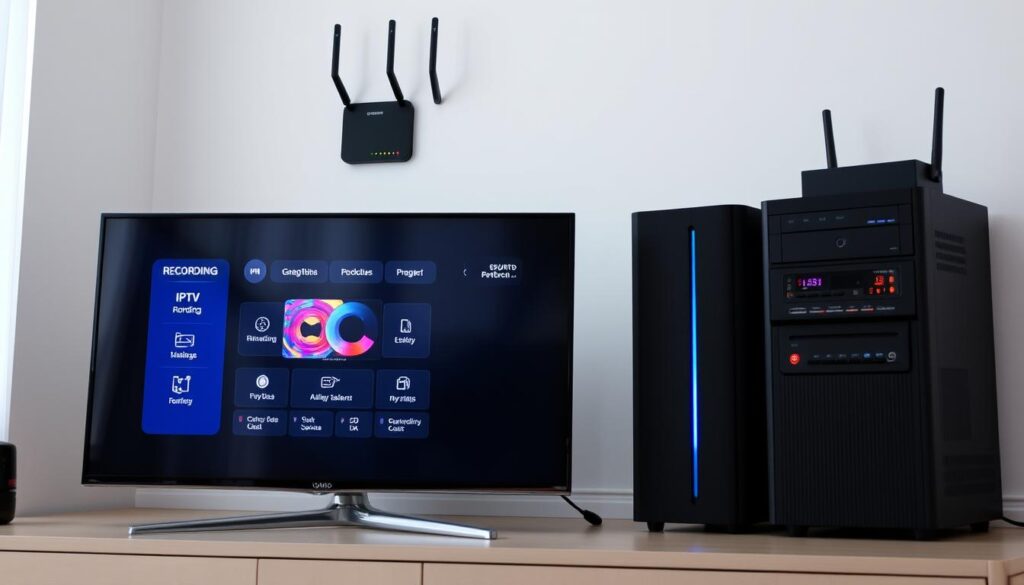
Curious how you can stop missing live games and still cut your monthly bills?
You want simple TV that fits your schedule. This guide shows how modern streaming and built-in recording features combine to put you in control.
GetMaxTV stands out for value: thousands of live channels and tens of thousands of on-demand movies for a low monthly fee and no contract, and you can be up and running in minutes on Firestick, Smart TV, Android, Windows, or Mac.
Channels DVR-style servers manage guide data and recordings on an always-on computer, so you can pause, rewind, and build a personal library. We’ll explain storage choices, how channels map to guide data, and practical steps to capture shows and sports.
Ready to try risk-free? See our curated best options and a clear how-to on recording via GetMaxTV.
Key Takeaways
- You can pause, rewind, and record live channels to watch on your time.
- GetMaxTV offers high channel counts and VOD at a budget price.
- Recording runs best when a server handles guide data and storage choices.
- Choose local or cloud storage based on speed, space, and cost.
- Set up takes minutes and 24/7 support helps if you get stuck.
Why DVR matters in 2025: take back control of your TV time
Take back your evenings by recording what matters, not rearranging life around airtime.
Modern streaming fragments your content across apps and clunky menus. You juggle accounts, miss live games, and waste time hunting for shows. A simple recorder changes that.
Set one interface to watch, pause, and record. A good dvr combines guide data and reliable storage so your favorite channels and programs land in a single library. That means less switching and more watching.
Channels-style recorders ask you to supply a source (like an IPTV playlist) and then act as a bulletproof recorder. Once set up, you get true pause, rewind, and series recording across your devices.
“DVR turns chaotic nights into planned viewing that fits your life.”
- You stop planning around broadcast schedules and reclaim free time.
- You replace expensive cable boxes with one app that stores the content you want.
- Reliable guide data and trusted providers keep recordings consistent.
Ready to start fast? Try the best free global services and see how easy saving shows can be for $6.95/month with instant activation and 24/7 help.
IPTV with DVR: what it is, how it works, and your best options today

A simple recorder turns live broadcasts into a personal library you can play anytime.
Definitions made easy: iptv dvr combines live TV over the internet and a recorder that saves shows so you can watch them later. You ’ll need only a compatible player or an app plus your preferred source to start.
Two paths to recording
Catch-up, or TV playback, is the easiest route. Your provider pre-records about 3–7 days of recent video. No extra hardware is required, but recordings are temporary once the window closes.
The full dvr system is the long-term option. It schedules recordings, keeps files on your storage, and supports series recording and padding. Full systems use a server and sources like M3U/XMLTV and work best with HLS streams.
Pros and cons for busy streamers
- Catch-up: simple, no set-up, limited time window.
- Full DVR: permanent storage, scheduled recordings, more setup and curation (use M3U4U to manage the 500-channel per-source limit).
- Hardware: MAG/Enigma2 boxes or standalone recorders can save to external drives for permanent keeps.
Practical tip: Map curated channels to built-in guide data and refresh about 14 days ahead for reliable scheduling. Prefer HLS for smoother playback on your home network.
“Choose quick catch-up for convenience, or a full server when you want permanent archives.”
For broad channels and value, pair a large provider like GetMaxTV with the recording path that fits you. No contract, instant activation in about two minutes, and universal device support keep setup painless. See our iptv dvr guide for deeper setup steps.
Quick-start guide: set up recording-friendly streaming on your devices
Get streaming and recording running on your main devices in minutes, not hours.
On Firestick, Smart TV, Android, Windows, and Mac you can finish setup fast. Sign up for your iptv service, activate instantly, and open the app to see channels right away.
You ’ll need only your login and a couple of basic settings like player choice and quality. Most users go from signup to streaming in about two minutes.
Catch-up and basic controls
Catch-up playback usually offers about 3–7 days of recent content on live channels. Open the guide, scroll back, and tap to play. Then use pause, rewind, and fast-forward the same way you do on live TV.
If your device supports timeshift and recording controls, the remote performs the same actions for recordings and live playback.
| Device | Time to Start | Key Benefit |
|---|---|---|
| Firestick | ~2 minutes | Instant activation and easy remote controls |
| Smart TV | ~2 minutes | Big-screen guide and catch-up playback |
| Android / Mobile | ~2 minutes | Record or Watch from Start on the go |
| Windows / Mac | ~2 minutes | Browser or app access for quick management |
Tip: Pin favorites and create quick-access rows to jump into news, sports, or series faster. If you want long-term archives later, you can upgrade to a full dvr or an iptv dvr solution without changing how you watch.
GetMaxTV activates in about two minutes, costs just $6.95/month, has no contract, and offers 24/7 support. For a Firestick-focused walk-through, see the best Firestick guide.
Power-user DVR setup: advanced recording with M3U, XMLTV, and Channels DVR
A pro-level recorder needs a curated channel list, solid guide mapping, and storage choices that match how you watch.
Curate your channel list for performance
Start small: most iptv providers send thousands of streams, but Channels enforces a 500-channel per source limit. Use M3U4U to filter and assign channel numbers so the server stays fast and predictable.
In M3U4U, disable everything first, then enable only what you watch. Assign blocks (100x locals, 110x sports) so clients keep order.
Map guide data for reliable recordings
Add the curated M3U/XMLTV as a custom source in your Channels server. Prefer HLS streams and set the source to refresh daily.
Skip flaky guide files. Map each channel to a real network using built-in EPG, then re-download the full 14-day guide so recordings schedule correctly.
Choose storage wisely
Decide between an external drive on your server or cloud paths like Hetzner Storageboxes or Backblaze B2. Label folders by series, event, and date so you can quickly find files.
Use cloud only if you monitor throughput and egress—long replays need steady network speed. External storage often gives the best cost-to-performance ratio.
Stream and manage recordings away from home
Enable Tailscale in server settings, link your account, and install the app on clients. Connect using the Tailscale IP and the “At Home” option to securely access recordings without opening ports.
“This setup lets you record series, pad events, and keep a single unified guide even when you stack multiple sources.”
- Prefer channel-number from the M3U so numbering persists when streams change.
- Set series passes, prune old files, and keep a short priority list so the system stays responsive.
- If you need an alternative recording path, see a focused guide on server-based recording or how to record on Plex: brilliant TVHeadend setup and how to record on Plex.
Pro tip: Pairing Channels for advanced recording and GetMaxTV for content gives you thousands of channels, huge VOD, and a low-cost provider option at $6.95/month — no contract and 24/7 support to get you running fast.
The best value in IPTV + DVR: why GetMaxTV is your smart choice
Imagine one source that delivers thousands of channels and a giant on-demand library at a fraction of cable costs.
GetMaxTV pairs huge channel lists and extensive VOD into a single, low-cost plan. You get 19,000+ live channels and 97,000+ movies and shows for only $6.95/month. There’s no contract and support is available 24/7.
Why it’s the smart pick
The service covers news, sports, entertainment, and international channels so you stop juggling multiple providers.
Activation takes about two minutes on most devices, and the stable streaming makes recording and playback work well in server setups.
“One login, one bill, and a massive content list—simple and affordable.”
- 19,000+ channels and 97,000+ VOD fill your library.
- All sports and movie packages included—no surprise add-ons.
- Universal device support and instant activation.
| Feature | What you get | Why it matters |
|---|---|---|
| Channel count | 19,000+ live channels | Wide choice across news, sports, and international picks |
| On-demand | 97,000+ movies & series | Fills gaps between live shows and recorded content |
| Price & terms | $6.95/month, no contract | Low cost and freedom to cancel anytime |
| Support & activation | 2-minute start, 24/7 support | Fast setup and help when you need it |
Ready to try? Start a free trial or subscribe via GetMaxTV and test how this service fits your recording workflow. For fast help, use the WhatsApp trial option on their site.
Conclusion
A few smart choices—clean channel lists, mapped guide data, and steady storage—turn streaming into a true library.
Use a simple setup to start recording fast or follow an advanced iptv dvr setup for full control. Map channels to built-in guide data, re-download 14 days of listings, and pick a server and storage plan that match your needs.
Label files and use external storage or cloud paths like Hetzner or Backblaze B2 to keep the system tidy. Enable Tailscale to securely access recordings away home and manage recordings from any device.
Want help? Read the Channels DVR guide or learn how to record on Plex.
Ready to save time and money? Subscribe now at https://getmaxtv.com/ — $6.95/month, no contract, instant activation in about two minutes, universal device support, and 24/7 help. Prefer to test first? Start a no-obligation free trial by messaging support on WhatsApp at https://wa.me/message/OZ4NORVZQTYAC1.
FAQ
What does a recording feature do and why should you care?
The recording feature lets you save live TV and on-demand shows so you can watch them on your schedule. You’ll pause, rewind, and store movies or matches to a drive or cloud folder, which frees you from channel schedules and cable-style restrictions.
How do guide and guide data affect my scheduled recordings?
The electronic program guide (EPG) supplies show times and metadata so your recorder can find episodes automatically. Accurate guide mapping and channel numbers make sure recordings start and stop correctly, reducing missed shows and duplicate files.
What devices support fast setup for recording—like Fire TV, Android, or smart TVs?
Many modern streaming devices and smart TVs run apps that support recording features. Fire TV Stick, Android boxes, Windows and Mac apps, and many smart televisions let you start recording within minutes once you connect storage and point the app to your account.
Do I need extra storage or can I use cloud options?
You can use internal storage, external USB drives, NAS, or cloud storage. External drives are cheapest and fast; cloud gives remote access and backup. Match your storage choice to how many hours and the video quality you plan to keep.
What’s the difference between built-in playback and a full-featured recorder?
Built-in playback often offers pause and short-term catch-up on the device itself. Full-featured systems provide scheduled recordings, series links, guide mapping, and long-term storage across devices and remote access.
Can I record multiple channels at once?
That depends on the recorder’s architecture and your service. Some systems let you record several live channels concurrently, while single-tuner setups limit you to one stream at a time. Check device specs and provider features before committing.
How do M3U and XMLTV files help advanced recording setups?
M3U lists your channel streams and XMLTV provides guide data. Together they let advanced recorders match guide entries to streams reliably, enabling scheduled and series recordings even with custom channel lists or multiple sources.
What should I know about mapping channels and guide data to avoid missed recordings?
Use consistent channel identifiers and verify guide source matches the stream list. Keep channel numbers stable, refresh EPG regularly, and test a few scheduled recordings after setup to confirm timings and mappings are correct.
How can I access my recordings when I’m away from home?
Remote access requires secure connections—VPN, reverse proxies, or services like Tailscale can expose your home server safely. You’ll also need sufficient upload bandwidth and a player app that supports remote playback.
Are there limits on channel count or performance I should worry about?
Some systems have recommended limits per source to keep the guide and recordings stable—often around a few hundred channels. Filtering large lists with tools like M3U4U improves performance and reduces clutter.
What factors determine recording quality and file size?
Bitrate, resolution, and codec control quality and size. Higher resolution and bitrates use more storage and CPU to transcode. Choose settings that balance device performance, storage capacity, and the viewing experience you want.
How do providers and services affect recording features and reliability?
Providers supply stream sources and sometimes built-in DVR services. Reliable services offer consistent streams, accurate EPG, and good support. Check refund policies, customer reviews, and whether the provider supports external storage or cloud paths.
Can I move or export my recordings between devices?
Many systems let you copy files to external drives or export via network shares. Some apps store metadata in proprietary formats, so check compatibility before migrating—using standard container formats makes transfers easier.
What troubleshooting steps help when recordings fail or are corrupt?
Verify guide accuracy and channel mapping, check drive health and free space, update app and firmware, and test network stability. Running short trial recordings helps pinpoint whether the issue is guide data, stream reliability, or storage.
How do subscriptions and pricing impact the value of a recording-capable service?
Consider channel count, on-demand libraries, sports and movie offerings, support levels, and whether the service includes recording features or requires extra fees. Compare monthly costs against how much time-shifting and storage you need.
The GetMaxTV Team is a group of cord-cutting experts and streaming technology specialists who have been testing and reviewing IPTV services since 2022. Based in North America, our team personally tests every service we recommend across 15+ devices including Fire TV Stick, Roku, Apple TV, Samsung Smart TVs, and gaming consoles. We verify channel counts, measure buffering rates, test picture quality in HD and 4K, and evaluate customer support response times. Our mission is to help viewers save money by switching from expensive cable subscriptions ($147/month average) to affordable, high-quality IPTV alternatives. Every article on GetMaxTV.com is based on hands-on testing and real-world experience — not recycled marketing claims.