
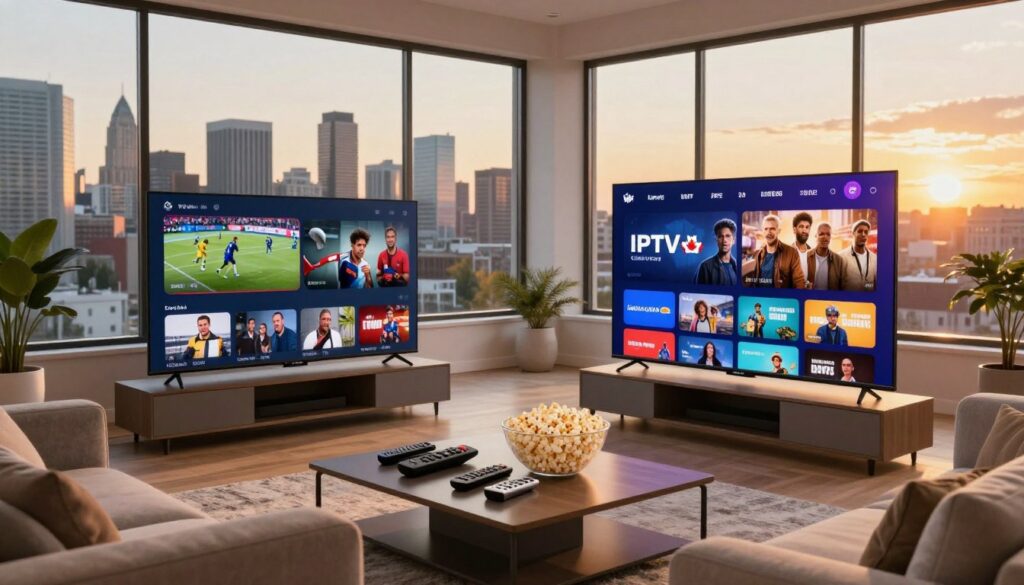
Looking for a smarter way to cut costs and still watch your favorite live channels in Canada? You can test a streaming service before you pay and avoid surprise charges.
Short trials let you stress-test evening streams, check sports latency, and confirm device compatibility. Typical trial windows run from 24 hours to a week, so plan to use peak hours while you test.
Watch for credit-card verification traps and use a dedicated email to keep spam out of your inbox. This guide lists verified streaming brands with real trials first, then shows how to evaluate third-party providers safely.
By the end, you’ll have step-by-step checks for stream stability, EPG usability, VOD playback, multi-device viewing, and cancellation terms. If you want to compare options later, you can also review services like GetMaxTV provider list in the full guide.
Key Takeaways
- Use short trials to test peak-hour reliability and features before subscribing.
- Prioritize clear terms, reliable streams, and easy setup on your devices.
- Avoid credit-card verification traps and use a dedicated email for signups.
- Check EPG, VOD playback, sports latency, and multi-device support during the trial.
- This roundup starts with verified streaming brands, then covers safe evaluation of third-party providers.
What an IPTV Free Trial Really Lets You Test in 2025
Before you sign up, know which parts of a streaming service you can actually test in a short access window.
Internet protocol television means TV sent over your internet connection, not via a coax cable or satellite. In plain terms, it delivers the same content but through your home network, so setup is usually lighter on hardware.
How internet protocol television differs from traditional cable in Canada
Compared with traditional cable, you get more flexible device support and often month-to-month plans. You won’t need a bulky set-top box for every room, and switching devices is easier.
What “full access” should include
A solid test gives you actual live channels to tune, a working EPG, any offered VOD or catch-up content, and streaming on multiple devices. Confirm limits before you start—some services restrict VOD or device counts.
- Channel switching speed
- EPG accuracy and subtitle support
- Playback stability across devices
| Feature | What to Verify | Why it Matters |
|---|---|---|
| Live channels | Tune common channels you watch | Shows real availability and quality |
| EPG | Check guide accuracy and updates | Helps you plan viewing and DVR use |
| Multi-device | Stream on two or more devices | Validates household viewing needs |
How IPTV Free Trials Work From Signup to Streaming
Start by noting how a simple signup turns into a working stream in just a few steps.
Typical flow: you enter an email, confirm details, and receive credentials. These arrive as M3U/Xtream codes or an account login. Then you pick either the provider app or a third-party player and start streaming.
Use a dedicated email for tests. That keeps your main inbox clean and lowers risk if marketing follows. You should never need to share full payment data for a short access window.
Email-only trials vs account-based logins
Email-only trials are fast and lower risk; they give quick access with minimal data. Account-based logins offer extra features and saved preferences, but they ask for more data and sometimes a payment method.
Provider apps vs third-party players
Provider apps are simple and tailored to the service. Third-party players like IPTV Smarters and TiviMate give a consistent UI across devices and better playlist management.
What to test during peak hours
Peak-evening and weekend hours reveal real-world issues. Watch for buffering, quality drops, and missed channels that stay hidden in off-peak checks.
First 10 minutes checklist
- Add the playlist or enter credentials.
- Load the EPG and test channel switching.
- Confirm audio, subtitles, and VOD playback.
- Note the start time and mark the expiry in hours so you avoid surprises.
| Step | What to Expect | Why It Matters | Quick Tip |
|---|---|---|---|
| Signup | Email confirmation or account creation | Starts the clock for your access hours | Use a throwaway or dedicated email |
| Credentials | M3U/Xtream or username/password | Determines player compatibility | Save details in a password manager |
| Player choice | Provider app or third-party player | Affects UI and device support | Try both if possible |
| Peak test | Evening/weekend streaming | Shows congestion and stability | Record issues and timestamps |
Are IPTV Free Trials Free, or a Credit Card Trap?
Before you enter payment details, learn which trial types truly end without surprise charges.
Three common models:
- No-strings email-only access — safest: access ends when the period closes and you are not billed.
- Auto-renew signups — convenient but you must note the exact billing date and cancellation steps.
- Money-back guarantees — you pay up front and request a refund inside a clear window; only trust this if support responds fast.
Watch for a “verification” card charge. Red flags include vague terms, hidden cancellation steps, pressure tactics, or no clear business name.
For privacy, consider a vpn while you test. Confirm the service streams correctly when you use vpn and don’t assume a VPN will fix slow playback.
Action checklist: read terms, screenshot confirmations, set a calendar reminder for billing, and keep support messages. If you want guidance on structured testing methods, see this trial checklist.
| Trial type | What to watch for | Safest use |
|---|---|---|
| No-strings email | No card, access ends automatically | Compare streams and EPG |
| Auto-renew | Billing date, cancellation steps | Set reminders; cancel before charge |
| Money-back | Refund policy and response time | Test support responsiveness |
How Long Do IPTV Free Trials Typically Last?
Pick a start time that lines up with your busiest viewing hours so you can catch real-world issues fast.
Common windows and what they let you test
24 hours: A compact window for peak-hour checks. Use this to watch your regular evening shows and test channel switching speed.
48–72 hours: The sweet spot for most households. You can test multiple devices, a sports match, and VOD playback without rushing.
7 days: Best for families. A full week reveals patterns, intermittent buffering, and how reliably the service recovers after outages.
Why weekend testing matters
Friday night through Sunday exposes congestion and uptime issues other hours hide. If you want to vet quality under load, schedule your access to include at least one weekend evening.
Practical planning tips
- Start Thursday evening to cover the weekend peak without wasting weekdays.
- If unsure, pick a month-to-month plan later instead of committing up front.
- Set calendar alerts for the access expiry so you avoid surprise charges.
best iptv free trial 2025: What “Best” Should Mean for Your Home Setup
Start by defining what ‘right for your home’ means: the channels you watch, the devices you own, and the times you use them.
Channel lineup matters more than raw counts. Prioritize Canadian, regional, and niche channels you actually tune to. A provider with thousands of irrelevant channels will not help your daily viewing.
Reliability targets are more than marketing. A “99% uptime” claim sounds good, but you should verify stability during evening peaks. Note buffering, channel drops, and recovery time during your test window.
Verify support and streaming labels
During the access period, ask one setup question and one billing question to measure response time and clarity. Fast, clear answers show real customer support; vague replies are a red flag.
Check labels for SD, HD, and 4K by watching fast-motion scenes on multiple channels. Labels can be misleading; actual picture continuity and bitrate are what count.
Use a simple scorecard to document results for lineup, reliability, support, and picture quality. That makes comparing providers easier and keeps choices Canada-focused.
| Criteria | What to test | Pass indicator |
|---|---|---|
| Channel lineup | Tune local and specialty channels you watch | All key channels present and viewable |
| Reliability | Evening peak streaming for 2–3 hours | No repeated buffering; quick recovery |
| Customer support | Ask setup + billing questions | Response under 24 hours, clear steps |
| Picture quality | Compare SD/HD/4K on fast-motion content | Consistent clarity and stable bitrates |
For a deeper checklist and comparative guidance on subscriptions and services, see this selection guide to help finalize your choice.
Verified Streaming Services With Free Trials You Can Use in Canada
If you want predictable results, start with verified streaming brands that operate under formal licensing agreements. These services tend to be more stable and come with clear support channels, so you can test real-world performance without guessing.
YouTube TV — Up to 21 days of access. You can confirm live channels, unlimited cloud DVR kept for nine months, and three simultaneous streams.
fuboTV — A 7-day window for sports-focused households. Over 228 channels, cloud DVR, and up to ten simultaneous streams make it useful for multi-user testing.
Philo — A budget entertainment option with a 7-day access period, roughly 70 channels, and unlimited DVR storage retained up to a year.
Hulu + Live TV — Short 3-day access that bundles on-demand content with Disney+ and ESPN+, helpful if you want one consolidated service for streaming and sports.
DirecTV Stream — Five days to test a cable-style guide, regional sports networks, and channel layouts that mirror traditional cable packages.
Apple TV+ — Seven days best used to check premium 4K HDR playback and family sharing across Apple devices; it is on-demand rather than a live channel replacement.
Availability, local channels, and pricing can vary by province. Use your access window to confirm what channels and support you actually get where you live, and compare notes against a curated top services list.
Third-Party IPTV Providers Offering Trials: What to Evaluate Before You Pay
Some smaller streaming providers operate without public licensing details, which raises real questions about long‑term availability.
What third‑party or unverified services are: independent suppliers that bundle channels but may not publish licensing info. This creates a legal gray area and a higher risk that a service can disappear or lose channels without notice.
Limit your exposure: after a short trial consider a month‑to‑month plan first. Paying monthly reduces the chance you lose a large prepaid sum if the provider vanishes.
Payment safety and what to check
- Avoid crypto‑only checkout or gift cards; those remove chargeback options and make disputes hard.
- Prefer reversible payment methods and keep receipts and timestamps.
- Test uptime history, EPG accuracy, support response, and whether the channel lineup matches your needs.
| Risk | Red flag | Action |
|---|---|---|
| Disappearing service | No public uptime record | Pay month by month |
| Payment disputes | Gift cards / crypto only | Choose card or PayPal |
| Privacy | No support or vague terms | Walk away |
Privacy tip: if you decide to use a vpn, test performance during your access window. Confirm streams stay smooth and that using a vpn does not block channels.
Walk‑away checklist: unclear policies, no verifiable support, pressure to pay long‑term, or poor peak‑hour streams. For a structured approach to testing, see this trial checklist.
Canada-Specific Viewing Checks During Your Trial
Focus on the stations you watch most — that quick step saves time and exposes real viewing gaps fast.
Testing local and regional availability: build a short must-have list of local channels before you start. Search each channel name in the guide, tune it, and confirm the program matches the schedule shown in the EPG.
Play each channel for a few minutes and note consistency. If a station drops or shows poor picture, mark it down.
Assessing performance by province, ISP, and peak hours
Performance varies by province and ISP because routing and local congestion change how streams arrive. Test during real viewing times: try 30 minutes at lunch, 60 minutes in prime time, and one longer weekend session.
Compare the same channel on two devices (TV and phone) to catch device-specific problems. Record buffering times, resolution changes, and any EPG mismatches.
- Validate availability: search, play, and confirm schedule accuracy.
- Check performance: short midday test and longer evening test.
- Document results: timestamp issues and take screenshots for comparison.
Practical rule: “Works in Canada” should mean it works on your ISP, in your home, at your viewing hours — not just that the content is listed online. Use your notes to compare providers objectively.
Device Compatibility Checklist for IPTV Free Trials

Before you commit, confirm that the player app works well on each device you own.
Why device testing matters: a streaming provider can look great on one device and struggle on another because of app quality or hardware decoding. Use your access window to prove each device performs the way you expect.
Fire TV Stick and Android boxes
Fire TV Stick and Android boxes are common because they run many third-party players. These boxes let you try different apps fast. If a playlist or EPG misbehaves, you can switch players to isolate app vs service problems.
Smart TVs and app availability
Smart tvs vary by brand and OS. Some models let you install popular players; others do not. Check the app store on your TV before you lose time during the trial.
Apple devices: iPhone, iPad, Apple TV
Apple platforms sometimes require approved apps or web players. If you live in an Apple household, test login, playback, and subtitle controls early to avoid surprises later.
Windows and Mac playback
Try a browser player first. If one is not available, use VLC or another desktop player to load playlists. This helps you see if problems are app‑specific or network related.
Multi-device checklist to run during your trial:
- Login process on each device
- EPG load time and channel switching speed
- Subtitle and audio-track toggles
- Settings sync across devices
- Simultaneous streaming on multiple screens
| Device | What to verify | Quick pass indicator |
|---|---|---|
| Fire TV / Android box | App install, playlist load, channel switching | No crashes; smooth switching |
| Smart TVs | App availability by brand, EPG view, picture quality | App present; guide matches broadcast |
| Apple devices | App or web player login, subtitle support | Playback works in native apps |
| Windows / Mac | Browser player or VLC playlist playback | Streams play without app errors |
Final tip: record timestamps and screenshots during the free trial. If you need deeper help, check a dedicated device compatibility guide before you subscribe.
How to Test Live Sports During an IPTV Free Trial Without Regrets
Sports broadcasts expose streaming weaknesses faster than most other programs. Use your access window to focus on match pace, unexpected delays, and how the service handles peaks. A short, focused plan saves time and avoids disappointment after you subscribe.
Latency, stream delay, and why your “goal” notification arrives first
Measure delay by comparing the stream to an official broadcast or a friend’s feed. Start the same play on both devices and note the time gap when a key event happens.
Another quick check is using live score updates or social feeds. If notifications show an event before your picture, that indicates latency in the stream or player buffering.
Multi-game viewing and feed switching under pressure
Watch one full event, then switch between two or three live channels during key moments. Count how long channel changes take and whether audio or video drops out.
Test picture-in-picture or split-screen modes if your app supports them. Rapid switching and multi-game layouts reveal UI limits and server strain.
Stability during major events as the ultimate stress test
Major matches attract high traffic and expose congestion. Dedicated tests during a big game are the best way to judge long-term reliability.
| Test | What to watch for | Pass indicator |
|---|---|---|
| Latency check | Compare to official feed or scores | Delay under 30–45 seconds |
| Switching test | Quick channel changes during key plays | Switch |
| Major event | Continuous viewing 90+ minutes | No repeated buffering or black screens |
Also verify audio sync and commentary consistency, and confirm HD labels hold up during fast motion. Finally, test on two devices—your TV for the main view and a phone or tablet as a backup—so you know how the service performs across your household during peak hours.
How to Evaluate On-Demand Content and Catch-Up TV
On-demand content can be the main reason you choose a service. If the VOD library is usable, it may replace other entertainment subscriptions you pay for now.
Search and navigation: finding content fast
Start by searching a few recent titles you care about. Try genre browsing and a couple of obscure shows to find duplicates or broken listings.
Quick checks:
- Search by exact title and by keyword.
- Browse genres to confirm meaningful categorization.
- Look for many repeat entries or missing metadata.
Playback quality, subtitles, and audio track reliability
Play a movie or episode, then pause and resume. Rewind and skip ahead to watch for mid-play failures.
Toggle subtitles and alternate audio tracks. Verify sync and availability in the languages you need.
If audio or subtitles fail consistently during your access, that is a red flag.
Content freshness vs outdated “new releases” sections
Open the “new releases” list and check dates. If recent shows or films are missing, the service may not keep content current.
Remember: messy VOD libraries rarely fix themselves after you pay. If navigation, playback, or freshness feel unreliable during your trial, consider that decisive.
Compare VOD expectations with another service before you commit to a subscription.
Streaming Quality and Anti-Buffering Tests You Can Do in One Evening
A short, structured test session can reveal if streams hold up under pressure. Follow this low-effort plan to judge picture quality and buffering in a single evening.
Quick evening schedule
- 15 minutes: channel surfing to spot slow loading and locks.
- 30 minutes: watch a fast-motion channel (sports or news) to check sustained bitrate.
- 30 minutes: play a movie or VOD to test long-play stability and resolution shifts.
Resolution verification
Look for compression artifacts, motion blur, and sudden drops. If an “HD” label disappears or the image gets blocky during action, the label may be marketing only.
Router, Wi‑Fi and device checks
Move closer to the router, switch to 5 GHz, and reboot your modem/router if you see buffering. If possible, use an Ethernet cable as a baseline to separate Wi‑Fi problems from provider issues.
Test on your main device first; older sticks or TVs may struggle with higher bitrate content and give a false impression of service quality.
How to read results: consistent quality during peak hours across two devices is a green flag. Repeated buffering on multiple channels and devices is a red flag and suggests you should look for another cheap subscription option.
Customer Support Signals That Separate Solid IPTV Services From Shady Ones
A provider’s response time and clarity during the trial are one of the strongest trust signals you can test.
Good customer support shows whether setup problems will be fixed quickly after you subscribe. If setup is painful now, it rarely gets easier later.
What to ask during your trial to gauge real response time
Send three quick, specific questions once you sign up:
- Exact setup steps for your device and app.
- How to fix EPG or channel mapping issues.
- Limits on simultaneous streams and what happens when the period ends.
Documentation and policies as trust markers
Look for clear, updated setup guides, a searchable FAQ, and transparent refund or cancellation terms. These are red flags when missing.
Good responses include step-by-step instructions, realistic troubleshooting, and no pressure to commit. Vague answers or delays are warning signs.
| Signal | What to check | Good sign | Walk-away signal |
|---|---|---|---|
| Response time | Minutes to hours on chat or email | Clear reply within 24 hours | No reply until after your access ends |
| Documentation | Setup guides, FAQs, refund policy | Step guides and visible terms | No guides; buried payment terms |
| Support channels | Email, ticket, chat availability | Multiple channels and traceable tickets | Only chat bots or crypto/payment pressure |
Practical method: contact support using two channels, save timestamps and replies, and judge if instructions are usable on first run.
If you see evasive billing terms, unclear refund rules, or unhelpful answers, consider this a clear signal to walk away. Trustworthy services make their policies and help easy to find and use.
How to Avoid IPTV Free Trial Scams and Protect Your Privacy
Stay cautious and practical when you test a service. Start by reading billing rules and refund policies before you share payment details. That single step blocks many common traps.
Common scam patterns to watch for:
- Bait-and-switch “free” offers that ask for card verification before streaming.
- Requests for crypto or gift‑card payment only — these remove chargeback options.
- Urgency tactics like countdown timers or “limited spots” to force a quick signup.
Privacy baseline: use a dedicated email and provide minimal personal data. Keep screenshots of confirmations and set a calendar reminder for when access ends.
When to use vpn and how to test compatibility
A vpn can help protect your privacy, reduce ISP throttling, or let you test from another region. Note that a vpn can slow speeds, so always test performance.
- Connect your vpn, pick a nearby server, then stream several channels during peak hours.
- Check for blocked streams or extra buffering; some providers block vpn traffic.
- If streams fail, try a different server or disable the vpn to compare results.
Simple research steps before you commit
Search the provider name + “reviews” and sort by recent posts. Look for repeated complaints about billing, refunds, or downtime. Trust patterns of issues more than a single negative comment.
Choosing Your Next Step After the Trial: Subscription Plans That Make Sense
Use what you learned during the access window to pick a subscription that fits your daily viewing, not the provider’s headline discount.
Month-to-month vs longer commitments
Month-to-month plans reduce risk if a service disappears or support is slow. Pay monthly while you confirm consistent performance on evenings and weekends.
Longer plans can save money but only make sense after repeated, stable results during peak viewing. If support answered fast and streams stayed solid, consider a longer term.
Match the plan to devices, viewing habits, and support needs
Count your active devices and simultaneous streams before you buy. If you stream on three screens at once, choose a plan that guarantees that device limit.
Filter by viewing habits: sports-heavy households should prioritize low latency and strong live support. Movie and series viewers need VOD organization, subtitle reliability, and good on-demand libraries.
Buying checklist and a practical nudge
- Transparent pricing and clear renewal terms.
- Safe payment options with chargeback methods available.
- Documented response times and helpful support during your test.
- A short initial subscription so you can switch if performance shifts.
“Pick a flexible subscription first. If the service proves stable, then lock in a longer plan.”
| Decision point | What to check | Action |
|---|---|---|
| Device count | Number of simultaneous streams | Choose matching plan |
| Viewing style | Sports vs movies/series | Prioritize latency or VOD features |
| Support quality | Response time and clarity | Avoid long commitments if slow |
If you want an iptv subscription after testing, you can review the GetMaxTV offer as one option to consider. Keep your first paid month flexible so you can switch if performance changes over time.
Conclusion
Wrap up by checking how the service performed in your home during real viewing hours. Focus on proven results: whether the channels you watch and on‑demand content loaded cleanly, the guide matched schedules, and streaming stayed steady on each device.
Avoid confusing large channel lists with real value. Watch for peak‑hour buffering and any sketchy payment requests. Verified services give set access windows so you can test with less risk; unverified providers need more caution and month‑to‑month plans when possible.
Use a vpn only for privacy or travel needs and confirm playback while it’s active. If you’re ready to subscribe, start with a short plan. For an option to consider, check GetMaxTV’s offer at https://getmaxtv.com.
FAQ
What does an IPTV free trial let you test?
A trial gives you hands-on access to live channels, the electronic program guide (EPG), video-on-demand libraries, and multi-device streaming. Use the period to check channel lineup relevance, DVR or cloud-recording features, and on-demand quality so you can see how the service fits your daily viewing.
How does internet protocol television differ from traditional cable in Canada?
Internet protocol television delivers video over your internet connection instead of coaxial or satellite. That means you can stream on smart TVs, phones, tablets, and streaming sticks, but performance depends on your ISP and home network. Expect more flexible device support and on-demand options compared with many cable packages.
What should “full access” include during a trial?
Full access should include live channel streams, an accurate EPG, VOD or catch-up content, simultaneous streams for multiple devices, and account-level features such as profiles and DVR. If a trial limits core features, it’s harder to evaluate real-world value.
How do email-only trials differ from account-based logins?
Email-only trials often require just an address and give temporary access, while account-based systems create a username/password and may sync settings across devices. Account logins are better for testing multi-device continuity and DVR features.
Should I use the provider’s app or a third-party player like IPTV Smarters or TiviMate?
Use the provider’s official app first to check native features and support. Then test third-party players if the service supports them to evaluate playlist handling, channel organization, and player stability on your devices.
What should I test during peak hours?
Check stream start times, buffering, resolution drops, and uptime during evening primetime and live sports. Peak testing reveals congestion issues that won’t show during quiet hours.
Are trials truly free or do providers often require a card?
Some providers offer no-strings trials with no card needed; others require card details and auto-renew after the trial. Read terms closely — look for clear cancellation steps and money-back guarantees before you enter payment info.
What are red flags when a verification card is required?
Beware if a service asks for upfront verification with unclear billing, demands gift cards, or pushes crypto-only payment methods. Those are common in sketchy setups. Prefer standard credit/debit options and transparent cancellation policies.
How long do trials typically last?
Common windows include 24 hours, two to three days, and seven-day trials. A week gives the best picture of reliability and feature access, but even a short test can flag major issues.
Why is weekend testing important?
Weekends and major events stress providers with higher traffic. Testing then helps you spot buffering, feed drops, and reduced stream quality that weekday checks might miss.
What should “best” mean for your home setup?
It means a service with a channel lineup you actually watch, solid uptime claims that you can verify, responsive customer support, and consistent streaming quality across SD, HD, and 4K where advertised. Fit matters more than raw channel counts.
Which verified streaming services offer trials you can use in Canada?
Major services that have offered trials include YouTube TV, fuboTV, Philo, Hulu + Live TV, DirecTV Stream, and Apple TV+. Each differs by channel focus, DVR features, and simultaneous streams, so compare based on sports, entertainment, or on-demand needs.
What should I evaluate with third-party providers before paying?
Check legal standing and reviews, prefer month-to-month plans to limit risk if a service disappears, and avoid providers that insist on gift cards or crypto. Verify uptime, channel stability, and available support channels.
How can I check local and regional channel availability in Canada?
During the trial, search for the specific local stations and regional sports feeds you watch. Test by province if possible, and try streams at different times to confirm consistent availability across your viewing areas.
Which devices should I include in compatibility checks?
Test on Fire TV Stick and Android boxes, your smart TV brand, iPhone/iPad and Apple TV, plus Windows or Mac via browser or VLC. Confirm app availability, login persistence, and playback smoothness on each device you’ll use.
How do I test live sports during a trial?
Focus on latency (delay vs broadcast), stream switching speed for multi-game viewing, and stability during high-traffic moments. Low latency helps if you follow live commentary or betting apps, so compare delays across services.
What should I check for on-demand content and catch-up TV?
Search and navigation speed, playback start times, subtitle and audio track reliability, and how fresh the catalog is. Verify you can resume playback and that recorded or catch-up items work as expected.
What simple streaming quality tests can I do in one evening?
Play the same HD and 4K titles, note resolution labels versus actual clarity, check for bitrate drops, and run router/Wi‑Fi checks like moving the device near the router or switching to Ethernet to compare stability.
What customer support signals separate solid services from shady ones?
Ask support basic setup questions during the trial and note response time, clarity, and helpful documentation. Good providers offer quick live chat, email support, detailed guides, and clear refund or cancellation policies.
How do I avoid scams and protect my privacy?
Ignore pressure tactics and too-good offers, avoid services that only accept gift cards or crypto, and use a reputable VPN if you want extra privacy. Research recent user reviews and check for patterns of downtime or billing complaints.
Should I choose month-to-month or longer subscriptions after a trial?
If you’re unsure about long-term reliability, pick month-to-month to limit commitment. If the service proves stable, compare discounts on longer plans and match the plan to your devices, viewing habits, and support expectations.
How can I verify customer support responsiveness during my trial?
Submit a support ticket or start a live chat with setup or playback questions and time the response. Use the experience to gauge phone support hours, knowledge level, and whether guides and FAQs answer common problems.
When should I use a VPN with a streaming service?
Use a VPN if you need extra privacy or to test geo-restricted content, but check that the provider allows VPNs and that performance stays acceptable. Test VPN compatibility during the trial by connecting through a nearby server and streaming a live event.
What payment methods are safest when signing up after a trial?
Standard credit and debit cards, PayPal, or bank-based options offer dispute protection. Be cautious with services that insist on gift cards or crypto-only checkout; they limit your buyer protections.
If I want a subscription after the trial, what should I consider?
Match the plan length and price to how many devices you use, the channels you watch most, and whether you value strong support and reliable uptime. Consider month-to-month first, then lock in longer plans if the service meets your needs.
The GetMaxTV Team is a group of cord-cutting experts and streaming technology specialists who have been testing and reviewing IPTV services since 2022. Based in North America, our team personally tests every service we recommend across 15+ devices including Fire TV Stick, Roku, Apple TV, Samsung Smart TVs, and gaming consoles. We verify channel counts, measure buffering rates, test picture quality in HD and 4K, and evaluate customer support response times. Our mission is to help viewers save money by switching from expensive cable subscriptions ($147/month average) to affordable, high-quality IPTV alternatives. Every article on GetMaxTV.com is based on hands-on testing and real-world experience — not recycled marketing claims.