
Finding the right streaming option matters now more than ever. Traditional cable packages cost $70 to $100 monthly, but affordable alternatives exist for cord-cutters seeking world cup 2026 streaming solutions.
World Cup 2026: What You Need to Know
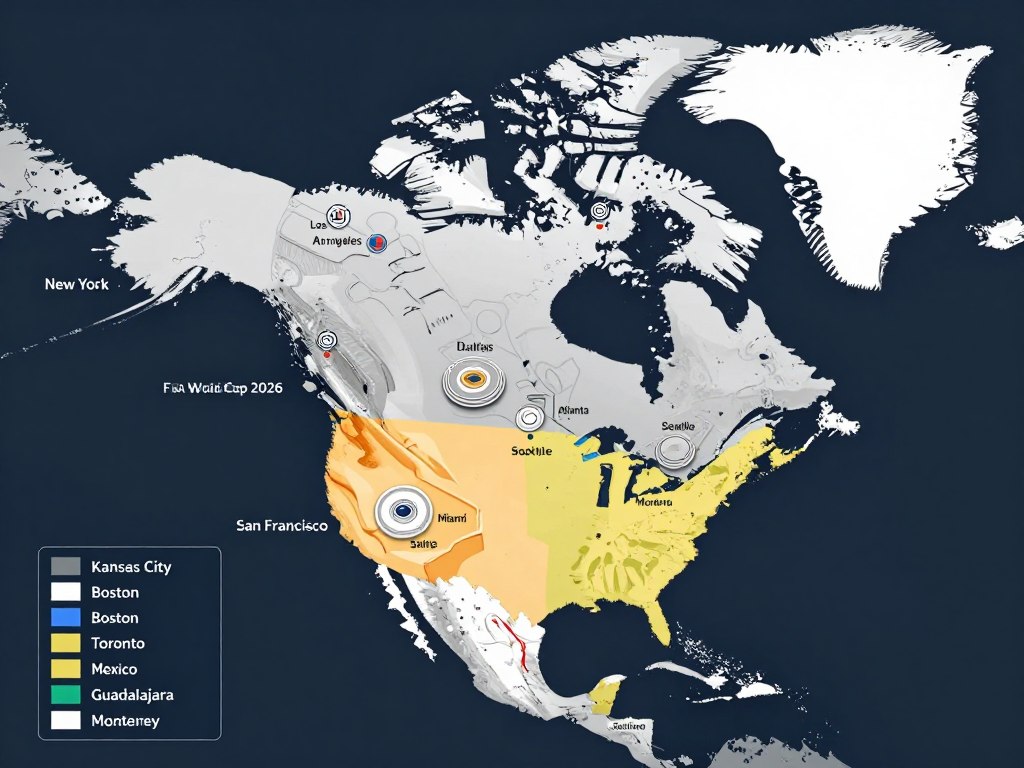
This world cup marks a significant expansion. The tournament grows from 32 to 48 teams, increasing total games from 64 to 104 matches.
The United States hosts 11 cities: New York/New Jersey, Los Angeles, Dallas, Houston, Atlanta, Philadelphia, Miami, Seattle, San Francisco, Kansas City, and Boston. Canada welcomes matches in Toronto and Vancouver.
Mexico brings the tournament to Mexico City, Guadalajara, and Monterrey. This distribution ensures fans across North America can attend matches in person.
Tournament Fast Facts
- 48 participating teams from six continents
- 104 total matches across 39 days
- 16 host cities in three countries
- Group stage followed by knockout rounds
- Opening match: June 11, 2026
- Final: July 19, 2026

Understanding the tournament format helps plan your viewing schedule. The group stage runs from June 11 through June 27, with multiple matches daily.
The knockout stage begins June 30 and continues through the final on July 19. Teams compete in afternoon and evening time slots across Eastern, Central, and Pacific time zones.
Official Broadcasters for FIFA World Cup 2026
FOX holds exclusive English-language broadcast rights in the United States. All 104 matches will air across FOX network and FOX Sports 1.
Telemundo broadcasts all matches in Spanish for United States viewers. This provides a free over-the-air option for Spanish-speaking fans with an antenna.
Canada’s official broadcasters include CTV and TSN+. RDS covers French-language broadcasts for Quebec viewers.
United States Broadcasting
FOX developed the FOX One streaming app specifically for the world cup. This dedicated platform costs $19.99 monthly and streams all matches.
The FOX One app works on Fire TV Stick, Roku, Apple TV, and mobile devices. Subscribers access live matches, replays, and highlights in one place.
Telemundo offers free broadcasts through local affiliates. Viewers with digital antennas can watch matches without subscription costs.
Canadian Broadcasting
CTV provides over-the-air coverage for major matches. TSN+ streaming service covers all 104 games with subscription access.
TSN+ costs approximately $20 CAD monthly. The service includes English commentary and comprehensive tournament coverage.
RDS delivers French-language coverage for Quebec. This includes both traditional broadcast and streaming options.
United Kingdom Broadcasting
BBC and ITV share broadcasting rights in the UK. Both networks provide free coverage through traditional broadcast and online streaming.
BBC iPlayer and ITVX streaming platforms offer all matches without subscription fees. UK residents need only a TV license.
How to Watch World Cup 2026 Without Cable
Cord-cutters have multiple options for world cup streaming. Services range from free antenna broadcasts to premium streaming platforms.
The key is finding a solution that fits your budget while providing reliable access to all matches. Quality, device compatibility, and price vary significantly.
Free Options
- Digital antenna for Telemundo broadcasts
- BBC iPlayer for UK residents
- Free trials from streaming services
Mid-Range Options
- FOX One app at $19.99/month
- TSN+ for Canadian viewers
- GetMaxTV at $6.95/month
Premium Options
- YouTube TV at $73/month
- Fubo at $80/month
- Hulu + Live TV at $77/month
Digital Antenna Solution
A digital antenna provides free access to Telemundo broadcasts in the United States. One-time antenna costs range from $20 to $60.
Antennas work best within 30 miles of broadcast towers. Signal quality depends on geography and tower proximity.
This solution covers matches broadcast on Telemundo’s main network. Some matches air exclusively on cable sports channels.
Streaming Service Comparison
| Service | Monthly Cost | All Matches | 4K Quality | Free Trial |
| GetMaxTV | $6.95 | Yes | Yes | 24 hours |
| FOX One | $19.99 | Yes | Select matches | 7 days |
| YouTube TV | $72.99 | Yes | Add-on $10 | 14 days |
| Fubo | $79.99 | Yes | Select matches | 7 days |
| Hulu + Live TV | $76.99 | Yes | No | None |
Premium streaming services cost $73 to $80 monthly. These packages include sports channels but require significant monthly commitments.
Budget-friendly alternatives provide fifa world cup access without premium pricing. GetMaxTV offers comprehensive coverage at $6.95 monthly.
Stream Every World Cup Match in 4K Quality
Get all 104 matches for just $6.95/month with GetMaxTV. Start your free 24-hour trial today — no credit card required. Save over $780 compared to cable packages.
GetMaxTV: Premium IPTV for World Cup 2026 Streaming
GetMaxTV delivers premium IPTV service specifically designed for sports streaming. The platform provides access to all fifa world cup 2026 matches.
With 21,000+ live channels and 97,000+ on-demand titles, the service extends beyond tournament coverage. Users access sports, entertainment, movies, and international programming.
Service Features
Streaming Quality
GetMaxTV broadcasts in HD, FHD, and 4K resolution. HEVC encoding with anti-freeze technology ensures smooth playback.
- 4K quality for all world cup matches
- HD and FHD options for data management
- HEVC compression for bandwidth efficiency
- Anti-freeze technology prevents buffering
Reliability
The service maintains 99.9% server uptime. This guarantee ensures you won’t miss critical tournament moments.
- 99.9% uptime guarantee
- Redundant server infrastructure
- 24/7 technical support via WhatsApp
- Automatic failover protection
Device Compatibility
GetMaxTV works across all major streaming platforms. Install on multiple devices with a single subscription.
- Fire TV Stick and Roku support
- Apple TV compatibility
- Smart TV apps for Samsung, LG, Sony
- Mobile apps for iOS and Android
Additional Features
The service includes practical features that enhance the viewing experience beyond live streaming.
- Full Electronic Program Guide
- 7-day catch-up TV for missed matches
- Multi-connection plans available
- VOD library with 97,000+ titles
Pricing Plans
GetMaxTV offers flexible subscription terms. Monthly plans start at $6.95, with discounts for longer commitments.
| Plan Duration | Price | Monthly Equivalent | Savings |
| 1 Month | $6.95 | $6.95 | Base price |
| 3 Months | $14.95 | $4.98 | 28% off |
| 6 Months | $19.95 | $3.33 | 52% off |
| 12 Months | $29.95 | $2.50 | 64% off |
All plans include the full channel lineup, 4K streaming, and technical support. Multi-connection options allow viewing on multiple devices simultaneously.
The 12-month plan costs less annually than one month of YouTube TV or Fubo. Tournament coverage extends beyond just the world cup to year-round sports.
Risk-Free Trial
GetMaxTV provides a 24-hour free trial without requiring payment information. Test the service quality before committing to a subscription.
The trial includes full access to all channels and features. Stream matches, test device compatibility, and verify stream quality.
A 30-day money-back guarantee backs all subscriptions. This removes financial risk for new subscribers.
Setting Up World Cup Streaming on Fire Stick and Roku
Fire TV Stick and Roku dominate the streaming device market in the United States. Both platforms support major streaming services for the 2026 world cup.
Device setup takes 15 to 20 minutes. The process includes connecting hardware, downloading apps, and configuring subscriptions.
Fire TV Stick Setup
Amazon’s Fire TV Stick connects to any TV with an HDMI port. The device costs $39.99 for the standard version or $54.99 for the 4K model.
- Connect Fire TV Stick to your TV’s HDMI port
- Power the device using the included USB cable and adapter
- Turn on your TV and select the correct HDMI input
- Connect Fire TV Stick to your WiFi network
- Sign in with your Amazon account
- Navigate to the Amazon Appstore
- Search for and download your streaming app
- Open the app and sign in with your subscription credentials
- Test the stream quality with a live channel
Fire TV Stick supports FOX Sports, GetMaxTV, and other streaming platforms. The 4K model provides optimal picture quality for fifa world matches.
Voice remote functionality allows hands-free navigation. Ask Alexa to find specific teams, matches, or tournament information.
Roku Setup
Roku devices range from $29.99 to $99.99 depending on features. All models support the major world cup streaming services.
- Connect Roku device to TV via HDMI cable
- Power on the Roku using the included adapter
- Select your language and connect to WiFi
- Allow Roku to download any system updates
- Create or sign in to your Roku account
- Navigate to Roku Channel Store
- Search for your streaming service channel
- Add the channel to your home screen
- Launch the channel and complete activation
Roku’s interface organizes channels on a customizable home screen. Pin your world cup streaming app for quick access during the tournament.
The Roku mobile app provides additional remote functionality. Stream audio through headphones connected to your phone for private viewing.
Compatible with Fire Stick, Roku, and 15+ Other Devices
GetMaxTV works on all your streaming devices. Set up once and watch on Fire TV Stick, Roku, Apple TV, Smart TVs, mobile devices, and more. Try it free for 24 hours.
Watching World Cup 2026 in Canada
Canada hosts matches in Toronto and Vancouver, generating massive local interest. Canadian broadcasters provide comprehensive coverage across the country.
CTV broadcasts select matches on their main network. TSN+ streaming service covers all 104 games for subscribers.
CTV Coverage
CTV provides free over-the-air broadcasts for major tournament matches. This includes opening games, semifinal matches, and the world cup final.
Coverage focuses on team Canada matches and high-profile games. Check local CTV listings for specific broadcast schedules.
CTV’s streaming platform offers online access to their broadcast coverage. Canadian residents can watch through the CTV website and mobile app.
TSN+ Streaming
TSN+ provides comprehensive tournament coverage. The service costs $19.99 CAD monthly or $199.99 annually.
Subscribers access all 104 matches with English commentary. The platform includes pre-game analysis, halftime shows, and post-match coverage.
TSN+ works on web browsers, iOS, Android, Apple TV, and Android TV. Chromecast support enables streaming to any compatible television.
RDS for French Speakers
RDS delivers French-language coverage for Quebec viewers. The network broadcasts matches on traditional television and through RDS streaming service.
RDS coverage includes all tournament matches with French commentary teams. The service parallels TSN’s English coverage with Quebec-focused content.
Alternative Options for Canadians
GetMaxTV serves Canadian subscribers with access to international sports channels. The service includes CTV, TSN, and international fifa broadcasts.
This option costs significantly less than TSN+ while providing similar coverage. The $6.95 monthly fee includes channels beyond just tournament broadcasts.
Canadian subscribers access the same 21,000+ channels available to United States users. Service support operates across North American time zones.
Complete FIFA World Cup 2026 Schedule
The tournament spans 39 days from June 11 to July 19, 2026. Matches occur across Eastern, Central, Pacific, and Mountain time zones.
Group stage games run from June 11 through June 27. This phase determines which teams advance to knockout rounds.
Group Stage Schedule
The group stage features 80 matches across 17 days. Teams compete in 16 groups of three nations each.
| Tournament Phase | Dates | Number of Matches | Match Times (ET) |
| Group Stage | June 11-27, 2026 | 80 matches | 12:00 PM, 3:00 PM, 6:00 PM, 9:00 PM |
| Round of 32 | June 30 – July 3, 2026 | 16 matches | 3:00 PM, 7:00 PM |
| Round of 16 | July 5-7, 2026 | 8 matches | 3:00 PM, 7:00 PM |
| Quarterfinals | July 9-11, 2026 | 4 matches | 3:00 PM, 7:00 PM |
| Semifinals | July 14-15, 2026 | 2 matches | 7:00 PM |
| Third Place | July 18, 2026 | 1 match | 3:00 PM |
| Final | July 19, 2026 | 1 match | 2:00 PM |
Matches start as early as noon Eastern Time and run through prime evening slots. West Coast viewers see morning and afternoon start times.
Time Zone Considerations
The United States spans four time zones, affecting match viewing times. A 3:00 PM Eastern match starts at noon Pacific.
Eastern Time (ET)
- Morning matches: 12:00 PM
- Afternoon matches: 3:00 PM
- Evening matches: 6:00 PM, 9:00 PM
Central Time (CT)
- Morning matches: 11:00 AM
- Afternoon matches: 2:00 PM
- Evening matches: 5:00 PM, 8:00 PM
Pacific Time (PT)
- Morning matches: 9:00 AM
- Afternoon matches: 12:00 PM
- Evening matches: 3:00 PM, 6:00 PM
Mexico City operates on Central Time. Canadian host cities Toronto and Vancouver use Eastern and Pacific times respectively.
Streaming services with catch-up features help fans in different time zones. GetMaxTV’s 7-day catch-up lets you watch missed matches on your schedule.
Key Dates to Remember
Mark these critical tournament dates on your calendar:
- June 11, 2026: Opening match
- June 27, 2026: Final group stage matches
- June 30, 2026: Round of 32 begins
- July 5, 2026: Round of 16 starts
- July 9, 2026: Quarterfinals commence
- July 14-15, 2026: Semifinals
- July 19, 2026: World Cup Final
The final takes place at MetLife Stadium in New York/New Jersey. This 82,500-capacity venue hosts the tournament’s culminating match.
Watching World Cup 2026 in 4K Quality
4K streaming provides four times the resolution of standard HD broadcasts. The increased detail enhances the viewing experience for world cup matches.
Not all streaming services offer 4K quality for sports. FIFA matches benefit significantly from higher resolution, showing player details and ball movement clearly.
4K Service Requirements
Streaming 4K content requires adequate internet bandwidth. A minimum 25 Mbps connection supports 4K streaming without buffering.
Your viewing device must support 4K resolution. Compatible devices include 4K televisions, Fire TV Stick 4K, Roku Ultra, and Apple TV 4K.
HDMI cables must support HDCP 2.2 for 4K content protection. Most cables manufactured after 2016 meet this standard.
Service Comparison for 4K
| Service | 4K Availability | Additional Cost | Internet Speed Needed |
| GetMaxTV | All matches | Included | 25 Mbps |
| FOX One | Select matches | Included | 25 Mbps |
| YouTube TV | With 4K Plus add-on | $9.99/month extra | 25 Mbps |
| Fubo | Select matches | Included in Elite plan | 25 Mbps |
| Hulu + Live TV | Not available | N/A | N/A |
GetMaxTV includes 4K streaming for all matches without additional fees. The HEVC encoding reduces bandwidth requirements while maintaining quality.
YouTube TV requires a $9.99 monthly add-on for 4K access. This increases total costs to $82.98 monthly for premium quality.
Optimizing Your 4K Experience
Connect your streaming device directly to your router via ethernet when possible. Wired connections provide more stable bandwidth than WiFi.
Close bandwidth-intensive applications on other devices during matches. This reserves network capacity for your 4K stream.
Position your WiFi router centrally if ethernet isn’t possible. Minimize walls and obstacles between router and streaming device.
Test your stream quality before tournament matches begin. Verify 4K playback works properly with your equipment and connection.
Cheapest Ways to Watch World Cup 2026
Budget-conscious fans can watch the entire tournament for under $20 monthly. Several legitimate options provide comprehensive coverage without premium pricing.
Free options exist but come with limitations. Understanding trade-offs helps choose the best solution for your situation.
Free Streaming Options
Telemundo broadcasts matches free over-the-air in the United States. A digital antenna costs $20-40 as a one-time purchase.
This solution works only for matches broadcast on Telemundo’s main network. Cable-exclusive games require a paid service.
Free trial periods from streaming services provide temporary access. Combine trials from different services to cover tournament duration.
FOX One offers a 7-day trial. YouTube TV provides 14 days. Fubo includes 7 days. Strategic timing covers approximately 4 weeks.
Budget Streaming Solutions
GetMaxTV delivers the most affordable comprehensive coverage at $6.95 monthly. This price includes all 104 matches in 4K quality.
Budget Option: GetMaxTV
- $6.95/month for all matches
- 4K streaming included
- 21,000+ channels beyond World Cup
- Works on Fire Stick, Roku, mobile
- 24-hour free trial
- 30-day money-back guarantee
- Total cost for tournament: $13.90
Mid-Range: FOX One
- $19.99/month for FOX coverage
- Select 4K matches
- Official FIFA broadcaster
- Limited to FOX channels only
- 7-day free trial
- No money-back guarantee
- Total cost for tournament: $39.98
Premium: YouTube TV
- $72.99/month base price
- 4K costs extra $9.99/month
- Full cable replacement
- 85+ channels included
- 14-day free trial
- Cancel anytime
- Total cost for tournament: $165.96
A two-month GetMaxTV subscription costs $13.90 total. This covers the entire tournament from June 11 through July 19.
Premium services like YouTube TV cost $145.98 for two months. The price difference of $132.08 buys nothing additional for world cup viewing.
Cost Savings Breakdown
Calculate total tournament costs by multiplying monthly fees by two months:
- GetMaxTV: $13.90 total ($6.95 × 2)
- FOX One: $39.98 total ($19.99 × 2)
- YouTube TV: $145.98 total ($72.99 × 2)
- Fubo: $159.98 total ($79.99 × 2)
- Hulu + Live TV: $153.98 total ($76.99 × 2)
GetMaxTV saves $26.08 compared to FOX One and $132.08 versus YouTube TV. These savings cover multiple months of service.
Annual subscriptions provide even greater savings. GetMaxTV’s 12-month plan costs $29.95 total, averaging $2.50 monthly.
Watch the Entire Tournament for Under $14
Two months of GetMaxTV costs just $13.90 — less than one month of any competitor. Get all 104 matches in 4K quality with our money-back guarantee. No contracts, cancel anytime.
Watching World Cup 2026 from Abroad with VPN
International fans face geographic restrictions when accessing home country broadcasts. VPN services bypass these limitations by masking your location.
A VPN creates an encrypted connection through servers in different countries. This makes streaming services believe you’re accessing from an allowed location.
How VPN Streaming Works
VPN applications install on your streaming device or router. You select a server location matching your desired broadcast region.
For BBC iPlayer access from outside the UK, connect to a UK VPN server. For Telemundo from abroad, use a United States server.
Your internet traffic routes through the VPN server before reaching the streaming service. The service sees the VPN server’s location instead of yours.
Recommended VPN Services
Reliable VPN services cost $5-12 monthly. Quality matters because free VPNs often lack speed for 4K streaming.
VPN Selection Criteria
Choose VPN services based on streaming performance and server locations.
- Server locations in USA, Canada, UK
- Speeds adequate for 4K streaming
- No data caps or throttling
- Works with streaming services
- Compatible with your devices
- Reliable customer support
Setup Requirements
Ensure your equipment and connection support VPN streaming.
- VPN-compatible streaming device
- Fast internet connection (50+ Mbps)
- Updated VPN application
- Active VPN subscription
- Streaming service account
- Compatible payment method
NordVPN, ExpressVPN, and Surfshark rank among top choices for streaming. All three maintain servers in key world cup broadcasting countries.
Legal and Technical Considerations
VPN usage is legal in most countries. However, streaming services prohibit VPN access in their terms of service.
Services actively block known VPN IP addresses. Quality VPN providers continuously update servers to maintain access.
Connection speed decreases when using VPN. Choose nearby VPN servers when possible to minimize speed impact.
Some streaming services require payment methods from the broadcast country. This complicates access even with VPN connection.
Alternative for International Viewers
GetMaxTV serves international customers without VPN requirements. The service operates globally with servers optimized for different regions.
This eliminates VPN costs and complexity. Subscribers access fifa world cup content directly regardless of physical location.
The service includes channels from multiple countries. Watch broadcasts in English, Spanish, or other languages based on preference.
Following Your Favorite Teams in World Cup 2026
The 48-team format brings more nations to the world cup than ever before. Fans worldwide follow their countries through the tournament.
United States, Canada, and Mexico automatically qualified as host nations. These teams generate significant local interest across North America.
North American Teams
The United States men national team features emerging talents like Christian Pulisic. The summer 2026 tournament gives the team home advantage.
Team USA plays group stage matches across multiple host cities. Schedule details release after the final draw in late 2025.
Canada competed strongly in recent World Cup qualifying. The team benefits from playing group matches in Toronto and Vancouver.
Mexico brings passionate fan support and competitive experience. The team’s history includes multiple world cup appearances and advancement to knockout rounds.
International Powerhouses
Traditional soccer nations like Brazil, Argentina, Germany, France, and Spain qualified for the tournament. These teams attract global viewership.
Argentina enters as defending champions after their victory in Qatar. Lionel Messi’s participation remains uncertain given the 2026 summer timeline.
Premier League stars represent England’s national team. Players from top European clubs compete for their home countries.
African and Asian teams qualified through regional competitions. Nations like Japan, South Korea, South Africa, and others bring diverse playing styles.
Tournament Storylines
The expanded format allows more nations to compete on the world stage. First-time qualifiers face established soccer powers in group stage play.
Home field advantage may influence results for United States, Canada, and Mexico. Host nations historically perform above expectations.
The tournament falls during European leagues’ off-season. Players arrive fresh compared to previous winter tournaments.
Device Compatibility for World Cup Streaming
Modern streaming services work across multiple device types. This flexibility lets you watch matches at home or on the go.
Different devices offer varying quality levels. Understanding compatibility helps optimize your viewing experience.
Television Devices
Smart TVs from Samsung, LG, and Sony include built-in streaming apps. Download your streaming service directly from the TV’s app store.
Streaming sticks and boxes connect older televisions to streaming services. Fire TV Stick, Roku, Apple TV, and Android TV devices cost $30-180.
Game consoles stream content through downloadable apps. PlayStation and Xbox support major streaming platforms.
All these devices work with GetMaxTV, FOX One, and other world cup streaming services. Installation takes 5-10 minutes per device.
Mobile Devices
Smartphones and tablets provide portable viewing options. iOS and Android apps stream matches anywhere with internet connectivity.
Mobile streaming consumes significant cellular data. A 90-minute match in HD uses approximately 2GB. 4K streaming requires 7-10GB per match.
Connect to WiFi when possible to avoid cellular data overcharges. Most streaming services allow downloads for offline viewing.
Tablet screens offer better viewing than phones while maintaining portability. iPad, Samsung Galaxy Tab, and Amazon Fire tablets all support streaming apps.
Computer Streaming
Web browsers provide streaming access on Windows and Mac computers. No app installation required for browser-based streaming.
Chrome, Firefox, Safari, and Edge browsers all support streaming video. Ensure your browser remains updated for optimal performance.
Computer streaming works well for watching at work or while traveling. Headphones provide private audio in shared spaces.
GetMaxTV Device Support
GetMaxTV works on 15+ device types without additional configuration. The service supports:
TV Devices
Stream on your television using these popular platforms.
- Fire TV Stick (all models)
- Roku (all models)
- Apple TV (4th gen and newer)
- Android TV and Google TV
- Samsung Smart TV
- LG Smart TV
- Sony Smart TV
- MAG Box
Personal Devices
Watch on computers and mobile devices anywhere.
- Windows PC
- Mac computers
- iPhone and iPad
- Android phones and tablets
- PlayStation consoles
- Xbox consoles
- Kodi media players
- VLC media player
Multi-connection plans allow simultaneous viewing on different devices. Watch one match on TV while family members stream different games on mobile devices.
Frequently Asked Questions About World Cup 2026 Streaming
How much does it cost to stream all World Cup 2026 matches?
Costs vary significantly by service. GetMaxTV provides all 104 matches for .95 monthly, totaling .90 for the two-month tournament.
FOX One costs .99 monthly (.98 for tournament). Premium services like YouTube TV (.99), Fubo (.99), and Hulu Live (.99) cost 5-160 for the full tournament.
Free options include Telemundo over-the-air broadcasts and free trial periods from various services.
Can I watch World Cup 2026 on Fire Stick and Roku?
Yes, all major streaming services support Fire TV Stick and Roku devices. Download the streaming app from your device’s app store.
GetMaxTV, FOX One, YouTube TV, Fubo, and Hulu all provide apps for both platforms. Installation takes 5-10 minutes per service.
The Fire TV Stick 4K and Roku Ultra support 4K streaming for enhanced picture quality during matches.
What free streaming options exist for World Cup 2026?
Telemundo broadcasts select matches free over-the-air in the United States. Purchase a digital antenna (-40) for one-time access.
Free trials provide temporary access: FOX One offers 7 days, YouTube TV provides 14 days, and Fubo includes 7 days. GetMaxTV provides 24 hours.
BBC and ITV offer free streaming in the UK through BBC iPlayer and ITVX with a valid TV license.
Which services offer 4K streaming for World Cup matches?
GetMaxTV includes 4K streaming for all 104 matches at no additional cost. The service uses HEVC encoding for bandwidth efficiency.
YouTube TV requires the 4K Plus add-on (.99 extra monthly). FOX One and Fubo offer select matches in 4K at standard subscription prices.
Hulu + Live TV does not currently support 4K sports streaming. Traditional cable 4K channels vary by provider.
Can I watch World Cup 2026 from outside the USA, Canada, or UK?
International viewers can use VPN services to access broadcasts from these regions. Connect to a VPN server in your desired country before accessing streaming services.
GetMaxTV serves international customers directly without VPN requirements. The service operates globally with optimized servers for different regions.
Check local broadcasters in your country for official fifa world cup coverage. Most nations have designated broadcasters with streaming options.
What internet speed do I need for World Cup streaming?
Standard HD streaming requires 5-10 Mbps download speed. Full HD needs 10-15 Mbps for smooth playback without buffering.
4K streaming demands minimum 25 Mbps bandwidth. GetMaxTV’s HEVC encoding reduces this slightly while maintaining quality.
Test your internet speed before the tournament starts. Upgrade your plan if current speeds fall below requirements for your desired quality level.
Can I record World Cup matches for later viewing?
Cloud DVR functionality varies by service. YouTube TV includes unlimited cloud DVR storage. Fubo provides 1000 hours of recording space.
GetMaxTV includes 7-day catch-up TV for all channels. This lets you watch matches up to one week after they air without manual recording.
FOX One focuses on live streaming and replays rather than DVR functionality. Check specific service features before subscribing.
Start Planning Your World Cup 2026 Viewing Experience
The FIFA World Cup 2026 represents soccer’s biggest event coming to North America. With 104 matches across three nations, comprehensive streaming coverage matters more than ever.
Multiple viewing options exist for every budget and preference. Free over-the-air broadcasts, mid-range streaming services, and premium cable alternatives each offer different value propositions.
GetMaxTV provides the most cost-effective solution for comprehensive tournament coverage. At $6.95 monthly with 4K quality, the service delivers exceptional value compared to $70-80 competitors.
The tournament begins June 11, 2026, leaving time to test streaming services and optimize your setup. Take advantage of free trials to verify quality before committing.
Device compatibility, internet speed, and viewing preferences all factor into your ideal streaming solution. Research options now to ensure you’re ready when the opening match kicks off.
Don’t Miss a Single Goal of World Cup 2026
Join thousands of fans streaming every match in stunning 4K quality. GetMaxTV delivers all 104 games for just $6.95/month. Start your free 24-hour trial today — no credit card required. Backed by our 30-day money-back guarantee and 24/7 support.
Need help? Our 24/7 support team is here for you: +1-800-GETMAXTV
The world cup brings nations together through soccer. Ensure you have reliable streaming access to experience every moment of this historic tournament on home soil.