
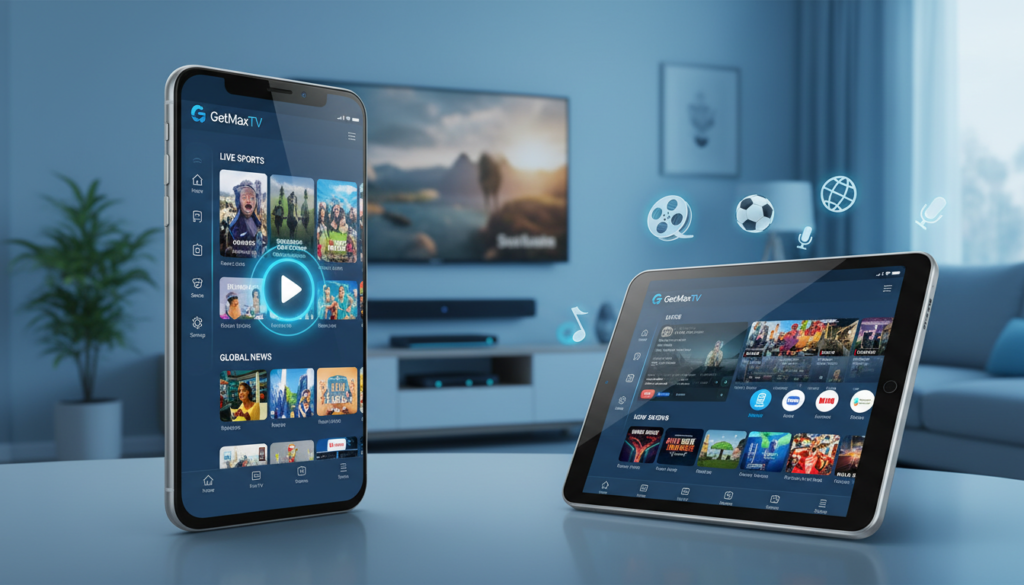
A massive shift is happening in American living rooms. By 2026, over 80 million people will have cut the cord on traditional cable. The average monthly cable bill has soared to $147, making streaming services, which now account for 47.5% of all TV viewing, a much smarter choice.
This is where Internet Protocol television shines as a powerful alternative. It delivers live TV and on-demand content directly over the internet. Industry projections show over 15 million U.S. households will use this technology by year’s end.
Your phone or tablet can become a complete entertainment hub. The right software unlocks a world of channels and shows. You get control over what you watch and when you watch it.
This guide is your roadmap. We’ll help you pick a reliable app that fits your lifestyle. You’ll learn how to manage playlists, adjust settings for the best quality, and stream securely. Our goal is to make your viewing experience smooth and enjoyable.
Key Takeaways
- Traditional cable is becoming outdated, with streaming now dominating nearly half of all TV time.
- Internet Protocol television provides a flexible and often more affordable way to watch live broadcasts.
- Choosing the correct software transforms your mobile device into a portable TV center.
- A stable internet connection is essential for high-quality, buffer-free streaming.
- Understanding an app’s features and settings helps you customize and secure your experience.
- This guide will provide the knowledge to confidently select and use a top-tier service.
Introduction to IPTV on Android
Imagine carrying an entire world of television in your pocket. This is the power of modern streaming technology for your mobile devices. It turns your phone or tablet into a personal entertainment center.
What is IPTV on Android?
Internet Protocol Television delivers live broadcasts and video-on-demand straight through your internet connection. You access this digital television using a specialized app on your mobile device. This method gives you incredible freedom and control.
You are no longer tied to a schedule or a single room. Watch your favorite shows, sports, and movies from anywhere. A good player app makes managing your channels and content simple.
The Rise of IPTV in the United States
Adoption of this service is accelerating rapidly. Industry data shows over 15 million U.S. households will use it by year’s end. People are choosing it for better value and more personalized options.
The shift is driven by a desire for flexibility that old cable systems can’t match. Users enjoy a vast selection of global channels and on-demand libraries. The variety of available apps keeps growing to meet every viewer’s needs.
| Factor | IPTV Advantage | Traditional Cable Limitation |
|---|---|---|
| Monthly Cost | Often more affordable, flexible plans | High bundled prices, long contracts |
| Content Choice | Global channels, vast VOD libraries | Limited to predefined packages |
| Viewing Flexibility | Watch anywhere on phones & tablets | Tied to home set-top box |
| Device Compatibility | Works with many players and apps | Requires proprietary hardware |
This table highlights why streaming is becoming the preferred choice for so many. The focus is on your convenience and your content.
Top IPTV App Options for Android Devices

With so many choices in the app store, identifying the most reliable and feature-packed streaming software is key to a great mobile TV experience. Let’s explore the leading players and the differences between service types.
Featured Apps & Their Unique Benefits
Applications like IPTV Smarters Pro, TiviMate, and Perfect Player are recognized as top-tier. They stand out for specific reasons.
These iptv players offer intuitive interfaces. This makes navigating your favorite live channels simple and fast.
- Advanced features include EPG support for tracking show schedules.
- You can import your own M3U playlist URL for complete control.
- They organize movies and series into clear categories for quick access.
Comparing Premium and Free IPTV Services
Your choice between a paid subscription and a free service matters. A premium iptv subscription typically offers better stability and ad-free content.
Free options are available but often lack robust features and consistent support. Comparing different providers helps you find the best range of content.
The goal is a smooth viewing experience with a layout that works for you on your device.
Step-by-Step Setup for IPTV Apps on Android
Setting up a personalized TV guide on your tablet requires downloading the right software and entering your details. This process is straightforward and puts you in control of your entertainment.
Downloading & Installing Your Preferred App
Start by visiting the Google Play Store. Search for your chosen player, like IPTV Smarters Pro or TiviMate. Download and install it just like any other app.
Always use official stores or trusted sources. This keeps your device secure and ensures you get the latest, stable version.
Configuring Playlists and EPG for Optimal Viewing
Open your new app and look for the settings menu. You will need to enter an M3U playlist URL from your streaming service. This loads all your available channels and movies.
Next, set up the Electronic Program Guide (EPG). This feature provides show schedules, making channel surfing much easier. Many users find Perfect Player simplifies this for easy use.
Finally, tweak your playback settings. Match the video quality to your internet speed for a smooth viewing experience. If you have issues, double-check your subscription details and the entered URL.
For a similar setup process for a TV box, check out this helpful guide. Following these steps ensures your best iptv setup works perfectly on your mobile device.
Enhancing Your Streaming Experience
Getting the most out of your mobile entertainment means fine-tuning both your device and your network. A great streaming experience is about more than just having the right app.
It relies on a stable setup to deliver live channels and video content without hiccups. Let’s explore how to achieve that.
Tips for Smooth Playback and Buffer-Free Streaming
First, connect to a high-speed network. This prevents buffering during high-definition playback. A wired connection is often best for stationary devices.
Next, manage your software. Regularly update your player to the latest version. This fixes bugs and unlocks new features.
Also, clear the app cache in your settings. This frees up memory for smoother performance. Many users also close background apps.
Doing this lets your streaming software focus all resources on the video.
| Common Issue | Likely Cause | Immediate Action |
|---|---|---|
| Constant Buffering | Slow or congested Wi-Fi | Switch to a 5GHz band or use an Ethernet adapter |
| App Crashes on Launch | Outdated software or corrupted data | Update the app and clear its cache and data |
| No Picture or Sound | Incorrect playlist URL or expired subscription | Re-enter your service details and check your account status |
Troubleshooting Common IPTV Issues
If problems persist, start with the basics. Restart your streaming device and router. This refreshes the connection to your iptv services.
Always verify your subscription is active. An expired account is a common reason for a lost signal.
For persistent errors, contact your provider’s support. They can check for server-side problems. This is the best iptv practice for a reliable experience.
Advanced Features and Customization Options
The real magic of modern streaming lies in tailoring the experience to fit your exact lifestyle. Beyond just watching, the best apps give you powerful tools to organize, control, and personalize.
Personalizing Settings & Managing Multiple Playlists
You can create separate playlists for different types of content. Have one for movies, another for sports channels, and a third for kids’ shows.
This makes switching between categories quick and simple. A player like Perfect Player excels at this, offering an easy use interface.
You can also customize the layout. Change the order of your guide or choose a color theme that suits you. These settings make the app feel truly yours.
Utilizing Parental Controls and Multi-Device Sync
Family safety is important. Parental controls let you lock specific channels or content ratings. This ensures a safe viewing experience for everyone at home.
Another great feature is multi-device synchronization. Start a movie on your living room TV and pick up right where you left off on your phone.
This seamless playback across devices is incredibly convenient. To keep these options working well, update your app version regularly.
New updates often add more ways to personalize your streaming setup.
Why Choose GetMaxTV
For viewers seeking an all-in-one solution with unparalleled content access, a specific premium service stands out. GetMaxTV delivers a top-tier streaming experience designed for the modern user.
It combines a massive library with rock-solid reliability. This makes it a leading choice for your primary entertainment source.
Premium Content, 21,000+ Live Channels & 97,000+ VOD Titles
GetMaxTV provides an incredible selection. You get over 21,000 live channels and more than 97,000 video-on-demand titles.
Everything streams in crisp HD and 4K quality. The service maintains a 99.9% uptime for consistent viewing.
A dedicated 24/7 WhatsApp support team is always ready to help. This ensures a smooth experience for all users.
Experience GetMaxTV - Start Your Free 24-Hour Trial
You can test the full service risk-free. Visit getmaxtv.com to start a free 24-hour trial with no credit card required.
Affordable plans begin at just $6.95 per month. Every subscription is protected by a 30-day money-back guarantee.
The platform works on virtually any device. Enjoy it on Fire TV, Roku, Apple TV, Smart TVs, PlayStation, Xbox, and Kodi.
| Feature | GetMaxTV Offering | Standard Expectation |
|---|---|---|
| Content Library | 21,000+ channels, 97,000+ VOD titles | Fewer channels, limited VOD |
| Video Quality | HD & 4K streaming standard | Mostly HD, some SD content |
| Reliability & Support | 99.9% uptime with 24/7 chat support | Frequent downtime, limited help |
| Device Compatibility | Works on all major streaming devices | Often limited to 1-2 platforms |
| Risk-Free Trial | Full 24-hour trial, no payment needed | Short trial or immediate payment |
This comparison shows the exceptional value. GetMaxTV is built for a premium, hassle-free experience.
Ready to upgrade your entertainment? Start your free trial at getmaxtv.com today.
Conclusion
Choosing the right software turns any moment into a premium movie night. This guide aimed to help you find the best iptv solution for a fantastic viewing experience.
You now know how to pick a great player, install the app, and tweak its settings. Whether you explore free iptv options or choose a premium plan, the right features make all the difference.
Keep your software updated and your playlists organized. This ensures smooth streaming of all your favorite movies and shows on any device.
We hope this guide brings clarity and confidence to your entertainment choices. Thank you for reading, and enjoy your new world of content!
FAQ
What are the best apps for streaming live TV on my phone or tablet?
For a great viewing experience, apps like Perfect Player, IPTV Smarters, and TiviMate are top choices. They offer a user-friendly guide, reliable playback, and support for managing multiple playlists. Your best option depends on whether you prefer a free app or a premium service with more channels and features.
How do I set up a streaming service on my device?
First, download your chosen player from the Google Play Store. After opening the app, you’ll enter your subscription details, which usually include a playlist URL and EPG link from your provider. The app will then load your channels and program guide, making your content ready to watch.
Can I use these players without paying for a subscription?
A> Yes, many players are free to download and use. However, to access live channels and video-on-demand, you need an active subscription from a service provider. Some apps offer limited free content, but a premium plan unlocks a full range of channels and superior streaming quality.
Why does my stream buffer, and how can I fix it?
Buffering is often caused by a slow internet connection. Try connecting to a faster Wi-Fi network or use an Ethernet adapter. Inside your player’s settings, you can also adjust the video decoder and increase the buffer size to help create a smoother, buffer-free experience.
What makes GetMaxTV a good choice for live TV?
A> GetMaxTV stands out by offering a massive selection of over 21,000 live channels and 97,000 movies and shows. It provides a premium, ad-free viewing experience with excellent video quality. You can test it risk-free with a 24-hour trial at getmaxtv.com to see if it’s the right fit for you.
The GetMaxTV Team is a group of cord-cutting experts and streaming technology specialists who have been testing and reviewing IPTV services since 2022. Based in North America, our team personally tests every service we recommend across 15+ devices including Fire TV Stick, Roku, Apple TV, Samsung Smart TVs, and gaming consoles. We verify channel counts, measure buffering rates, test picture quality in HD and 4K, and evaluate customer support response times. Our mission is to help viewers save money by switching from expensive cable subscriptions ($147/month average) to affordable, high-quality IPTV alternatives. Every article on GetMaxTV.com is based on hands-on testing and real-world experience — not recycled marketing claims.