
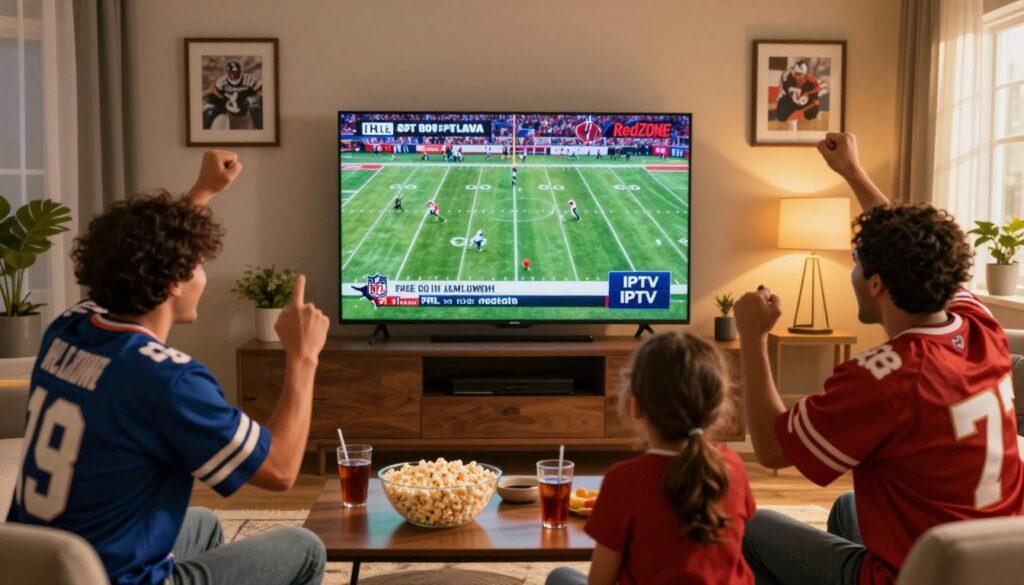
Can you truly follow every Sunday touchdown without cable and still keep things simple?
This guide shows you how to combine internet TV with live look-ins so you don’t miss big plays. You’ll learn what “IPTV with NFL RedZone” promises: fast, touchdown-focused coverage and the freedom to watch NFL games on multiple devices.
This introduction is for Canadian cord-cutters, travelers, and busy Sunday multitaskers who want clear, practical steps. You’ll get a platform-neutral overview of devices, channel access, and how streaming differs from traditional TV delivery.
Expectations matter: stream quality will depend on your chosen service, internet speed, and device. We’ll later cover RedZone availability, major U.S. broadcasters, a user-friendly app, and the stable connection you need.
Blackout rules and geo-restrictions can still affect access, but you’ll learn lawful ways to handle those limits. When you’re ready for setup options and reliable providers, check a helpful resource here: IPTV and NFL RedZone options.
Key Takeaways
- You’ll learn how internet TV delivers touchdown-focused coverage and live look-ins.
- This guide targets Canadian viewers who want to watch nfl games without cable.
- Quality depends on your service, connection speed, and the device you use.
- Must-haves: RedZone access, major broadcasters, a solid app, and a stable connection.
- Blackouts and geo-restrictions still apply; the guide shows lawful options to manage them.
- Later sections cover international games and high-demand Sundays.
Why NFL RedZone Is the Fastest Way to Watch Every Touchdown
RedZone stitches together the most exciting parts of multiple games so you rarely miss a score.
How it works: the channel jumps from matchup to matchup to show red-zone plays, scoring drives, turnovers, and big highlights. You get the key moments without sitting through every full drive on a single broadcast.
This format is ideal when many games overlap. Instead of picking one regional feed, you see the highest-action plays across the league. Expect a whip-around style: fast cuts and short bursts of each game rather than continuous coverage of one matchup.
When it airs and what to expect
RedZone runs during regular-season Sundays, roughly while most afternoon windows are live. It complements CBS and FOX regional broadcasts by offering a highlight-first view.
- Stream reliability matters more here: frequent switching can make buffering more noticeable.
- Tip: if your app supports favorites, pin RedZone and your main channel feeds to jump quickly to a full game when you want.
- Availability depends on the provider’s channel lineup — you’ll want to confirm RedZone appears in your plan.
| Feature | What it shows | Why it helps |
|---|---|---|
| Whip-around format | Live scoring drives and red-zone snaps | Maximizes action per minute |
| Sunday schedule | Afternoon regular-season window | Works with regional CBS/FOX games |
| Stream needs | Stable, low-latency connection | Reduces visible buffering during switches |
“Pin RedZone and your main game channels so you can flip to a full broadcast fast.”
What IPTV Is and How It Streams NFL Content to Your Devices
Instead of coax or satellite, television channels arrive through your internet link — and that change matters for live sports.
Plain definition: an iptv service sends TV channels and on-demand shows as data over the web rather than through cable or dish. That means your live broadcasts, replays, and highlights come into an app on your smart TV, streaming box, or phone.
Live TV vs. VOD vs. time-shifted TV
Live TV gives you the game as it happens. VOD delivers sports content like highlights and documentaries after the event. Time-shifted TV lets you pause, rewind, or catch up when the provider supports it.
Why this model fits sports viewers
You can watch on multiple devices and move between home and travel easily. Streams are single channel feeds to an app, so stream stability is the key to avoid buffering when you stream nfl games.
- Pick a reliable service with the right channels (ESPN, FOX, CBS, NBC, NFL Network).
- Expect lower costs than some cable bundles, but verify reliability and legal access for Canada.
“Good channels plus a stable connection make internet TV feel like traditional live broadcast.”
iptv nfl redzone: What You Need Before You Start
Get these basics in place now and you’ll avoid last‑minute streaming headaches on Sunday.
Confirm the right subscription and channels
Start by verifying your iptv service includes RedZone and the main broadcasters. Not every sports package has the same lineup, so check channel lists or ask providers directly.
Pick a compatible device setup for Canada
- Smart TVs, Amazon Fire TV Stick, Android TV boxes, and streaming device sticks work best.
- Phones and tablets (Android and iPhone) let you watch on the go.
- Better hardware and updated apps reduce playback drops during an nfl game.
Internet speed and pre-flight checklist
- Target at least 10–15 Mbps for a stable HD stream; allow more headroom for 4K and multiple users.
- Make sure firmware and apps are updated, your router is stable, and you have enough bandwidth for simultaneous streams.
- Test a short live stream before kickoff to spot buffering or login problems.
“A quick systems check today saves you from troubleshooting at kickoff.”
For a complete provider look, see IPTV and NFL RedZone options.
Which Channels to Look For to Stream NFL Games Live via IPTV
Pick the right channels and you’ll cover nearly every live game all season.
Full NFL coverage usually means the major broadcast networks plus NFL Network. Different games air on different channels across the week, so having a complete lineup reduces missed matchups and surprise blackouts.
ESPN: Monday Night and studio content
ESPN carries Monday Night Football and deep studio shows. If you want to watch NFL analysis and primetime Monday matchups, make sure ESPN is in your plan.
FOX Sports: Sunday regional matchups
FOX handles many Sunday afternoon games and regional feeds. Expect local variations: what you see can change by location and broadcast rights.
CBS Sports: AFC and playoff priority
CBS is key for AFC contests and many playoff windows. If you follow AFC teams, prioritize CBS in your channel list.
NBC Sports: Sunday Night and primetime
NBC hosts Sunday Night Football and marquee primetime games. This channel is vital for late kickoffs and high-profile matchups.
NFL Network: 24/7 coverage and replays
NFL Network adds value beyond live games. You’ll find replays, league shows, and special broadcasts that fill gaps between live windows.
“If a provider promises Sunday Ticket-style coverage, get the channel list and feed details in writing before game day.”
| Channel | Typical Coverage | Why It Matters | When to Prioritize |
|---|---|---|---|
| ESPN | Monday Night Football, studio shows | Primetime games and analysis | Follow Monday matchups |
| FOX | Sunday regional afternoon games | Local matchups and regional rights | Watch local teams on Sunday |
| CBS | AFC games, playoffs | Key conference coverage and postseason | Follow AFC clubs and playoffs |
| NBC / NFL Network | Sunday Night; 24/7 replays & shows | Marquee primetime and supplemental content | Primetime fans and catch-up viewing |
Practical tip: verify the exact channels, feeds, and availability in writing. For more detail on ways to watch from Canada, see this guide: how to watch the NFL in, and for a provider overview check your ultimate guide to watching NFL.
How to Set Up Your IPTV App for RedZone and NFL Games
Prepare your streaming app and guide so game day is quick, tidy, and stress-free.
How apps work: install the app on your device, then enter provider details so the channel list fills your on-screen guide like cable. Once the playlist loads, channels and categories appear in an EPG for easy navigation.
Popular apps and when to use them
- IPTV Smarters Pro — TV-first interface for living-room devices.
- TiviMate — great guide layout and favorites for large channel lists.
- Smart IPTV (SIPTV) — simple and reliable on many smart TVs.
- Kodi — flexible add-ons for advanced users and custom guides.
- VLC — ideal as a quick player if you’re troubleshooting streams.
Playlist basics and guide organization
M3U links hold channel lists and stream URLs. Xtream-style logins use username, password, and server to populate channels and the EPG automatically.
Translate those credentials into categories so you see Sports, News, and regional feeds. That structure makes channels appear under predictable headings for fast access.
Find RedZone fast and organize for game day
Create an “NFL” favorites folder and add RedZone, NFL Network, ESPN, FOX, CBS, and NBC so you can switch in seconds. Use search and the Sports category to jump directly to live action.
Tip: test your favorites and keep a backup feed from your provider ready — if one stream stutters, switch instantly.
For a quick setup walkthrough and more tips on how to watch nfl on streaming apps, see this guide.
How to Watch NFL International Games and Big Weeks on IPTV

Travel and international schedules change how you plan live game viewing, so a quick checklist helps you stay connected no matter where you are.
Why international matchups are trickier: kickoff times shift across time zones, coverage can vary by broadcaster, and you may rely on hotel Wi‑Fi or mobile networks.
In 2025 the international series visited London, Berlin, Dublin, Madrid, and São Paulo. Knowing those host cities helps you plan for time differences and regional feeds.
Week 14 (December 4–December 8, 2025) was a heavy slate with 16 games scheduled. High-demand weeks like that strain popular channels and make reliable streaming performance essential.
Practical travel checklist
- Test your login and app on your phone or tablet before you leave.
- Pack a streaming stick if you want to use hotel TVs for games live.
- Confirm channel availability in the region and set favorites for the teams you follow.
- Allow extra bandwidth during the month of big slates; wired connections help when possible.
Tip: set calendar reminders for your teams and add their channels to favorites so you’re ready at kickoff.
| Challenge | What to check | Quick fix | Why it matters |
|---|---|---|---|
| Time zone shifts | Local kickoff times | Use your phone clock and reminders | Avoid missing early or late games |
| Variable coverage | Which broadcaster carries the game | Confirm channels before travel | Ensures you have proper access |
| Hotel or mobile networks | Bandwidth and stability | Test streams and use Ethernet or tether | Reduces buffering during big weeks |
| Geo‑blocks | Regional restrictions | Consider a vpn (see next section) | Restores access when allowed |
For more planning tips and a provider overview, check the ultimate guide to watching games while you travel.
How to Handle Blackouts and Geo-Restrictions When You’re in Canada or Traveling
Regional licensing means your IP address can determine whether a live game shows up for you.
Why blackouts and geo-restrictions exist: rights holders license games by country or market. Services check your IP and may block access if you appear outside an allowed region. That’s why a match can stream fine at home but disappear when you travel.
When a VPN helps: a vpn lets your device appear to connect from another country — for example, a U.S. server — which can change what your service allows you to open. This can restore access in some cases, but it’s a technical change, not a legal guarantee.
Streaming safely and what to expect
Use a VPN for privacy and encryption, especially on public Wi‑Fi. Encryption reduces how easily others can inspect your traffic and can make throttling less likely.
Be realistic: a vpn can help with access and privacy, but you must follow your provider’s terms and local rules. Results vary by network and provider, and switching servers mid-game can hurt stability.
Practical tips for Canadians on the move
- Test your app and vpn before kickoff while you still have time to fix issues.
- Choose a reputable vpn, pick a nearby server for better speed, and favor stability over constant switching.
- Remember that some iptv services and iptv providers check more than just IP — logins and account region may also matter.
“A quick test with your vpn and your streaming service before you travel prevents surprises at game time.”
For guidance on choosing reliable vpn options and best practices for streaming, see why you should use a VPN for.
How to Use Catch-Up and Replays So You Never Miss a Game
When your Sunday gets busy, catch-up and replays move the schedule to you so life and travel don’t cost you the big moments.
What catch-up means: it lets you open a channel’s recent timeline, then pause, rewind, or play earlier broadcasts on demand. This is different from full VOD libraries because catch-up ties directly to a channel’s past hours.
Why it helps Canadian viewers
Time zones and travel often push kickoff into odd hours. Catch-up lets you re watching a full game after work or while you travel between provinces.
If you miss a Sunday window because of family plans, you can still watch the same content on your device without losing context. It’s a practical fix for busy weeks and big matchups.
Simple how-to workflow
- Open the channel in your app and view the EPG timeline.
- Select the earlier program or game segment you want to watch.
- Confirm playback and test pause/rewind controls before relying on it for the week.
Set expectations: not every iptv service includes catch-up for all channels. Retention windows vary by provider and by month, so check before game day.
“Use live whip-around coverage for fast scoring updates, then use replays to watch the full games you care about later.”
For provider comparisons and to learn which plans include reliable catch-up features, see a list of the best IPTV providers for football and a deeper catch-up feature explained.
How to Choose an IPTV Service for NFL RedZone That’s Reliable
Start by focusing on steady performance, not just an impressive channel list.
Reliability checklist:
- Consistent HD performance during peak windows — minimal buffering.
- Stable sports channel availability week to week, not occasional drops.
- Multi‑stream support so household members can watch different games.
Features that matter for football
Look for catch‑up, a usable EPG, favorites, and quick support when a stream fails.
Multi‑device compatibility matters: phones, TV sticks, and living‑room boxes should all work.
Pricing reality check
Compare monthly cost vs. cable bundles. The cheapest plan may save money but can fail on big Sundays.
Verify trial length, refund policy, and whether the plan includes RedZone and the main broadcasters before you subscribe.
“Sports coverage consistency matters more than a giant channel count.”
Quick note on GetMaxTV: if you want to review a current option, you can see GetMaxTV’s offer and compare packages at GetMaxTV. Test channels, test RedZone, and test your app login before the next big slate to make sure everything works.
How to Improve Stream Quality on Game Day
A few simple network tweaks can stop buffering and keep every big play smooth.
Wired vs. Wi‑Fi: why Ethernet often wins
Use Ethernet when you can. A wired connection gives steadier throughput, fewer interference issues, and lower chance of random drops during crucial moments.
If you can’t plug in, improve Wi‑Fi by moving your router closer, removing obstacles, and switching to 5 GHz when you are nearby. These small moves boost speed and reduce jitter for live sports streams.
Router placement, bandwidth hogs, and resolution choices
Place the router high and central in your home to reach multiple devices. Limit heavy tasks — downloads, cloud backups, and video calls — during kickoff to free up bandwidth.
If your connection struggles, step down from 1080p to 720p. Lower resolution often stabilizes the stream and keeps audio synced with video.
Quick fixes when playback fails
Try these steps fast: restart the app, restart the device, then reboot the router/modem. If your service offers alternate feeds, switch channels or streams.
- Make sure apps and devices are updated before Sunday.
- Test your setup 30–60 minutes before kickoff so you have time to fix issues.
- Keep a wired option or backup feed ready in case wireless falters.
“A quick pregame test beats scrambling during the first drive.”
Conclusion
Wrap up your game‑day plan with a simple checklist that keeps live viewing smooth and reliable.
Keep it simple: pick a steady iptv service that includes RedZone‑style feeds and the main channels, use a device you trust, and confirm your internet handles live sports.
Test your app, login, favorites, and a backup feed well before kickoff so you aren’t troubleshooting during key drives. When you travel, plan for time zones and possible geo‑limits and use reputable tools to restore access safely.
Use catch‑up and replays to follow games you missed. If you want a subscription to help you watch nfl games and keep whip‑around action at your fingertips, check GetMaxTV’s current offer at https://getmaxtv.com.
FAQ
What is the fastest way to watch every touchdown live?
The fastest way is to subscribe to a service that carries live RedZone-style coverage, which flips between scoring drives across games. Look for a provider that offers the dedicated channel plus reliable live streams of ESPN, FOX, CBS, NBC, and NFL Network so you won’t miss big moments.
How does the RedZone-style channel flip between games?
The channel monitors live scoring situations and cuts to the most exciting plays as they happen. Instead of staying on a single matchup, it follows red‑zone drives and critical moments across multiple broadcasts so you see touchdowns and game-changing plays in real time.
When does the RedZone-style coverage air each Sunday?
Coverage typically runs during the main window of Sunday games, often from early afternoon until late evening local time. Expect continuous switching during the peak NFL hours; actual start and end times depend on the broadcaster’s schedule and your time zone.
What is streamed content vs. recorded shows for live football viewing?
Live content is the real-time feed you watch as games happen. VOD (video on demand) covers full replays or condensed games you watch later. Time‑shifted TV allows pausing and rewinding live streams so you can catch a play you missed without needing a separate recording device.
Why do people use internet-based services for sports instead of traditional cable?
Internet services offer multi‑device access, lower costs, and more flexibility. You can stream on smart TVs, streaming sticks, phones, and Android boxes, often with features like multiple concurrent streams and catch‑up, which are handy for busy Sundays.
What do you need before you start streaming RedZone-style coverage?
You need a subscription to a service that carries the channel and key broadcasters, a compatible device such as a smart TV, Amazon Fire TV Stick, Android box, or mobile device, and a stable internet connection that meets recommended speeds for HD streaming.
What internet speed should I aim for to reduce buffering during live games?
For consistent HD streams, aim for at least 10–15 Mbps per active stream. If multiple people in your household will watch different games or you plan to stream 4K, target higher speeds and prefer a wired Ethernet connection when possible.
Which channels should you look for to stream game-day coverage?
Ensure the service carries ESPN for Monday night and studio coverage, FOX for regional Sunday matchups, CBS for AFC games and playoffs, NBC for Sunday Night Football, and NFL Network for 24/7 coverage, replays, and special broadcasts.
What apps are popular for viewing live sports on streaming devices?
Popular player apps include IPTV Smarters Pro, TiviMate, Smart IPTV, Kodi, and VLC. These apps help organize channel lists, support favorites, and often work with playlist formats or login credentials provided by the service.
How do playlists and guide formats work for live channels?
Playlists (M3U or Xtream-style) provide channel links and metadata. The app maps those links into an electronic program guide (EPG) so channels appear with program names and start times. Properly formatted playlists make finding games and the RedZone-style feed easier.
How can you find the RedZone-style channel quickly in your guide?
Use the app’s search function, add the channel to favorites, or place it in a sports category. Many players let you pin or reorder channels so your most-watched feeds are just a click away on game day.
Will international NFL games be available on streaming services in 2025?
Many services plan coverage for the 2025 international slate, which includes games in London, Berlin, Dublin, Madrid, and São Paulo. Availability depends on broadcast rights and whether your provider carries the necessary channels for those kickoff windows.
How do blackouts or geo-restrictions affect game access when traveling?
Licensing sometimes blocks access based on your IP address, so a game may be restricted outside certain regions. Connecting through a virtual private network (VPN) that routes traffic to an allowed country can change what you can access, but check terms of service and local laws first.
When does using a VPN help and what does connecting to a U.S. server change?
A VPN can make it appear you’re in the U.S., potentially unlocking U.S.-only streams and avoiding regional blackouts. It also encrypts your traffic for privacy, but it may add latency; choose a high‑quality VPN with fast servers to minimize impact on live streams.
What does “catch-up” mean and how can you use it to avoid missing games?
Catch‑up features let you pause, rewind, and watch past broadcasts for a set window after air time. Use catch‑up to view full game replays or condensed highlights when real-time viewing isn’t possible, which is handy across different time zones or busy schedules.
What should you check to choose a reliable service for game-day streaming?
Look for HD stability, minimal buffering, consistent sports coverage, multiple concurrent streams, a usable EPG, and responsive customer support. Compare pricing to cable bundles to determine true value based on features you’ll actually use.
How can you improve stream quality on game day?
Use a wired Ethernet connection when possible, place your router centrally, limit other bandwidth-heavy apps, lower stream resolution if needed, and keep your streaming app and device firmware up to date. Restarting the app or switching to an alternate feed often fixes playback issues quickly.
Are there services that offer trial periods or special offers to test coverage?
Many providers run short trial windows or promotional rates. Check the provider’s official site for current offers and read user reviews to confirm reliability before committing to a longer plan.
What devices work best for watching live game coverage in Canada?
Smart TVs, Amazon Fire TV Stick, Android TV boxes, Apple TV, and phones or tablets all work well. Pick a device supported by your chosen player app and ensure it receives regular updates for security and playback performance.
The GetMaxTV Team is a group of cord-cutting experts and streaming technology specialists who have been testing and reviewing IPTV services since 2022. Based in North America, our team personally tests every service we recommend across 15+ devices including Fire TV Stick, Roku, Apple TV, Samsung Smart TVs, and gaming consoles. We verify channel counts, measure buffering rates, test picture quality in HD and 4K, and evaluate customer support response times. Our mission is to help viewers save money by switching from expensive cable subscriptions ($147/month average) to affordable, high-quality IPTV alternatives. Every article on GetMaxTV.com is based on hands-on testing and real-world experience — not recycled marketing claims.