
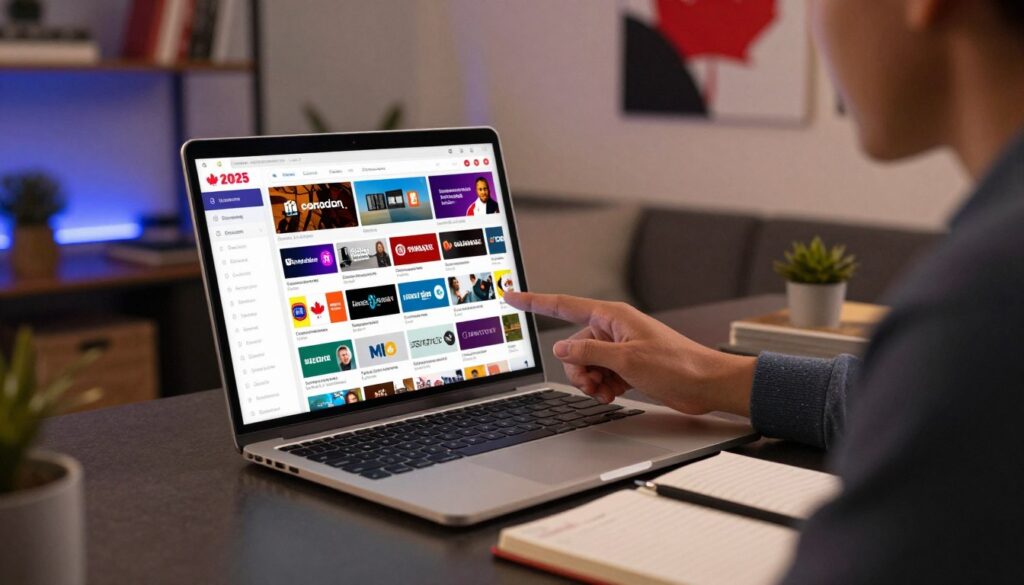
What if a single playlist could open hundreds of local and Canada-friendly FAST channels on your TV right now?
This guide explains what a liste m3u gratuite canada means in practice: a curated set of public playlist URLs that can load Canadian channels and nearby FAST options in 2025.
You should expect a mix of wins and quirks. Free playlists often include broken links, geo-restricted streams, and channels that vanish. You’re learning a method, not getting a perfect cable replacement.
This article stays informational and responsible. I show how playlists work, where community and official sources hide, and how to use them safely. I do not host or sell streams.
Inside you’ll find a short M3U explainer, a working playlists 2025 list with direct URLs, app setup tips for IPTV Smarters Pro, TiviMate, VLC and Kodi, plus EPG and troubleshooting.
Want more stability? Consider GetMaxTV as a practical alternative for fewer dead links and guided setup.
Key Takeaways
- You’ll learn how public playlist files point to streams, not host them.
- Expect broken links and geo-blocks; this is a method, not a cable swap.
- The guide focuses on Canada-first channels, then useful international FAST lists.
- Workflows include quick copy/paste setup and advanced EPG and buffering tips.
- Compatible apps: IPTV Smarters Pro, TiviMate, VLC, Kodi for most playlists.
What an M3U playlist is and what you actually get when you stream
Think of an M3U playlist as a simple roadmap of links that tells your player where to find live TV streams.
Basic idea: an m3u playlist is a text-based file that lists URLs pointing to streaming endpoints. You are not downloading video; your player opens those links to play live channels.
M3U vs M3U8 and file vs URL
M3U8 usually means the file uses UTF-8 encoding and is common for web streaming. Both names refer to playlist files, not the content itself.
An m3u url is a hosted link you paste into an app so the list updates automatically. A downloaded file is static and must be replaced when links die.
Where live channels come from and why they change
Public playlists collect streams from official free endpoints, FAST platforms, and other public sources. Providers often rotate endpoints, switch CDNs, or close public access, so links break.
- Expect mixed quality and some non-working links.
- Refresh or try another source when a channel fails.
- Check curated indexes for more stable lists, like this guide on best free playlists or setup tips at GetMaxTV.
Geo-restrictions and regions
Licensing and ad models often limit content available by region. A stream listed as publicly available in one country may be blocked in yours.
When troubleshooting, start by checking region blocks and then try alternate sources or another region list.
liste m3u gratuite canada playlists that are working in 2025

Start focused: add a country-first playlist to see local stations fast, then expand.
IPTV-ORG Canada — your default Canada-first source
Why start here: it lists Canadian channels organized by region and type and updates fast because the community maintains it.
How to use it: paste this url into your IPTV app — https://iptv-org.github.io/iptv/countries/ca.m3u — then test a handful of channels before customizing your set.
IPTV-ORG English and main index
Want more English-language channels across regions? Add the English list: https://iptv-org.github.io/iptv/languages/eng.m3u.
When you’re ready for thousands live channels, the main index is the big option: https://iptv-org.github.io/iptv/index.m3u. It’s powerful but can overwhelm new setups.
FAST-style playlists and quick test lists
APSATTV hosts many fast-start lists. They are handy but expect geo-blocks and non-working links.
| Playlist | Primary focus | EPG | Notes |
|---|---|---|---|
| Roku Channel | News, lifestyle, movies, kids | No | Geo-blocks likely — https://www.apsattv.com/rok.m3u |
| Distro | Well-organized categories (entertainment, music) | No | Good categories; watch for non-working links — https://www.apsattv.com/distro.m3u |
| Xumo / LG / Vizio | Various genres including sports and docs | No | Broad lineups for smart tvs; some geo-restricted feeds — https://www.apsattv.com/xumo.m3u |
| Local Now / Tablo / Xiaomi / Fire TV | Local news loops, quality over quantity, lightweight tests | No | Use these for background live content and quick validation — e.g. https://www.apsattv.com/localnow.m3u |
Quick tip: build a small favorites set of working channels. If you need a more stable alternative, consider a guided option like GetMaxTV.
How to load your playlists in popular IPTV apps
Getting live streams up takes just a few steps in most IPTV players—no advanced setup required. Below are clear, beginner-friendly workflows so you can test quickly and then tidy your experience for daily use.
IPTV Smarters setup (fast test)
Steps:
- Open the app and choose “Add Playlist.”
- Select “M3U URL,” paste the m3u url, give it a name, then save.
- Refresh the source so channels populate and wait for the list to load.
For quick verification, open 5–10 channels across categories to confirm your connection, device, and the playlist source all work.
TiviMate and VLC workflows
TiviMate: add one or more playlists, enable catch-up only if supported, then mark Favorites and hide the rest to keep browsing snappy.
VLC (desktop): Media → Open Network Stream → paste the playlist URL or open a local file. Use VLC to check whether streams play before changing app settings.
Kodi and streaming devices
Use an IPTV add-on that accepts playlists, load your playlist URLs, and then organize channels into folders for easy navigation on smart TVs or boxes.
Reality check: some playlist entries will fail. If many channels are dead, test the same link in VLC to separate app issues from source problems. If you want fewer interruptions than typical free live lists provide, consider a paid service or a curated option like finding the best IPTV playlist.
EPG, channel organization, and troubleshooting broken streams
A good electronic program guide turns long lists into a TV-style grid with schedules and “what’s on now.” You’ll get program titles, start times, and quick access to news and primetime blocks.
What to expect: free EPG files can be incomplete or mismatched. An electronic program may not map to every channel, and some schedules lag behind live feeds.
How to add an EPG in most apps:
- Open Settings → EPG or Program Guide.
- Choose Add source and paste a URL (try the Globe TV XML options below).
- Refresh or Update guide, then map channels if your app offers manual matching.
Try these Globe TV XML URLs if you want Canada-focused schedules:
- https://raw.githubusercontent.com/globetvapp/epg/main/Canada/canada1.xml
- https://raw.githubusercontent.com/globetvapp/epg/main/Canada/canada2.xml
- https://raw.githubusercontent.com/globetvapp/epg/main/Canada/canada3.xml
Quick fixes: for buffering try a different channel, reboot the device, or lower player quality. If a channel won’t open, test the stream in VLC to confirm a dead link versus a geo-block.
Keep lists fresh by using GitHub-maintained and publicly available repositories like the community IPTV repo. Test a few channels before importing a large set, and organize by Favorites and hidden groups to keep channels organized. For guided alternatives and fewer dead links, see a practical walkthrough at GetMaxTV.
Conclusion
In short, start small and confirm playback before scaling your live lineup.
Begin with the community-maintained IPTV-ORG Canada list and add the English index if you want variety. Keep one or two FAST playlists for extra entertainment and lifestyle channels. Treat free iptv sources as linked endpoints that change over time.
Success factors: use an M3U URL so updates arrive automatically, add an EPG when possible, and expect geo-restrictions. Pick one app (IPTV Smarters, TiviMate, VLC, or Kodi), load a single playlist, and confirm playback first.
If you want a more stable option or a guided subscription, read a practical playlist guide at best playlist services and check GetMaxTV’s offer at GetMaxTV. Visit the site to explore subscription options and upgrade your viewing experience.
FAQ
What is an M3U playlist and what do you actually get when you stream?
An M3U playlist is a simple text file or URL that lists streaming links and channel names. When you stream from one, you get live channel streams, often grouped by category or region, plus optional metadata like logos. Files (.m3u) and URLs let IPTV players fetch the same channel list — the URL points to an online playlist, the file is a local copy.
What’s the difference between M3U and M3U8, and how does an M3U URL differ from an M3U file?
M3U8 is the UTF-8 variant commonly used for HLS streams and modern players, while M3U is the older plain-text format. An M3U URL hosts the playlist online so your app updates automatically; an M3U file sits on your device. Use a URL for live updates and a file for offline or controlled testing.
Where do “live channels” in public playlists come from and why do sources change often?
Public playlists aggregate streams from official FAST services, broadcaster feeds, streaming platforms (like Roku Channel or Xumo), and community repositories. Sources change due to feed moves, geo-restrictions, server limits, or stream expiry — expect links to rotate frequently and some entries to stop working.
Why are some streams geo-restricted in Canada and how do regions impact availability?
Rights agreements and licensing determine where a stream can be shown. Broadcasters or platforms often block access outside licensed territories. That means some channels listed in community playlists will refuse connections when your IP indicates you’re outside the permitted region.
Which public playlists are a good starting point for Canadian channels in 2025?
Community indexes such as IPTV-ORG are a top starting point for organized Canadian channel lists. They offer regional indexes, English-friendly groupings, and a large main index that captures thousands of live channels and categories across regions.
What makes the IPTV-ORG Canada playlist relevant?
IPTV-ORG curates channels into regional and category-based playlists, tracking many public feeds. Its Canada playlist focuses on national and local channels, making it easier to find news, sports, and entertainment streams without hunting through generic global lists.
Are there English playlists tailored for Canada-friendly channels?
Yes. IPTV-ORG and similar community repositories provide English-centric playlists that prioritize Canadian and North American feeds, which helps when you want content with English audio and regional relevance.
What is the IPTV-ORG main index and why use it?
The main index aggregates thousands of channels across countries and genres. Use it to explore large selections, find category groupings, or pull specific region files. It’s useful for power users who want wide coverage and multiple fallback sources.
What should I expect from the Roku Channel playlist?
Roku Channel playlists often include news, lifestyle, movies, and kids content. Many of those streams are geo-blocked, so you may need a region-friendly connection or expect some links to fail if you’re outside the allowed territory.
How does the Distro playlist differ and what are its downsides?
Distro-style playlists attempt better organization across Canada/US/UK mixes and genre folders. They can be tidy, but they sometimes include non-working links, so you should treat them as curated starting points rather than guaranteed sources.
What kind of content do Local Now and FAST services provide in playlists?
Local Now-style playlists loop local news and weather-type content. FAST platforms like Xumo, LG Channels, and Vizio TV offer curated FAST-style channels—news, sports clips, documentaries, and entertainment—that often provide stable, familiar streams.
Are smaller playlists like Tablo or Xiaomi TV+ worth trying?
Yes. Tablo lists tend to be smaller but often maintain good stream quality. Xiaomi TV+ and Fire TV quick-test lists are lightweight and useful for validating your setup or checking a handful of channels fast.
How do I load a playlist in IPTV Smarters using a playlist URL?
In IPTV Smarters, choose “Add new user” or “Add playlist,” enter the M3U URL, give it a name, and import. The app will fetch channels and let you browse live TV. This method is best for quick testing and automatic updates.
What’s the recommended workflow for TiviMate and VLC?
For TiviMate, add the playlist URL in “Add playlist,” then sync EPG and categories for better navigation. In VLC, open the network stream and paste the URL to play directly. TiviMate is better for long-term organized viewing; VLC is ideal for quick playback checks.
How can Kodi play M3U playlists on smart TVs and streaming devices?
In Kodi, install an IPTV add-on (PVR IPTV Simple Client), point the add-on to your M3U URL or local file, and enable EPG if available. Kodi works well on smart TVs and devices for combining playlists with local media libraries.
How does an Electronic Program Guide (EPG) improve browsing and what to expect from free EPGs?
An EPG shows schedules, program titles, and timings, making channel navigation simpler. Free EPGs vary in completeness; expect some missing metadata or regional gaps. Matching the right EPG XML to your playlist improves results.
Where can you find Canada EPG sources and how do you add them to an IPTV player?
Public EPG XML sources—like community-shared Canada XML files—appear on GitHub and repositories. Add the EPG URL in your IPTV player’s guide or EPG settings and map it to the corresponding playlist for proper channel labels and schedules.
What fixes help with buffering, non-working links, or channels that won’t open?
Try reloading the playlist, switching to a different source or mirror, using a wired connection, lowering stream quality, or clearing app cache. If a link is dead, check alternative playlists or wait for updated repository files.
How do you keep playlists updated and find publicly available sources?
Monitor community repositories and GitHub projects that publish regularly updated indexes. Use URLs instead of static files so your player pulls updates automatically, and join forums or Telegram groups that track working streams and replacements.
The GetMaxTV Team is a group of cord-cutting experts and streaming technology specialists who have been testing and reviewing IPTV services since 2022. Based in North America, our team personally tests every service we recommend across 15+ devices including Fire TV Stick, Roku, Apple TV, Samsung Smart TVs, and gaming consoles. We verify channel counts, measure buffering rates, test picture quality in HD and 4K, and evaluate customer support response times. Our mission is to help viewers save money by switching from expensive cable subscriptions ($147/month average) to affordable, high-quality IPTV alternatives. Every article on GetMaxTV.com is based on hands-on testing and real-world experience — not recycled marketing claims.