
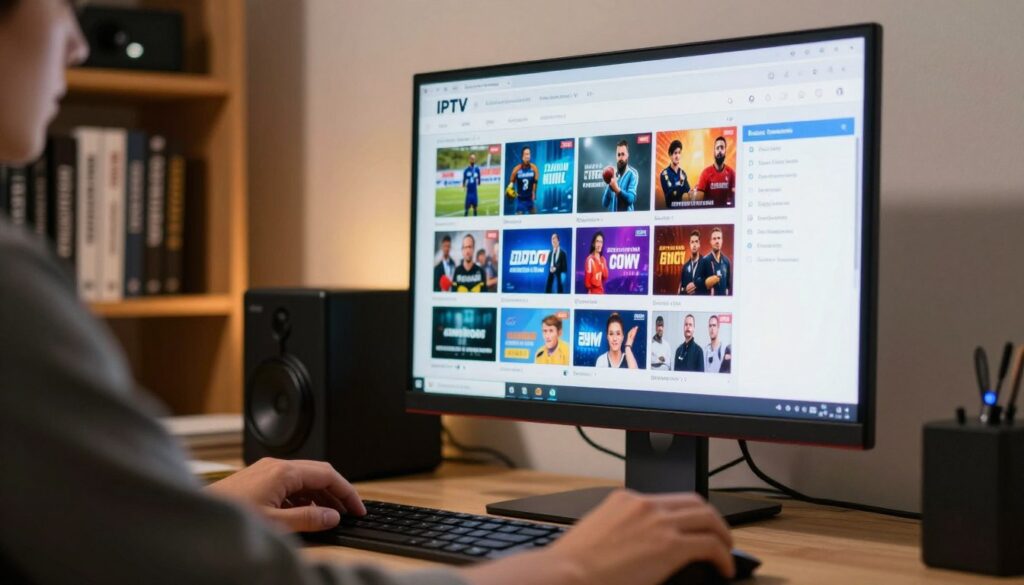
Cutting your television bill is tempting when online offers promise huge lineups for a low annual fee. You are not alone — many people in Canada look for better value than cable or satellite.
This short guide shows how to verify a channel list step-by-step so you can judge legality, quality, and safety before you pay. The aim is practical: reduce legal and financial risk, protect your device, and improve streaming stability.
You will learn simple checks: provider legitimacy, terms and trials, uptime reports, and app or device safety. We explain that iptv is a delivery technology; the real question is whether the service has rights to the channels it lists.
This guide stays clear, expert, and non-alarmist. You’ll get tools you can use today and a preview of legal alternatives that fit your viewing needs, including options tailored for iptv québec and other local tastes.
Key Takeaways
- Learn quick checks to evaluate a channel list for legality and quality.
- Focus on provider legitimacy, terms, uptime, and app safety.
- IPTV is a technology; distribution rights matter most.
- Practical steps reduce legal, financial, and device risks.
- You’ll see legal alternatives and how to choose a fitting subscription.
Why verifying an IPTV channel list matters in Canada
When an offer promises thousands of channels for under $200 a year, it’s worth pausing to check the facts.
That price gap is often the first signal that the service may not deliver stable links, timely support, or honest terms. Social ads sell big channel counts, but low cost can mean frequent outages and weak uptime during peak hours.
What “too good to be true” often signals:
- Unstable streams and frequent buffering.
- Short-lived links that disappear if targeted.
- Limited or no customer support when problems arise.
What “without risk” realistically means for you
Without risk doesn’t mean zero chance of trouble. It means you reduce three key harms: losing money, exposing devices to unsafe apps, and relying on services that vanish overnight.
“A cheap subscription that lacks clear terms often equals unpredictable quality and no recourse.”
Use the checks below to judge the offer, the provider, and the delivery method together. Verification links directly to better quality outcomes — fewer drops, accurate EPGs, and clearer picture quality.
| Claim | Likely reality | What you should check |
|---|---|---|
| “Thousands of channels” | Many links, poor uptime | Test a trial and monitor peak-hour performance |
| Very low annual fee | Short support, unstable streams | Read terms and contact options; confirm refunds |
| Lifetime access | High risk of shutdown | Prefer clear abonnement terms and verified contacts |
For a quick comparison of best low-cost options and to see how legal services differ, check this guide to the best low-cost options.
What an IPTV channel list actually is
Start by understanding what you actually get when someone shares a channel list. Most often this is an M3U playlist URL or file that an app reads to display channels on your device.
The playlist links each stream to a name and often an EPG (electronic program guide). An EPG shows schedules, and it matters for time zones and accurate program info across Canada.
Claims of “thousands of channels” can mislead. Lists may include duplicates, dead links, placeholder entries, or low-quality streams that inflate counts without real value.
| Delivery | Typical quality | Notes |
|---|---|---|
| Internet data (IPTV) | Variable; needs good bandwidth | Flexible but depends on provider and network |
| Cable / satellite | More consistent on dedicated networks | Cable and satellite use fixed distribution, often higher reliability |
| Antenna | Free with reception limits | Local channels vary by location and signal |
Remember: IPTV is a technologie that technologie permet diffuser television programs. The list alone does not prove the provider has rights. You also need clear provider identity, rights language, and terms before you trust the service.
What you need before you test any IPTV service
Before you test any service, confirm your home network can handle steady streams. A shaky connexion will make even good services look bad.
Start with a simple reality check: run a speed test during peak hours and note consistency, not just top speed. Aim for steady bandwidth rather than occasional spikes.
Internet connection and bandwidth basics for stable streaming
- HD: plan for 5–8 Mbps sustained per stream.
- 4K: expect 25 Mbps or more, with low jitter.
- Prefer a wired connexion when possible—drops on Wi‑Fi hide real service quality.
Recommended devices and apps to use for testing
Test on one device first. Use mainstream appareils from Apple TV, Roku, Fire TV, or Google TV. These devices and official app stores reduce malware risk.
Use well-known player apps to check streams, but remember apps don’t change legality—only rights do. Better hardware and wired links reveal true picture stability and switching speed.
| What to check | Why it matters | Quick action |
|---|---|---|
| Consistent bandwidth | Prevents buffering and resolution drops | Run several tests at different times |
| Single-device test | Removes variables for fair assessment | Use a dedicated TV or computer first |
| Mainstream appareils & apps | Improves security and predictable performance | Stick to official app stores and brands |
| Document issues | Keeps testing objective | Log buffering, audio sync, and résolution |
Keep notes on buffering frequency, resolution shifts, and audio sync. This helps you judge an offre qualité image and spot whether you’re seeing true quality or network limits. If you want a qualité image exceptionnelle, eliminate Wi‑Fi and use a wired setup during tests.
Legal vs illegal IPTV in Canada: the clear difference

The key difference lies in who holds broadcast rights, not how streams reach your screen.
IPTV technology is legal as a delivery method. What makes a service legal is whether the provider has explicit rights to distribute protected content. A reputable fournisseur will show licensing language, clear terms, and standard billing that looks like any telecom‑television supplier.
By contrast, services that operate in secret, offer disposable accounts, or promise every premium channel for pennies usually lack those rights. Enforcement focuses on operators who redistribute copyrighted contenu without permission, and on sellers who market ready‑configured Android TV boxes to access those links.
Why Android TV box bundles draw enforcement
Bundles marketed as “everything premium” often include apps or configurations that point to unauthorized streams. Authorities in Canada have targeted sellers and operators because these products make redistribution easy for end users and profitable for operators.
“Buyers most often face the immediate harm: sudden loss of access when operators are shut down.”
Practical checks you can make now
- Check whether the fournisseur displays business details and licensing claims.
- Look for normal payment receipts, support channels, and transparent refund terms.
- Avoid suppliers that hide behind throwaway emails or anonymous social handles.
Next you’ll learn the step‑by‑step signals that point to a legitimate supplier and the tests to run before you trust any playlist. For a legal-focused option and how to choose a reputable provider, see this guide to choosing the right provider.
comment vérifier une liste de chaînes iptv au canada
Start with verifying the business behind the offer before you ever open a playlist file. A channel list alone does not prove legality or reliability. Verify the provider first, then test the playlist.
Confirm the provider is a recognized TV/telecom service. Look for a legal company name, physical address, and a real support channel beyond social DMs. Legitimate suppliers publish billing details and standard receipts.
Use the CPRST/CCTS participant concept as a filter. Providers that operate like established telecom/TV businesses are easier to validate and contact. That matters if you need to file complaints relatives services télécom-télévision later.
Verify business identity and contact transparency. Check domain ownership, consistent branding, and published refund policies. If company details don’t match, treat the offer with caution.
Look for rights-based language. Phrases such as “licensed distribution” or “authorized for this region” are meaningful. Vague promises of all premium channels for pennies are a major warning sign.
Practical étapes before you sign up
- Read subscription terms: renewal rules, refund windows, and support SLAs.
- Test a legitimate trial and monitor uptime across peak hours and different time slots.
- Track link stability, EPG behavior, and channel switching speed.
- Protect your compte and data: share minimal info and use traceable payment methods.
If you want a deeper, Canada-focused walkthrough on legal access and options, see our practical guide here.
Provider red flags that should make you pause
A few clear signals tell you when a supplier behaves unlike established TV businesses. Spotting them early helps you avoid losing money or suddenly losing access.
“Lifetime access,” cash-only payments, and disappearing social accounts
Lifetime access rarely means long-term rights. It often signals a short-lived operation with no sustainable licensing or infrastructure.
Cash-only or crypto payments remove normal consumer protections. If the fournisseur disappears, you have little recourse to get a refund.
Playlists that include every premium sports/movie network for pennies
Be skeptical when a service iptv promises every top sports and movie channel at tiny prices. High-cost rights do not vanish; such claims often mean links are unstable or unauthorized.
Marketing phrases like vaste sélection chaînes or grande variété chaînes are meaningless unless the fournisseur lists exactly what is covered and in which regions.
No customer support path beyond DMs or anonymous chat handles
If the only support is Telegram, DMs, or nameless handles, treat the offer as high risk. Legitimate fournisseurs publish clear contact points, billing receipts, and refund policies.
- Watch for anonymous sellers and disappearing social profiles.
- Prefer providers that show business details and standard payment options.
- Test a short trial before you commit to long-term accès.
“A simple support phone number and a clear refund policy are strong signs of a real supplier.”
How to test the channel list quality before you commit
Run a short, repeatable test on the exact channels you watch to judge real performance, not marketing claims. Pick 6–8 channels you care about and test them at three times: morning, evening, and a weekend peak. Log what you see so you compare results objectively.
Picture quality benchmarks: HD, 4K, and consistency
Expectations: true HD should remain HD; 4K claims must stay stable. Frequent drops to lower resolutions mean overloaded servers rather than your screen.
Stability checks: buffering, latency, and peak-hour performance
Measure buffering and note when it happens. Test live sports or news and compare goal replays or updates with social feeds to check latency.
Audio sync, subtitles, and channel switching speed
Check audio sync on talk shows and confirm subtitles or CC appear when expected. Time channel switching: fast, error-free switching indicates better infrastructure.
“A large choix chaînes is only valuable if the channels you watch are stable and easy to navigate.”
| Check | What it shows | Action |
|---|---|---|
| Resolution drops | Server overload | Reject offer qualité image if persistent |
| High latency | Slow feed | Prefer providers with low delay |
| Subtitle/audio errors | Poor stream handling | Test other channels before buying |
- Decide: an offre qualité image matters only when it holds during peak hours.
- Prioritize stability for the channels you actually use—not raw channel counts.
How to validate device and app safety during setup
Pick a secure device before you install apps to reduce risk to your home network. Treat setup as a safety check, not just a convenience step. That mindset protects your personal data and keeps your router safe.
Smart TV apps vs set-top boxes vs mobile apps
Smart TV apps are easy and often come from official stores. They limit unknown permissions and reduce exposure.
Set-top boxes give flexibility but raise risk when sideloaded. Avoid unknown installers and random files.
Mobile apps are handy for testing before you commit. They let you check picture and connexion behavior with minimal risk.
Why random APK installs increase risk
APK files from chats or shady links can request broad permissions, install adware, or open backdoors. That puts your compte and home network at risk.
- Use official app stores and keep firmware updated.
- Limit what you share in any account and use separate logins for testing.
- Keep router firmware current, use a strong Wi‑Fi password, and avoid helper apps that ask for broad access.
Safety-first steps reduce malware exposure and protect your accès to legitimate service offerings. If you need a quick how-to, search for “iptv comment” guides from reputable sources that focus on secure installs and privacy.
Streaming optimization for Canadian households
The easiest wins for streaming come from wiring, placement, and simple settings—not from swapping services.
Start simply: if you stream 4K, watch live sports, or share the house with many devices, Ethernet will cut mystery buffering. A wired link gives steadier bandwidth and lower delay when it matters most.
Ethernet vs Wi‑Fi and when it actually matters
Use Ethernet for major TVs or set‑top boxes. It stabilizes your connexion internet during heavy use and shows true service quality.
Router placement, congestion, and avoiding common bottlenecks
Place the router centrally and avoid obstructions. Use 5 GHz or 6 GHz for TVs close to the router and 2.4 GHz for long range. Homes with phones, consoles, and video calls often saturate the connexion; limit background uploads during prime viewing times.
Matching video settings to your real-world bandwidth
Don’t force the highest setting in the app if your quality drops. Match resolution to steady throughput to keep qualité high over time. Reboot modem/router, change channels, and test speed at the TV location—not just near the router.
“Optimizing your network makes it easier to regarder télévision without nightly fiddling.”
| Issue | Quick fix | Outcome |
|---|---|---|
| Mystery buffering | Switch to Ethernet | More stable qualité image |
| Wi‑Fi dead zones | Move router or add mesh | Fewer drops |
| Congestion | Limit background devices | Smoother streams |
Tip: optimize your home network first so your iptv offre expérience reflects the provider’s real performance.
Common IPTV problems and how to troubleshoot them
Many streaming hiccups stem from your home setup rather than the service itself. Start by separating device or network faults from provider-side problems. This helps you fix issues faster and avoid unnecessary cancellations.
Buffering and freezing
Try quick fixes first: restart the app, reboot the device, or reduce resolution. Switch to Ethernet if you can. Test another channel to see if the issue follows one stream or affects all.
If problems persist: run a speed test at the TV, close background apps, and note the time. Persistent peak-hour buffering often points to overloaded servers rather than your gear.
Channels not loading or frequent outages
Check whether the problem is isolated to one channel group or widespread. If many channels fail, the provider likely has an outage.
Track outages by time of day. A large choix or a vaste sélection chaînes means little if your favorite channels regularly drop.
EPG not updating or time-shift issues
Refresh the guide, confirm time zone settings, and restart the app. If the EPG remains wrong, the provider’s guide feed may be inconsistent.
“Reliable services publish status updates and offer clear support — so you aren’t left guessing.”
| Problem | Likely cause | Action |
|---|---|---|
| Buffering | Local bandwidth or provider load | Switch to Ethernet, lower quality, retest |
| Channels not loading | Provider outage or broken links | Test multiple channels, check provider status |
| EPG errors | Guide feed mismatch or time zone | Refresh guide, confirm time settings |
Tip: prioritize qualité and good support over sheer channel counts. A reliable service with clear contact paths saves time and frustration.
If you suspect an IPTV service is illegal, what to do next
If you suspect a service is operating without proper rights, act calmly and protect your personal data first.
Immediate steps to protect yourself:
- Stop sharing ID documents or screenshots that show payment details.
- Avoid further payments until you confirm the provider’s status.
- Change reused passwords and secure any at-risk compte immediately.
- Consider removing apps installed from unofficial sources.
Document what you have
Record the fournisseur name, website, social profiles, the offre text, pricing, screenshots, and receipts. These items matter if you file a formal report.
How to file a complaint via CPRST
- Gather your documents and clear screenshots.
- Access the online form and fill in details about the issue and timeline.
- Attach receipts and correspondence, then submit for review.
What a complaint does: it creates an official record used for plaintes relatives services and for matters involving relatives services télécom-télévision. Expect it to help document harm rather than restore access to an unauthorized service.
“Treat filing as consumer advocacy: your goal is to protect yourself and improve the market for others.”
Final note: assurez -vous you keep calm. Prevention and careful verification are the best way to avoid losing money or access in the future.
Legal alternatives to “free IPTV” offers in Canada
If you want to lower your bill without risk, pick proven services and apps that give clear support and predictable streams.
Legit providers and independent options
Major suppliers like Bell Fibe TV, Rogers Ignite TV, and Videotron Helix offer app-first packages that mirror traditional television while keeping support channels clear.
Independent fournisseurs such as TekSavvy and VMedia also provide IPTV-style plans with transparent billing and standard consumer protections.
Free and low-cost complements
Pair broadcaster apps (ICI Tou.tv, CBC Gem, Global TV) with a streaming subscription to cover news, local shows, and movies without risky sources.
An antenna remains a legal, no-cost way to get local HDTV when reception allows.
| Option | Strength | Trade-off |
|---|---|---|
| Major providers | Stable service, support | Package costs vs télévision traditionnelle |
| Indie fournisseurs | Flexible plans, lower fees | Smaller bundles than big carriers |
| Apps & antenna | Low or no cost | May need multiple sources for a large choice |
- Tip: focus on the channels you watch, not raw numbers like a large choix chaînes or a vaste sélection chaînes.
- For a legal-focused comparison, see this legal-focused option and this community guide.
“Legal options are more stable and transparent, which saves time and frustration.”
Choosing a legal IPTV subscription that fits your viewing needs
Choosing the right paid plan shifts the question from whether a provider is legitimate to whether the abonnement meets your daily habits.
Start by listing must-have channels — news, local stations, kids, sports, or language feeds — then compare that short list to the sélection chaînes on offer.
Channel selection that makes sense for you, not inflated lists
Ignore marketing that touts a large choix or a vast selection filled with duplicates and dead links.
Focus on stable access to the channels you actually watch. A smaller, reliable pack often wins over a huge count that fails at peak times.
Support, transparency, and consistent service quality
Look for clear terms, visible contact options, and realistic pricing that reflects real rights and infrastructure costs.
Consistent service quality means steady HD/4K where promised, a functioning EPG, predictable uptime, and timely status notices when maintenance happens.
A quick note on GetMaxTV as a legal-focused option
If you want a legal-focused option to compare, review GetMaxTV’s offer against this checklist.
Weigh support channels, refund policy, and whether the fournisseur iptv clearly lists the channels you need before you commit.
“Choose fit and transparency over flashy counts — your viewing experience depends on it.”
- Build a short must-have list and test those channels during peak hours.
- Prefer fournisseurs that publish terms, receipts, and clear support paths.
- Remember the main avantages iptv: flexibility and the ability to regarder télévision on multiple devices when the service is reliable.
Conclusion
, The smartest move is to verify who runs a service and how it performs during peak hours.
Focus on provider identity, rights language, and clear terms before you trust access. Test a short trial across morning, evening, and weekend peaks to check picture consistency, low buffering, working EPG, fast switching, and stable connexion on your main appareils.
Protect your compte and network: use official app stores, avoid unknown APKs, and prefer wired connexion when possible. If you suspect unauthorized activity, document receipts and file a CPRST/CCTS complaint.
Saving money is valid, but long-term value comes from real support and steady qualité. If you want a legal IPTV subscription, review GetMaxTV’s legal IPTV offer as a starting point.
FAQ
What should you check first when evaluating an IPTV channel list?
Start by confirming the provider is a recognized, authorized TV service with clear business details and contact info. Look for rights-based language—licenses, broadcaster partnerships, or reseller agreements—rather than vague promises of “all premium channels.” If the offer lacks transparent terms, a physical address, or verifiable support, treat it with caution.
How can pricing reveal whether an offer is risky?
Extremely low monthly fees or “lifetime” access for a one-time small payment often signal unauthorized distribution. Legitimate services reflect licensing costs, so prices that seem too good to be true usually are. Prefer providers that accept traceable payments (credit cards, PayPal) and provide receipts and invoices.
What does “without risk” realistically mean for your subscription?
“Without risk” means you can confirm legal authorization, test service quality via a trial, and have clear refund or cancellation terms. It does not guarantee immunity from outages or occasional stream issues. Ensure you can cancel easily and that support is responsive before committing to longer terms.
What is included in a typical channel list package for streaming services?
Channel packages usually use M3U playlists and an EPG for program guides. Beware claims of “thousands” of channels—those lists often include duplicate or inactive streams. Verify actual channel uptime and that premium sports or movie networks are legitimately licensed.
How does IPTV differ from cable, satellite, and antenna TV?
IPTV delivers television over internet protocols rather than coaxial cable or satellite signals. That allows more flexible devices and often higher picture quality, but it depends on your internet connection and the provider’s streaming infrastructure. Antenna TV is still free and broadcast-based; cable and satellite rely on licensed distribution networks.
What technical requirements ensure stable streaming at home?
You need sufficient bandwidth (generally 5–25 Mbps per HD stream, higher for 4K), a stable modem/router, and low local network congestion. Wired Ethernet yields the most consistent results; modern Wi‑Fi (802.11ac/ax) can work well if your router and placement are optimal.
Which devices and apps are recommended for testing service quality?
Use verified smart TV apps, set-top boxes from known brands, or official mobile/tablet apps. Avoid installing random APKs from untrusted sources. Testing on multiple device types (TV, phone, tablet) helps reveal app-specific problems and compatibility issues.
Is IPTV technology itself illegal in Canada?
No—IPTV technology is legal. The issue lies in distribution rights. Services that stream copyrighted channels without permission operate illegally. Choose providers that clearly state licensing and operate within Canadian broadcast regulations.
Why have some Android TV box offers been targeted by authorities?
Boxes preloaded with apps that facilitate access to pirated streams have been targeted because they enable large-scale copyright infringement. Installing unverified third-party apps increases your legal and security risk, and vendors selling “fully loaded” boxes may face enforcement action.
How do you confirm a provider’s legitimacy using industry resources?
Cross-check the provider against regulator or industry participant lists, such as telecom dispute resolution participants or broadcaster partner lists. Verify business registration, read customer reviews on independent platforms, and check for responsive customer support channels.
What language or claims in marketing are red flags?
Watch for vague promises like “all premium channels,” “no blackout,” or guaranteed access to every sports feed. Legitimate services specify channel lineups, regional restrictions, and rights limitations. Absence of contract terms or refund policies is another warning sign.
What payment and support practices suggest a risky provider?
Providers insisting on cash, cryptocurrencies without receipts, or anonymous payment methods raise concerns. Also be wary if support exists only via disappearing social accounts, anonymous chat handles, or unmonitored forums—reliable services offer email, phone, or ticketed support.
How can you test picture and stream quality before subscribing?
Use a trial to check resolution consistency (HD, 4K), bitrate, and whether picture drops in peak hours. Observe channel switching speed, audio sync, subtitle presence, and whether the EPG updates correctly. Test across devices and at different times of day.
What stability checks should you run during a trial?
Monitor buffering frequency, latency, and channel uptime for several days. Test during prime-time and off-peak hours to see how the service handles congestion. Record failures and timestamps to evaluate overall reliability.
How do you validate app and device safety during setup?
Install apps from official app stores when possible. For set-top boxes, stick with known manufacturers and avoid sideloading unverified APKs. Scan devices with reputable security tools and review app permissions to limit access to sensitive data.
When does wired Ethernet outpace Wi‑Fi for streaming?
Choose Ethernet when you have high-resolution needs, frequent buffering on Wi‑Fi, or a congested wireless environment. Ethernet reduces packet loss and latency, delivering steadier high-bitrate streams, especially for 4K content.
How can you reduce router congestion and improve streaming?
Place the router centrally, minimize interference from other electronics, use 5 GHz for less-crowded channels, and enable Quality of Service (QoS) for streaming devices. Limit background downloads and connected devices during viewing.
How should you match video settings to available bandwidth?
Set streaming quality to adaptive or choose a resolution that fits your sustained bandwidth (e.g., 1080p for 5–10 Mbps, 4K for 25+ Mbps). Use app-specific bitrate controls if available to avoid unnecessary buffering.
What common problems might you face and how do you troubleshoot buffering?
Buffering can stem from insufficient bandwidth, Wi‑Fi interference, or server-side congestion. Try switching to Ethernet, closing background apps, restarting the router, or testing at different times. If problems persist, contact provider support with diagnostics.
Why do channels sometimes fail to load or suffer outages?
Causes include upstream stream failures, licensing takedowns, or overloaded servers. Check provider status pages, request channel logs, and verify whether outages affect many users. Reliable providers communicate issues and timelines for fixes.
What to do if the electronic program guide (EPG) is wrong or missing?
Ask the provider how they source EPG data and whether updates are automatic. Re-sync the guide in the app, clear app cache, or update the app. Persistent EPG errors suggest poor backend management or unreliable metadata sources.
If you suspect illegal activity, what immediate steps should you take?
Stop sharing personal details and cancel recurring payments where possible. Document the offer, take screenshots, and preserve invoices. Contact your payment provider to dispute charges and consider filing a complaint through the Canadian Radio-television and Telecommunications Commission (CRTC) or the Commission for Complaints for Telecom‑Television Services (CCTS).
Where can you find legal alternatives that still offer great value?
Major legitimate options include Bell Fibe, Rogers Ignite, Shaw, and streaming platforms like Netflix, Crave, Amazon Prime Video, and network apps from CBC or Global. Free or low-cost options include broadcaster apps, Pluto TV, Tubi, and over-the-air antenna for local channels.
How do you choose a legal subscription that fits your viewing habits?
Focus on channel selection you actually watch, reliable support, transparent terms, and consistent stream quality. Compare trial offers and short-term plans before committing. Consider services that provide clear refunds, responsive customer care, and verifiable licensing.
Are there reputable legal-focused IPTV services available?
Yes. Many licensed providers and specialty services offer IP-based delivery with full rights management. Look for companies that advertise official content deals and operate within Canadian regulatory frameworks rather than unverified “all channels” promises.
The GetMaxTV Team is a group of cord-cutting experts and streaming technology specialists who have been testing and reviewing IPTV services since 2022. Based in North America, our team personally tests every service we recommend across 15+ devices including Fire TV Stick, Roku, Apple TV, Samsung Smart TVs, and gaming consoles. We verify channel counts, measure buffering rates, test picture quality in HD and 4K, and evaluate customer support response times. Our mission is to help viewers save money by switching from expensive cable subscriptions ($147/month average) to affordable, high-quality IPTV alternatives. Every article on GetMaxTV.com is based on hands-on testing and real-world experience — not recycled marketing claims.