
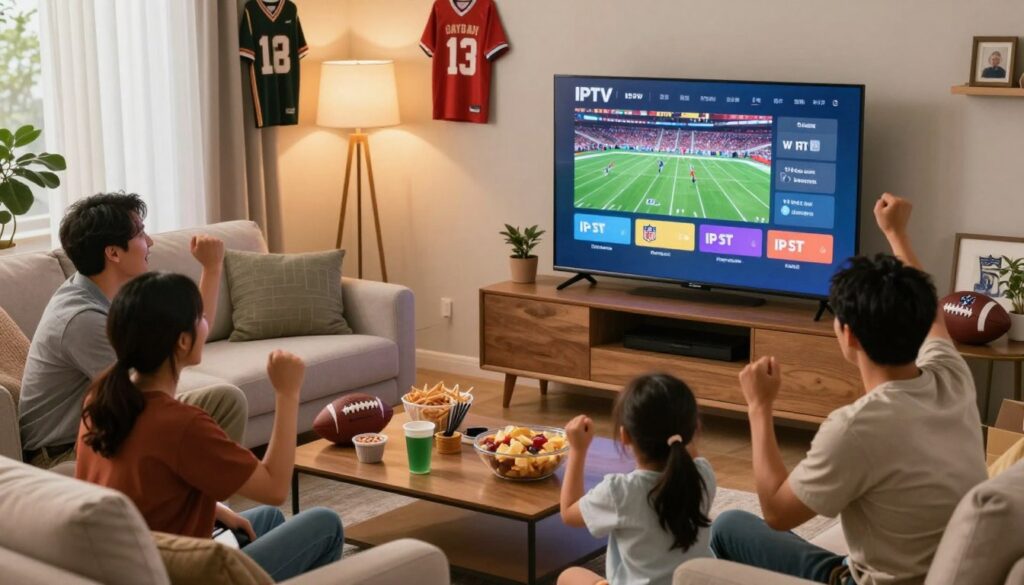
Wondering if you can get reliable Sunday viewing without a cable box?
This short guide shows you what “watching NFL games with IPTV” means in 2026: you choose a streaming-based TV service delivered over your internet connection, not a traditional cable setup.
You’ll learn what networks and game windows matter, which features to expect (EPG, catch-up, multi-device), and how to set up internet and devices for solid game-day performance.
More Canadians now replace traditional TV with streaming because it can be more flexible and often less costly for sports fans.
We’ll use a simple checklist so you can match a subscription to your viewing style — RedZone fans, fantasy players, travelers, or multi-TV homes — and focus on practical, game-day reliability before you pay.
As a Canadian example to compare, see GetMaxTV for a legal option with 25,000+ live channels, HD/4K streaming, instant activation, and 24/7 support: GetMaxTV.
Ready to pick a service that fits your game plan? Check GetMaxTV to compare legal subscription options before you decide.
Key Takeaways
- Streaming-based services deliver TV over the internet — not via a cable box.
- Look for EPG, catch-up, multi-device support, and strong uptime for game-day reliability.
- Compare channels, pricing, payment methods, and terms before subscribing.
- Market trend: many sports households choose streaming for flexibility and cost savings.
- Use a checklist to match a subscription to your viewing habits and travel needs.
- Consider legal Canadian options like GetMaxTV when evaluating subscriptions.
What you’re really buying when you choose an IPTV service for NFL
Start with the basics: you’re paying for access to streamed TV feeds and a login that unlocks apps, guides, and replay libraries. The provider hosts the streams on servers, and the app is how you watch on your devices.
IPTV vs. traditional cable satellite for live sports
Traditional cable and cable satellite usually need installation and a set-top box. A streaming service removes that hardware but relies on your internet and the provider’s servers.
Expect slight latency with streaming compared to broadcast. That is normal, but good server performance and support reduce disruptions on game day.
Live channels, EPG, catch-up, and on-demand content: what matters on game day
Live channels must be stable for Sunday windows, prime-time, and playoffs. Lineup and server uptime matter more than a long channel list.
EPG (the TV guide) speeds navigation when games switch networks. Catch-up saves missed kickoffs. On-demand content is useful for highlights, but it can’t replace live reliability.
“You aren’t just buying channels — you’re buying the whole viewing experience: apps, guide data, performance, and support.”
- Check channel lineup for game windows.
- Confirm EPG accuracy and catch-up length.
- Ask about multi-device limits and support hours.
Why Canadian fans are switching from traditional cable to IPTV for NFL
Cost and convenience are the biggest reasons fans rethink their subscriptions. Traditional cable packages that include sports often run CAD 111.47–209 per month. By contrast, many internet-delivered plans fall into the CAD 20.90–69.67 range, with some offers advertised lower.
Typical price gap: cable with sports vs. internet plans
Real savings come when you compare what’s included, not just the sticker price. Cable often adds equipment rental fees of about CAD 20.90–25 monthly. Streaming-based services let you use existing devices, which can cut those recurring fees.
Portability: watch at home or on the go
With proper streaming access, you can follow games on a phone, laptop, or a smart device while travelling or visiting friends. That portability fits modern viewing habits — quick score checks or full-game streams are possible when you have internet and a compatible device.
Cutting equipment and rental fees
Switching reduces the need for set-top boxes and satellite hardware. Fewer remotes and account-based logins make household setup simpler.
Trust reminder: savings matter only if the provider is stable and legitimate — we cover how to verify compliance later in the guide and suggest reviewing a legal option like GetMaxTV before you subscribe.
iptv nfl canada: what “complete NFL coverage” should include
Begin with a simple checklist that separates broad channel counts from real game access.
Must-have sports networks and game windows you should be able to access
Complete coverage means the plan carries Sunday day games, Sunday night, Monday night, Thursday night, and postseason windows. Confirm those network feeds before you buy.
NFL RedZone and multi-game viewing expectations
RedZone is a must for many fantasy and score-chasing fans. Verify it appears in the guide and that the stream stays stable during big plays.
Multi-screen support or multiple connections lets you follow two or three games at once. Check app features and simultaneous-stream limits for practical viewing.
Preseason, special events, and out-of-market access
Preseason matchups, playoff coverage, and marquee events should be listed in the provider’s event lineup. Don’t assume every service carries out-of-market games; availability hinges on licensing and regional rights.
“Focus on the networks and windows you need, not the total number of channels.”
For fantasy play, quick channel switching, reliable feeds, and RedZone matter most. Always confirm events and out-of-market access with the provider before you subscribe.
Legal and legitimate IPTV in Canada: what to look for before you pay
Before you pay for service, confirm the basics in plain view.
You want an iptv provider that lists a business name, contact details, and clear subscription terms. A legitimate provider avoids vague language and shows what channels and content you will get.
Trust signals to check
- Clear plan pages with prices and renewal rules.
- Published support channels (email, phone, or live chat) and response expectations.
- Written subscription terms that spell out device limits and refunds.
Transparent pricing matters. Make sure the listed fees include taxes and any add-ons. Know the renewal cadence so your subscription doesn’t end mid-season.
Mentioning one legal option: GetMaxTV emphasizes Canadian support, no long-term contracts, and straightforward purchasing. Use that as an example, then verify other providers the same way.
Finally, confirm channel availability and permitted access when you travel. Do this before you pay so you can trust the service week after week.
Key features to compare across providers (NFL-focused checklist)
Put providers to the test on a Sunday afternoon to see how they handle peak demand.
Quality targets: SD works on small phones, but you want HD as the baseline for game day. Only pay for 4K if the service delivers stable 4K streams consistently during prime-time.
What to check, in plain terms
- Consistency: Do HD and 4K streams stay stable across a full game?
- Uptime claims: 99.9% sounds good — it usually means rare outages, but check track record and uptime reports.
- Anti-buffer tech: Test during Sunday afternoon to judge real buffering behavior, not just marketing text.
- Switching & latency: Fast channel switching helps you follow multiple games; low latency keeps reactions aligned with live social feeds.
- Connections & devices: Confirm how many simultaneous streams the plan supports for TVs, phones, and tablets.
- Support: Quick customer support matters when problems hit during kickoff.
“Test features during peak games — a short free trial under load reveals what matters.”
Use a checklist you can screenshot: quality consistency, uptime credibility, buffering controls, switching speed, latency, and multi-connection limits. Compare providers side-by-side and run a free trial during a real Sunday window.
For a legal option with clear uptime and multi-device choices, consider reviewing a recommended provider like GetMaxTV sports packages or see top-rated iptv providers comparison pages to weigh features before subscribing.
Device compatibility: how you’ll watch NFL games on your screens

Match each room and gadget to a role — main screen, travel device, and a backup.
Smart TVs and streaming sticks like Fire TV/Fire Stick
Smart TVs are convenient, but a Fire TV/Fire Stick or Android TV box often runs apps more smoothly. Those streaming sticks get faster updates and can handle HD and 4K better on many tvs.
For installation, you usually add an app, enter credentials or a playlist, and sign in. If you want the cleanest picture, use your best screen with the newest device hardware.
Mobile, tablet, and computer viewing on the go
Watch on iOS or Android when you travel, and use a tablet or laptop if you’re away from the living room. These devices are great for live viewing and let you catch games during commutes or at a friend’s place.
Keep one device charged and logged in as your travel backup.
Roku considerations
Roku can support some services, but compatibility depends on the provider and which app they offer. If Roku is your go-to, confirm app availability before you sign up.
Practical tip: keep a spare Fire Stick or similar device handy so you aren’t adjusting a TV OS right before kickoff.
“Pick the simplest device that matches your quality needs and you’ll spend more time watching, not fixing.”
For a quick list of compatible options and vetted choices, see a roundup of Canadian IPTV providers to check device support and app availability.
Choosing an IPTV player app that makes NFL viewing easier
Picking the right player app turns a messy channel list into a clean, game-ready experience.
Why the player app matters: a fast, clear app changes how you find channels and follow games. A great provider can still feel clunky if your player has slow navigation or wrong guide data. Test apps for ease of use and accurate times before kickoffs.
TiviMate for Android TV and Fire Stick
TiviMate gives a TV-style guide and speedy channel browsing. It works well on Android TV and Fire Stick and is popular for its clean layout. Use favorites to keep sports channels front and center on game day.
IPTV Smarters Pro for iOS, Android, Windows, and Mac
IPTV Smarters Pro works across phones, tablets, and computers. You get the same interface on each device, which helps when you travel or watch at work. It also supports multiple users and playlists.
Smart IPTV for certain Smart TV setups
Smart IPTV suits TVs that allow direct app installs. It keeps the experience simple and avoids extra hardware when it’s supported by your set. Check compatibility first.
- Game-day features to look for: quick favorites, reliable EPG, and multi-screen or multi-stream where available.
- Try apps during a short trial to verify channel organization and local time settings.
- Many providers will recommend the best apps for your devices and offer setup support to get you watching fast.
See a step-by-step guide if you want help matching apps and players to your setup.
Internet speed and home setup to avoid buffering during big games
A smooth live video feed starts with predictable internet behavior and a simple pre-game checklist.
Practical speed targets for SD, HD, and 4K streams
Speed targets: aim for about 10 Mbps for SD, ~20 Mbps for HD, and 30 Mbps or more for 4K.
Keep in mind that steady delivery matters more than a single fast test. A consistent connection during the whole game is the true quality measure.
Wi‑Fi vs. Ethernet, router restarts, and bandwidth hogs to check
Wi‑Fi is convenient, but Ethernet gives better stability. If possible, plug your main streaming device into a wired port to reduce packet loss and drops.
Buffering often comes from Wi‑Fi interference, overloaded routers, or too many devices using the same bandwidth. Older devices can struggle even on good internet plans.
Sunday checklist and quick fixes
- Restart your router and streaming device before kickoff.
- Pause large downloads and other 4K streams on the network.
- Keep apps and firmware updated for best performance.
When your ISP may throttle streaming and what you can do
If playback slows only during peak hours or only for video, throttling might be happening. A VPN can sometimes help restore access, but check terms of service first.
When quality dips, drop from 4K to HD in the app settings — a simple tradeoff that often stops buffering and improves your viewing experience.
“Run a full-game test on an off-week so you can fix weak spots before playoffs.”
Customer support that actually helps on Sundays
Fast, helpful support is the difference between enjoying kickoff and chasing fixes during the game.
Why support matters: live sports need quick fixes. A slow reply can cost you key plays. When you pick a provider, judge how fast and clear their help is under real pressure.
What “24/7” should include
True 24/7 support means clear channels and predictable response windows. Look for WhatsApp and email contact with near-real-time responses on game day.
GetMaxTV advertises Canadian support via WhatsApp and email. That kind of access usually beats a ticket system that replies in days.
What to prepare before you contact support
- Device model and OS version.
- App name and version (what player you use).
- Internet type (Wi‑Fi or Ethernet) and a quick speed note.
- Issue type: buffering, login, or channel missing.
How good support helps: fast credential resets, guided app setup, and quick stream checks cut downtime. Expect steps like screenshots, trying another stream format, or a portal test.
“Trustworthy services make support easy to reach and clear about next steps.”
Plans, trials, and payments: how to pick a subscription you won’t regret
Choosing the right plan starts with how you watch and how long you want to stay signed up.
Short vs. long plans: balancing flexibility and value
Short plans are great for testing service quality during peak windows. Pick a one-month option if you want to validate uptime and stream stability before committing.
Longer plans lower your monthly cost. Choose a 6‑ or 12‑month plan only after you confirm channels, reliability, and support meet your needs.
Free trials, activation timelines, and receiving credentials by email
Always try a trial or the shortest paid option first. Reputable providers offer instant activation and send login credentials by email with clear setup steps.
Expect: an activation email, credentials, and a short guide so you can complete installation quickly.
Payment options Canadians care about, including Interac e-Transfer
Look for clear fee disclosure and payment choices. Interac e-Transfer is common and useful if you want a domestic payment method and a record of purchase.
“No hidden fees” should mean transparent device limits, renewal terms, and refund rules in writing. Save every email, receipt, and plan detail for customer support or future renewals.
“Pay a little more for proven uptime and strong support — it saves stress on game day.”
| Plan Length | When to Choose | What to Confirm |
|---|---|---|
| 1 month / Trial | Testing peak weekend performance | Activation time, email credentials, device limits |
| 3–6 months | Season-long viewing without long lock-in | Renewal rules, refund policy, channel lineup |
| 12 months | Confident in reliability and cost savings | Price protection, support hours, any one-time fees |
Do you need a VPN for IPTV NFL streaming in Canada?
Short answer: you may not need a vpn if your chosen service works well, but using one can help depending on privacy preferences, travel plans, or ISP behavior.
Privacy and benefits for streaming
A vpn encrypts traffic between your device and the VPN server. That reduces visibility of your viewing when you use public Wi‑Fi or shared networks.
It can also hide which channels you access from your ISP. This sometimes helps if your internet provider limits video throughput.
Travel use and location-based restrictions
When you travel, some services change what content you can access because of rights and regional rules.
A vpn can let you connect through a server in your home region to maintain the same access. Test this before game day so you know performance and latency impacts.
Terms of service: what to know before you rely on a VPN
Using a vpn is broadly legal, but some providers or platforms restrict vpn use in their terms. Read your provider’s rules and respect licensing limits.
Practical guidance: pick a reputable vpn, test it ahead of kickoff, and keep a non-vpn fallback ready if speed or stability drops.
“Treat a vpn as an optional tool to improve privacy and access — not a guaranteed fix for service issues.”
| Reason to Use a VPN | Potential Benefit | Trade-off |
|---|---|---|
| Privacy on public Wi‑Fi | Encrypts traffic and hides viewing | Minimal speed hit with a nearby server |
| Possible ISP throttling | May restore stable streaming | Not guaranteed; depends on VPN quality |
| Travel and regional access | Access home-region content while away | Increased latency; test before events |
Recommended next step: compare a legal IPTV option from GetMaxTV
Before you hit purchase, run a short checklist on the provider page to make sure the plan fits your viewing habits.
What to verify on any provider page:
- Plan length, total price, and refund rules.
- Device limits and supported devices (Fire TV, smart tvs, iOS, Android, some Roku).
- Whether live channels for game windows are included and EPG/catch-up is available.
- Activation method and whether credentials arrive by email instantly.
- Clear support channels such as WhatsApp or 24/7 email and uptime claims.
Where to review plans and compatibility on GetMaxTV
You can review GetMaxTV plans, device compatibility, and setup details directly on their offer page at review GetMaxTV plans. The provider advertises 25,000+ live channels, HD/4K quality, 99.9% uptime, no contracts, and 24/7 Canadian support via WhatsApp and email.
Try this before you commit: run a short trial on your main tv and one mobile device. Check the guide accuracy, stream quality, and peak-time stability on a Sunday. If support answers quickly and the guide matches local times, you’re closer to a safe subscription choice.
“Validate channels, devices, and support before you subscribe.”
Conclusion
Before you subscribe, run a short checklist: confirm the channels you need, compare streaming quality and real-world reliability, validate device and app compatibility, and test your internet setup on a live game day.
Prioritize legitimate providers that show clear terms, responsive support, and stable service during peak sports windows. Your ideal setup depends on your household — a single-TV home needs different features than a multi-device family.
Do a live Sunday trial to judge buffering, channel switching, and guide accuracy. For more comparison, see a roundup at best Canada IPTV revealed, or check the current GetMaxTV offer for legal subscription details, instant activation, and Canadian support.
FAQ
How can you watch NFL games using a streaming service in Canada?
You can watch by subscribing to a legitimate streaming provider that includes the sports networks broadcasting NFL games, installing a compatible app or player on your Smart TV, streaming stick, phone, tablet, or computer, and ensuring your home internet meets speed recommendations for HD or 4K. Check for live channels, on‑demand replays, and an EPG (program guide) so you don’t miss kickoff.
What are you actually buying when you pick a streaming service for football?
You’re buying access to live channels, on‑demand libraries, and the provider’s delivery and customer support. That covers the app or IPTV player, channel lineups, streaming quality, and any electronic program guide or catch‑up features. Confirm what devices are supported and whether live sports windows (national and regional) are included.
How does a streaming service compare with traditional cable or satellite for live sports?
Streaming often costs less and lets you watch on more devices, but availability can vary by provider. Cable bundles may offer stable channel packages and local network feeds; streaming gives portability and often better value if you only need sports packages. Evaluate channel availability, latency, and whether the service offers multi‑game viewing like NFL RedZone.
What on‑demand features matter on game day?
Look for catch‑up, instant replays, and cloud DVR abilities. An accurate EPG and reliable VOD access let you watch missed games or highlights. Fast channel switching and low latency matter for live plays and multi‑game viewing.
Are streaming plans cheaper than cable for sports in Canada?
Generally yes — many users see a notable price gap because streaming plans focus on specific channel packs without large bundling. Compare yearly and monthly costs, factor in equipment rental savings, and watch for hidden fees to get true cost comparisons.
Can you watch games when you travel or on mobile devices?
Yes. Most providers allow simultaneous connections across mobile, tablet, and laptop apps so you can stream away from home. Verify device limits and whether location restrictions apply so you’re not blocked while traveling.
How can switching to streaming reduce extra equipment and rental fees?
Streaming removes the need for set‑top boxes and long‑term DVR rentals with many providers. You usually install an app or player on an existing Smart TV or streaming stick, cutting hardware and technician costs.
What should “complete NFL coverage” include from a provider?
It should include all major sports networks carrying preseason, regular season, playoffs, and special events, multi‑game viewing like RedZone or similar services, access to regional games when available, and reliable out‑of‑market options or clear explanations when blackout rules apply.
Which sports networks are must‑haves for full game access?
Ensure the lineup includes the primary national broadcasters that hold NFL rights, plus specialist feeds or RedZone for multi‑game highlights. Double‑check blackout rules and playoff window arrangements before subscribing.
How do providers handle out‑of‑market games and blackouts?
Availability varies. Some services offer out‑of‑market packages or streaming rights; others restrict regional games due to licensing. Read the provider’s coverage map and terms to understand what you’ll get in your area.
How can you tell if a provider is legally compliant and trustworthy?
Look for clear licensing statements, transparent pricing, valid company contact info, and reliable customer support channels. Reputable providers publish terms of service, privacy policies, and refund or trial rules.
What should transparent pricing and subscription terms include?
Upfront monthly and annual rates, activation fees, device limits, refund policies, and renewal terms. Avoid services that hide fees or use unclear trial conditions.
What streaming quality should you expect for SD, HD, and 4K live sports?
Aim for stable HD at 5–8 Mbps and 4K around 25 Mbps per stream. Providers should specify their bitrate targets and how they handle peak‑time congestion to keep picture quality consistent.
What does a 99.9% uptime claim mean for live games?
It’s a reliability target indicating minimal downtime over a year, but you should ask how the provider measures uptime and what redundancy they have to protect live events from outages.
What anti‑buffering tech should you expect?
Look for adaptive bitrate streaming, CDN redundancy, and built‑in buffering management. These features reduce freezes during high‑traffic moments like big plays and halftime.
How important is channel switching speed and latency?
Very. Fast channel changes and low latency ensure you catch live action in real time and can flip between games without delays that spoil plays or scores.
How many devices and simultaneous connections should a household plan for?
Check the provider’s simultaneous stream limits and consider your household’s needs — living room TV, phone, tablet, and a laptop may require four or more connections for peak use.
Which Smart TVs and streaming sticks commonly work with streaming services?
Many services support Android TV, Amazon Fire TV/Fire Stick, Apple TV, Samsung Tizen, LG WebOS, and Chromecast. Confirm app availability for your specific model before subscribing.
Can you watch on mobile, tablet, and computer while on the go?
Yes. Most providers offer iOS and Android apps and web players for desktop. Download and test the app ahead of game day to verify playback and login behavior.
Are there special Roku considerations?
Some providers have limited Roku support due to app restrictions; others offer a channel or private app. Check compatibility and whether a separate player app is required for your Roku model.
Which IPTV player apps make viewing easier on Android TV and Fire Stick?
Popular players include TiviMate, IPTV Smarters Pro, and Smart IPTV for certain Smart TV setups. Choose one that supports EPG, recordings, and reliable playback on your device.
What internet speeds do you need to avoid buffering during big games?
For single HD streams aim for 5–8 Mbps; for 4K plan for about 25 Mbps. If multiple devices stream simultaneously, add each stream’s requirement to your total bandwidth target.
Should you use Wi‑Fi or Ethernet for live sports?
Ethernet offers the most stable connection and lowest latency. If you use Wi‑Fi, place the router close, use the 5 GHz band, and minimize other bandwidth hogs during games.
What if your ISP throttles streaming traffic?
Test speeds during peak times and consider talking to your ISP about plans without data shaping. Some users also use a VPN for privacy and to avoid selective throttling, but check terms of service first.
What should 24/7 customer support include for Sunday games?
Fast response times via email, live chat, or messaging apps like WhatsApp; clear troubleshooting steps; and proactive status updates during outages. Look for providers that log tickets and offer follow‑up.
What info should you have ready before contacting support?
Device type and model, app name and version, account email, speed test results, and a brief description of the issue. This speeds resolution and reduces back‑and‑forth delays.
How do you pick between short and long subscription plans?
Balance flexibility against savings. Short plans give you trial periods and seasonal access, while longer plans often lower monthly cost. Factor in trials, cancellation policies, and your viewing habits.
Do providers offer free trials and how do activations work?
Many offer short trials or money‑back guarantees. Activation typically requires creating an account and receiving credentials by email; follow the provider’s setup guide to add the service to your player or app.
What payment options do Canadians prefer?
Common options include credit/debit cards, PayPal, and Interac e‑Transfer. Look for providers that accept local payment methods to simplify billing and refunds.
Do you need a VPN for streaming NFL games in Canada?
A VPN can add privacy and help with location‑based restrictions, but it may violate a provider’s terms and can affect stream quality. Use a reputable VPN and confirm it’s allowed by your service before relying on it.
What should you check on a provider page before subscribing?
Confirm channel lists, streaming quality, device compatibility, trial availability, pricing, refund policy, and contact information. Reviews and community forums also help verify real‑world performance.
Where can you review plans and compatibility for GetMaxTV?
Visit GetMaxTV’s official site to compare plans, check supported devices and apps, review coverage maps, and read setup instructions. Make sure the listed channels and features match your viewing needs before subscribing.
The GetMaxTV Team is a group of cord-cutting experts and streaming technology specialists who have been testing and reviewing IPTV services since 2022. Based in North America, our team personally tests every service we recommend across 15+ devices including Fire TV Stick, Roku, Apple TV, Samsung Smart TVs, and gaming consoles. We verify channel counts, measure buffering rates, test picture quality in HD and 4K, and evaluate customer support response times. Our mission is to help viewers save money by switching from expensive cable subscriptions ($147/month average) to affordable, high-quality IPTV alternatives. Every article on GetMaxTV.com is based on hands-on testing and real-world experience — not recycled marketing claims.