
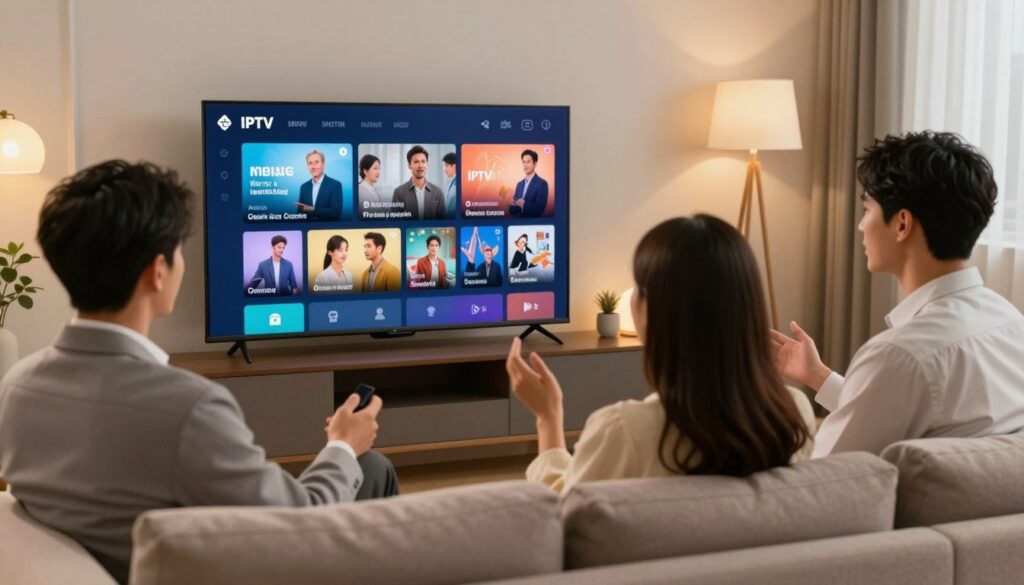
Curious which player will give you the smoothest live TV and VOD experience in 2025? If you live in Canada and look to access U.S. channel lineups, this guide steers you through reliable player options, legal distinctions, and real-world setup tips.
You’ll learn what “best iptv app usa” means here: a dependable player that works with a legitimate subscription to deliver live sports, news, and movies. I’ll help you match a choice to your devices, viewing habits, and comfort with setup.
This roundup will walk core features like EPG guides, buffering controls, and multi-screen viewing, then show top picks by device: Smart TV, Fire TV, mobile, and PC. I’ll also clarify the difference between a player and a subscription service so you avoid buying the wrong thing.
No fear-mongering: I’ll cover rights, account security, VPN tradeoffs, and practical network tips (Wi‑Fi vs Ethernet, speed expectations). Expect clear steps and a brief nod to GetMaxTV as an example of a platform in this space.
Key Takeaways
- Look for reliability, EPG, and multi-screen support when choosing a player.
- Match the player to your device and viewing habits (sports, news, movies).
- Understand player vs subscription to avoid extra purchases.
- Use Ethernet or high-speed Wi‑Fi and consider VPN tradeoffs for privacy.
- Free trials help test functionality before committing.
- Canada viewers can use U.S.-focused players for American channels, but check legal access.
- For a deeper device-focused roundup, see the Smart TV guide at IPTV Smart TV options.
Why IPTV apps are trending in 2025 (and what that means for your streaming)
Streaming habits are shifting fast in 2025, and more people are turning to internet-based players for live TV and on-demand viewing.
Market snapshot: the global market is valued at $56.61B in 2025 and is projected to reach $133.34B by 2030, an 18.69% CAGR. That growth means more competing services, more player choices, and louder feature claims this year.
What the term actually covers
An IPTV service usually supplies the channel streams and licensing. The player you install is often just the interface that organizes those streams, guides, and recordings.
Why this matters if you live in Canada
- Canadians often search for US channels to follow sports leagues and major events.
- Cross-border access depends on what a subscription is licensed to provide—players don’t create rights.
- More market options mean you should check service transparency and device support before you subscribe.
Next up: you’ll see what a player actually does on your device and which features matter for sports-heavy nights and everyday viewing.
What an IPTV app does on your device
Think of the player on your device as the control center that turns raw stream links into organized content you can browse and watch. It plays video, sorts channels into groups, and shows program listings so you know what’s on now.
How M3U playlists and EPG data work
M3U playlists are simple lists of stream URLs. You paste a playlist URL or upload a file and the platform maps each URL to a channel name and logo.
EPG (Electronic Program Guide) adds schedule info. With EPG you see program times, descriptions, and upcoming shows instead of a flat channel list.
Live channels vs. on-demand content
Live channels run on a schedule—think news and sports. On‑demand content is a library you open when you want a movie or episode.
The player may show live channels in a grid and on‑demand content as shelves or lists. That layout affects how quickly you find what to watch.
| Feature | Live channels | On‑demand content |
|---|---|---|
| Access model | Schedule-based streams | Library-based files |
| Navigation | EPG grid, categories | Shelves, search, filters |
| Playback sensitivity | High (real-time buffering) | Medium (prebuffering helps) |
Playback quality depends on your internet, the service, and player settings like buffering. Expect differences across device types—some interfaces are tuned for remotes, others for touch or mouse.
Quick checklist: what to look for before you download any IPTV app
Before you tap install, run through a quick checklist so you don’t waste time on a player that fails on your devices.
Device compatibility first
Confirm the player runs on your TV, Firestick, phone, and PC. If a provider only supports one platform, it won’t work for multi-room viewing.
EPG quality
Good EPG loads fast, shows correct time zones, and includes channel logos and categories. That makes finding shows and planning events painless.
Anti-freeze and buffering control
Look for player-side buffering settings and anti-freeze tech. These help, but remember they don’t replace a reliable internet connection.
VOD organization
Test how quickly you can browse movies, find shows, and resume a series. A tidy library saves time and improves your viewing experience.
Multi-screen and multi-view
Use multi-view for sports nights or overlapping events, but expect higher network and device load. Check how many simultaneous streams your setup supports.
Support expectations
Real help means clear setup guides, fast email or chat responses, and ideally 24/7 support when playlists change. That support can save hours.
“Pick the player that matches your devices and habits — everything else is noise.”
- Start with compatibility, then confirm EPG and buffering options.
- Try a short trial on the devices you actually use.
- Keep vendor support and real-world tests central to your choice.
For a device-focused guide, see the device-focused guide, and for content comparisons check content comparisons.
Internet speed and setup basics for lag-free streaming
A steady internet connection is the single biggest factor in a smooth streaming night. Start by testing download speed at the device you plan to use. Aim for at least 15Mbps for clear, uninterrupted playback on a single stream.
Note: 4K or multi-view sessions need more headroom. If you watch multiple channels or 4K video, target 50Mbps or higher.
Wi‑Fi vs. Ethernet and router placement
Wi‑Fi problems cause most buffering at home. When possible, connect TVs and set-top devices with Ethernet for the most stable experience.
Place your router centrally, avoid thick walls, and use 5GHz for close-range speed. For larger homes, consider a mesh system to keep signal strength steady.
Quick troubleshooting you can try right now
- Reboot your router and the device.
- Run a speed test at the device and note results.
- Try a different player or lower the stream resolution.
- Disconnect other heavy users on the network during playback.
When a VPN helps — and when it can slow things
A vpn can help on public Wi‑Fi or when you suspect ISP throttling. It can also introduce extra latency if the server is far away or overloaded.
Quick test: play the same channel with vpn on and off for a minute each. Compare buffering and video clarity to decide which gives a better experience for your setup.
| Issue | Likely fix | When to contact service |
|---|---|---|
| Intermittent buffering | Use Ethernet / relocate router | If wired connection still buffers |
| Low measured speed | Restart router, limit other devices | If repeat tests stay under 15Mbps |
| Poor video with VPN | Try a nearer VPN server or turn VPN off | If turning off VPN stops the problem |
Bottom line: a reliable network, a capable player, and a trustworthy service together give you the best viewing experience. For examples of recommended services that pair well with solid players, see recommended services.
Legal and safety considerations when choosing IPTV apps and services
Before you subscribe, know that legality centers on the content rights your subscription holds — not the player you use. The software simply organizes and plays streams; the license behind the stream determines whether it’s lawful for you to watch in Canada.
Why the subscription matters more than the player
Think of the subscription as the rights holder. If the provider has distribution rights, you get lawful access. If not, the player can’t make an illegal stream legal.
How to vet a service practically
- Check for a clear company name, address, and published terms.
- Look for transparent pricing and formal payment methods.
- Verify support channels and response times before you subscribe.
- Avoid services promising every channel forever or guaranteed zero buffering.
Privacy and account safety basics
Use unique passwords and enable two-factor where offered. Share credentials sparingly; multi-device plans should still keep accounts secure.
Data handling matters: prefer services that collect minimal user data, offer a clear deletion process, and use reputable payment processors. Ultimately, you’ll pick apps for ease of use, but choose your subscription based on legitimacy and support quality.
best iptv app usa: the top IPTV player apps to consider in 2025
Choose a player by matching its interface, guide speed, and stability to how you watch live channels and VOD.
Shortlist criteria: interface quality, EPG browsing speed, stability, and setup simplicity across your devices. These four checks help you compare options quickly.
Premium TV-style interface
What it means: a cable-like guide, instant channel surfing, and reliable EPG rendering on big screens. This platform suits TV-first living rooms.
Advanced playback controls
Look for audio and subtitle switching, aspect ratio controls, timeshift or catch-up, and buffer tuning. These features improve daily viewing and give power users finer control.
Fast setup for beginners
Beginners need simple playlist import (M3U or Xtream), clear error messages, and sane defaults. Speedy onboarding keeps frustration low when you test new services.
Household and multi-screen needs
Multi-view differs from multiple-device access. Confirm how many simultaneous streams a subscription allows and whether the platform offers split-screen or picture-in-picture.
Next: later sections will break down top options by device. If you want an early device-focused comparison, see the device-focused guide.
IPTV Smarters Pro: why it’s popular (and when it’s a good fit)
Many users pick iptv smarters pro for its clean layout and quick access to live channels and on-demand shows. It feels familiar to people who moved from traditional TV guides, so you can get started without a steep learning curve.
Strengths: layout, playlist support, and everyday navigation
Straightforward navigation makes it easy to jump between live TV and VOD. Search, favorites, and recent channels speed day-to-day viewing.
Playlist flexibility means many providers work with M3U or Xtream-style logins. That broad support helps when you swap subscriptions or try trial offers.
What to confirm before you use it
- Check your device OS is supported (Android, iOS, Fire OS, or desktop builds).
- Confirm the format your subscription provides: M3U, Xtream, or portal.
- Ask the provider about support for EPG and playlist updates.
“Pick Smarters Pro if you want a familiar UI across screens and a short learning curve.”
It’s a solid pick when you want a recognizable interface across devices. If you prefer a more cable-like guide on Android TV, check the next section about TiviMate-style choices.
TiviMate-style TV experiences: best for Android TV and set-top boxes
If you prefer a living-room feel on Android TV, a TiviMate-style guide makes browsing channels quick and familiar.
Why viewers love the cable-like guide
The grid layout shows many channels at once, with program names and times in a single view. That reduces hunting and keeps remote navigation simple.
The design favors remotes and big screens. It mimics cable menus so you spend less time learning and more time watching.
Why this matters on Android TV and boxes
Performance and EPG speed matter most on these platforms. A responsive guide loads listings fast and keeps the experience smooth when you flip channels.
On a capable box, the interface feels instant. On weaker hardware, the same guide can lag, so choose a stronger device if guide fluidity matters.
Multi-view for sports-heavy nights
Use multi-view to follow multiple sports games, keep an eye on a breaking news channel, or watch scores while your main channel plays.
- Follow two or more matches at once when you can’t pick a single game.
- Monitor live sports updates while keeping the main action on full screen.
- Split the screen to track highlights, stats, and alternate feeds.
Tradeoffs and simple settings to try
Be aware: multi-view raises CPU, decoding, and network load. You may need more bandwidth and a stronger box for smooth playback.
- Refresh EPG during off-hours to avoid daytime reloads.
- Increase buffer slightly if channels stutter during multi-view.
- Organize channels into groups so you switch faster on game night.
“A cable-like guide is ideal when your TV is the main screen and you value quick browsing over a minimalist layout.”
Choose this platform if your living room is the hub for sports and family viewing. For Smart TV options that pair well with this style, see the Smart TV guide at IPTV Smart TV options.
Best IPTV apps for Fire TV Stick and Firestick users

Fire TV devices are a common choice for households; here’s how to tune them for reliable channel playback and fast guide browsing.
What matters most on Fire TV
Performance and quick remote navigation matter above all. A responsive platform keeps you flipping without delays.
EPG speed should not lag when you scroll. Smooth guides make it easy to find live channels and catch breaks in sports.
Simple setup flow
Follow three steps: add your playlist URL, add the EPG URL, then choose the stream format if the app asks.
- Playlist URL: paste or import the M3U/Xtream link from your service.
- EPG URL: load schedule data so program names and times appear correctly.
- Format: select the format the platform supports and test playback.
Performance tips: keep storage free, update the OS and app, and reboot occasionally to reduce buffering and crashes.
Test a few channels at peak time to judge streaming quality and confirm your provider gives clear instructions and fast support if setup fails.
Fire TV player options can help you compare compatible players for your devices.
Best IPTV apps for Smart TVs (Samsung, LG, Android/Google TV)
Your Smart TV’s app store often dictates which platforms you can run, and that changes your upgrade path.
App-store availability is the #1 constraint. Samsung (Tizen), LG (webOS), and Android/Google TV each host different listings. If your preferred app isn’t listed, you may need a small streaming device to get full compatibility.
Picture quality priorities
Think practical: HD and FHD are common, while UHD/4K needs both a capable TV panel and a subscription that supplies 4K channels. Not every channel or piece of content labeled 4K is actually delivered in that resolution.
Performance and guide responsiveness
EPG speed matters. Smart TVs often have slower CPUs than external boxes. Guide-heavy interfaces can lag, making channel browsing frustrating.
- If your TV store limits platforms, use a compact Android/Fire streaming box to improve the streaming experience.
- Verify channel resolutions with your provider before assuming 4K playback.
- Match devices and platforms to your TV for true compatibility and stable video quality.
“If the TV can’t run the platform you want, pairing it with a small box is usually the fastest fix.”
Best IPTV apps for iPhone, iPad, and Android phones
When you watch on a phone or tablet, the player needs to be quick, simple, and forgiving of spotty networks. Mobile-first viewers want fast search, instant favorites, and easy channel switching so you don’t miss the action.
Mobile-friendly features: quick channel search and favorites
Fast search helps you jump to a game or show in seconds. Look for readable guide views and gesture controls that work well on a small screen.
Easy favorites let you save channels and return quickly during breaks. Stable playback when you move between Wi‑Fi and cellular keeps streams smooth for short sessions.
Data use tips for live sports streaming on the go
Lower resolution when you’re on cellular to save data. For long games, prefer Wi‑Fi and avoid multi-view unless you have extra bandwidth.
Watch for an option to change quality per stream. That gives you control over data without interrupting the match.
- Keep provider instructions saved on your phone and backup playlist/EPG URLs securely.
- Enable updates so the app runs more stably across devices.
- Test one channel on cellular before you commit to a long session.
| Focus | Why it matters | Practical tip |
|---|---|---|
| Search speed | Find channels fast during live events | Prefer apps with instant search and suggestions |
| Favorites | Quick access to frequent sports feeds | Build a favorites list for game nights |
| Data control | Limits bandwidth on cellular | Use adaptive quality or lower resolution |
| Stability | Depends on network and stream source | Switch to Wi‑Fi for long sessions or cast to TV |
Remember: mobile performance depends more on your network and the service’s stream stability than the interface alone. For a full mobile setup guide, see this mobile streaming guide.
Best IPTV apps for Windows and Mac (PC playback)
Your PC can act as the central hub for setup, testing, and organizing a subscription. Typing URLs, editing playlists, and viewing logs is faster on a keyboard than on a remote.
Why use a desktop: you get clearer visibility when a channel buffers, easier playlist management, and a place to compare the same content across platforms.
When a desktop app becomes your home base
Households testing a new service or users who like neat channel groups gain the most. A PC makes it simple to rename channels, build folders, and save backup lists for your subscription.
Using PC playback to troubleshoot buffering and network issues
Follow a quick, methodical routine: run a speed test at the pc, check CPU usage, tweak player buffer settings, and open the same stream in a different platform to compare results.
If a channel buffers on PC and on your TV, the problem likely lies with the service or your network. If it only stutters on one device, it’s usually an app or device issue.
“Test channels during peak hours, document failures, and send clear examples to support—screenshots and timestamps help.”
- Test at peak time and note which channels fail.
- Compare playback on another platform to isolate issues.
- Contact support with logs or timed screenshots so agents can reproduce the problem.
Features that separate a good app from a great app
Great players do more than play streams; they shape how you plan and save your viewing time.
EPG depth and accuracy for planning what to watch
EPG depth means multi-day guides, accurate metadata, and correct time zones. You want the schedule to match live shows and movies so you can plan nights without surprises.
Look for fast updates and clear descriptions. If the guide lags, your reminders and recordings will miss events.
Catch-up, recording/DVR, and time‑shifted viewing
Catch-up and time-shift features often come from the service, but the player decides how you access them.
DVR support may require local storage or cloud slots. Confirm whether recordings are handled by the provider or stored on your device.
Channel organization: groups, custom lists, and parental controls
Organization saves time. Group channels by genre, build custom lists for sports or movies, and use quick favorites for daily viewing.
Parental controls let you PIN-protect categories and hide mature content in shared homes. That keeps family viewing safe and simple.
Reliability signals: uptime, anti‑freeze tooling, and server stability
Trustworthy services publish realistic uptime stats and describe anti-freeze techniques clearly. The player should expose buffering controls and reconnect logic so you can react fast.
“Pick platforms that make stability visible—clear support channels and honest uptime claims matter.”
Bottom line: the leading services differentiate on guide quality, stability, and support. Choose a player that surfaces those strengths so your channel browsing and viewing experience stays smooth and predictable.
How to match the right IPTV app with the right IPTV service
Start by confirming formats and household needs so your purchase works the first week. Match the way a provider delivers streams with the player formats your devices accept.
Format compatibility: M3U, Xtream-style logins, and portal setups
Pick an app that supports your provider’s format — M3U lists, Xtream-style logins, or portal URLs. Verify EPG and VOD support too.
Use this M3U playlist guide to confirm how your chosen iptv service sends links and schedules.
Connections and households: what “multi-device” really means
Devices and connections differ: a plan may permit three simultaneous streams but you might own six devices. That means only three can play at once.
Check concurrent-stream limits so family members don’t interrupt each other during big events.
Trials and refunds: what to look for
Short trials (24–72 hours) and money-back windows reduce risk. Test on your main device and during peak hours before committing to a longer plan or subscription.
“Test on your main TV and during prime time to see real performance.”
| Checklist item | Why it matters | What to check | Result |
|---|---|---|---|
| Supported login types | Ensures the player will accept your credentials | M3U / Xtream / Portal listed | Pass / Fail |
| EPG URL support | Shows program guides correctly | Load EPG and confirm times/logos | Pass / Fail |
| Multiple playlists | Needed for multi-region or VOD pools | Can import >1 playlist | Pass / Fail |
| Concurrent streams | Defines how many users can watch at once | Compare plan limits to household devices | Pass / Fail |
Using real-world provider feature claims as a comparison framework
Providers list resolutions, support, and device compatibility. That’s useful, but you should verify each claim during a trial before you subscribe.
What “high-quality streaming” usually means
Quality labels — HD, FHD, UHD, 4K — describe potential resolution. Stability is the practical test: check playback during prime time and on different devices.
Common differentiators providers tout
- EPG accuracy and update speed — does program info match live airtime?
- 24/7 support and privacy statements — test response time with a real question.
- Customization — channel grouping and parental controls for family homes.
Pricing and connection patterns to expect
Plans often include short trials, monthly or quarterly options, and sometimes a lifetime tier. Lower trial fees let you test EPG, channel zapping, and VOD organization without risk.
How to compare without hype: test EPG accuracy, measure channel switching speed, browse the VOD library, and contact support. Also match multi-connection limits (1–5 connections) to your household so simultaneous viewing fits your needs.
“The ‘best iptv service’ for you depends on whether you value sports stability, parental controls, or a tidy interface.”
Where GetMaxTV fits if you want a legal IPTV subscription
Pick a lawful subscription first, then match it with a player that makes navigation and playback simple. The subscription defines the channels and rights you can access. The player you choose only organizes and plays that content.
Pairing a strong player with a legal content subscription
If you value clear terms and steady support, choose a service that publishes company details, refund rules, and contact paths.
Then, confirm the player supports your devices and loads EPG and VOD cleanly. That combination improves your overall streaming experience and reduces setup friction.
A contextual option and how to evaluate fit
For a straightforward, legitimacy-first option, you can review the GetMaxTV offer as one example.
- Check device compatibility and channel lists on their site.
- Test performance during peak hours to judge quality.
- Confirm clear support channels and published terms before you pay.
“Let the subscription set your legal access; let the player deliver the best playback and navigation.”
Conclusion
Start the final test on your main TV and with the sports or shows you don’t want to miss. , This helps you judge guide speed, channel switching, and VOD navigation in real conditions.
Choose by device first: match the player to the hardware you use, then prioritize EPG quality, stability, and the features you actually need for daily streaming.
Your service determines the channel lineup, content rights, and long‑term reliability. The interface can make viewing easier, but only a lawful provider gives dependable access.
Validate performance by testing several channels, trying live sports at peak time, and browsing movies and shows in the VOD library. Note how quickly guides load and how support responds to questions.
Keep a practical setup: stable internet, Ethernet when possible, sensible Wi‑Fi placement, and a VPN only when it helps your situation.
Consumer tip: look for transparent subscriptions, clear terms, and honest quality claims so you can stream with confidence. If you want a legal IPTV subscription, check GetMaxTV’s offer on https://getmaxtv.com.
FAQ
What’s the difference between an IPTV player and an IPTV service?
A player is the software you install to play streams and EPG data on your device. A service provides the channel feeds, playlists (M3U or Xtream), and account access. You need both a compatible player and a legitimate service subscription for reliable live channels, on-demand shows, and sports.
How do M3U playlists and EPG data work together?
An M3U playlist lists channel stream URLs and identifiers. EPG (electronic program guide) supplies scheduling and metadata so you can see what’s on and when. A good setup links the playlist to EPG URLs or XMLTV files so channel names and timings match inside the player.
What minimum internet speed do I need for smooth streaming?
Aim for at least 15 Mbps for consistent HD streams. For multiple devices or 4K content, plan 25–50 Mbps or higher. Wired Ethernet gives lower latency than Wi‑Fi and reduces buffering for big live events.
Which devices work best for live channel and sports viewing?
Common choices are Smart TVs (Samsung, LG, Android/Google TV), Fire TV Stick, Android devices, iPhone/iPad, and Windows/Mac PCs. Pick a platform that supports your preferred player and offers remote-friendly navigation for live sports.
How can I reduce buffering and freezing during live events?
Use Ethernet when possible, place the router closer to your streaming device, choose quality servers from your provider, and enable the player’s anti-freeze or buffering optimizations. Closing background apps and limiting other household streaming also helps.
When should you use a VPN with streaming services?
A VPN helps on public Wi‑Fi to protect privacy. It can also let you securely access region-allowed content. Avoid VPNs if they noticeably increase latency or lower throughput during live sports — test speed and server selection first.
Is using a player illegal if I already subscribe to content providers?
No. Using a player is legal. Legality depends on the content rights tied to the service supplying streams. Verify your provider’s licensing, transparency, and support before subscribing.
What features should you check before downloading any player?
Check device compatibility, EPG depth, anti-freeze and buffering controls, VOD organization, multi-screen/multi-view support, and the provider’s customer service availability. Also confirm supported playlist formats like M3U or Xtream logins.
Which players are best for a cable-like guide experience on Android TV?
Look for players with a full EPG grid, customizable channel groups, and smooth navigation tailored to remote controls. These features give a cable-style schedule and are ideal for set-top boxes and Android TV devices.
Can you record or use catch-up with these services?
Some services and players support DVR, catch-up, and time-shifted viewing. Confirm that your chosen provider offers recording storage or server-side catch-up and that the player exposes those features in the interface.
How do multi-screen and multi-device limits usually work?
Providers list simultaneous connection limits per subscription — commonly 2–6 streams. “Multi-device” means you can register several devices but still respect the concurrent stream cap. Check trial and refund policies to evaluate real-world limits.
What should you look for in customer support?
Expect clear setup guides, fast ticket or chat responses, and real-time troubleshooting for channel issues. 24/7 support is ideal for live sports or international news that run outside local hours.
How do you vet a service for safety and transparency?
Verify payment methods, read policy pages, check for a refund or trial window, look for clear server location info, and confirm that channels list licensing or content rights. Transparent providers also publish uptime or quality claims.
Are there mobile-specific tips for streaming live sports on phones?
Use Wi‑Fi when possible to save mobile data, enable adaptive bitrate if available, add favorites for quick access, and use portrait-mode player controls for easier one-handed navigation. Monitor data use if you stream long events over cellular.
How can desktop playback help when troubleshooting buffering?
Desktop players show detailed network stats, allow direct bitrate tests, and make it easier to swap DNS or test different servers. Use a PC to isolate whether the problem is the device, home network, or the service provider.
What formats should your player and service support to ensure compatibility?
Ensure support for M3U playlists, Xtream-style login credentials, portal-based setups, and common streaming codecs. Confirm the player handles your provider’s format before subscribing to avoid setup headaches.
How do pricing and trial patterns usually look across providers?
Expect monthly and annual plans, occasional lifetime offers, and short trials or money-back windows. Trials help you test EPG accuracy, stream quality, and multi-device limits before committing to a subscription.
Where can you find legal subscription options that pair well with players?
Look for established streaming services that publish channel lineups, licensing notes, and transparent support. Some services like GetMaxTV provide legal subscription options and clearly state compatibility and offers on their website.
The GetMaxTV Team is a group of cord-cutting experts and streaming technology specialists who have been testing and reviewing IPTV services since 2022. Based in North America, our team personally tests every service we recommend across 15+ devices including Fire TV Stick, Roku, Apple TV, Samsung Smart TVs, and gaming consoles. We verify channel counts, measure buffering rates, test picture quality in HD and 4K, and evaluate customer support response times. Our mission is to help viewers save money by switching from expensive cable subscriptions ($147/month average) to affordable, high-quality IPTV alternatives. Every article on GetMaxTV.com is based on hands-on testing and real-world experience — not recycled marketing claims.