
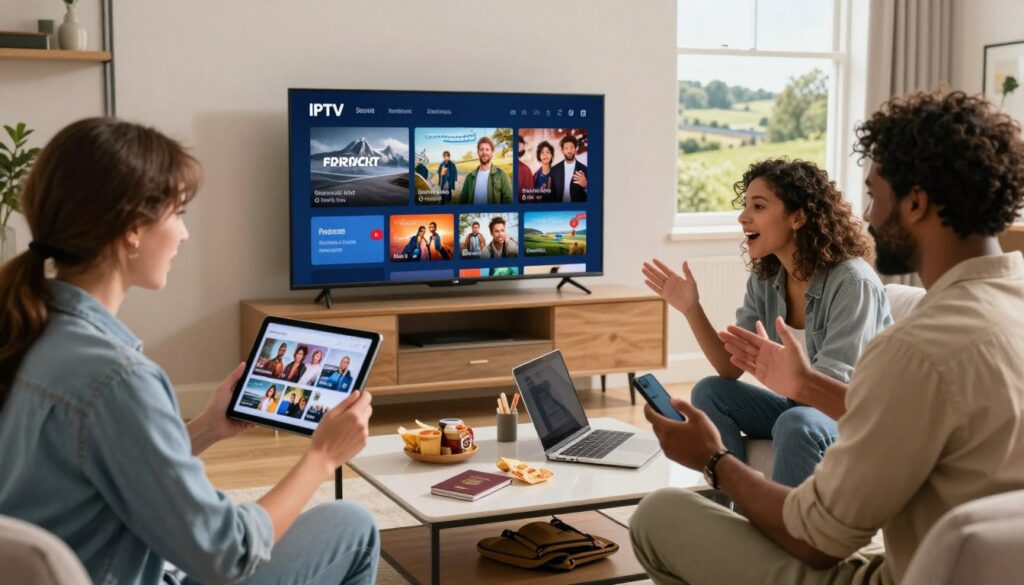
Curious whether one streaming setup can keep your favorite channels while you move between Canada and back to the UK? You’ll get a practical, no-nonsense guide that defines what a travel-ready service is, and how to pick one that works both in condos and on public Wi‑Fi.
This roundup explains how a single service delivers live channels and on-demand content over the internet so you keep access across devices. You’ll learn what matters when comparing providers: channel lineup fit, stream quality, peak-time reliability, device compatibility, and support.
Mobility changes the buy decision: hotel Wi‑Fi, commute data limits, and quick switching between phone, tablet, and TV mean you must weigh apps, adaptive streaming, and trial policies before you pay.
Later we’ll test marketing claims and show simple trial checks. If you want a legal option to try fast, check a short review of GetMaxTV’s offer and practical setup tips via this GetMaxTV trial guide and background info at My Daily Blog.
Key Takeaways
- Define needs first: think channels, devices, and travel scenarios.
- Compare providers on quality, reliability, and trial policies.
- Test claims quickly during free trials and on typical hotel Wi‑Fi.
- Pick services with good app compatibility and responsive support.
- Consider legal/safety basics before entering payment details.
Why UK travelers in Canada choose IPTV for streaming at home and on the go
Internet delivery changes the rules. You no longer depend on a single cable box or a satellite dish. A service that uses an internet connection can follow you from a condo to a hotel room.
How it differs from traditional cable and satellite
Traditional cable ties you to an address and a set-top box. Satellite needs a dish and fixed reception. Internet TV moves channels and on-demand libraries into an app that runs on many devices.
Why “travel-ready” matters
Travel-ready means portable logins, easy multi-device sign-in, and fast re-activation if you change apartments or provinces. You want an app that works on phones, laptops, and a smart TV without long setup.
What to expect in 2025
Many providers promise HD and 4K plus large VOD catalogs. Your real quality depends on provider servers, your internet connection, and the player app. Test peak-time performance before you commit.
| Platform | Address bound? | Live + VOD | Typical setup |
|---|---|---|---|
| Traditional cable | Yes | Mostly live | Set-top box |
| Satellite | Yes | Live focus | Dish + receiver |
| Standard streaming apps | No | Mostly VOD | App per service |
| Internet TV services | No | Live + VOD | Single app; login |
Want practical setup tips? See a quick how-to guide and provider review to compare claims and trials: how to set up internet TV and a short review at GetMaxTV trial guide.
iptv subscription for travelers from uk use at home on the go: what to look for before you buy
Start by listing the shows and live feeds you can’t miss, then match services to that list.
Channel coverage that matches your routine
Map your must-have channels: British staples you watch, plus Canada and US channels you’ll need while abroad. Big channel counts are meaningless unless the feeds you want work reliably.
Streaming quality benchmarks
Test HD stability at peak time and only expect 4K if your device and bandwidth support it. See if adaptive streaming smooths playback on weaker hotel Wi‑Fi and reduces buffering.
Travel-first features that matter
Check EPG accuracy, catch-up windows, cloud DVR limits, and timeshift options. These features help when time zones or schedules change.
Devices, screens, and household reality
Confirm simultaneous streams and quick device switching. Note device limits and whether the app locks sessions when you move between screens.
Support and trial expectations
Good customer support offers setup help and fast responses when you’re remote. During a short trial, test 10–15 channels, one live sports feed at peak, VOD search, and verify the EPG. For a quick provider check, see the GetMaxTV trial guide.
Quick compatibility check: devices and apps that make travel streaming easy
Before you pay, run a quick device audit so your chosen service works with what you carry. This saves time and avoids surprise playback problems when you’re staying in a short-term rental or using hotel Wi-Fi.
Smart TVs and streaming sticks
Many travelers rely on a Fire TV Stick for fast setup in hotels, while Samsung and LG smart tvs are common for longer stays. Confirm the service supports your model and which app it uses.
Phones and tablets
On Android and iOS, look for adaptive streaming, quick re-login, and a clean app interface. These features matter most when you switch networks or commute.
Computers (PC/Mac)
A laptop is often your universal screen. Use a dedicated app for EPG and DVR features, or VLC for simple M3U playback. Check whether the provider gives Xtream Codes or M3U links.
| Device type | Common apps | What to confirm |
|---|---|---|
| Smart TVs / sticks | TiviMate, provider app, native TV apps | Model support, HD/4K decoding, app availability |
| Phones & tablets | Provider app, IPTV Smarters Pro | Adaptive streaming, login limits, offline behavior |
| PC / Mac | Desktop app, VLC | M3U/Xtream support, player features, full-screen quality |
Final check: even if an app installs, your viewing experience depends on your internet connection and how a service handles peak demand. Confirm supported devices, file format, and decoding ability before you commit.
Setup overview: how you’ll install IPTV and start watching in minutes

A clean onboarding path gets you from purchase to playback fast, even when you travel. Follow simple steps and you can test channels during a short free trial without stress.
What you’ll receive: M3U links vs Xtream Codes
M3U link is a playlist URL you paste into many players. It’s flexible and works with tools like VLC.
Xtream Codes is a server address plus username and password. Many people find this easier on mobile apps because it logs in cleanly.
Common player apps
Providers often mention IPTV Smarters, TiviMate, and VLC. Look for an app with EPG support, search, and a favorites list to simplify your viewing experience.
Typical activation flow
- Buy a plan and wait for an email with credentials.
- Install the chosen app on your device and add the M3U URL or Xtream details.
- Load channels and EPG, then start your first stream.
“If playback fails, check credentials, test your internet connection, then try a different player before contacting support.”
| Step | What you get | Action | Tip |
|---|---|---|---|
| Purchase | Email with login | Save details | Install app first |
| Login | M3U or Xtream Codes | Enter in player | Use Xtream for easier mobile login |
| Test | Channels + EPG | Play peak-time feed | Switch players if issues persist |
For a smooth start, follow a quick player setup guide and drop credentials into the app as soon as you get that email. This helps you use a short trial to fully test performance.
Top IPTV provider options for UK travelers based on published feature sets
Below are commonly discussed choices you can use as starting points. Treat these published claims as a checklist to verify during a short trial before you commit.
Viking
Viking advertises a very large lineup with 30,000+ live channels and 60,000+ VOD movies and shows. It lists HD and 4K support and works on Firestick, smart TVs, Android, and iOS. Example pricing: £25 for 3 months or £70 for a year, which can make long-term plans cheaper.
Xtreme HD
Xtreme HD positions itself on stability and server speed. Published details show 20,000+ channels with 4K/HD/SD streams and support for IPTV Smarters, TiviMate, and MAG boxes. Fast support and easy install are part of its pitch.
Monster
Monster targets sports fans with Sky Sports, BT Sport, DAZN, and beIN Sports listed. VOD and live channels are emphasized, but you should test event-night reliability before trusting a big match.
British
British focuses on a UK-first experience: full EPG, catch-up, and cloud DVR plus UK-based support. That local feel helps when time zones or schedules change.
CatchOn TV
CatchOn TV blends UK and European channels and offers multilingual VOD. Fast activation and secure payments are part of the published feature set.
“Use a trial to verify channel availability, peak-time quality, and app behavior.”
- Ask each provider about device limits and simultaneous streams.
- Confirm what the plans include and whether a trial is available.
- Test live channels during peak hours and check customer support response.
For a quick setup reference that pairs well with a Firestick, see this GetMaxTV Firestick guide.
Side-by-side comparison: channels, VOD, and performance claims you should verify
A quick side-by-side check helps you separate marketing claims from real-world channel and VOD behavior. Start with a short notes template and run focused tests while on a trial or during your refund window.
Channel count and country coverage
Don’t trust totals alone. Big numbers can hide duplicates, dead links, or missing regional feeds. In your notes app, list the 8–10 must-have channels and test each one for proper playback and accurate regional content.
VOD libraries: search, categories, and freshness
Try searching for five recent movies or shows you expect to find. Check whether posters and metadata load quickly and if playback starts without long buffering.
Peak-time reliability
Test a prime-time show and at least one live sports broadcast. Watch for buffering spikes, audio sync issues, or stream drops. Do this at peak evening hours to see real performance.
Interface and navigation
Verify EPG times match your timezone, that sorting and favorites work, and that discovery is easy in the app you’ll actually use. A clean app often equals a better viewing experience.
“Focus your checks on the channels you actually watch, VOD search speed, and live-event stability.”
| Check | How to test | What to note |
|---|---|---|
| Channels needed | Play each channel | Load time, correct regional feed |
| VOD | Search 5 titles | Metadata, poster, start time |
| Peak load | Stream sports/prime | Buffering, quality drops |
Quick framework: channels you need, VOD usefulness, and peak-time performance. These checks help you pick between options confidently rather than relying on ads. For a UK-focused option with clear setup and access details, see British IPTV details.
Pricing, plans, and “free trial” language: how to evaluate total value
Headline prices can be misleading; focus on total cost and what features you actually need.
How pricing typically works: many services sell monthly, multi-month, and annual plans. Monthly plans give flexibility while you test performance in a new city. Multi-month options often cut the effective monthly price without a long commitment.
Common plan structures
Monthly is best when you move frequently or need a short trial. Multi-month plans suit seasonal stays. Annual plans lower per-month price but lock you in.
Reading real price examples
Use Viking’s example to calculate value: £25 for 3 months equals about £8.33 per month; £70 per year is roughly £5.83 monthly. Compare those figures to what each plan includes before deciding.
Free trial language and what to test
“Free trial” may mean full access, limited channels, or a shortened period. During any trial, test peak-time sports, VOD search, EPG, and device switching.
Hidden costs to watch
Look for extra fees for more devices, paid add-ons like DVR or 4K, unclear renewal terms, or one-time activation charges. Confirm customer support hours and refund windows before you pay.
| Plan type | Typical monthly cost | When to pick |
|---|---|---|
| Monthly | Higher | Short trips / test stability |
| Multi-month | Mid | Seasonal stays |
| Annual | Lowest | Long-term, confident choice |
“Evaluate total value by matching your real viewing habits—sports nights, family screens, and commuting—to the plan features and any add-ons.”
Practical tip: calculate effective monthly cost, confirm device limits, and use a free trial to verify peak performance before committing to a long-term plan or renewal.
Staying legal and safe while streaming IPTV from Canada
Streaming safely in Canada starts with verifying a service’s licensing, not just its channel list.
What “legal” means in practice: a legal service has permission or licenses to distribute the channels and VOD it offers. That is the same principle that applies to traditional broadcasters. When a provider holds rights, you get stable feeds, clear terms, and real customer support.
Quick red flags to avoid: very cheap or free IPTV apps with vague ownership, sellers who hide company details, unclear payment pages, and no reliable support contact. These signs often predict downtime or removed channels.
How to vet a provider
- Look for transparent company info and clear subscription terms.
- Confirm visible support channels and refund windows.
- Test during a free trial and play a few peak-time channels.
VPN and privacy notes
A VPN can help protect your privacy on public Wi‑Fi and sometimes assist with access, but it does not make unlicensed streams legal. Use strong passwords, avoid sharing logins widely, and prefer reputable apps on your devices.
“Choose licensed providers with clear terms and responsive support to keep your streams reliable and lawful.”
For a Canadian-focused option with clear onboarding and support, consider a licensed provider like Get IPTV Canada.
Best pick guidance: choose the right IPTV service for your travel style
Start with one clear question: do you need breadth, speed, sports focus, or family controls? Answering that turns a confusing market into a simple choice.
If you want the broadest mix of UK + international content
Pick a global-first option that lists many channels and large VOD libraries. This is best if you watch UK shows plus European and North American content.
Why: more content types and regions reduce the chance a must-watch show is missing.
If you prioritize server speed and minimal buffering
Choose a provider that highlights server capacity and low-latency nodes. Validate their claims by testing prime-time playback and switching Wi‑Fi networks.
How to test: play a peak evening feed and a live sports match to watch for drops or lag.
If sports is your non-negotiable
Pick an option that advertises sports networks, backup feeds, and fast channel switching. Match nights expose weak services fast.
Tip: test a big event during a free trial to confirm live reliability and audio sync.
If you’re setting up for family viewing and parental controls matter
Look for multi-screen limits, profiles, and parental controls. These features keep kids safe and let adults watch different channels at once.
If you want a simpler, UK-focused channel experience
Choose a UK-first provider with accurate EPG, catch-up, and cloud DVR. That setup feels familiar and cuts search time when you miss a show.
“Turn your viewing needs into a profile, then match that profile to one provider to avoid overpaying for features you won’t use.”
| Profile | Key feature | What to test |
|---|---|---|
| Breadth seeker | Large channel + VOD mix | Search 5 shows; play regional feeds |
| Speed & stability | Strong servers, low latency | Prime-time stream + Wi‑Fi switch |
| Sports fan | Event reliability, backups | Live match test, fast channel switch |
| Family user | Profiles, parental controls | Multiple streams, profile locks |
If you want a legal option with straightforward onboarding, consider GetMaxTV’s monthly plan as a quick path to try a tested service: GetMaxTV monthly plan.
Conclusion
Main takeaway: pick a streaming option that matches your daily channel routine, your devices, and that stays stable during peak evening use in Canada.
Fast way to decide: use a short trial or free trial and test live channels, VOD search, and EPG accuracy on both home Wi‑Fi and mobile data.
Confirm the practical details that protect your experience: device limits, how responsive support is, and what credentials arrive by email for activation and access.
Compare pricing and plans against your travel timeline, not just the cheapest headline number, to avoid surprises later.
If you want a legal iptv subscription with clear onboarding, check GetMaxTV’s offer. For more on why licensed services matter and the benefits of wide content access, see this why you should purchase an IPTV.
FAQ
How does this service differ from traditional cable or satellite?
Unlike cable and satellite, this streaming option delivers live channels and on-demand films over your internet connection. You get flexible device support, on-the-go logins, and often lower monthly prices. Expect adaptive streaming, cloud DVR options, and app-based guides rather than a physical set-top box.
What does “travel-ready” mean for a streaming service?
Travel-ready means you can sign in on multiple devices, move between Wi‑Fi networks or mobile data, and keep your favorites and EPG across locations. It includes cross-device apps, stable login credentials sent by email, and provider support for reactivation if you change networks.
Which devices work best for watching while you move around?
Smart TVs (Samsung, LG), streaming sticks like Amazon Fire TV, Android and iOS phones and tablets, plus Windows and macOS with compatible players, all work well. Look for providers that list supported apps like TiviMate, IPTV Smarters, or native Smart TV apps.
How do I check streaming quality before committing?
Run a free trial or short-term plan, test during peak hours, and watch HD and 4K samples. Check for adaptive bitrate streaming, low buffering, and clear audio. If a provider offers a trial period and a refund policy, use those to evaluate real-world performance.
What channels should I expect, and can I get UK staples while in Canada?
Good services include a UK mix—BBC, ITV, Channel 4—plus Canadian and US channels. Verify channel lists and regional rights before buying. Providers often publish lineups so you can confirm sports, news, and entertainment coverage.
Are cloud DVR and catch-up features common?
Many providers offer cloud DVR, catch-up, and timeshift, but capacity and retention vary. Check storage limits, how long recordings stay available, and whether playback works across devices.
How quickly will I get access after purchase?
Typical activation sends credentials or an M3U link via email within minutes to a few hours. Providers that use Xtream Codes-style logins will often include setup instructions and recommended player apps to get you streaming fast.
What should I look for in customer support?
Fast response times, clear setup guides, remote troubleshooting, and live chat or email support matter. Test support during your trial window to see how quickly they resolve playback or login issues.
Can I try the service free before paying?
Many services offer a free trial or short-term pass. Read trial terms carefully—some trials limit channels or streaming quality. Confirm refund policies and trial length before entering payment details.
What are common activation methods I might receive?
Expect either an M3U URL, Xtream Codes credentials, or a direct app account. Providers usually email login details and link to recommended player apps like TiviMate, IPTV Smarters, or native Smart TV apps.
How do I avoid hidden costs?
Read plan details: device limits, add-on channel packs, DVR fees, and auto‑renewal rules. Ask about multi-screen allowances and international access to avoid surprise charges when you travel.
Is using a VPN necessary while abroad?
A VPN can help with privacy and accessing region-locked content, but it won’t legalize unlicensed streams. Check provider guidance—some services support VPNs, while others block them for rights reasons.
How can I verify reliability during live sports or prime time?
Test during an actual live event on a trial plan. Look for low latency, minimal buffering, and provider reports on peak-time performance. Reviews and user forums often note reliability for big matches and premieres.
What’s the difference between HD and 4K support worth paying for?
4K delivers sharper images on large screens but needs more bandwidth and a compatible device. HD is fine for most TVs and mobile viewing. Choose 4K only if you have a 4K TV, reliable high-speed internet, and the content available in that format.
How should families handle multi-user viewing and parental controls?
Pick a service with multiple simultaneous streams and profile or PIN options. Confirm device limits and parental-control settings so kids can’t access mature channels or content without a PIN.
Are there legal concerns I should know about?
Legal services have licensed channels and clear terms. Watch for red flags like extremely low prices, unverifiable channel lists, or sellers without contact info. If licensing or rights are unclear, choose a reputable, licensed provider to stay compliant.
Which providers offer a UK-focused experience with solid onboarding?
Look for providers that advertise UK lineups, EPG and catch-up features, and clear onboarding via email. One licensed option to consider is GetMaxTV, which offers straightforward setup and onboarding details on its site.
How do I compare VOD libraries and freshness of titles?
Test search and browse functions during a trial. Check how often new films and series appear and whether categories and metadata are accurate. A good VOD library should have recent releases, classic titles, and reliable search tools.
What should I do if I experience buffering or login problems?
First, test your internet speed and restart your router and device. Try a lower stream quality, use a wired connection if possible, and contact provider support with logs or screenshots. Good services offer step-by-step troubleshooting and fast help.
The GetMaxTV Team is a group of cord-cutting experts and streaming technology specialists who have been testing and reviewing IPTV services since 2022. Based in North America, our team personally tests every service we recommend across 15+ devices including Fire TV Stick, Roku, Apple TV, Samsung Smart TVs, and gaming consoles. We verify channel counts, measure buffering rates, test picture quality in HD and 4K, and evaluate customer support response times. Our mission is to help viewers save money by switching from expensive cable subscriptions ($147/month average) to affordable, high-quality IPTV alternatives. Every article on GetMaxTV.com is based on hands-on testing and real-world experience — not recycled marketing claims.