
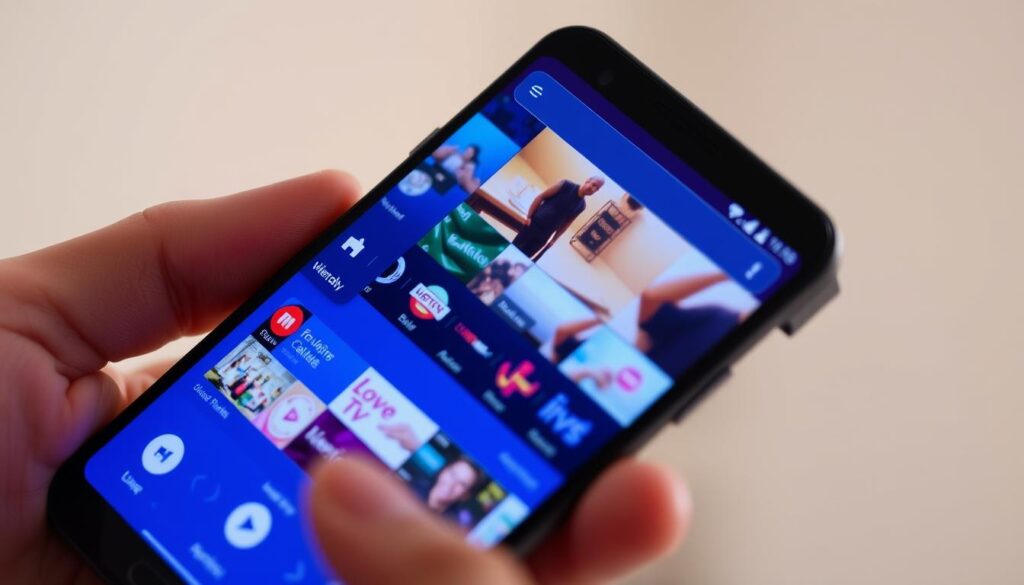
Ever wished your favorite TV followed you everywhere without the cable bill? Mobile viewers struggle to find a simple, reliable way to stream live sports, news, and movies while on the move.
You can fix that in minutes. GetMaxTV offers over 19,000 live channels and 97,000+ VOD for just $6.95/month. That price includes all sports and movie packages, instant activation, no contract, and 24/7 support.
Learn how streaming works today, why it beats old-school broadcasting, and which player app features — like EPG, PiP, multi-screen, and external player support — make your setup smooth.
This guide walks you through a fast app setup, adding channels and a TV guide, and pairing the best-value service so you can enjoy a stable, high-quality experience across all your devices.
Key Takeaways
- You’ll see how streaming and playlist setup turn your device into a portable TV.
- GetMaxTV gives massive content and simple pricing with instant activation.
- Choose an app with EPG, PiP, and external player support for the best experience.
- Simple tweaks to player settings and connection boost quality and reliability.
- You can start on your phone and keep watching on Firestick, Smart TV, Windows, or Mac.
Cut the cord on the go: why mobile IPTV matters in 2025
Carry your favorite TV with you and never miss a live moment again.
You live a fast life, and your viewing should keep up. Mobile devices let you tap into live streaming and vast on‑demand content during commutes, breaks, or travel so you never miss sports, news, or a favorite series.
GetMaxTV solves the “missed TV on the go” problem with instant activation, 19,000+ live channels and 97,000+ VOD, plus 24/7 support for $6.95/month with no contract. That makes it a smart value choice for 2025 users who want one app with full content and zero fuss.
The market backs this shift: global internet TV grew to $68.84B in 2023 and is set to hit $200.22B by 2030, showing strong demand for watching regular television over the internet.
- Watch live channels and on‑demand content wherever you have a signal.
- Start a stream on your phone and resume it on another screen without losing progress.
- Pick a plan that bundles sports and movies so you avoid juggling multiple services.
| Need | What matters | GetMaxTV benefit |
|---|---|---|
| Quick start | Instant activation | Ready in minutes — no wait |
| Wide selection | Live channels & VOD | 19,000+ channels, 97,000+ movies/series |
| Support | 24/7 help | Real support whenever you need it |
| Price | Value for money | $6.95/month, all packages included |
“Watching when you have time, not when a schedule dictates.”
For a step-by-step setup and the complete guide to apps, follow the link and get started in minutes.
What IPTV is and how it works on your phone

Now your viewing works like a web page: request it, and the server delivers video.
Using internet protocol means TV and movies travel as data packets across your internet link. When you tap a show, a server sends the video to your device just like a website sends a page.
How it delivers live TV and VOD
The system blends live channels and on‑demand content in one place. You request a stream and the server replies with packets that your app decodes and plays within seconds.
- Works like a client‑server model used by web services and email.
- Supports live TV, VOD, and catch‑up without switching providers.
- Scales to large libraries so you get more content in one app.
IPTV vs cable and satellite
Unlike cable or satellite broadcast, this service responds to your individual request. That lets you pause, resume, and watch on your schedule.
With GetMaxTV, you get a massive mix of live channels and VOD through one subscription. It activates instantly, costs $6.95/month, has no contract, and offers 24/7 support—so your streams stay reliable across devices.
Why Android is the ideal home for IPTV on Android phone
With the right app, your device becomes a compact entertainment center for live and on‑demand shows.
Android gives you a wide choice of polished apps with built‑in EPG, category browsing, and fast playback controls. These features make finding and watching live television simple and quick.
You get true portability. Watch in bed, at the gym, or during travel, then switch to a bigger screen without losing your place.
Compatibility is a core advantage: one account works across Android, Firestick, Smart TV, Mac, and Windows. GetMaxTV adds instant activation and 24/7 support, plus all sports and movie packages for $6.95/month with no contract.
Know the limits
Streaming depends on a stable connection. Slow or spotty networks can cause buffering, lag, or brief outages.
Device quirks may affect playback. Choosing an app that supports multiple decoders and external players helps keep quality high across models.
- Apps with EPG and PiP improve navigation and multitasking.
- Switching decoders can fix playback issues quickly.
- 24/7 support helps you resolve account or EPG sync problems fast.
“A solid network and the right app turn any device into your go‑anywhere TV.”
| Advantage | What it means | GetMaxTV benefit |
|---|---|---|
| Portability | Watch anywhere, resume on another screen | One account across devices |
| App features | EPG, multi‑screen, external players | Works with many popular players |
| Value | All sports and movies included | $6.95/month, no contract |
| Support | Help when issues arise | 24/7 customer support, instant activation |
Why choose GetMaxTV for the best-value mobile streaming experience
When value and variety matter, GetMaxTV delivers both in a single, hassle-free plan.
Massive content library
19,000+ live channels and 97,000+ VOD titles give you a huge selection of shows, movies, and live events. Your device becomes a complete entertainment hub for daily viewing and special nights.
Unbeatable price
At only $6.95/month, the subscription includes all sports and movie packages. That removes costly extras and keeps your monthly bill predictable.
Universal compatibility
This service works across Android, Firestick, Smart TV, Mac, Windows, and more. Use your favorite app and switch devices without reconfiguring your account.
Zero risk and fast start
Activation takes about 2 minutes. There is no contract, and 24/7 customer support is available if you need help with setup, EPG, or playback.
“The most content, lowest price, and instant access make GetMaxTV the top value choice for everyday streaming.”
With deep content, simple options, and round‑the‑clock support, GetMaxTV is built to free you from juggling services and to make live streaming and movie nights effortless.
What you need before you start streaming
A smooth first stream starts with a solid network and the right app features.
Connection and network: Aim for fiber, cable broadband, or reliable 4G/5G to minimize buffering. A 5 GHz Wi‑Fi band usually performs better in crowded buildings. If multicast is used locally, enabling a UDP proxy (udpxy) can boost stability.
Your device and app setup: Use a current Android device with enough storage and RAM. Pick an app that supports M3U playlists and XMLTV/JTV EPG so you load full channel lists and a proper guide.
- Install an external player (VLC) for extra decoding options.
- Keep tablets and other devices synced with the same credentials.
- Follow a short checklist: verify portal URL or credentials, import playlist, add EPG, test live channels and VOD.
If you run into trouble, contact support for quick help with EPG sync, decoder choices, or portal formatting. With a steady connection and a compatible app that supports M3U and EPG, you can activate GetMaxTV instantly and start watching full content in minutes.
Step‑by‑step: set up IPTV on your Android phone
Start with the right app and credentials, and setup becomes painless.
Pick a compatible app
Choose an IPTV Smarters‑style app for a friendly menu and built‑in EPG, PiP, and external player support. GSE Smart IPTV and OTT Navigator work well if you need advanced format handling.
Activate your subscription
Create or confirm your GetMaxTV account, complete checkout at $6.95/month, and get instant credentials. Activation takes about 2 minutes, there is no contract, and the service is compatible with many devices.
Load your portal and add EPG
Open the app and paste your M3U/portal URL or username/password carefully. Then add an XMLTV or JTV feed for a full TV guide and catch‑up support.
Test streams and organize
Refresh the channel list, test several live channels, play a few movies and series episodes, and save favorites. If playback needs help, switch decoders or use VLC as an external player.
- Sync favorites across apps and devices where supported.
- If something fails, contact 24/7 support with app name and device model.
- For an extra setup walkthrough see the installation overview.
Popular IPTV player apps that work well on Android
Finding the right player will make your streams smooth and easy to use.
IPTV Smarters‑style apps suit beginners. They offer a clean interface, a full EPG, multi‑screen viewing, PiP, and easy external player support. These features make browsing large content lists fast and familiar.
GSE Smart IPTV and OTT Navigator are for power and flexibility. GSE parses many formats (M3U8, RTMP) and supports multiple languages. OTT Navigator gives deep layout control, multiple EPG sources, Studio Mode for multi‑tile viewing, and hardware codec tweaks.
Lightweight options keep things simple. They support M3U/XSPF, XMLTV/JTV guides, UDP proxy, parental controls, and quick startup. Pick these if you want fast access without clutter.
TiviMate notes for mobile users: It’s built for TVs, so you may sideload the APK for phone use. The grid guide feels familiar if you prefer a TV‑style layout across tablets and boxes.
“Try a couple of players and keep the one that fits your habits best.”
| App type | Best for | Key features | Works with GetMaxTV |
|---|---|---|---|
| Smarters‑style | Beginners | EPG, PiP, multi‑screen, external player | Yes |
| GSE Smart | Format compatibility | M3U8, RTMP, fast parsing, multi‑language | Yes |
| OTT Navigator | Power users | Studio Mode, multiple EPGs, hardware codec | Yes |
| Lightweight apps | Speed & parental control | M3U/XSPF, XMLTV/JTV, UDP proxy | Yes |
Want a quick shortlist and extra setup tips? See a curated list of top streaming apps for mobile devices or advanced TiviMate configuration for experts at TiviMate guide.
Optimize quality and fix common streaming issues
A few simple tweaks can turn shaky playback into reliable HD streams.
Improve your network first. Use 5 GHz Wi‑Fi for cleaner signal and higher throughput in busy buildings. If possible, plug a USB‑C Ethernet adapter or hub into your device for the most stable link.
Manage mobile data and close background apps to free CPU and bandwidth. Keep your device cool during long sessions — heat can throttle performance and harm video quality.
Tune your app
Switch to hardware decoding when supported; it often smooths playback and saves battery. Increase buffer size if you see brief stutters — a larger buffer absorbs short drops in throughput.
Try an external player like VLC when a stream misbehaves; some players handle specific codecs or audio tracks better. If your LAN uses multicast, enable a UDP proxy to make streams more reliable.
When to use a VPN
Use a vpn only when needed for privacy or access. Encryption can slow routes, so test with and without it to judge impact on speed and availability.
- Start with network fixes: 5 GHz or Ethernet for best quality.
- Tweak app settings: hardware decoder, buffer, external player.
- Test vpn effects and enable UDP proxy for multicast environments.
“If an issue persists, note the channel or title, the app, and the symptom, then contact 24/7 support for a quick fix.”
Small changes yield big improvements in your streaming experience. For stubborn freezes or buffering, see our step guide to fix freezing and buffering or reach out to support — GetMaxTV provides 24/7 help to keep your service stable and value-rich.
Ready when you are: pricing, activation, and risk‑free ways to try
Signing up takes almost no time, so you can judge the service by watching, not by reading.
Only $6.95/month with no contract, instant activation, and 24/7 support
Subscribe now for $6.95/month and get instant activation. You can start watching in about 2 minutes.
Your subscription includes all sports and movie packages at no extra cost. That gives you access to 19,000+ live channels and 97,000+ VOD titles under one account.
This plan works across your devices and supports multiple streaming apps and options. If you need help, 24/7 support is ready to assist with setup, EPG, or playback.
Not sure yet? Get a free trial via WhatsApp support
If you want to get free trial access first, message our team on WhatsApp for a no‑obligation test. The trial lets you check picture quality, apps, and content before you commit.
- Fast activation — start in about two minutes.
- All sports and movies included — no extra fees.
- Works on Firestick, Smart TV, Mac, Windows, and more.
- Free trial available via WhatsApp to see channels and apps firsthand.
“Try it risk‑free and decide by watching — not guessing.”
| Plan | Price | Content | Support |
|---|---|---|---|
| All‑in One | $6.95/month | 19,000+ live channels, 97,000+ VOD | 24/7 live help |
| Trial | Free (no obligation) | Limited access to channels and VOD | WhatsApp setup help |
| Compatibility | Single account | Works across multiple devices | Support for apps and EPG |
Ready to start? Subscribe now or get free trial via WhatsApp for instant help and activation.
Conclusion
You’re set to enjoy live sports, news, and on‑demand shows with minimal setup.
This guide gives a clear path: use apps that accept M3U playlists and XMLTV/JTV guides, enable a UDP proxy if needed, and tune hardware decoding and buffer settings for better quality. A solid 5 GHz Wi‑Fi or wired connection makes streams reliable across devices.
GetMaxTV bundles the value: 19,000+ live channels, 97,000+ VOD, all sports and movie packages, instant activation, no contract, 24/7 support, and a single $6.95/month subscription that works across boxes, tablets, and phones.
Ready to begin? Subscribe now at GetMaxTV for instant access, or try a no‑obligation free trial via WhatsApp at message support. For more app tips and a practical list of players, see our IPTV apps guide and the roundup of the best Android boxes.
FAQ
What is the best way to stream live channels and movies to your Android phone?
Choose a reliable streaming service and a compatible app that supports M3U or portal logins and EPG (XMLTV/JTV). Use a strong broadband or 5 GHz Wi‑Fi connection or a stable mobile data plan. Consider an external player for better decoding and enable hardware acceleration in the app to reduce buffering. A VPN can help with privacy and access but may lower speed.
How do live television and VOD get delivered over an internet protocol service?
Providers send video as packets over the internet using standard protocols, then your app decodes them in real time. Live channels use multicast or adaptive streaming for continuous feeds, while VOD uses on‑demand delivery with seek and pause features. Your app handles playlists, EPG integration, and authorization so you can browse channels and shows seamlessly.
How does streaming on a mobile device compare to cable or satellite?
Streaming gives you on‑demand control, flexible channel selection, and often lower cost. You can watch live sports and shows anywhere with internet access, use an electronic program guide, and catch up on missed content. The tradeoffs are reliance on your network, occasional outages, and device compatibility limits compared with traditional TV boxes.
Why is Android a strong choice for mobile streaming?
Android offers a wide range of apps, customizable players, and easy sideloading for advanced players. You’ll find players with picture‑in‑picture, multi‑screen, and parental controls. The platform supports many codecs and external players, giving you flexibility on phones, tablets, Firestick devices, and Android TV boxes.
What are common limits you should be aware of?
Expect dependence on your internet connection, possible throttling on mobile data, and occasional region restrictions. Some channels may require specific app formats or codecs, and older devices might struggle with high‑bitrate streams. Always check device specs and keep your app and OS updated.
What should you check before you start streaming with a service like GetMaxTV?
Verify your plan includes the channels and sports you want, check multi‑device support (Smart TV, Mac, Windows, Firestick), and confirm activation time and support hours. Ensure your device supports the required player formats, and have your login, M3U/JSON portal, and EPG files ready.
How do you set up a mobile streaming app step‑by‑step?
Install a compatible app from Google Play or a trusted source, activate your subscription, then enter your portal URL or login credentials. Add EPG (XMLTV/JTV) for program listings and enable hardware decoding. Test several channels and save favorites for quick access.
Which player apps work well on mobile devices?
Look for Smarters‑style apps for a user‑friendly UI and multi‑screen, GSE Smart IPTV and OTT Navigator for broad format support and customization, and lightweight M3U players if you want minimal overhead. Consider compatibility with internal/external players and support for parental control and catch‑up.
How can you improve stream quality and fix buffering?
Switch to 5 GHz Wi‑Fi, use Ethernet via an adapter for a tablet or box, reduce simultaneous device usage, and tweak app settings like buffer size and hardware decoder. Try an external player or UDP proxy if available. If problems persist, test on another network to isolate the issue.
When should you use a VPN and what impact does it have?
Use a VPN for privacy, to access region‑locked channels, or when on public Wi‑Fi. Choose a fast server nearby to minimize latency. Be aware that a VPN can reduce throughput and increase buffering on weaker networks.
How do trial offers and pricing typically work for mobile streaming services?
Many services offer free trials via support channels or a short promotional window. Monthly subscriptions often include all sports and movie packages at a single price. Look for instant activation, no‑contract billing, and 24/7 customer support so you can test the service risk‑free.
What devices are supported besides phones and tablets?
Good services run on Smart TVs, Firestick/Fire TV devices, Android TV boxes, Windows and Mac computers, and sometimes Linux. Check for universal compatibility and whether the provider supplies APKs, installation guides, or dedicated apps for each platform.
The GetMaxTV Team is a group of cord-cutting experts and streaming technology specialists who have been testing and reviewing IPTV services since 2022. Based in North America, our team personally tests every service we recommend across 15+ devices including Fire TV Stick, Roku, Apple TV, Samsung Smart TVs, and gaming consoles. We verify channel counts, measure buffering rates, test picture quality in HD and 4K, and evaluate customer support response times. Our mission is to help viewers save money by switching from expensive cable subscriptions ($147/month average) to affordable, high-quality IPTV alternatives. Every article on GetMaxTV.com is based on hands-on testing and real-world experience — not recycled marketing claims.