
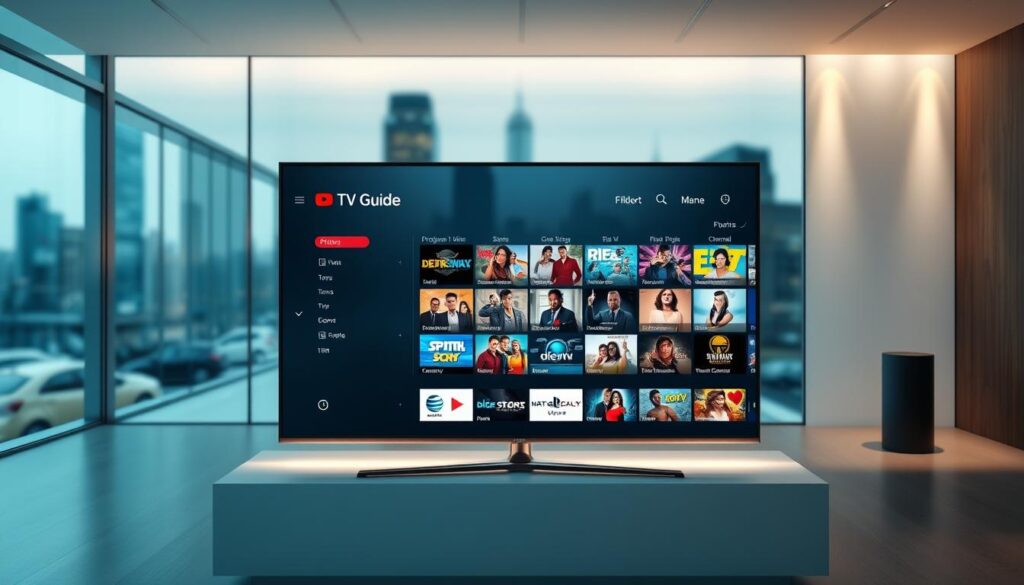
Ready to stop scrolling and start watching? If your shows vanish from the listings or buffering steals the game, you need a guide that just works. This intro shows how a smart program guide changes your TV nights and how to pick the right provider fast.
GetMaxTV leads the pack with 19,000+ live channels and 97,000+ VOD at an unbeatable $6.95/month. You get universal device access—Smart TVs, FireStick, Roku, Android, iOS, Windows, macOS—and instant activation with no contract.
We’ll explain why guide accuracy, refresh rate, and time-shift data matter. You’ll learn recommended speeds (5 Mbps SD, 10 Mbps HD, 25 Mbps 4K) and how to test a provider with a free trial. Expect clear steps to set up favorites, reminders, and parental controls so your viewing stays simple and reliable.
Key Takeaways
- Choose a provider with accurate listings and fast refresh to avoid missed shows.
- GetMaxTV offers huge channel and VOD libraries for just $6.95/month with no contract.
- Use recommended speeds for SD, HD, and 4K to reduce buffering.
- Ensure device compatibility: Smart TV, FireStick, Roku, Android, iOS, Windows, macOS.
- Try a risk-free trial and rely on 24/7 support before you commit.
Why your IPTV experience lives or dies by the EPG
A dependable program guide decides whether you catch the game or miss the final minutes. When listings lag or show wrong times, you waste time and risk missing live sports and premieres.
GetMaxTV uses an accurate, frequently refreshed guide so you can find live TV, PPV, and VOD without delay. Instant activation and 24/7 support mean any lineup tweak is handled fast, keeping your access seamless.
Large channel catalogs need structure. A clear guide with groups, favorites, and reminders turns chaos into a quick routine. That saves minutes each session and makes discovery of new movies and series simple.
| What | Why it matters | GetMaxTV benefit |
|---|---|---|
| Accurate listings | Prevents missed starts | Fresh updates, low lag |
| Fast load times | Less buffering while streaming | Stable servers for quick zaps |
| Sports timing | Know kickoff and overtime windows | No extra fees for live events |
For a quick comparison of top providers and what they offer, see a detailed list at best iptv service options.
What is an EPG and how it powers effortless channel surfing
Think of the on-screen schedule as your home-screen map for channels — it tells you what’s live and what’s coming next.
An electronic program guide lists what’s playing now and next across your lineup. In internet protocol television that schedule pairs with your player so you see descriptions, artwork, and precise timing.
IPTV players decode provider streams and pull guide data via M3U or Xtream credentials. The internet protocol behind the feed lets the schedule refresh often and reflect last-minute changes for live broadcasts.
- Fast setup: load M3U or Xtream in an app and the guide populates.
- Views: grid or timeline layouts let you surf channels in seconds.
- Controls: set reminders, favorites, filters, and parental locks from the same screen.
Because the guide works across Smart TVs, FireStick, Android boxes, phones, and computers, your browsing stays consistent on every device. That makes connecting GetMaxTV and enjoying smooth streaming access quick and simple.
EPG Quality IPTV Services
A reliable on-screen schedule turns random channel flipping into fast, planned viewing. A clean program guide saves you time and keeps big moments from slipping by.
Must-have features: accuracy, refresh rate, time-shift
Accuracy matters most—listings must match live airtimes for sports, premieres, and news.
Frequent refreshes catch last-minute changes and keep catch-up markers current.
Time-shift data shows pre-game windows and overtime so you don’t miss crucial action.
Grid vs. timeline: pick what fits your routine
Grids let you compare channels side-by-side. Timelines make it simple to scan upcoming content by hour.
Also check zapping speed, artwork and episode metadata, and whether your devices are supported by top players.
“A responsive guide with instant activation and reliable support turns browsing into finding.”
- Prioritize guide accuracy and fast updates.
- Confirm metadata for movies and series to speed choices.
- Choose a provider with instant activation and always-on support to fix mismatches quickly.
Buyer’s checklist: How to evaluate an IPTV provider for EPG, streaming, and value

Picking the right provider starts with tests you can run tonight on your own network. Follow this checklist to judge real-world uptime, channel depth, and whether the guide matches live airings.
Reliability and uptime
Look for 99.9% uptime and low buffering during peak hours. Test on your devices at prime time and note zapping speed.
Recommended speeds: 5 Mbps (SD), 10 Mbps (HD), 25 Mbps (4K). Consider a vpn if your ISP throttles video.
Channel variety
Confirm local, premium, international, and sports coverage. You want broad channel lists and reliable live feeds.
VOD depth and metadata
Inspect the on-demand library for artwork, full seasons, and clear descriptions. Rich metadata speeds discovery and improves viewing.
Pricing, trial, and refunds
Demand transparent pricing, no hidden add-ons, and a clear refund policy. Test performance with a free trial (24–72 hours).
Support that helps
Choose a provider with instant activation and 24/7 customer support that resolves issues fast.
| Checklist item | What to test | Good sign |
|---|---|---|
| Uptime | Peak-hour streaming | 99.9% uptime, low buffering |
| Channels | Local, sports, international | Large lineup with fast zaps |
| VOD | Artwork, seasons, search | Deep library, clear metadata |
| Trial & price | Free trial length, refund terms | No hidden fees, easy refund |
| Support & devices | Response time, device list | 24/7 help, Smart TV/FireStick/phone support |
GetMaxTV checks these boxes: huge lineup (19,000+ channels), 97,000+ VOD, $6.95/month, no contract, instant activation, and a no-obligation free trial via WhatsApp with 24/7 customer support.
Devices and apps: Getting the best guide experience on Smart TVs, Fire Stick, and more
A smart player and a quick setup turn a big channel list into a personal watchlist in minutes.
Top players that make the guide work
TiviMate, IPTV Smarters, and Room IPTV each offer strong EPG support and easy credential loading. Use the player that fits your comfort level — TiviMate for TV front-ends, IPTV Smarters for cross-device apps.
Compatibility essentials
These players run on Smart TVs (Samsung, LG, Sony), Firestick, Roku, Android TV boxes, iOS/Android phones, and Windows/macOS. GetMaxTV credentials load fast, so the guide populates right after activation.
Interface tips to personalize your view
- Group channels into news, sports, movies, and locals to end endless scrolling.
- Set favorites so your top picks appear first.
- Enable parental controls and reminders to protect and never miss premieres.
“With a few setup steps, your player turns into a fast, personal control center.”
Network requirements for smooth, high-quality streams with accurate EPG data
Stable bandwidth and smart router settings let you focus on watching, not buffering.
Speed targets matter: match your household viewing to the right numbers—5 Mbps per SD stream, 10 Mbps per HD stream, and 25 Mbps or more for 4K. These targets keep live sports and movies crisp and help your on-screen listings refresh reliably.
Router and Wi‑Fi tips: Ethernet gives the best stability for a living-room device. If you must use Wi‑Fi, pick 5 GHz over 2.4 GHz to cut interference. Enable QoS so video packets get priority during peak hours.
- Place the router centrally and update firmware to reduce dropouts.
- Limit background downloads during big events to avoid spikes.
- Consider a mesh system in large homes for steady signal to all devices.
- If your ISP throttles video, a reputable vpn can help maintain steady throughput and stabilize guide loading.
“A bit of network tuning goes a long way: faster zaps, fewer stalls, and up-to-date listings.”
| Need | Tip | Impact | Action |
|---|---|---|---|
| SD / HD / 4K | 5 / 10 / 25+ Mbps | Smooth playback, timely listings | Test speeds and add bandwidth if needed |
| Stability | Ethernet or 5 GHz Wi‑Fi | Fewer dropouts on device | Use wired connection for main TV |
| Peak congestion | Enable QoS on router | Prioritizes streaming packets | Set video priority for streaming apps |
| ISP throttling | Use a reputable vpn | Consistent throughput, steady guide updates | Try vpn if you see slowdowns during peak |
GetMaxTV runs on robust servers and is forgiving on real-world networks. With basic tuning you’ll see fast channel changes and reliable listings. If anything feels off, 24/7 support can walk you through router, Wi‑Fi, or vpn settings so your service and access stay smooth.
Legal and privacy basics for IPTV buyers in the United States
Before you subscribe, understand how licensing and privacy shape what stays available and what disappears. The technology is legal, but access depends on whether the provider holds distribution rights for the content you want.
Licensed services like Hulu + Live TV, Sling, YouTube TV, and fuboTV secure rights that make access stable over time. Licensed offerings usually renew rights and reduce the chance of sudden blackouts for big events.
Practical points to check
- Licensing: Verify the provider documents how it obtains rights for live sports and premium channels.
- Transparency: Read terms, refund policies, and support options before you pay.
- Privacy: A vpn can protect your traffic from ISP profiling, help avoid throttling, and handle geo-restrictions during big events.
- Device & guide behavior: Check that the provider explains compatibility and how the on-screen guide updates.
Be wary of services that undercut market norms with unclear add-ons or extremely low pricing. Those offers can disappear overnight and risk interrupted access to sports or PPV events.
“Being informed about licensing and privacy helps you enjoy streaming confidently and avoid disruptions.”
| What to check | Why it matters | Good sign |
|---|---|---|
| Licensing & rights | Long-term access to channels and events | Clear documentation from the provider |
| Refunds & terms | Recourse if the service fails | Simple trial and transparent refund policy |
| Privacy tools | Consistent performance and data protection | Support guidance on using a vpn |
GetMaxTV focuses on a user-first experience with 24/7 support to help you set up devices, explain guide behavior, and answer privacy questions. Keep your apps and devices updated, and pick options that document how they operate for the safest, most reliable viewing.
Market reality check: Typical IPTV pricing vs. what you actually get
Price tags hide trade-offs—what looks cheap can cost you time and frustration later.
Many plans aimed at U.S. viewers advertise $15–$19 per month. On the surface that sounds fair, but the listed price rarely tells the whole story.
Some providers add fees for sports or movie add-ons. Others shrink free trials or set tight refund windows so problems appear after you pay.
Why “cheap” often means compromises
- Buffering and throttled streams: peak-hour slowdowns hit live events the hardest.
- Partial guide or missing channels: metadata and listings may lag or be incomplete.
- Weak customer help: slow response times leave you stuck during big games or premieres.
“A low sticker price means little if the service fails when you need it most.”
| Plan type | Typical claim | Real-world trade-off |
|---|---|---|
| Budget $15–$19/month | Large channel lists, big VOD counts | Upcharges, peak buffering, limited trials |
| Premium add-on plans | Sports and movie packs available | Extra fees that raise monthly cost |
| No-contract low-cost plan | Fast activation promised | Support can be slow or scarce |
| GetMaxTV | $6.95/month with 19,000+ channels and 97,000+ VOD | No hidden add-ons, instant activation, 24/7 support |
Think beyond price: evaluate device support, listings accuracy, channel depth, and how fast help arrives. The best iptv choice is the one that saves you time and keeps your monthly cost predictable.
Meet GetMaxTV: The best-value IPTV provider for EPG-driven viewing
GetMaxTV packages a huge channel lineup into an easy, fast browsing experience so you spend minutes watching, not searching.
What you get: 19,000+ live channels and 97,000+ on-demand titles for just $6.95/month. All sports and movie packs are included with no extra fees.
Fast activation: credentials arrive after checkout and you can be streaming in about two minutes. The EPG loads quickly and organizes channels, favorites, and categories so navigation stays simple.
- Device support: Smart TVs, FireStick, Android, iOS, Windows, macOS.
- No contract: keep or cancel on your terms.
- 24/7 help: prompt customer support if you need setup or troubleshooting.
Why it stands out: this provider blends vast content with instant access and dependable daily performance. If you want to try it risk-free, start with a best iptv free trial and judge the navigation and streaming yourself.
“Fast activation, huge channel lists, and round-the-clock support make everyday viewing easier.”
Why GetMaxTV wins on content: 19,000+ live channels and 97,000+ VOD
GetMaxTV stacks a massive lineup so you can stop hunting and start watching tonight. One subscription gives broad access across national networks, local stations, international packages, and dedicated sports feeds.
The difference is inclusivity: premium channels, big sports, and ppv events are included with no add-on fees. That keeps your monthly cost predictable and your event nights ready out of the box.
- Dive into 19,000+ live channels that cover U.S. favorites, global lineups, and specialist sports outlets.
- Explore 97,000+ VOD titles — new releases, classic movies, and full TV seasons with rich metadata for fast discovery.
- All major sports, movies, and ppv events come without nickel-and-diming, so long weekends stay full of entertainment.
The built-in guide spans U.S. and international listings, so you see accurate start times, pre- and post-game shows, and movie premieres at a glance. With this scale of content, you satisfy different tastes in one household and avoid juggling multiple subscriptions.
“One subscription, everything you care about — big live events and on-demand movie nights ready when you are.”
Unbeatable price and zero risk: $6.95/month, no contract, instant activation
When activation happens in minutes, you start watching instead of waiting. Pay only $6.95/month and keep full control of your subscription with no long-term commitment.
Start watching in about 2 minutes: automated provisioning made simple
Provisioning is automated, so credentials arrive right after checkout. Most customers get access and begin streaming in roughly two minutes.
That beats competitors that list $15–$19 per month and still require manual approvals or wait times. Instant activation means you avoid delays and start watching on your devices immediately.
Budget vs. value: pay less without sacrificing performance
Cheap plans can hide fees and slow support. This plan keeps pricing clear and removes add-on surprises for sports or movies.
“Fast setup, rich content, and 24/7 customer support mean real value—not just a low sticker price.”
- Pay only $6.95/month with no contract.
- Automated provisioning — start in about 2 minutes.
- No add-on charges for sports or movies; predictable billing.
- 24/7 support so you’re never left waiting for help.
- Consistent streaming and guide access across all your devices.
| Feature | Why it matters | What you get |
|---|---|---|
| Price | Keeps monthly cost predictable | $6.95/month, no contract |
| Activation | Start watching fast | Automated provisioning, ~2 minutes |
| Support | Help when you need it | 24/7 customer support |
| Content access | All-in-one viewing | No extra fees for sports or movies |
Ready to compare value? Try a risk-free route and see how quick activation and steady streaming feel. For a convenient sign-up option, check the monthly plan at monthly subscription from $6.99.
Universal compatibility: Stream on Firestick, Smart TVs, Android, Mac, Windows, and more
Make any screen a smart screen: GetMaxTV adapts to the devices you use every day.
Set up quickly on common devices. Install your preferred player on Smart TVs (Samsung, LG, Sony) to bring full guide browsing to the big screen. On a Fire stick, load your credentials, refresh the guide, and save favorites for instant access.
Use the app on Android and iOS to keep watching on phones and tablets. For laptops, compatible players on Windows or Mac turn your computer into a flexible TV and VOD hub in minutes.
Multi-device tips: set up on your living room TV, phone, and laptop
- Install TiviMate or IPTV Smarters on smart tvs to enable grid and timeline views.
- Fire stick setup is simple — add the player, paste credentials, refresh, and pin favorites.
- Download the app on phones for travel-friendly access to channels and on-demand titles.
- On Windows/macOS use desktop players to sync your watchlist and play VOD smoothly.
- Add an Android TV box or streaming stick to older TVs for modern features.
Sync and control: Where players support it, sync favorites and groups so the guide feels familiar on every device. Use parental controls on living room hardware and let personal devices handle niche picks.
“GetMaxTV’s instant activation means each device can be live in minutes — and 24/7 support is ready if a setting needs fixing.”
| Device | Fast action | Good result |
|---|---|---|
| Smart TVs (Samsung, LG, Sony) | Install player app, load credentials | Big-screen browsing, favorites, reminders |
| Fire stick | Install, paste credentials, refresh | Quick zaps and saved channels |
| Android / iOS | Download app, log in | On-the-go access to channels and VOD |
| Windows / macOS | Use desktop player, sync lists | Laptop as VOD hub and backup player |
Sports-first EPG: Never miss live games, red-zone moments, or PPV events
When game day matters, your on-screen schedule must match kickoffs down to the minute. You want clear start times, pre-game windows, and reliable reminders so you never scramble at the last second.
Scheduling clarity: pre-game shows, kickoffs, and overtime windows
The right guide lists pre-game coverage, kickoff, halftime, and likely overtime windows. That makes it easy to plan snacks, mute spoilers, or jump between early and late games.
- Set reminders for key matchups and get nudges before the whistle.
- Group your favorite leagues so related channels appear at the top of the lineup.
- Accurate listings reduce last-minute switching and missed moments.
Low-latency streams paired with accurate guide timing
Fast delivery matters. Low-latency streaming keeps you close to live and avoids spoilers from scores or social feeds.
GetMaxTV includes all sports and ppv events at no extra cost, with precise timing and stable servers. That means seamless switching between broadcasts, dependable access to marquee matchups, and fewer surprises on game night.
“You focus on the game; the guide and stream do the heavy lifting in the background.”
On-demand bliss: Using EPG and categories to explore 97,000+ movies and series
Dive into a massive on-demand library that turns “what now?” into “watch this tonight.” The built-in guide and categories make browsing quick and satisfying.
Find what to watch fast: search, filters, and artwork-driven discovery
Browse 97,000+ titles with metadata-rich listings that help you choose faster. Artwork, cast lists, and episode info reduce guesswork and speed selection.
Use search to jump to actors, franchises, or genres in seconds. Filters slice the catalog into new releases, top-rated picks, and hidden gems so choices appear instantly.
- Artwork-driven discovery makes it easy to recognize movies and series at a glance.
- Seamless transitions between live channels and on-demand content keep your night flowing.
- Create a personal watchlist so anything you spot in the guide won’t get lost.
The same guide principles—clear labels, accurate metadata, and simple groups—make VOD browsing feel intuitive. With instant activation, you can start exploring tonight without setup delays.
“With deep catalogs and smart search, you spend minutes picking and hours enjoying.”
GetMaxTV’s depth means you find fresh picks without adding another app. Settle in, pick confidently, and enjoy premium content without extra fees.
Step-by-step: How to sign up and get your EPG working with GetMaxTV
A quick signup and simple player steps are all you need to bring GetMaxTV to your screens.
Choose your plan and activate
Go to getmaxtv.com and pick the $6.95/month plan. Checkout completes automated provisioning and you get Xtream or M3U credentials instantly.
Load credentials into your player
Install the IPTV Smarters or TiviMate app on your device. Open the app, choose Add New Playlist or Account, and paste the credentials exactly.
Refresh, organize, and enjoy
Let the app download channels and guide data—first sync can take a minute. Refresh the guide in the app menu so listings align to your time zone.
- Create channel groups and mark favorites for faster browsing.
- Enable reminders for games and premieres you don’t want to miss.
- Repeat setup on other devices for multi-screen access.
“If you need help at any step, 24/7 support will get you up and running in minutes.”
Always-on help: 24/7 customer support and no-obligation free trial
When you need help at any hour, fast human support saves setup time and nerves.
Talk to a real person for step‑by‑step setup, app tips, and device-specific troubleshooting. The team helps with syncing the guide, configuring Wi‑Fi, and fine-tuning router settings so your access is steady.
Talk to a human anytime for setup and troubleshooting
Real people are available 24/7 to walk you through TiviMate or IPTV Smarters, add credentials, and confirm the guide matches your time zone.
If you run into network quirks, support can suggest simple fixes to improve stability and picture quality on your devices.
Free trial via WhatsApp
Try before you commit. Get a no‑obligation free trial via WhatsApp at https://wa.me/message/OZ4NORVZQTYAC1 and test channel lineup, picture, and guide accuracy on your own screens.
Use the trial to confirm instant activation and how the app feels across phones, TVs, and laptops.
| What | Why it helps you | When to use |
|---|---|---|
| Live setup help | Speeds activation and reduces errors | First-time install |
| Network troubleshooting | Improves stability and reduces buffering | During peak-hour issues |
| No‑obligation free trial | Verify channels, guide sync, and app behavior | Before subscribing |
Conclusion
,Wrap up your search with a simple rule: pick a guide that saves time and never surprises you.
GetMaxTV bundles 19,000+ live channels and 97,000+ VOD into one low-cost plan. For just $6.95/month you get all sports and movies included, instant activation, no contract, and 24/7 support.
Choose a provider that pairs a fast guide with solid streaming and easy device setup. Ready to subscribe and start watching in about two minutes? Visit https://getmaxtv.com/.
Prefer to test first? Get a no‑obligation free trial via WhatsApp: https://wa.me/message/OZ4NORVZQTYAC1. Lock in clearer access, better channels, and round‑the‑clock help.
FAQ
What is an electronic program guide and why does it matter for your IPTV viewing?
An electronic program guide (EPG) is the on-screen schedule that lists live channels, upcoming shows, and on-demand content. It helps you find live sports, PPV events, movies, and series quickly. A clean, accurate guide reduces the time you spend hunting channels and prevents missed kickoffs or live moments.
How do guide accuracy and refresh rate affect my experience?
Accuracy and refresh frequency determine whether show times and channel lineups match what’s actually airing. Fast refreshes fix schedule shifts and keep time-shift and catch-up features usable. If the guide lags, you may see wrong start times or missing metadata like artwork and episode descriptions.
What guide layout is easiest to use: grid or timeline?
Grid guides show many channels at once, which helps when you want a broad view. Timeline guides focus on a single channel or genre and make scrolling forward/back faster. Choose the layout that fits how you browse—grid for channel surfing, timeline for deep scheduling.
Which features should I look for when choosing a provider for a reliable program guide?
Look for accurate metadata (titles, artwork, descriptions), quick EPG refresh, timezone handling, favorites and channel groups, reminder and recording support, and compatibility with players like IPTV Smarters, TiviMate, and Room IPTV. Also check uptime, free trial options, and 24/7 customer support.
How much internet speed do I need for smooth streaming and guide updates?
Recommended minimum speeds are about 5 Mbps for SD, 10 Mbps for HD, and 25 Mbps or higher for 4K. Stable bandwidth helps both video quality and timely guide updates. Use Ethernet or a solid 5 GHz Wi‑Fi connection and enable QoS on your router when possible.
Will my Smart TV or Fire TV Stick work with modern guides and players?
Yes. Most smart TVs, Android TV boxes, Firestick devices, and mobile platforms support major IPTV players. Make sure the app you choose supports EPG import and that your device runs the latest firmware for best compatibility and performance.
What are common trade-offs with very cheap subscription plans?
Extremely low-cost plans often reduce redundancy and server capacity, which can lead to buffering during peak hours, outdated guide data, or poor customer support. Verify uptime, channel variety, and refund or trial policies before committing.
How does licensing affect channel availability and longevity?
Licensing determines whether a provider can offer specific premium channels, sports packages, or PPV events. Licensed sources tend to be more stable and legal, which helps avoid sudden channel drops. Confirm a provider’s approach to licensing if access longevity matters to you.
Can I try a provider before buying to test guide quality and streams?
Many providers offer a free trial or short-term access so you can test channel lineup, VOD catalog, and EPG accuracy. Use the trial to test on your main devices, check guide refreshes, and contact customer support to evaluate response times.
How do I set up an EPG with IPTV Smarters or TiviMate?
After subscribing, load your account credentials or playlist into the app, import the EPG URL if provided, then refresh the guide. Organize favorites, create channel groups, and set up reminders. If you see mismatched times, check time zone and refresh settings in the app.
What metadata should a strong VOD catalog include?
A good catalog includes artwork, episode descriptions, cast, season and episode numbers, runtime, and content categories. Rich metadata speeds discovery and improves search and filter results when you browse thousands of movies and series.
How do providers handle sports scheduling and low-latency streaming?
Providers who prioritize sports keep guide timing tightly synced to live feeds, surface pre-game and overtime windows, and offer low-latency streams to reduce delay. They may also include red-zone style channels and PPV-style event access in the lineup.
What support should you expect if you run into setup or playback issues?
You should be able to reach human support 24/7 via chat, email, or WhatsApp for account setup, app configuration, and troubleshooting. Good providers offer guided setup for devices like Firestick and Smart TVs and quick resolution for EPG or buffering issues.
Are there privacy or legal concerns I should consider in the U.S.?
Yes. Verify that the provider distributes channels with proper licensing in the U.S. Review privacy practices around data, device logs, and payment processing. Using a reputable provider and, if needed, a VPN can help protect your connection and privacy.
How can I minimize ISP throttling and packet loss to keep the guide accurate?
Use wired Ethernet when possible, choose a high-quality router, enable QoS to prioritize streaming traffic, and consider testing at different times of day. If you suspect throttling, run speed tests and contact your ISP or use a VPN to compare performance.
What makes GetMaxTV different when it comes to guide-driven viewing?
Look for features like wide channel coverage, comprehensive EPG metadata across U.S. and international channels, strong VOD libraries, simple activation, and reliable customer support. Confirm free trial availability and cross-device compatibility before subscribing.
The GetMaxTV Team is a group of cord-cutting experts and streaming technology specialists who have been testing and reviewing IPTV services since 2022. Based in North America, our team personally tests every service we recommend across 15+ devices including Fire TV Stick, Roku, Apple TV, Samsung Smart TVs, and gaming consoles. We verify channel counts, measure buffering rates, test picture quality in HD and 4K, and evaluate customer support response times. Our mission is to help viewers save money by switching from expensive cable subscriptions ($147/month average) to affordable, high-quality IPTV alternatives. Every article on GetMaxTV.com is based on hands-on testing and real-world experience — not recycled marketing claims.